1
Model 532 Operating Instructions
C.
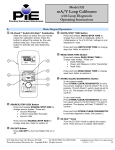
EZ-Dialä Knob
Adjust the output up and down with the EZ-Dialä knob. The increment is 0.001 mA (or 0.01 % if display
units are % of 4-20 mA.) Press while turning to adjust 100X faster – 0.100 mA (or 1.00 %.)
D.
EZ-Checkä Switch
The EZ-Check™ switch has three positions -- high, set, and low. Its position is shown at the left edge of
the display with “HI” and “LO” indicators. Use of the EZ-Checkä switch depends on mode:
Source Modes:
Slide the EZ-Checkä switch to the HI and LO positions to recall the settings stored in those
positions. While in the HI and LO positions, dial the EZ-Dialä knob to change the display. Press
STORE/CLEAR to save new settings in the HI and LO positions. The display will flash “STORED” to
confirm.
Hint: For faster calibrations, the position of the switch can be felt. This feature allows continuous
monitoring of the device being calibrated without looking back at the Model 532 display. This is also useful
in poor lighting or under difficult operating conditions.
Read Modes:
In read modes, the Model 532 calibrator records the maximum and minimum readings observed in
each mode. Slide the EZ-Checkä switch to the HI and LO positions to display the readings. Press
STORE/CLEAR to clear the readings. The display will flash “CLEARED” to confirm.
By default, the Model 532 has EZ-Checkä HI/LO Readings OFF. Refer to Model 532 Configuration, section
B.
E.
EZ-Stepä Pushbutton/ Manual Step
The EZ-Stepä pushbutton is a feature only in source modes.
Press and hold the EZ-Stepä pushbutton for less than one second to cause the output to step up or down
by the EZ-Stepä size.
The EZ-Stepä direction is indicated on the display (
step direction.
or
). Press the EZ-Dialä knob to change the
Stepping and auto step/ramp limits are defined by the EZ-Checkä HI and LO settings. The step direction
changes when a limit is reached.
The step size is computed as the difference between the EZ-Checkä HI and the EZ-Checkä LO divided by
the number of steps. See section H.
By default, the Model 532 has EZ-Stepä OFF. Refer to Model 532 Configuration, section B.
F.
Auto Step/Ramp
Press the EZ-Stepä pushbutton for more than one second to activate auto step/ramp mode. The Model
532 will automatically step by the selected EZ-Stepä size and time. Press the EZ-Stepä pushbutton again
to deactivate auto step/ramp mode.
or
). Press the EZ-Dialä knob to change the
The EZ-Stepä direction is indicated on the display (
step direction. The step direction can be changed while automatically stepping/ramping.
Practical Instrument Electronics, Inc. Copyright ã 2011. All rights reserved.
3-8