1
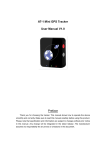
MP80 Mini GPS Tracker User Manual V1.0 Preface Thank you for choosing the tracker.This manual shows how to operate the device smoothly and correctly.Make sure to read this manual carefully before using this product. Please note that specification and information are subject to changes without prior notice in this manual. Any change will be integrated in the latest release.The manufacturer assumes no responsibility for any errors or omissions in this document. Contents 1. Overview.......................................................................................................................................1 2. Application....................................................................................................................................1 3. Specifications...............................................................................................................................1 4. Hardware Description................................................................................................................2 4.1 Appearance........................................................................................................................2 4.2 LED Indications................................................................................................................ 2 4.2.1 Green LED-GPS indicator..................................................................................2 4.2.2 Blue LED-GSM indicator.................................................................................... 2 4.2.3 Red LED-charge indicator..................................................................................3 4.3 Device Button Instruction...............................................................................................3 5. Main Operation and Application.............................................................................................3 5.1 Set Authorization Phone Number................................................................................3 5.2 Delete authorization number.........................................................................................3 5.3 Position Mode...................................................................................................................4 5.4 Change the password.................................................................................................... 4 5.5 Single Locating.................................................................................................................4 5.6 Calling Switch................................................................................................................... 4 5.7 SMS Response ON/OFF............................................................................................... 4 5.8 Call Restriction Switch................................................................................................... 5 5.9 GPRS Upload ON/OFF..................................................................................................5 5.10 Monitor(Voice Surveillance).........................................................................................5 5.11 Geo-fence........................................................................................................................ 5 5.11.1 Enable the Geo-fence.......................................................................................5 5.11.2 Disable the Geo-fence......................................................................................6 5.12 SOS Alarm...................................................................................................................... 6 5.13 Low battery Alarm.........................................................................................................6 5.14 Set Time Zone...............................................................................................................6 5.15 Set APN(Access Point Name)...................................................................................6 5.16 Set Server IP and PORT........................................................................................... 6 5.17 Set GPRS Upload Interval Time.............................................................................. 6 5.18 Set LBS upload interval time.....................................................................................6 5.19 Upload current position data......................................................................................7 5.20 Invalid GPS Data Upload........................................................................................... 7 5.21 G-sensor mode.............................................................................................................. 7 5.22 Pedometer check...........................................................................................................7 5.23 Over-speed alarm..........................................................................................................7 5.24 Mileage report................................................................................................................ 8 5.24.1 Set report interval time.................................................................................... 8 5.24.2 Clear the Mileage.............................................................................................. 8 5.24.3 Check the current mileage..............................................................................8 1. Overview This device is the latest Mini Personal GPS Tracker.This device can locate and monitor any remote targets by SMS or Internet. It also has two-way voice communication and remote listen-in functions.The unit features excellent and stable work performance.It used for personal(kids/elderly)tracking and fleet management. 2. Application GSM 850/900/1800/1900Mhz works worldwide. Track by SMS/GPRS LBS Position when GPS is unavailable Real-time Position inquire Report SMS with Google Maps Link Two-way Voice Communication Listen-in(Voice Monitoring) History trace Display SOS Alarm Geo-fence Alarm Low battery Alarm Over-speed alarm Pedometers:Step, Calories and Distance Counter Mileage report Long Standby Time for 8 days 3. Specifications Item Specifications GSM Frequency GSM 850/900/1800/1900Mhz GPS Chip U-blox7 GPS Sensitivity -160dBm Channel 210 Channel, omnibearing tracking Positioning Accuracy 10 Meters Hot start 1s on average Warm start 38s on average Cold start 42s on average Working temperature -25°C to 70°C Humidity 5%~95% non-concretion Backup battery Chargeable 3.7V 700mAh Li-ion battery -1- Item Specifications Charging Voltage Micro USB interface DC 5V Weight 40g Dimension 50*43*16mm Standby 8 days 4. Hardware Description 4.1 Appearance 4.2 LED Indications 4.2.1 Green LED-GPS indicator Status Description OFF GPS unavailable Quick flash(1s/time) GPS available 4.2.2 Blue LED-GSM indicator Status Description Always ON No SIM Card or no GSM network Slow flash (4s/time) GPRS upload or incoming calls; Quick flash (8s/time) SIM card registration Successful or standby mode -2- 4.2.3 Red LED-charge indicator Status Description Always ON Under charging Light bright Charging completed Flashing Low battery 4.3 Device Button Instruction Button Description Press and hold the button (about 3 seconds) until vibrate one time to POWER ON. Power Button Press and hold the button (about 3 seconds) until vibrate twice to POWER OFF. Short press(about 1 second) until vibrate one time to HANG UP THE CALL. Short press(about 1 second) until vibrate one times to ANSWER THE CALL. SOS Button Press and hold the button (about 3 seconds) until vibrate twice, the unit will send position to authorization 3 phone numbers (or upload to server in GPRS Mode), and then will also dial the authorization 3 phone numbers by sequence Combinations Press and hold the power and SOS button for 3 seconds,the pedometer data will be reset. 5. Main Operation and Application 5.1 Set Authorization Phone Number Instruction format: *cell phone number *password*serial number(1-3)** For example:*13900000000*0000*1** Reply:SET USER NUMBER 1 OK. Note: The device defaulted password is 0000. The device can only authorized 3 cell phone numbers 5.2 Delete authorization number Instruction format:**password*number(1-3)** -3- For example:**0000*1** Reply:DELETE USER NUMBER 1 OK. 5.3 Position Mode When user want to get accurate positioning information and history trace,it is recommended the GPS mode.When user need general location information and longer standby time,LBS model is better.Users can select the mode via the following two commands: LBS model: Format:800+user password For example:8000000 Reply:SET LOCATION MODE: LBS GPS mode: Format:810+user password For example:8100000 Reply:SET LOCATION MODE:GPS. 5.4 Change the password Instruction format:777+new password+old password For example:77712340000 Reply:SET PASSWORD OK. 5.5 Single Locating Instruction format:666+password For example:6660000 Description:Send this SMS command to unit,it will reply SMS as follow: ID:865662000409210 Date:05:36:59 15/09/2014 Fix:B State:SMS http://maps.google.com/maps?q=22.63146%2c114.03701 5.6 Calling Switch Calling OFF:150+password For example:1500000 Reply:SET VOICE CALL:OFF Calling on:151+password For example:1510000 Reply:SET VOICE CALL: ON In case of calling off, when SOS,Geo-fence alarm or over speed alarm occurs, message will be returned instead of call. 5.7 SMS Response ON/OFF SMS OFF:160+ user password For example:1600000 Reply:SET SEND SMS:OFF. -4- SMS ON:161+ user password For example:1610000 Reply:SET SEND SMS:ON. Note:If the SMS is turned off during Geo-fences,low battery,SOS,only upload GPRS data and do not reply SMS to user. 5.8 Call Restriction Switch Call restriction OFF:171+password For example:1710000 Reply:SET INCOMING CALLS:ON. Call restriction ON:170+password For example:1700000 Reply: SET INCOMING CALLS OFF. Note: 170 mode,it can only receive incoming call from 2 authorization numbers. 171 mode the device can answer incoming call from any cell phone. 5.9 GPRS Upload ON/OFF GPRS Upload OFF:180+ user password For example:1800000 Reply:SET GPRS UPLOAD:OFF GPRS Upload ON:181+ user password For example: 1810000 Reply: SET GPRS UPLOAD: ON. Note:If the GPRS Upload is turned off during Geo-fences,low battery,SOS,only reply SMS and do not upload data to server. 5.10 Monitor(Voice Surveillance) Disable the monitor format: 000+password For example: 0000000 Reply: SET VOICE MONITOR:OFF. Enable monitor format:001+password For example:0010000 Reply:SET VOICE MONITOR:ON. Note:Default is MONITOR OFF 5.11 Geo-fence Instruction format:006+password+G1,IO/I/O,E/W longitude upper limit+N/S latitude upper limit,E/W longitude lower limit+N/S latitude lower limit. For example:0060000G1,IO,E114.04540N22.59034,E114.05978N22.59797 Reply:SET SQUARE GEO-FENCE G1(IO/I/O) OK.. 5.11.1 Enable the Geo-fence Instruction format:311+password For example:3110000 -5- Reply:SET ALL SQUARE GEO FENCE: ON. 5.11.2 Disable the Geo-fence Instruction format:310+password For example:3100000 Reply:SET SQUARE GEO FENCE: OFF. 5.12 SOS Alarm When press SOS button for 3 seconds,it will send location to authorization phone number and also upload data to server, the state is “SOS” and also will call the authorization phone number. 5.13 Low battery Alarm When the device battery is low power,it will send SMS to authorization phone number and upload data to server, the state is:LP. 5.14 Set Time Zone Instruction format:896+password+ +/-HH:MM For example:8960000+08:00 Reply:SET TIME ZONE:+08:00 The default is Greenwich time(UTC). 5.15 Set APN(Access Point Name) Instruction format 1:#803#user password#APN## For example: #803#0000#CMNET## Instruction format 2:#803#password#APN#APN user name# APN password## Reply: SET GPRS APN OK. 5.16 Set Server IP and PORT Instruction format:#804#password#IP address(or domain) #port## Example: #804#0000#192.168.1.1#2014## or #804#0000#www.micgps.com#80## Reply:SET SERVER IP AND PORT OK. 5.17 Set GPRS Upload Interval Time Instruction format:#805#password#interval time# upload quantity## For example:#805#0000#12#5## Reply:SET GPS PERIODIC UPLOAD OK. Note: interval time define is[10,65535],unit is second.upload quantity is[0,50]. If quantity is 0, it will stop upload and reply: SET GPS PERIODIC UPLOAD OK 5.18 Set LBS upload interval time Format:#808#password#interval time#upload quantity## For example:#808#0000#120#1## Reply:SET LBS PERIODIC UPLOD OK. Note:interval time define is[120,65535],unit is second.upload quantity is[0,50]. If quantity is 0, it will stop upload and reply: SET LBS PERIODIC UPLOAD STOP. -6- 5.19 Upload current position data Format:#806#user password## For example:#806#0000## Reply:START GPRS UPLOAD. Note:the status of upload is:SMS. 5.20 Invalid GPS Data Upload Invalid data upload ON:081+users password For example:0810000 Reply:INVALID DATA UPLOAD:ON Invalid data upload OFF:080+user password For example:0800000 Reply:INVALID DATA UPLOAD:OFF 5.21 G-sensor mode Format:#999#password#mode#parameter1#parameter2## For example 1:#999#0000#0## For example 2:#999#0000#1#50#30## Re:SET GSENSOR MODE:OFF/VIBRATE/PEDOMETER Description: mode define is [0,2] 0:Disable G-sensor, parameter1 and parameter 2 is omitted; 1:Vibrate Mode,parameter1 is[100,2000],units is mg, parameter2 is[0,100]. 2:Pedometer mode, parameter1 is height and define is[100,300], unit is CM, parameter2 is for weight and define is[10,150],unit is KG. 5.22 Pedometer check Format:998+password For example, 9980000 Reply:GSENSOR MODE:PEDOMETER CURRENT MILEAGE:1.77KM CURRENT CALORIE:142.57 CURRENT STEPS:2517 TOTAL MILEAGE:5.10KM TOTAL CALORIE:411.41 TOTAL STEPS:7046 5.23 Over-speed alarm Command:#122#user password#X## Example:#122#0000#120## Reply:SET SPEED LIMIT:120 Close command: #122#0000#0## Note:X is speed value, unit is KM/H definition is [0, 999]. -7- 5.24 Mileage report 5.24.1 Set report interval time Format:#141#password#X## Reply:SET GPS MILEAGE STATISTICS:ON/OFF Note:X is the mileages and define is [0,1000] 5.24.2 Clear the Mileage Format:#142#password#T## Reply:SET MILEAGE CURRENT/ALL. Note:T is [0,1].T=0,clear current mileage;T=1,clear total mileage. 5.24.3 Check the current mileage Format:#143#password## For example:#143#0000## Reply: TOTAL GPS MILEAGE:XXX. CURRENT GPS MILEAGE:XXX. Note: mileage unit is KM -8-