1
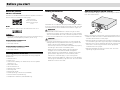
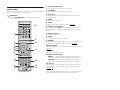
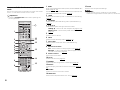
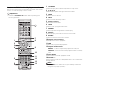
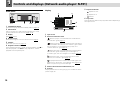
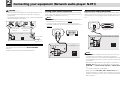
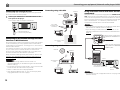
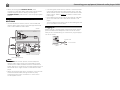
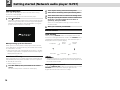
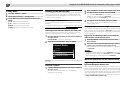
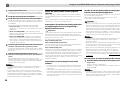
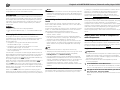
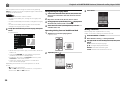
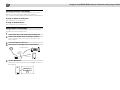
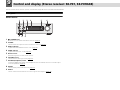
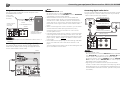
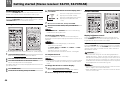
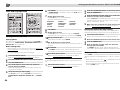
Before you start About this product Loading the batteries XN-P02 or XN-P02DAB Network Receiver System consists of Stereo receiver and Network audio player. NETWORK AUDIO PLAYER N-P01 SOURCE l STANDBY/ON 5V 2.1 A Stereo receiver: SX-P01/SX-P01DAB Network audio player: N-P01 N-P01 N-P01 Network Audio Player consists of the main unit. NETWORK AUDIO PLAYER N-P01 SOURCE l STANDBY/ON 5V 2.1 A Note • The product may be used in conjunction with the following, separately retailed system products. (N-P01 only) CD RECEIVER SYSTEM XC-P01 • Stereo receiver: SX-P01 • CD Player: PD-P01 CD RECEIVER SYSTEM XC-P01DAB • Stereo receiver: SX-P01DAB • CD Player: PD-P01 Checking what’s in the box Please check that you’ve received the following supplied accessories: • Remote control • Power cord • AAA size IEC R03 dry cell batteries (to confirm system operation) x 2 • RCA audio cable • WLAN antenna x 2 • Remote control cable • Warranty card • Quick Start Guide • These operating instructions (CD-ROM) • FM wire antenna (XN-P02 only) • DAB/FM wire antenna (XN-P02DAB only) Operating range of remote control The remote has a range of about 7 m at an angle of about 30° from the remote sensor. XN-P02 or XN-P02DAB The batteries included with the player have been provided to allow you check product operation and may not last long. We recommend using alkaline batteries that have a longer life. WARNING • Do not use or store batteries in direct sunlight or other excessively hot place, such as inside a car or near a heater. This can cause batteries to leak, overheat, explode or catch fire. It can also reduce the life or performance of batteries. CAUTION • Incorrect use of batteries may result in such hazards as leakage and bursting. Observe the following precautions: - Never use new and old batteries together. - Insert the plus and minus sides of the batteries properly according to the marks in the battery case. - Batteries with the same shape may have different voltages. Do not use different batteries together. - When disposing of used batteries, please comply with governmental regulations or environmental public institution’s rules that apply in your country/area. - When inserting the batteries, make sure not to damage the springs on the battery’s terminals. This can cause batteries to leak or over heat. 30° 30° 7m Keep in mind the following when using the remote control: • Make sure that there are no obstacles between the remote and the remote sensor on the player. • Remote operation may become unreliable if strong sunlight or fluorescent light is shining on the player’s remote sensor. • Remote controllers for different devices can interfere with each other. Avoid using remotes for other equipment located close to this player. • Replace the batteries when you notice a fall off in the operating range of the remote. 5