1
Section 2-2
Creating New Drive Files
2-2
Creating New Drive Files
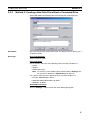
There are two methods to create a new drive file in the Workspace.
Method 1: Go online and automatically detect the connected drives to create
the drive file.
Method 2: Create a new data file without using a connected drive.
2-2-1
Method 1: Automatically Detecting the Connected Drives
Serial Direct
Connection
1,2,3...
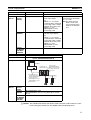
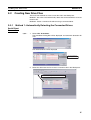
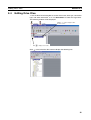
1. Select File - Autodetect.
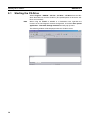
The Autodetect Dialog Box will be displayed and automatic detection will
start.
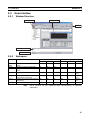
The detected drives will be displayed
The detected drives
are displayed in a list.
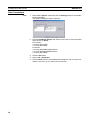
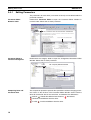
2. Select the drive from the list to create a new drive file in the Workspace.
Automatically registered in the Workspace.
15