1
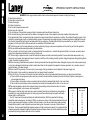
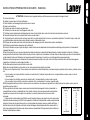
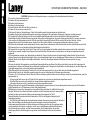
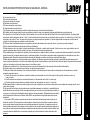
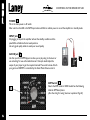
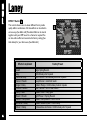
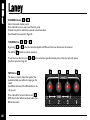
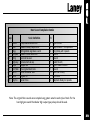
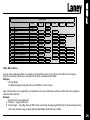
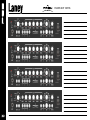
Effect Edits
Edit
Tap
Tap+Edit
A+Edit
B +Edit
B ypass+Edit
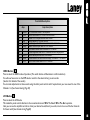
Dly Repeats
1
R everb
Mix
2
D elay
Mix
Time
Time
Repeats
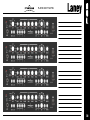
3
C horus +D elay
Ch R ate
C h Rate
Dly T ime
Ch D epth
Dly Mix
4
C horus + Reverb
Ch R ate
C h Rate
Ch D epth
Rvb Mix
5
Flange + D elay
Flg Rate
Flg Rate
6
Tremolo + Reverb
Trm R ate
T rm Rate
7
R otary + Gate
Rty Rate
Rty Rate
8
Phaser + R everb
Phr Rate
Phr Rate
9
C horus + Compressor
Ch R ate
C h Rate
W ah Sensitivity
Dly Time
Dly T ime
Octave Mix
Dly Time
Dly T ime
10
A uto-Wah + Delay
11
Octaver + Delay
Length
Dly T ime
Flg Depth
Dly Mix
Trm Depth
Rvb Mix
Rvb Time
R ty D epth
Rvb Mix
Gate T hreshold
Rvb Time
Phr D epth
Rvb Mix
Phr Feedback
Ch D epth
C omp Ratio
Comp Gain
W ah Q
Dly Mix
Dly Repeats
Dly Mix
Dly Repeats
Other Effects Notes:
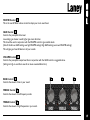
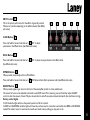
In some of the combination effects it is possible by using the Edit controls to turn off one of the effects if not required.
Many of the secondary effects have a mix option. If set to zero will eliminate that effect.
Example:
Chorus+Delay:
To defeat the delay and only have Chorus use B+Edit to set mix to zero.
Note some functions are not applicable to certain effects and so some Edit buttons will have no effect and will not illuminate
within that effect selection.
Example:
Reverb only has two adjustments:
1) Mix level… using the Edit knob.
2) Reverb length… by holding down the TAP control momentarily and adjusting the Edit knob for the desired decay time.
(Short anti-clockwise. Long clockwise direction) A,B & Bypass Edits will have no effect.