1
Contents
Contents
Introduction ................................................................................ Inside cover
Important Information ...................................................................................3
Specifications .................................................................................................6
Contents .........................................................................................................8
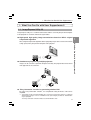
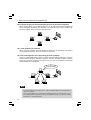
1. What You Can Do with User Supportware 5 ........................................... 9
1-1. Image Express Utility 2.0 ...................................................................................... 9
1-2. Desktop Control Utility 1.0 .................................................................................. 11
1-3. Ulead Photo Explorer 8.0 SE Basic .................................................................... 12
1-4. Viewer PPT Converter 3.0 .................................................................................. 13
1-5. PC Control Utility 3.0 .......................................................................................... 13
2. Operating Environment ..........................................................................14
2-1. Supported Projector ............................................................................................ 14
2-2. Supported the wireless LAN security type ......................................................... 14
2-3. Operating Environment ....................................................................................... 15
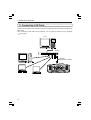
3. Connecting LAN Cable ...........................................................................16
4. Setting the LAN Setting of Projector ....................................................17
4-1. Displaying On-Screen Menu (NETWORK SETTINGS) ..................................... 17
4-2. Wireless LAN ...................................................................................................... 19
4-3. Wired LAN ........................................................................................................... 28
5. Setting the LAN Setting of Personal Computer
([Example] Wireless LAN of Windows Vista: Ad Hoc connection) ....30
6. Setting the LAN Setting of Personal Computer
([Example] Wireless LAN of Windows XP: Ad Hoc connection) ........34
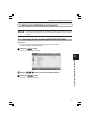
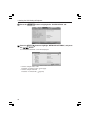
7. Refer to “User’s Guide” and Help .........................................................39
7-1. Displaying “User’s Guide” (PDF) ........................................................................ 39
7-2. Using Help ........................................................................................................... 41
8