1
Getting started
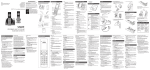
Headset layout
(on/off)
Press and hold for two seconds to power on or off.
Press to answer, end or join a call (pages 13 and 15).
On in red when charging in the headset charger.
On in blue when fully charged in the headset charger.
Flashes once every 10 seconds in blue when in idle mode.
Flashes once every 10 seconds in red when in low battery mode.
Flashes twice every three seconds in blue while on a call.
Flashes quickly and alternately in red and blue while being registered.
Flashes four times every four seconds in blue when there is an incoming call.
Earpiece
Rotating clip
Connect the ear hook
or head band.
RESET inset button
+/-/VOLUME
While on a call, press to adjust
the listening volume (page 14).
When the headset is not in
use, press to adjust the ringer
volume (page 14).
MUTE/FLASH
While on a call, press to mute the microphone (page 14).
While on a call, press and hold
to answer an incoming call when
you receive a call waiting alert
(page 14).
When there is an incoming call,
press to silence the ringer in the
earpiece temporarily.
Microphone