1
Man. M-790 PLUS
7-06-2005 17:20
Pagina 5
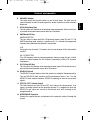
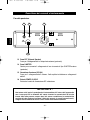
Controls and operation
1
2
3
4
5
6
DW
EMG
CHANNEL
SCAN
ESP
TX / RX
Q.UP
12
1.
OFF/VOL
SQUELCH
11
10
AM/FM
Q.DN
M-790 PLUS
LCR
9
8
7
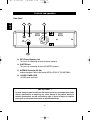
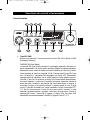
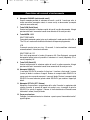
DW / EMG Key
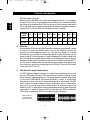
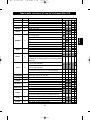
This key is used to enable the DW (Dual Watch) function and the EMG (Emergency
Channels) function.
DW (Dual Watch)
The DW (Dual Watch) function allows automatic monitoring of two programmable
channels. Refer to the following procedures to enable this function. Select the first
channel to monitor using the channel selector knob (6) or the channel selector keys
on the microphone (18, 20). Press the DW key for about 1.5 seconds and the DW
icon will blink on the LCD display. Select now the second channel to monitor,
following the same procedure. Finally press the DW key for about 1.5 seconds and
the two programmed channels will be alternately indicated on the LCD display. Radio
will automatically start monitoring (scanning) the two programmed channels. When a
signal is detected on one of the channels, scanning stops and it is possible to listen to
communication on that channel. It is possible to transmit on the channel, by pressing
the PTT key (17). If there is no transmission within 5 seconds, radio will start
scanning the two channels again. When the DW function is enabled, the DW icon (F)
appears on the LCD display. To exit the DW function, shortly press the DW key or the
PTT key (17).
-3-
English
Front panel