1
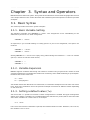
Syntax and Operators
Note
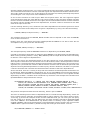
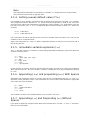
This assignment is immediate. Consequently, if multiple "?=" assignments to a single variable
exist, the first of those ends up getting used.
3.1.4. Setting a weak default value (??=)
It is possible to use a "weaker" assignment than in the previous section by using the "??=" operator.
This assignment behaves identical to "?=" except that the assignment is made at the end of the
parsing process rather than immediately. Consequently, when multiple "??=" assignments exist, the
last one is used. Also, any "=" or "?=" assignment will override the value set with "??=". Here is an
example:
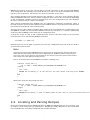
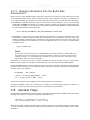
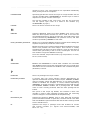
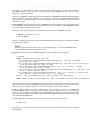
A ??= "somevalue"
A ??= "someothervalue"
If A is set before the above statements are parsed, the variable retains its value. If A is not set, the
variable is set to "someothervalue".
Again, this assignment is a "lazy" or "weak" assignment because it does not occur until the end of
the parsing process.
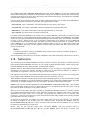
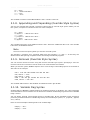
3.1.5. Immediate variable expansion (:=)
The ":=" operator results in a variable's contents being expanded immediately, rather than when the
variable is actually used:
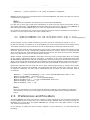
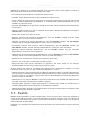
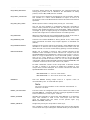
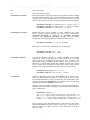
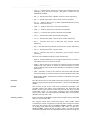
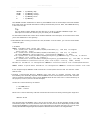
T
A
T
B
C
C
= "123"
:= "${B} ${A} test ${T}"
= "456"
= "${T} bval"
= "cval"
:= "${C}append"
In this example, A contains "test 123" because ${B} and ${A} at the time of parsing are undefined,
which leaves "test 123". And, the variable C contains "cvalappend" since ${C} immediately expands
to "cval".
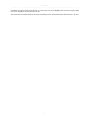
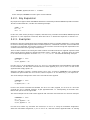
3.1.6. Appending (+=) and prepending (=+) With Spaces
Appending and prepending values is common and can be accomplished using the "+=" and "=+"
operators. These operators insert a space between the current value and prepended or appended
value. Here are some examples:
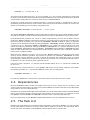
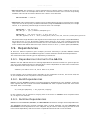
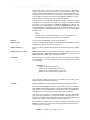
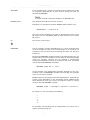
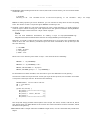
B
B
C
C
= "bval"
+= "additionaldata"
= "cval"
=+ "test"
The variable B contains "bval additionaldata" and C contains "test cval".
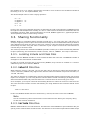
3.1.7. Appending (.=) and Prepending (=.) Without
Spaces
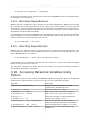
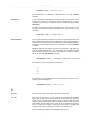
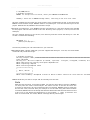
If you want to append or prepend values without an inserted space, use the ".=" and "=." operators.
Here are some examples:
17