1
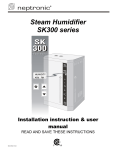
SK300-SKE Steam Humidifier
Start-Up
1. Proceed to the start-up of the Humidifier, as follow:
a) Push the TEST button located on the main pc board. This pc board is located in
the electrical compartment (refer to § 10 of the user manual).
b) This will start up a pre-programmed start-up cycle. This start-up cycle will test
functions of the humidifier and will flush out any dirt in the humidifier and supply
lines
Start-up
This cycle will last about 1 hour.
Note:
a) the front panel rocker switch will not affect the performance of the startup cycle.
b) In the case of modulating humidifier, there must be a demand signal of at
least 50% for the start-up cycle to operate correctly.
c) To bypass at any time the start-up cycle and to proceed directly into
normal operation, press the RESET button located on the main pc board.
c) The front panel rocker switch may be left in the AUTO position during the startup cycle. This will result in normal operation of the humidifier as soon as the
start-up cycle is finished.
d) Observe for water and steam leaks.
2. Check the location of the air flow switch in the system and its operation by stopping
the fan (if possible).
Safety test
With no air movement in the air duct, the humidifier should automatically stop steam
production.
3. Turn the humidifier OFF, by putting the front panel rocker switch to OFF (0) position.
4. Execute a manual drain, by putting the front panel rocker switch to
Drain and Reset
DRAIN position .
Observe for water drain leaks.
5. Reset Air flow switch and humidistat(s) to the proper value, if needed.
6. Turn the humidifier to the desired operation mode: AUTO or OFF, by putting the front
panel rocker switch to the appropriate position.
End 7. Humidifier is ready for normal operation.
Comments
Start up check list-SK300-SKE.doc – Rev. 120803
www.neptronic.com
2/2