1
D610s
stairville
stairville
D 610s
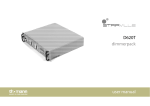
6 Channel Digital Dimmer Pack
user's manual
D610s
stairville
stairville
D610s
Contents
1 Introduction
1-1 Features of D610s
1-2 General instruction
2 Installation
2-1 Front Panel
2-2 Rear Panel
2-3 Power Up
3 Unit Setup
3-1 Menu
3-2 Preheat setup
3-3 DMX Address setup
3-4 Control curve setup
3-5 Test Mode
3-6 Limiter setup
4 Unit Status
4-1 Display channels values
4-2 DMX status
4-3 Displaying unit temperature
4-4 Software/Hardware version
5 Technical specifications
stairville
D610s
1 Introduction
1-1 Features of D610s
!
Digital signal interface DMX512 (1990)
!
Each Channel have it's own DMX address
!
Individual preheat on every Channel (0-15%)
!
Individual control curve on every Channel (Switch/Linear/Sqrt)
!
Reglable voltage limit for every Channel
!
Auto frequency tracking 45-65 Hz
!
Test mode
!
Overheat protection
!
LCD Display
!
Internal Temperature displaying
!
Variable fan speed corresponding to internal temperature
stairville
D610s
1 Introduction
1-2 General Instructions
Thank you for your purchasing this product.
Please read through this operating instructions before
installing or using your new product!
WARNING!
!
This product must be earthed!
!
After unpacking, check for any obvious transit damage. If damage is
apparent, return the unit to the place of purchase!
!
Do not make any inflammable liquids, water or metal objects enter the
unit!
!
No user serviceable parts inside, do not attempt repairs, please
contact your local dealer!
!
To prevent fire or shock hazard, do not expose this product under high
temperature or moisture area!
CAUTION!
"
"
"
"
"
This product is intended for indoor use only.
Disconnect the power when not use for extended period.
Do not dismantle or modify the unit.
Do not use the unit in places subject to excessive humidity, vibration
or bumps.
During use do not cover and ensure adequate ventilation.
stairville
D610s
2 Instalation
2-1 FrontPanel
1
2
3
4
7
(1) Circuit Breaker
(2) Phase LED indicator
(3) Channel LED indicator
(4) LCD Display
5
6
(5) DMX Signal output
(6) DMX Signal input
(7) Control Keys
2-2 Rear Panel
10
11
12
(10) AC Power Outputs
(11) Cooling Fan
(12) Main AC Power Input
stairville
D610s
2 Instalation
2-3 Power Up
!
All indications that follows refers to the front panel and back
panel from previous page.
Plug the 6 lamps into the Harting Plug (10) as is shown on the back
panel. Insert the DMX cable in the corresponding Inputs (6). Unwrap the
power cord (12) and plug into a 3x230V Socket capable of delivering 32A
per phase. D610s have three section (phases) named
L1, L2, L3. They can be powered in several modes:
- each section powered by his individual Phase;
- one section powered by one Phase and the other two powered by
another Phase;
- all sections powered by a single Phase.
Note!
It is recommended to power up all three phases (do not leave
any dimmer section unpowered even you don't use it).
Once you have powered the unit the Phase indicator LED's will light and the
LCD will display after a second : "STAIRVILLE D610s / DIGITAL DIMMER".
This mean that D610s is ready to be used. The Green LED's from front
panel will show the intensity for channels.
Turn on the Circuit Breakers (1) for the channels you want to use and the
lamps will light.
Note!
It is recommended to Set Up the unit (see next pages) before
you turn on the Circuit Breakers (1).
stairville
D610s
3 Unit Setup
3-1 Menu
StandBy Mode
Pres StdBy Key
(StdBy)
Stairville D610
Digital Dimmer
(Menu)
Unit Setup
Press: -,Ok,>
(Down)
(Down)
(Up)
(Menu,>) DMX Addr Chxx= 01
Press: +,-,Ok,<
(<)
(Up)
(<)
(Down)
(Up)
Prehit Ch1= 0%
Press: +,-,Ok,<
(<)
(Down)
(Up)
Ch1 Curve=Linear
Press: +,-,Ok,<
Save Changes?
Yes=Ok/No=<
(Down)
(<)
Ch1 Limit=100%
Press: +,-,Ok,<
(Down)
Unit Status
Press:+,Ok,>
(Down)
(Menu,>)
(<)
(Up)
(Up)
(Up)
Channell 1=100
Press: +,-,<
(<)
(Down)
(Up)
DMX Signal Ok
Press: +,-,<
(<)
(Down)
(Up)
L1 temp= 32Deg
Press: +,-,<
(<)
(Down)
(Up)
Version 1.0/0
Press: +,-,<
(Down)
Test Ch 1= 10
Press:+,Ok,>
(Up)
stairville
D610s
3 Unit Setup
3-2 Preheat setup
D610s have individual channel preheat value which can be set in this way:
Enter "Unit Setup"->"Preheat Ch1= 0" and press (Menu) key.
The channel number will start to blink. Select the desired channel pressing
(Up) / (Down) keys and then press (>), remember that you can toggle
between channel no and channel value using (<) and (>) keys. The preheat
value for selected channel will blink. Change the settings pressing (Up) /
(Down) keys. If you want to change another channel preheat value press
(<) key and change the channel number. When you have set all preheats to
desired values press (Menu) and the "Save Changes?" view will appear on
LCD. To save changes press (Menu) key, to quit without save the changes
press (<) key.
Note!
The max preheat value is 50, and in the On/Off mode the
preheat is shut off.
3-3 DMX Address setup
D610s have individual channel DMX address. To set these addresses
enter "Unit Setup"->"Ch 1 DMX Addr= 01" and press (Menu) key. The
channel number will start to blink. Select the desired channel pressing (Up)
/ (Down) keys and then press (>). Change the settings pressing (Up) /
(Down) keys. If you want to change another channel address value press
(<) key and change the channel number.. .Press (Menu) key and the "Save
Changes" view will appear on LCD. To save changes press (Menu) key, to
quit without save the changes press (<) key.
Note!
Changing the the DMX address for Ch1 will modify all
addresses . If you want to modify the address for each channel first set Ch1
address and after that set the others addresses!
stairville
D610s
3 Unit Setup
3-4 Control curve setup
D610s have 5 control curves for each channel:
- Linear / Sqrt / Curve1 (dimmer mode)
- On/Off (switch mode)-The channel will be On (Full) when his value pass
over 64, and the channel will be turned Off when his value pass under 32.
Note!
The individual channel settings must be set before turning on
the circuit breaker. Some non-dimming lamps may be damaged if they are
used in dimmer mode.
To select the control curve Enter Unit Setup->Ch Curve and press (Menu)
key. The channel number will start to blink. Select the desired channel
pressing (Up) / (Down) keys and then press (>), the curve for selected
channel will blink. Change the settings pressing (Up) / (Down) keys. If you
want to change another channel preheat value press (<) key and change
the channel number. When you have set all channel curves press (Menu)
and the "Save Changes?" view will appear on LCD. To save changes press
(Menu) key, to quit without save the changes press (<) key.
3-5 Test mode
You can test channels (set individual channel value) using Test Mode.
Enter "Test Ch 1= 0" and press (Menu) key. The channel number will start to
blink. Select the desired channel pressing (Up) / (Down) keys and then
press (>), remember that you can toggle between channel no and channel
value using (<) and (>) keys. The channel value will start to blink. Change
the settings pressing (Up) / (Down) keys. If you want to change another
channel value press (<) key and change the channel number.
When you want to exit press (Menu) and the "Save Changes?" view will
appear on LCD. To save changes press (Menu) key, to quit without save the
changes press (<) key.
user's manual
stairville
D610s
3 Unit Setup
3-6 Limiter setup
D610s have individual voltage channel limit value for prolonging bulb life
which can be set in this way:
Enter "Unit Setup"->"Limit Ch1=255" and press (Menu) key.
The channel number will start to blink. Select the desired channel pressing
(Up) / (Down) keys and then press (>), remember that you can toggle
between channel no and channel value using (<) and (>) keys. The Limiter
value for selected channel will blink. Change the settings pressing (Up) /
(Down) keys. If you want to change another channel Limitter value press (<)
key and change the channel number. When you have set all Limits to
desired values press (Menu) and the "Save Changes?" view will appear on
LCD. To save changes press (Menu) key, to quit without save the changes
press (<) key.
Note!
is shut off.
The min limiter value is 200 and in the On/Off mode the Limiter
stairville
D610s
4 Unit Status
4-1 Display channels values
You can see value of each change of lD610s entering "Unit Status"->
"Channel 1= 68" and press (Menu) key. The channel number will start to
blink. To change current channel press (Up) or (Down) keys. To leave this
menu press (Menu)
4-2 DMX status
You can check DMX status entering "Unit Status"->"DMX Signal"
If the DMX reception is OK the LCD will display "DMX signal OK" if it is
something wrong with DMX signal the LCD will display" No DMX signal"
Note!
Changing the status of DMX reception will be displayed blinking
for 3 seconds (e.g. when you turn on /off the DMX console).
4-3 Displaying unit temperature
You can view the D610s internal temperature entering "Unit Status"->"Unit
Temp=34Deg". When the temperature exceeds 40 deg. the cooling fan will
start. The fan speed will increase with internal temperature until 64 deg.
when the fan speed will be max. If the internal temperature reach 95 deg
D610s enter in overheat protection until the temperature go under 80 deg. In
this situation the channels will be shouted down and the LCD will display
blinking "Unit Overheated / Unit temp=95 deg" .
Note!
To avoid overheat do not cover the cooling fan and ensure
adequate ventilation!
stairville
D610s
Technical Specification
AC INPUT
230V AC, 50-60Hz
1, 2 or 3 Phases
Max 32A / Phase
LOAD
10A / Channel
Output Conector
6 x Shucko 16A
DMX Signal
DMX conectors
DMX 512 / 1990
Input
XLR 3-pin Male
Output XLR 3-pin Female
Dimension:
19" 2U
483(L) x 88(H) x 430(D)
Weight
10.8Kg
D610s
stairville