Transcript
E126 User Manual
Welcome to use TAKSTAR digital portable amplifier. E126 features
advanced digital technique, long playtime, high output power and
mini size, this product is an ideal choice for teaching and tour
guiding. Please read the manual detailedly before using to make
sure the correct operation and exert the better function.
How to Use
● Wear the headworn microphone correctly and adjust the suitable
microphone pick-up angle
● Insert Φ3.5mm microphone plug into MIC in socket
● Turn on the power, the power indicator will light up, then adjust the
Features
volume
● Small size and lightweight MINI amplifier
● If the power indicator lights red, it means the battery power is low,
● Rare earth material speaker features light weight, excellent
please recharge timely
sound quality and loud output volume
● Digital circuitry technology, 8W output power
Specification
● Powered by high capacity rechargeable polymer Li-ion battery
Frequency Response: 90Hz-12kHz
● Built-in MCU intelligent recharging management system for
Rated Output Power: 4W
secure battery charging and discharging, fast charging time
Max. Output Power: 8W
(4-6hrs) and long play time (more than 15hrs)
Output Impedence: 4Ω
● With AUX audio signal input function, as a small speaker
Battery Specification: 3.7V/1000mAh lithium-ion battery
● Compact and elegant design, durable ABS construction
Power Adaptor: DC 5V 600mA
● Choices of waist or shoulder hanging wear style for convenient
Recharging Time: 4-6hrs
use
Playtime: ≥15hrs
Dimension: 92×72×27mm
Net Weight: 140g
Function Illustration
8
Caution
4
● Please fully recharge the battery if long time no use to make sure
E126
6
the battery life time
● Recharge timely when battery power is low
5
● Don't insert external audio signal such as DVD or MP3 into the
MIC socket to avoid distortion due to extreme high voice
7
2
3
1
● Aim at the headworn mic capsule when speaking and keep the
distance between vocal and mic as 1-2cm to avoid howling
● The amplifier should be kept in dry and ventilated area, rain, water,
thump should be avoided
1
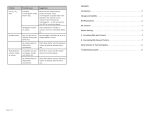
Power switch and volume adjustment knob: rotate the knob to
● Non-professional technician is not allowed to dismantle or repair
left till you hear “ di ” to turn on the amplifier, and the power
the product; please contact the local agent if there is any question
indicator
or service requirement
2
lights up, rotate to left continuously to increase the
volume; rotate to right to decrease the volume till turn off
2
Power indicator: it lights up when the amplifier is on. Green
Product Content
means the power is normal, red means the power is low,
please recharge timely when the LED lights red
3
MIC IN input socket: insert the microphone plug to this socket
to amplify; please do not point the microphone to the speaker
to avoid howling
4
Voice Amplifier
Headworn Mic
Power Adaptor
Strap
Buckle
LINE IN input socket: connect the amplifier to DVD or MP3
with Φ3.5mm audio cable, as a small speaker
5
Recharging input socket: insert DC 5V/600mA power adaptor
which supplied by the manufacturer into this socket to recharge
6
Recharging indicator: insert power adaptor to ⑤socket to
recharge, this indicator will light up; the indicator will change
User Manual
red to green when recharging is finished
7
Waist wearing buckle
8
Shoulder hanging buckle
GUANGDONG TAKSTAR ELECTRONIC CO., LTD
Address: Longqiao Road, Longxi Boluo, Huizhou, Guangdong, China 516121
E-mail: [email protected]
Fax: +86-752-6383952
Tel: +86-752-6383644
Website: www.takstar.com