1
ETC Desire Quick Guide
Desire D22, D40, D40XT, D60 v1.7.0
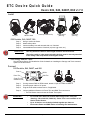
Install
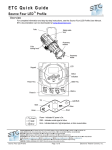
With yoke
With floor stand
Accessory holder and clip
Canopy mount
(D22 only)
Track mount
(D22 only)
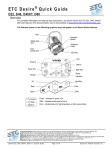
D22 Portable, D40, D40XT, D60
Step 1:
Step 2:
Step 3:
Step 4:
Hang or mount the fixture.
Attach safety cable.
Insert secondary lens with smooth side out, if desired.
Insert additional accessories if desired. (top hat, egg crate, etc.)
WARNING:
Use only hardware rated for total weight of fixture and accessories.
The safety cable (or other approved safety device) must be securely attached
to the safety cable loop before loosening the clamp.
D22 Canopy and D22 Track
See the Desire Series D22 Installation Guide for details on installing the Canopy and Track mounted
options of the D22 fixture.
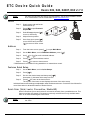
Connect
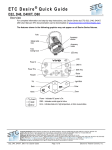
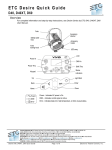
D22 Portable, D40, D40XT, and D60
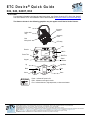
Power In
DMX In
DMX Thru
PUSH
Power Thru
(Power Thru not
available on D22)
Step 1:
Step 2:
Step 3:
Step 4:
WARNING:
If using external DMX or RDM control, attach a 5-pin XLR cable to DMX In.
Connect power cable to AC power.
Plug the XLR cable into data source, if applicable.
Link any additional fixtures via Power Thru and DMX Thru connectors.
• The D22 fixture does not have the Power Thru option.
•
•
•
Do not link more than nine fixtures when using Power Thru (nondimming, 100 to 240 VAC, 50/60 Hz). Power Thru is not available on all
Desire Series fixtures.
Up to 32 devices can be daisy-chained together per data run.
Disconnect Power and DMX before all cleaning and maintenance.
D 22 , D 40 , D 40 X T, D6 0 v1 . 7. 0 Q ui ck G u id e
Pa ge 2 of 10
E l ect r on ic T he at r e C on tr o ls , I nc.