1
4100 ins p. 38-9018-6521-2
7/23/05
2:51 AM
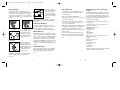
Electronic Control Quick Reference
the playback is at normal speed. Press and hold
the PLAY button for two seconds to play back
in half speed. The display panel will indicate
that the playback is at half speed. To return to
normal speed, press the PLAY button again.
Stop playback by pressing the ON/OFF button.
(Refer to Operation section for complete instructions)
On/Off
Page 3
Press the ON/OFF button to turn the
stethoscope on. Press the ON/OFF button for
approximately two seconds to turn the
stethoscope off. Pressing the ON/OFF button
cancels the current action, for example, to stop a
playback, transmission, or reception of a
soundtrack.
Display Panel
Press the SOUNDTRACK SELECTOR button
once to display soundtrack one, press again to
advance to the next sound track.
Volume
Decrease
Press the VOLUME DECREASE button
to decrease the sound level.
Volume
Increase
Press the VOLUME INCREASE button to
increase the sound level.
Record
Press the RECORD button for one second to
record sound onto the selected soundtrack. Press
again to stop recording.
Frequency
Mode
Selector
Press the FREQUENCY MODE
SELECTOR button to select Bell,
Diaphragm or Extended Range.
Receive
Press the RECEIVE button to receive a
soundtrack from another Model 4100 or
computer.
Transmit
Press the TRANSMIT button to transmit the
displayed soundtrack to another Model 4100,
computer or handheld device.
Play
Press the PLAY button to hear the selected
soundtrack. The display panel will indicate that
Bell mode.
199
Diaphragm mode.
Power On
Playing a recorded sound at half speed.
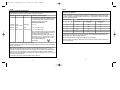
If is shown on the display, refer to the Error Message
section.
When the display
It means:
panel shows:
Blinking means the two batteries are almost
depleted.
The sound volume has eight levels. The bar
shows the current sound level, increasing
from the left. The more bars visible, the
higher the sound level. When one element is
displayed, the sound level is similar to a
typical acoustic stethoscope.
Recording a sound.
Automatic
Power Off
Transmitting a recording. The arrow will
blink until the infrared connection is made.
After connection is made, the arrow will no
longer blink.
Receiving a recording. The arrow will blink
until the infrared connection is made. After
connection is made, the arrow will no longer
blink.
The number displayed indicates the
soundtrack currently selected.
Change Sound
Volume Level
The symbol indicates that the soundtrack
is occupied by a previous recording. If is
not displayed, the soundtrack is vacant.
When the is rotating, a sound
transmission is in progress.
Change
Frequency
Mode
# is located below the number of the
soundtrack you have selected.
3
If the display is blinking 199, the heart rate
is above 199 bpm and cannot be displayed.
Operation
Playing a recorded sound at normal speed.
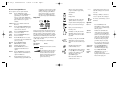
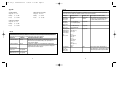
The above picture demonstrates the graphics that are used on
the Model 4100 display panel. As a functional test, when the
Model 4100 is turned on, all the graphic indicators as shown
above will be briefly displayed. After this brief test, the display
will then indicate the current listening mode and the volume
setting. The factory setting for listening mode is Bell mode and
a volume setting of level three.
A number displayed is the heart rate. If two
dashed lines are displayed, refer to the heart
rate section
Error Message. See Error Message section of
this manual.
Extended range mode. The extended range
amplifies sound from a broader range of
frequencies than the bell or diaphragm mode.
Soundtrack There are six soundtracks available on the
Model 4100.
Selector
--
This is also used to indicate soundtrack
reception or transmission progress during
data transmission.
4
Press the ON/OFF button on the
Littmann Electronic Stethoscope Model
4100. The factory or personalized setting
will be in operation.
The Model 4100 automatically turns
off three minutes after the last actuation
of any button. Press the ON/OFF button
within 10 seconds of automatic power off
and the same settings will be restored. If
longer than 10 seconds have transpired,
the Model 4100 will power up at your
personalized setting or factory setting.
Note, the stethoscope will not power off
automatically during a data transmission.
Press the VOLUME INCREASE or
VOLUME DECREASE button. The
sound volume bar displays the change.
Press the FREQUENCY MODE
SELECTOR button to select one of
the frequency ranges (Bell,
Diaphragm or Extended). The selection is
indicated on the display panel.