1
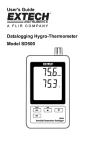
Product Description
1.
Humidity Display
2.
Temperature Display
3.
Pressure Display
4.
LOG (ENTER) button
5.
SET button
6.
AC adaptor socket
7.
Sensors
8.
▲(TIME) button
9.
▼ button
7
1
2
3
8
9
4
5
6
10. Reset button
11. RS-232 output
10
12. SD memory card socket
11
12
Note: Battery Compartment and Tilt Stand are located on the back of the meter.
3
SD700-EU-EN-V2.0 8/11