1
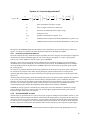
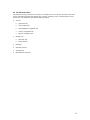
Equation 3-4: Total Pollutant Emissions for Stationary Source
Eti = Σ (F x EIi)
Where:
Eti
F
-
-
EIi -
total emissions of pollutant i, in kilograms, from the stationary source for the given time
period t
total amount of fuel consumption for given time period; liquid fuels should be expressed in
terms of thousand gallons, natural gas as thousands of cubic meters, and solid fuels in metric
tons
emission index for pollutant i (kilograms of pollutant
per thousand gallons, cubic meters, or metric tons)
i
-
pollutant (CO, HC, NOx, SOx, PM)
3.7
Training Fires
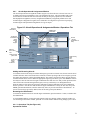
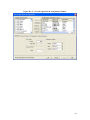
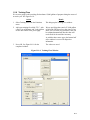
Training fire activity is specified by selecting the Training Fires dialog under the Emissions menu heading.
Emission factor data for three fuels (JP-4, JP-8, and Propane) are stored in the EDMS database and may be selected
under the Fuel Type drop down list box. Training fire emission factors are specified in kilograms of pollutant per
gallon of fuel used and hence the training fire activity values are entered in Gallons of Fuel Used. Training fire
emission factors may not be modified, but since stationary sources and training fires are treated in the same way, the
user has the option of entering specific training fire data (for other fuels) in the Stationary Sources dialog.
3.8
Data Output
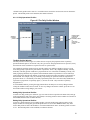
The following sections describe the components of the emissions inventory, and the outputs available to the user.
EDMS allows the analyst to view the emissions inventory on the screen in an interactive manner and to print a
formal emissions inventory report.
3.8.1 Emissions Inventory
An emissions inventory is a summary of the total pollutants generated by all active sources in the study. Using
EDMS to perform an emissions inventory requires the user to identify the emission sources, the annual activity for
each of these sources and, in the case of user-defined sources, the emission factors. EDMS then calculates the total
annual pollutant emissions for each of the identified sources and presents it in both a summarized report and a
detailed report.
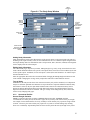
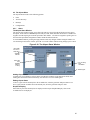
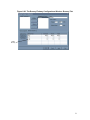
3.8.2 View Emissions Inventory
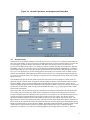
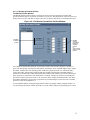
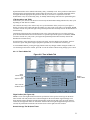
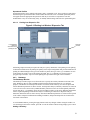
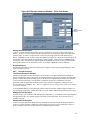
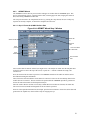
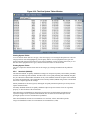
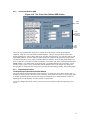
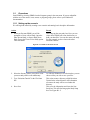
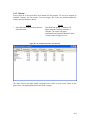
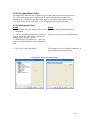
The View Emissions Inventory window is displayed by selecting the appropriate option under the View menu
heading. The initial display is the Summary, which shows total pollutant emissions, in tons per year, by source
category. The source categories are aircraft, APU, GSE/AGE, stationary sources (including training fires), vehicular
sources (both roadways and parking lots), and the total of all categories. The analyst may also view total pollutant
emissions by each source type by clicking on the appropriate buttons at the top of the view window.
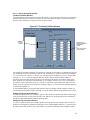
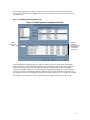
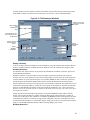
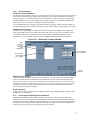
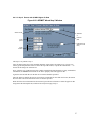
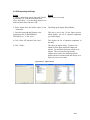
The Vehicular Sources display lists the total emissions for each roadway and parking lot included in the study while
the Stationary Sources display lists the total emissions for each stationary source or training fire specified in the
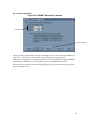
study. The Aircraft By Mode display lists the total pollutants by the contributions of aircraft type in different mode
of operation. The possible modes are approach, climb out, takeoff, taxi (includes idling), and touch-and-go. APU
and GSE/AGE emissions may be viewed by pressing the Aircraft/GSE/APU button. The summarized Aircraft and
GSE/AGE is the sum of the first five modes due to the aircraft's activity. The GSE/AGE and APU totals are
displayed separately.
14