1
Evaluation Kit User Manual for FX828 and FX829
EV8000
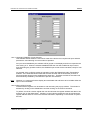
The user should click on the drop button located to the right of the combo box. When the combo
box opens up, the vertical scroll bar should be used to move up and down through the list of
options. When the required option is found, the user should click on it. Likewise, for the multiline
edit boxes, the list of options can be viewed and selected by using the vertical scroll bar followed
by clicking on the option.
1.6.3.16 Read Register Output Display
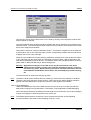
The read register output display section located on the right of the device forms consists of readonly single line edit boxes. These boxes display the read register settings after an update or View
Register has taken place. The edit boxes corresponding to bit settings will display either the
‘clear’ or ‘set’ text corresponding to a ‘0’ or ‘1’ respectively.
1.6.3.17 FX828 Rx Tones
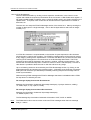
The FX828 device forms are very similar for the entry of Rx tones. However, the multiline edit
box list created for the FX828 will display CTCSS and Selcall tones, depending on the state of the
Tone Decoder Mode bit in the Signalling Set-up write register. For the FX828, both sets of tones
are stored in memory but only one set is sent to the EV8000 Evaluation Kit, depending on the
Tone Decode mode setting.
Assigning frequencies to an Rx tone is achieved by clicking on the required tone number and then
entering the frequency in the single line edit box on the right. No enter key or delimiter is required
at the end of the frequency setting. When the tone number is selected the focus automatically
switches to the frequency edit box ready for frequency entry.
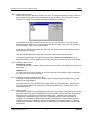
1.6.3.18 Viewing the FX828 and FX829 device registers
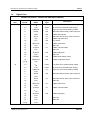
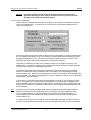
The current device form write register settings and the actual device read register settings can be
viewed by clicking on the View Registers button. The pop-up window which follows, lists the
register addresses and data.
To allow the user to view all of the FX828 CTCSS/Selcall tones, dropdown edit boxes are
included in the FX828 View Registers’ windows.
© 2004 CML Microsystems Plc
24
UM8000/4