1
Connecting the XMC-1
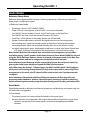
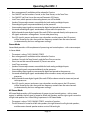
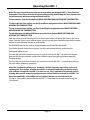
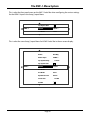
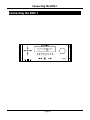
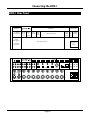
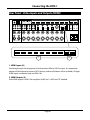
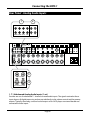
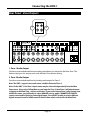
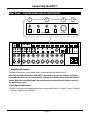
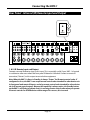
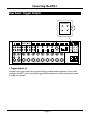
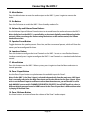
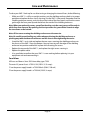
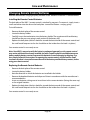
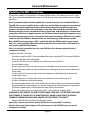
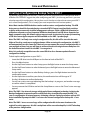
Rear Panel - Digital Audio Inputs and Outputs
1
2
OUT
3
3
2
1
DIGITAL AUDIO
FM
AES/EBU
AM
8
7.1 ANALOG IN CENTER ANALOG IN
RECORD
7
6
FRONT SURR BACK SUB
ANALOG IN 1
PUSH
3
2
RB
IN
5
4
3
2
OUT
RS
BALANCED ANALOG IN
Z1
IR IN
3
Z2
R
OUT
1 2
1
ZONE OUT
OUT
PUSH
4
2
L
LS
7 CHANNEL ANALOG OUT
1
3
2
4
1
DIGITAL AUDIO
C
TRIGGER OUT
AES/EBU
LB
R
IR OUT
L
SUBWOOFER OUT
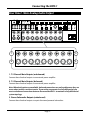
1. Digital Audio Outputs
Connect these outputs to the digital inputs of an external audio device or DAC.
Note: The Digital Audio Outputs of the XMC-1 are subject to processing, and/or re-sampling
or sample rate conversion in some instances. They are intended for connecting other external
devices with their own digital inputs, but should not be considered to be bit-perfect copies of
the digital input signal.
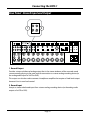
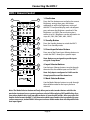
2. & 3.Digital Audio Inputs
The XMC-1 provides seven digital audio inputs, designated Coaxial 1, Coaxial 2, Coaxial 3, Optical
1, Optical 2, Optical 3, and AES/EBU.
Page 75