1
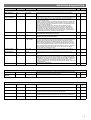
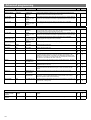
Advanced programming Parameter Name Default Value Range / Options Description UHS5 UNLCDHS Channel 1 –Switching Channel Detection Mode Presence Presence or Absence Presence mode allows the output to turn on when movement is detected and off when movement ceases. Absence mode allows the output to turn off when movement ceases, but must be manually turned on first. Lux on level (Switch level on) 9 1 to 9 Sets a minimum light level below which the microwave sensor is enabled, allowing lights to be turned on by movement. Note: the Lux Level Off value must always be greater than the Lux Level On value. Lux off level (Switch level off) 9 Sets a maximum light level above which the microwave sensor is disabled, preventing lights from being turned on by movement. Presence mode allows the output to turn on when movement is detected and off when movement ceases. Absence mode allows the output to turn off when movement ceases, but must be manually turned on first. Sets a minimum light level below which the microwave sensor is enabled, allowing lights to be turned on by movement. Note: the Lux Level Off value must always be greater than the Lux Level On value. Sets a maximum light level above which the microwave sensor is disabled, preventing lights from being turned on by movement. For a higher resolution a scale of 101-199 is available 1 to 9 For a higher resolution a scale of 101-199 is available Channel 2 -Dimming Channel Detection Mode Presence Presence or Absence Lux on level (Switch level on) 9 1 to 9 Lux off level (Switch level off) 9 Light Level 600 1 to 998 (999 disabled) Sets a target light level to be maintained by the lighting system. Max Value 100% 0 to 100% Maximum dimming output level. Min Value 0% 0 to 100% Minimum dimming output level. On value 99 0 to 99 Dimming output level when switched on (0-99). For a higher resolution a scale of 101-199 is available 1 to 9 For a higher resolution a scale of 101-199 is available (maintained illuminance) Off value 0 0 to 99 Dimming output level when switched off (0-99). If a non-zero off value is set, then the output will toggle between this value and completely off depending on the switch level on and off values. For example, if it is light outside, the fittings will be off if there is no occupancy. If it is dark outside, they will adopt the preset off value. This feature is only enabled if ‘Min value’ is set to 99. Burn-in 0 0 (disabled) or 1 to 999 hours Determines how long the output will be at 100% so that lamps ‘burn-in’. The ’burnin’ time is not affected by power supply interruptions. Fade value 10 0 to 99 After occupancy ceases, this dimming output level is loaded for the fade time (adjustable between 0 and 99). Fade mins 0 0 to 99 This is the time period (adjustable between 0 and 99 minutes) that the luminaire will be held at the fade value before turning off. A value of 0 disables the fade function. Speed On 40 Measured in 0.1 sec intervals. Determines the dimming response speed after the setup time has finished. Speed Set 5 Measured in 0.1 sec intervals. Determines the dimming response speed during the set up time. Measured in 0.1 sec intervals. If set to 0 will disable dimming for “Set seconds” below, used if fittings are required to warm up before dimming. Set Seconds 120 1 to 999 seconds Determines how long the dimming response set-up period lasts on power-up or on setting change. This enables the desired lux level to be achieved rapidly when the lights come on, or during setup. - A single centre biased retractive switch will be used to control both channels together. - A single position retractive switch controls both channels together. Switch Modes 2 position switch together 1 position switch together 10 Default -