1
Acoustic Measurements on Mobile Phones
Calibration of Ear Type 3.3
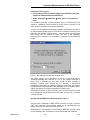
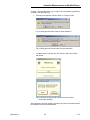
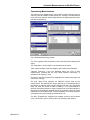
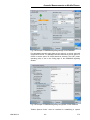
Connect the sound level calibrator tightly to the artificial ear using the
adapter UA-1546 and switch the calibrator on.
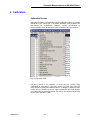
Select “Calibration
menu.
Artificial ear
HATS Type 3.3” from the main
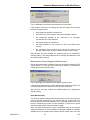
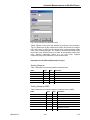
For calibrators providing a sound pressure level of 114 dB (10 Pa), the
checkbox “Calibration level increased by 20 dB” must be checked. In all
other cases the checkbox must remain unchecked!
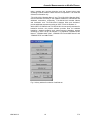
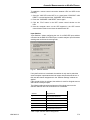
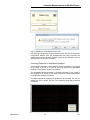
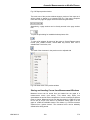
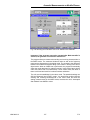
The type 3.3 ear calibration requires the calibrator with adapter UA-1546 to
be held manually against the ear. If the HATS is installed remote from the
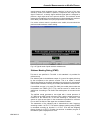
R&S UPV, the checkbox “Delay start by … seconds” can be checked and a
time interval can be entered by which the start of the calibration
measurement is delayed. The countdown is displayed on the R&S UPV
screen.
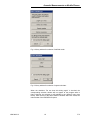
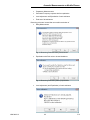
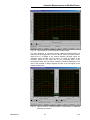
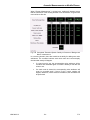
Fig. 50
Ear calibration window with delayed start
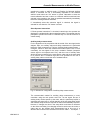
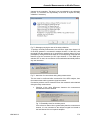
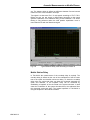
The output voltage of the microphone in the ear is measured and the
sensitivity displayed with reference to 1 Pa. If the voltage measured is
below 3 mV or fluctuating by more than 0.2 dB, an error message is
displayed. Possible error sources are, for example, a switched-off
microphone power supply or a disabled calibrator. In this case, the program
requests that the test be repeated. After switching on the microphone power
supply, wait approx. 20 s before restarting the measurement.
The measured reference value is stored in a file on the hard disk and used
for all subsequent measurements when the same ear type 3.2L is used as
currently selected.
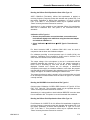
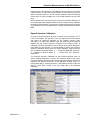
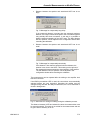
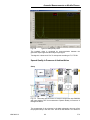
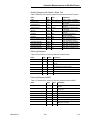
Reading the DRP-ERP Correction Data of Ear Type 3.3
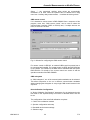
Call the routine “Calibration
DRP to ERP Correction
Type 3.3 From
ITU-T P.57 Table 2b”. This procedure needs only be repeated when the
“Phone” directory has been renamed or removed.
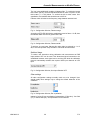
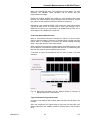
Alternatively it is also possible to load individual DRP-ERP correction data
from a calibration disk. This option is not conformant with the standards.
1402.0643.12
39
E-2