1
Section 3 - Configuration
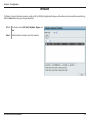
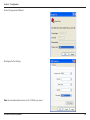
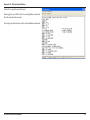
Wireless Settings
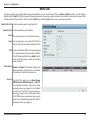
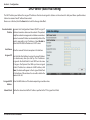
Access Point Mode
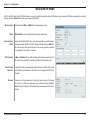
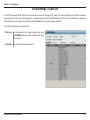
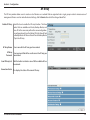
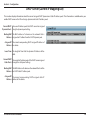
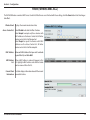
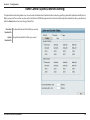
In Access Point mode, the DAP-3690 functions as a wireless AP. After completing the desired settings, click the Save button to let your changes
take effect.
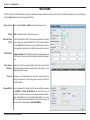
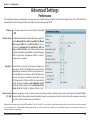
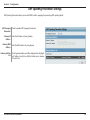
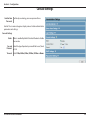
Wireless Band:
Select either 2.4 GHz or 5 GHz from the drop-down
menu.
Mode:
Select Access Point from the drop-down menu. The
other three choices are WDS with AP, WDS, and
Wireless Client.
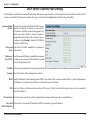
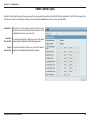
Network Name
(SSID):
Service Set Identifier (SSID) is the name designated
for a specific wireless local area network (WLAN). The
SSID’s factory default setting is dlink. The SSID can
easily be changed to connect to an existing wireless
network or to establish a new wireless network. The
SSID can be up to 32 characters and is case-sensitive.
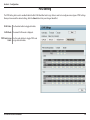
SSID Visibility:
Enable or Disable SSID visibility. Enabling this feature
broadcasts the SSID across the network, thus making
it visible to all network users.
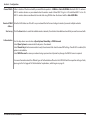
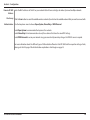
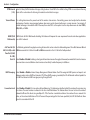
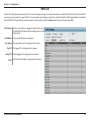
Auto Channel
Selection:
Enabling this feature automatically selects the channel that provides the best wireless performance. Enable is set by default.
The channel selection process only occurs when the AP is booting up.
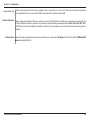
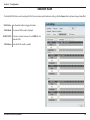
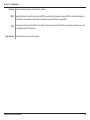
Channel:
All devices on the network must share the same channel. To change the channel, first toggle the Auto Channel Selection
setting to Disable, and then use the drop-down menu to make the desired selection. (Note: The wireless adapters will
automatically scan and match the wireless settings.)
D-Link DAP-3690 User Manual
15