1
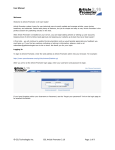
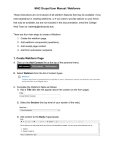
4. To change the color of the font, select the text and click the ‘Font Color’ icon in the toolbar.
The following ‘Color’ screen gets displayed where you can select the color of the font.
5. To select the color for the font, you can either click the color box displayed or click the
hyperlink provided for the color. The colors available appear as a spectrum, as displayed by
the following screen. You can make a selection by moving the mouse over the spectrum and
clicking to select the desired color.
The font color is changed as indicated in the following screen.
4-4