1
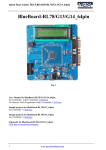
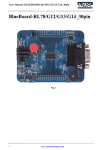
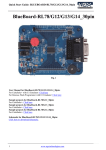
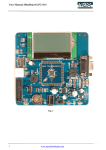
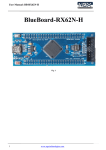
Quick Start Guide: BB-RX62N-H BlueBoard-RX62N-H Fig. 1 User Manual for BlueBoard-RX62N-H: For CubeSuite+ with E1 Emulator: Click here For Renesas Flash Programmer with E1 Emulator: Click here Sample projects for BlueBoard-RX62N-H: For CubeSuite+: Click here Schematic for BlueBoard-RX62N-H: Click here to download Schematic. 1 www.ngxtechnologies.com Quick Start Guide: BB-RX62N-H About NGX Technologies NGX Technologies is a leader in embedded microcontroller product development. We supply reference designs and evaluation modules to silicon companies. Our customers include industry leaders like NXP and RENESAS. Our core business is in helping our customers realize their embedded products. Contact Information: NGX Technologies Pvt. Ltd. No.216, 5th main Road, R.P.C. Layout, Vijayanagar 2nd Stage, Bangalore – 560 104 Phone : +91-80-40925507 email:[email protected] 2 www.ngxtechnologies.com Quick Start Guide: BB-RX62N-H Table of Contents 1.0 INTRODUCTION ................................................................................................................................. 4 1.1 Possible Debuggers and IDEs that can be used ................................................................................. 4 2.0 BB-RX62N- H BOARD OVERVIEW ................................................................................................. 5 2.1 INTRODUCTION ............................................................................................................................. 5 2.2 Board Features ................................................................................................................................... 5 2.3 Block Diagram .................................................................................................................................. 6 2.4 MCU Features ................................................................................................................................... 6 3.0 BB-RX62N- H BOARD Hardware Description ................................................................................... 9 3.1 Introduction ....................................................................................................................................... 9 3.2 Board Image with pointer to each peripheral & connectors .............................................................. 9 4.0 BB-RX62N-H BOARD hardware verification ................................................................................... 10 4.1 Board connections ........................................................................................................................... 10 4.2 Powering the Board ......................................................................................................................... 10 4.3 Verifying all the peripherals of the board ....................................................................................... 10 4.3.1 LED .............................................................................................................................................. 11 4.3.2 User Switch .................................................................................................................................. 11 4.3.3 USB .............................................................................................................................................. 11 5.0 CHANGE HISTORY .......................................................................................................................... 12 5.1 Change History ................................................................................................................................ 12 6.0 REFERENCES .................................................................................................................................... 12 3 www.ngxtechnologies.com Quick Start Guide: BB-RX62N-H 1.0 INTRODUCTION This document is the quick start guide for the BB-RX62N- H, a low cost RENESAS RX62N based board by NGX Technologies. This document reflects its contents which include MCU features, hardware description, and hardware verification. This document provides detailed information on the board features and hardware verification and possible debuggers and IDEs that can be used with this board. 1.1 Possible Debuggers and IDEs that can be used E1 Emulator with CubeSuite+ E1 Emulator with High-Performance Embedded workshop 1.2 E1 Emulator and CuibeSuite+ Board has 14 pin emulator connector, connect the one end of 14 pin cable to E1 emulator and other end to the 14 pin connector on the board, connect usb cable to E1 emulator and PC and connect the power supply to the board as shown in the below image Note: E1 Emulator, 14 pin cable and USB cable are not a part of the BB-RX62N-H board package. Fig. 2 4 www.ngxtechnologies.com Quick Start Guide: BB-RX62N-H 2.0 BB-RX62N- H BOARD OVERVIEW 2.1 INTRODUCTION The NGX BB-RX62N- H BOARD is a compact and versatile evaluation platform for the RENESAS's RX62N MCU. RENESAS's evaluation platforms are generally tied up to CubeSuite+ and High Performance Embedded Workshop compiler/IDE and E1 Emulator. For our development we use E1 Emulator and CubeSuite+ as the debugger and compiler/IDE respectively. The board is supported by extensive sample examples allowing you to focus on the application development. 2.2 Board Features Following are the salient features of the board Dimensions: 86mmX 33mm Two layer PCB (FR-4 material) Power: +5V/500mA from power supply USB connector 14 pin debug connector for Emulator connection User Switch and reset switch 12.0000 MHz crystal for MCU Extension headers for all MCU pins USB type-B mini connector User LED 5 www.ngxtechnologies.com Quick Start Guide: BB-RX62N-H 2.3 Block Diagram Fig. 3 2.4 MCU Features 32-bit RX CPU Core Delivers 165 DMIPS at a maximum operating frequency of 100 MHz Single Precision 32-bit IEEE-754 Floating Point Accumulator: 32 × 32 to 64-bit result, one instruction Mult/Divide Unit, 32 × 32 Multiply in one CPU clock for multiple instructions Interrupt response in as few as 5 CPU clock cycles CISC-Harvard Architecture with 5-stage pipeline Variable length instructions, ultra compact code Supports the Memory Protection Unit (MPU) Background JTAG debug plus high-speed trace 6 www.ngxtechnologies.com Quick Start Guide: BB-RX62N-H Low Power Design and Architecture 2.7V to 3.6V operation from a single supply 480 µA/MHz Run Mode with all peripherals on Deep Software Standby Mode with RTC Four low power modes Main Flash Memory, no Wait-State 100 MHz operation, 10 nsec read cycle No wait states for read at full CPU speed 256K, 384K, 512K Byte size options For Instructions or Operands Programming from USB, SCI, JTAG, user code Data Flash Memory Up to 32K Bytes with 30K Erase Cycles Background Erase/Program does not stall CPU SRAM, no Wait-State 64K or 96K Byte size options For Operands or Instructions Back-up retention in Deep Software Standby Mode DMA Four fully programmable internal DMA channels Two EXDMA channels for external-to-external transfers Data Transfer Controller (DTC) Reset and Supply Management Power-On Reset (POR) monitor/generator Low Voltage Detect (LVD) with precision setting System Clocking with Clock Monitoring External crystal, 8 MHz to 14 MHz to Internal PLL PLL source to system, USB, and Ethernet Internal 125 kHz LOCO for IWDT External crystal, 32 kHz for RTC Real Time Clock Full calendar function, BCD format Two Independent Watchdog Timers 125-kHz LOCO operation Up to 14 Communication Interfaces USB 2.0 Full-Speed interfaces with PHY (2ch) Supports Host/Function/OTG 10 endpoints for types: Control, Interrupt, Bulk, Isochronous Ethernet MAC 10/100 Mbps, Half or Full Duplex Supported. (1ch) Dedicated DMA with 2-Kbyte transmit and receive FIFOs. RMII or MII interface to external PHY 7 www.ngxtechnologies.com Quick Start Guide: BB-RX62N-H CAN ISO11898-1, supports 32 mailboxes (1ch) SCI channels: Asynchronous, clock sync, smartcard, and 9-bit modes (6ch) I2C interfaces up to 1M bps, SMBus support (2ch) RSPI (2ch) External Address Space Eight CS areas (8 × 16 Mbytes) 128-Mbyte SDRAM area 8-/16-/32-bit bus space selectable for each area TFT-LCD up to WQVGA resolution Up to 20 Extended Function Timers 16-bit MTU2 Input capture, Output Compare, PWM output, phase count mode (12ch) 8-bit TMR (4ch) 16-bit CMT (4ch) 1-MHz ADC units with two combination choices 12-bit × 8 ch. unit with single sample/hold circuit or (2) 10-bit × 4 ch units each with a sample/hold circuit AD-converted value addition mode (12-bit A/D converter) 10-bit DAC, 2 channels Up to 128 GPIO 5V tolerant, Open-Drain, Internal Pull-up Operation Temp –40°C to +85°C For the most updated information on the MCU please refer to RENESAS's website. 8 www.ngxtechnologies.com Quick Start Guide: BB-RX62N-H 3.0 BB-RX62N- H BOARD Hardware Description 3.1 Introduction The NGX BB-RX62N- H BOARD is based on RX62N microcontroller from RENESAS. RX62N offers 32-KB Flash memory, 100-MHz operation, I2C controller with data rate of up to 1 Mbit/s, USB 2.0 Full-Speed Host/Function/OTG, CAN, 12-bit ADC, TFT-LCD, RTC, up to 14 communication channels and wide range of peripherals. Refer to the RX62N data sheet for complete device details. BB-RX62N- H BOARD microcontroller is factory-programmed with a quick start demo program. The quick start program resides in RX62N on-chip Flash memory and runs each time power is applied, unless the quick start has been replaced with a user program. 3.2 Board Image with pointer to each peripheral & connectors Fig 4 9 www.ngxtechnologies.com Quick Start Guide: BB-RX62N-H 4.0 BB-RX62N-H BOARD hardware verification RENESAS's BB-RX62N-H board evaluation platforms ship with a factory-programmed test firmware that verifies the board peripherals. It is highly recommended that you verify the board, before you start programming. Also this exercise helps you get acclimatized with the board quickly. To run the tests you will need the following: NGX BB-RX62N-H BOARD Power: +5V/500mA from power supply USB cable PC Mini USB type-B cable 4.1 Board connections BlueBoard Peripheral Schematic labels MCU pins User LED R_LED 100 USB USB0_DM USB0_DP VSS_BUS 36 37 38 User Switch User Switch 73 E1 Emulator MDE MD0 MD1 EMLE RES# 4 7 6 2 10 Table.1 4.2 Powering the Board The board can be powered through USB, Alternatively the board could be powered through Emulator. 4.3 Verifying all the peripherals of the board The following section focusses on the verification of all the peripherals supported on the board. The order of the tests is mentioned in the same manners as the flow of the test firmware. We highly recommend that you follow the order of the test. The test firmware is designed in a manner that the user needs to spend as minimum time as possible to verify all the peripherals. Note: It is highly recommended that the user tests all the peripherals as soon as the board is received. Power up the board and we are all set to verify the board peripherals. The order of the peripherals that are verified by the firmware are as follows: 10 www.ngxtechnologies.com Quick Start Guide: BB-RX62N-H Note: To execute the test firmware from the flash, set the Boot Mode Selection Switch (J3) to “1110”. 4.3.1 LED Test setup and verification: As soon as the board is turned ON or reset; the test LED (D2) go ON & OFF for a couple of times, this simple test validates the LEDs. 4.3.2 User Switch Test setup and verification: When you press the User Switch, LED (D2) toggles. 4.3.3 USB Test setup and verification: Set the Boot Mode Selection Switch (J3) to “0100”, Connect the USB cable to USB connector. The power LED (D1) turns ON. The USB enumeration can be checked in device manager. The board enumerates as a “Renesas USB1653 USB Boot Mode Device”. On a Windows machine this can be confirmed by looking in to the ‘Device Manager’ under ‘Universal Serial Bus Controllers’. Fig 5 11 www.ngxtechnologies.com Quick Start Guide: BB-RX62N-H 5.0 CHANGE HISTORY 5.1 Change History Rev 1.0 Changes Date (dd/mm/yy) Initial release of the Quick Start 28/05/2012 Guide By Veeresh Tumbaragi 6.0 REFERENCES In addition to this document, the following references are included on the NGX BB-RX62N-H BOARD product and can also be downloaded from www.ngxtechnologies.com: NGX BB-RX62N-H BOARD schematic for the Development board. Additional references include: Information on development tool being used: - CubeSuite+, http://sg.renesas.com/products/tools/ide/ide_cubesuite_plus/ About this document: Revision History Version: V1.0 author: Veeresh Tumbaragi Company Terms & Conditions Legal NGX Technologies Pvt. Ltd. provides the enclosed product(s) under the following conditions: This evaluation board/kit is intended for use for ENGINEERING DEVELOPMENT, DEMONSTRATION, and EDUCATION OR EVALUATION PURPOSES ONLY and is not considered by NGX Technologies Pvt. Ltd to be a finished end-product fit for general consumer use. Persons handling the product(s) must have electronics training and observe good engineering practice standards. As such, the goods being provided are not intended to be complete in terms of required design-, marketing-, and/or manufacturing-related protective considerations, including product safety and environmental measures typically found in end products that incorporate such semiconductor components or circuit boards. This evaluation board/kit does not fall within the scope of the European Union directives regarding electromagnetic compatibility, restricted substances (RoHS), recycling (WEEE), FCC, CE or UL and therefore may not meet the technical requirements of these directives or other related directives. The user assumes all responsibility and liability for proper and safe handling of the goods. Further, the user indemnifies NGX Technologies from all claims arising from the handling or use of the goods. Due to the open construction of the product, it is the user’s responsibility to take any and all appropriate precautions with regard to electrostatic discharge. 12 www.ngxtechnologies.com Quick Start Guide: BB-RX62N-H EXCEPT TO THE EXTENT OF THE INDEMNITY SET FORTH ABOVE, NEITHER PARTY SHALL BE LIABLE TO THE OTHER FOR ANY INDIRECT, SPECIAL, INCIDENTAL, OR CONSEQUENTIAL DAMAGES. NGX Technologies currently deals with a variety of customers for products, and therefore our arrangement with the user is not exclusive. NGX Technologies assumes no liability for applications assistance, customer product design, software performance, or infringement of patents or services described herein. Please read the User’s Guide and, specifically, the Warnings and Restrictions notice in the User’s Guide prior to handling the product. This notice contains important safety information about temperatures and voltages. No license is granted under any patent right or other intellectual property right of NGX Technologies covering or relating to any machine, process, or combination in which such NGX Technologies products or services might be or are used. Disclaimers Information in this document is believed to be reliable and accurate. However, NGX Technologies does not give any representations or warranties, expressed or implied, as to the completeness or accuracy of such information and shall have no liability for the consequences of use of such information. NGX Technologies reserves the right to make changes to information published in this document, at any time and without notice, including without limitation specifications and product descriptions. This document replaces and supersedes all information supplied prior to the publication hereof. Trademarks All referenced trademarks, product names, brands and service names are the property of their respective owners. 13 www.ngxtechnologies.com