1
CodeWarrior Development Studio for Microcontrollers, v10.1
MTWX45630
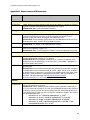
Issue: CW MCU v6.3 Smart Linker message settings ("-Wmsg" flags) do
not reach the linker settings in the Eclipse project build configurations.
Workaround: Manually add the message disabling options to the linker command
line.
Wizards
MTWX45639
Issue: Cannot build ColdFire V2-V4 Static Library/ Shared Library on a Linux hosted
machine if there is a space in the directory path.
Workaround: Ensure all directory paths for include files do NOT contain spaces.
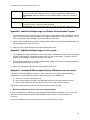
Appendix B: CodeWarrior Eclipse usage on a Windows Vista or Windows 7 system
1. The CodeWarrior installer should be run using the ‘Run as administrator’ option. CodeWarrior service
packs are installed with the Eclipse Updater. The updater should also be run with this option. To start
the Eclipse Updater select ‘Window > Install new software’ in the menu.
2. Eclipse needs read/write access to the installation folder. Make sure the eclipse installation folder has
the appropriate permissions for all users.
3. Make sure your project workspace has read and write permissions.
Appendix C: CodeWarrior Eclipse usage on a Linux system
1. The CodeWarrior installer should be run from a root account. CodeWarrior service packs are installed
with the Eclipse Updater. The updater should also be run from a root account. To start the Eclipse
Updater select ‘Window > Install new software’ in the menu.
2. Eclipse needs read/write access to the installation folder. Make sure the eclipse installation folder has
the appropriate permissions for all users.
3. Make sure your project workspace has read and write permissions.
Appendix D: Installing P&E Microcomputer Systems’ USB drivers on a Linux system
To properly install P&E USB drivers to be on a Linux system, the user should verify the following
requirements are satisfied before installation (either manually or via CodeWarrior):
A. root access must be used during install.
B. kernel source must be included in the distribution (same version used to build the kernel).
C. GCC must be installed on the machine (same version as used to build the kernel).
See Section 2 for directions how to manually install the kernel source and GCC.
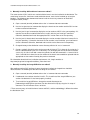
1. Determining whether the drivers have been installed properly
If driver installation fails, a warning message should be displayed during installation. The user can also
look in the /usr/lib directory for the file libwdusb1002.so. If this file exists, driver installation was
successful.
If the driver installation was unsuccessful, the drivers must be manually installed.
11