1
de
oa
d
m
fro
Register your product and get support at
www.philips.com/welcome
nl
ow
D
Always there to help you
w
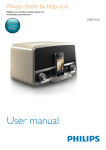
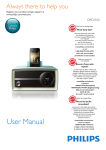
ORD7100
or
b
en
nd
a
.v
w
w
Question?
Contact
Philips
e
.b
re
User manual
nl
ow
D
de
oa
d
m
fro
or
b
en
nd
a
.v
w
w
w
e
.b
re
nl
ow
D
de
oa
Contents
d
m
fro
6 Use the dock
7
7
7
8
8
7 Listen to FM radio
8
8
8
9
9
8 Listen to an external device
9
Compatible iPod/iPhone models
Enjoy audio through the dock
Charge your iPod/iPhone
Undock your iPod/iPhone
Search for a radio station automatically
Search for a radio station manually
Store radio stations automatically
Store radio stations manually
9 Adjust the volume
10
10 Use the remote control
10
10
10
11
11 Troubleshooting
12
Activate the battery
Control play
Replace the battery
e
6
.b
5 Set the clock
re
6
or
4 Power on and select a source
13
13
13
13
13
b
en
5
nd
3 Connect the FM antenna and
power cord
a
.v
3
3
3
4
Introduction
What's in the box
Overview of the system
Amplifier
FM Tuner
Speakers
General information
w
2 Your docking system
12 Product information
w
2
w
1 Safety
13 Notice
14
14
14
14
15
Compliance
Care of the environment
Trademark notice
Copyright
EN
1
nd
a
.v
w
w
w
•
m
Risk of injury or damage to the product!
• This product shall not be exposed to
dripping or splashing!
• Do not place any sources of danger on this
product (e.g. liquid filled objects, lighted
candles).
• Never place the product or any objects
on power cords or on other electrical
equipment.
• If the product is transported in
temperatures below 5°C, unpack the
product and wait until its temperature
matches room temperature before
connecting it to the power outlet.
or
b
en
Risk of swallowing coin battery!
• The device may contain a coin/button
type battery, which can potentially be
swallowed. Keep the battery out of reach
of children at all times! If swallowed, the
battery can cause serious injury or death.
Severe internal burns can occur within two
hours of ingestion.
• If you suspect that a battery has been
swallowed or placed inside any part of the
body, seek immediate medical attention.
e
Risk of contamination!
• Remove the battery if it is exhausted or if
the remote control is not to be used for
an extended period of time.
• Batteries contain chemical substances, they
should be disposed of properly.
.b
Risk of overheating!
• Never install this product in a confined
space. Always leave a space of at least four
inches around the product for ventilation.
• Make sure that curtains or other objects
never cover the ventilation slots on the
product.
re
EN
fro
2
d
Risk of short circuit or fire!
• Before you connect the product to the
power outlet, make sure that the power
voltage matches the value printed on the
back of the product. Never connect the
product to the power outlet if the voltage
is different.
• Never expose the remote control or
batteries to rain, water, sunshine, or
excessive heat.
• Avoid force coming onto power plugs.
Loose power plugs can cause arcing or fire.
Correctly install the battery with its
polarity (+/- signs) as marked on the
remote control.
Danger of explosion if battery is incorrectly
replaced. Replace only with the same or
equivalent type.
de
Risk of electric shock or fire!
• Never remove the casing of the product.
• Never expose the product and accessories
to rain or water. Never place liquid
containers, such as vases, near the product.
If liquids are spilt on or into the product,
disconnect it from the power outlet
immediately. Contact Philips Consumer
Care to have the product checked before
use.
• Never place the product and accessories
near naked flames or other heat sources,
including direct sunlight.
• Never insert objects into the ventilation
slots or other openings on the product.
• Where the mains plug or an appliance
coupler is used as the disconnect device,
the disconnect device shall remain readily
operable.
• Disconnect the product from the power
outlet before lightning storms.
• When you disconnect the power cord,
hold the plug securely, never the cable.
• Batteries (battery pack or batteries
installed) shall not be exposed to excessive
heat such as sunshine, fire or the like.
•
oa
Read and understand all instructions before you
use this product. If damage is caused by failure
to follow the instructions, the warranty does
not apply.
nl
ow
D
1 Safety
nl
ow
D
m
fro
a
.v
w
w
w
Congratulations on your purchase, and
welcome to Philips! To fully benefit from the
support that Philips offers, register your product
at www.philips.com/welcome.
or
b
en
nd
What's in the box
Check and identify the contents of the package:
a
b
c
ORD7100
User Manual
d
e
f
g
a Docking speaker
b Remote control
c User manual
d VDE AC power cord
e AC power cord for the U.K.
f MP3 link cable
g FM antenna
EN
3
e
With this system, you can:
• enjoy audio from an iPod/iPhone or
external device,
• charge your iPod/iPhone, and
• listen to FM radio stations.
.b
Introduction
re
•• The type plate is located on the back of the product.
d
Note
2 Your docking
system
de
•
When you change the batteries, always
keep all new and used batteries out of
reach of children. Make sure that the
battery compartment is completely secure
after you replace the battery.
If the battery compartment cannot be
completely secured, discontinue use of the
product. Keep out of reach of children and
contact the manufacturer.
oa
•
nl
ow
D
oa
de
Overview of the system
d
m
fro
or
b
en
nd
a
.v
w
w
w
e
.b
re
a
b
f
c
d
g
i
e
h
a SOURCE
• Turn to select a source.
• Turn to switch the system from
standby mode to normal mode.
•
b
•
•
•
Press to switch the system between
standby mode and normal mode.
Turn to adjust the volume.
c Dock for iPod/iPhone
d LCD screen
e
4
•
EN
In radio mode, turn to search for a
radio station manually.
•
In radio mode, press and hold to
activate the automatic search for and
storage of radio stations.
For a compatible iPod/iPhone, press to
pause or resume music play.
For a compatible iPod/iPhone, press
and hold to switch it to sleep mode, or
press to wake it up.
f PRESET
• Turn to select a preset radio station.
g AC MAIN~
• Connect to the AC power cord.
3 Connect the
FM antenna and
power cord
de
oa
d
m
fro
or
b
en
nd
a
.v
w
w
w
i Socket for FM antenna
• Connect to an FM antenna.
nl
ow
D
h MP3-LINK
• Connect to an external player by an
MP3 link cable.
e
.b
re
1
2
Connect the FM antenna to the product.
Connect the AC power cord to the AC
MAIN~ socket and then to the wall outlet.
EN
5
nl
ow
D
5 Set the clock
de
oa
d
m
fro
w
In standby mode, press and hold the
knob for two seconds.
»»
is displayed with 24 blinking.
To switch the product to standby
mode, press the
knob or again.
To select a source,
• turn the SOURCE knob on the product, or
• press the SRC button on the remote
control repeatedly.
• FM radio: is highlighted, and the
frequency of the current FM radio
station is displayed.
• iPod/iPhone: is highlighted, and
scrolls.
• External device: is highlighted, and
is displayed.
6
EN
Turn the
knob to set the minute, and
then press the
knob to confirm.
»» The set time is displayed.
Tip
•• Once your iPod/iPhone is connected and recognized,
the clock on the product is synchronized with the
iPod/iPhone.
e
•
4
.b
To power on the product,
• press the
knob,
• turn the SOURCE knob on the product, or
• press on the remote control.
»» The product switches to the last
selected source.
Turn the
knob to set the hour, and
then press the
knob to confirm.
»» The minute digits blink.
re
3
Turn the
knob to select a time format,
and then press the
knob to confirm.
•
: 24-hour time format
•
: 12-hour time format
»» The hour digits blink.
or
2
b
en
nd
a
.v
w
1
w
4 Power on and
select a source
oa
Enjoy audio through the dock
de
d
.
or
b
en
nd
a
.v
w
Push the dock tray to eject it.
w
w
Switch the source to
m
1
2
fro
e
.b
re
You can enjoy audio from a compatible iPod/
iPhone through this product.
An application Philips HomeStudio is available
on Apple App Store for this product. To enjoy
full features, download and install the application
to your iPod/iPhone.
nl
ow
D
6 Use the dock
Note
•• During play, no audio signals are transferred through
the headphone socket of your iPod/iPhone.
•• Once your iPod/iPhone is connected and recognized,
the product synchronizes its clock with the iPod/iPhone
automatically.
3
Connect your iPod/iPhone to the dock.
4
Play a track on your iPod/iPhone.
Compatible iPod/iPhone
models
This product supports the following iPod and
iPhone models.
Made for
• iPod touch (2nd, 3rd, and 4th generation)
• iPod classic
• iPod nano (2nd, 3rd, 4th, 5th, and 6th
generation)
• iPhone 4S
• iPhone 4
• iPhone 3GS
• iPhone 3G
•
•
•
To start, pause. or resume play, press
the
knob.
To skip to a track, turn the
knob.
To switch the iPod/iPhone to sleep
mode or wake it up, press and hold
the
knob.
EN
7
nl
ow
D
de
d
m
fro
1
2
adjust its position, or connect an outdoor antenna.
•• This system does not support MW (medium wave)
radio reception.
•• You can store up to 20 stations for each band.
Disconnect the iPod/iPhone from the dock.
Push the dock tray inwards until you hear a
"click" to store it.
Search for a radio station
automatically
Turn the
knob clockwise or anti-clockwise,
and then press the
knob in two seconds.
»»
is displayed, and then the radio
frequency changes until a strong
station is detected.
•
To stop the search, press the
again.
knob
Search for a radio station
manually
Turn the
knob until the frequency of target
radio station is displayed.
8
EN
e
not twist or shake your iPod/iPhone.
•• For optimal reception, fully extend the antenna and
.b
•• Risk of damage to the dock or your iPod/iPhone: Do
or
Note
Note
re
Undock your iPod/iPhone
b
en
nd
a
.v
w
w
w
Once the iPod/iPhone is docked and
recognized, the charging starts.
7 Listen to FM
radio
oa
Charge your iPod/iPhone
nl
ow
D
8 Listen to an
external device
de
oa
d
m
fro
Store radio stations
automatically
a
.v
w
You can also listen to an external audio device,
for example, MP3 player, through this product.
or
b
en
nd
re
To tune to a stored radio station, turn the
PRESET knob until its sequence number is
displayed.
e
.b
•
w
w
Press and hold the
knob until
is
displayed.
»» After the search is complete, the first
stored radio station is broadcast.
Store radio stations manually
1
2
3
4
5
•
Tune to the target radio station.
After two seconds, press the
knob.
»» PXX is displayed with XX blinking (XX
indicates the sequence number).
Turn the PRESET knob to select a
sequence number.
Press the
knob to confirm.
Repeat steps 1-4 to store more radio
stations.
• To overwrite a preset radio station,
store another station with its sequence
number.
To tune to a stored radio station, turn the
PRESET knob until its sequence number is
displayed.
1
2
3
Switch the source to
.
Connect the MP3 link cable between
• the MP3-LINK socket on the back
panel of this product, and
• the headphone jack on the external
device.
Play audio on the external device (refer to
its user manual).
EN
9
nl
ow
D
10 Use the remote
control
Turn the
During use, you can use the remote control to
control play.
de
oa
9 Adjust the
volume
d
m
fro
or
b
en
nd
a
.v
w
w
w
knob.
Control play
During play, follow the instructions below to
control play.
FM mode
Buttons
/
/
PRESET +/-
PROG
Functions
To tune to a specific radio
station, press repeatedly until its
frequency is displayed.
To tune to the previous or next
strong radio station, press and
hold to start scanning.
To tune to a preset radio
station, press repeatedly until its
sequence number and frequency
are displayed.
To program radio stations,
1 Tune to the radio station that
your want to store.
2 Press PROG to activate the
programming.
3 Press PRESET +/- to select a
sequence number.
4 Press PROG to confirm.
5 Repeat the steps 1-4 to pro-
DISP
10
EN
gram more radio stations.
To display the clock or current
frequency, press it.
e
For the first time use, pull the protective tab
out from the battery compartment.
.b
re
Activate the battery
nl
ow
D
m
fro
To start, pause, or resume play,
press it.
To switch the iPod/iPhone to
sleep mode or wake it up, press
and hold it.
To skip to a track, press repeatedly.
To rewind a track or search
forward fast, press and hold.
To select a track from the library,
or
b
en
nd
a
.v
w
e
.b
re
iPod/Music (iPod/Music) menu
of your iPod/iPhone.
w
1 Press MENU to access the
w
MENU
Replace the battery
d
/
/
Functions
de
Buttons
oa
DOCK mode
1
2 Press MENU repeatedly to tog-
2
3 Press
3
gle through the categories.
/
to toggle
through sub-categories or
select a track.
Pull out the battery tray and then remove
the flat battery.
Insert one CR2025 battery with correct
polarity (+/-) as indicated.
Insert the battery tray.
4 Press
to enter lower-level
menu or start the selected
track.
Volume
Buttons
Functions
VOL+/
VOLMUTE
To increase or decrease the volume,
press repeatedly.
To mute the product or release it
from mute status, press the button.
EN
11
nl
ow
D
de
oa
d
m
fro
11 Troubleshooting
w
b
en
nd
•• Never remove the casing of this product.
a
.v
w
w
Warning
or
To keep the warranty valid, never try to repair the product yourself.
If you encounter problems when using this product, check the following points before requesting
service. If the problem remains unsolved, go to the Philips Web page (www.philips.com/support). When
you contact Philips, make sure that the product is nearby and the model number and serial number are
available.
No sound or poor sound
No response from the
product
Remote control does not
work
Poor radio reception
Clock is erased
12
EN
e
Make sure that the AC power cord is connected properly.
Make sure that there is power at the AC power outlet.
If a connected iPod/iPhone stays inactive for 15 minutes when it is selected
as the source, the system switches to standby mode automatically.
Adjust the volume.
Press MUTE to release the speakers from mute status.
Reconnect the AC power cord, and then turn on the product again.
If a connected iPod/iPhone stays inactive for 15 minutes when it is selected
as the source, the system switches to standby mode automatically.
Before you press any function button, select the correct source with the
remote control instead of the system.
Reduce the distance between the remote control and the system.
Insert the battery with its polarity (+/– signs) aligned as indicated.
Replace the battery.
Aim the remote control at the iR sensor on the front panel of the system.
Increase the distance between the product and other electrical appliances.
Fully extend the antenna.
Connect an outdoor FM antenna instead.
Power has been interrupted or the AC power cord has been
disconnected.
Reset the clock.
.b
Solution
No power
re
Problem
d
100-240 V~, 50/60
Hz
15 W
b
en
nd
a
.v
325 x 175 x 167 mm
3.5 kg
or
e
.b
re
Operation Power
Consumption
Dimensions (Main Unit)
Weight (Main Unit)
w
w
w
AC Power Rating
m
fro
notice.
General information
de
•• Product information is subject to change without prior
oa
Note
nl
ow
D
12 Product
information
Amplifier
Frequency Response
Signal to Noise Ratio
Aux Input
60 Hz - 16 kHz,
±3 dB
> 70 dBA
0.5 V RMS 10 kOhm
FM Tuner
Tuning Range
Tuning grid
Total Harmonic
Distortion
Signal to Noise Ratio
Number of preset
radio stations
87.50 - 108.00 MHz
50 kHz
< 2%
> 50 dBA
20
Speakers
Speaker Impedance
Speaker Driver
Sensitivity
6 Ohm
2 X 3" full range
> 82 dB/m/W
EN
13
nl
ow
D
oa
Please act according to your local rules and
do not dispose of your old products with your
normal household waste. Correct disposal of
your old product helps to prevent potential
negative consequences for the environment and
human health.
de
d
m
fro
13 Notice
or
b
en
nd
a
.v
w
w
w
Any changes or modifications made to this
device that are not expressly approved by
Philips Consumer Lifestyle may void the user’s
authority to operate the equipment.
This product complies with the radio
interference requirements of the European
Community.
Class II equipment symbol:
CLASS II apparatus with double insulation, and
no protective earth provided.
Care of the environment
Your product contains batteries covered by
the European Directive 2006/66/EC, which
cannot be disposed with normal household
waste.Please inform yourself about the local
rules on separate collection of batteries
because correct disposal helps to prevent
negative consequences for the environmental
and human health.
Environmental information
All unnecessary packaging has been omitted.
We have tried to make the packaging easy to
separate into three materials: cardboard (box),
polystyrene foam (buffer) and polyethylene
(bags, protective foam sheet.)
Your system consists of materials which can
be recycled and reused if disassembled by
a specialized company. Please observe the
local regulations regarding the disposal of
packaging materials, exhausted batteries and old
equipment.
Trademark notice
Your product is designed and manufactured
with high quality materials and components,
which can be recycled and reused.
When this crossed-out wheeled bin symbol is
attached to a product it means that the product is
covered by the European Directive 2002/96/EC.
Please inform yourself about the local separate
collection system for electrical and electronic
products.
14
EN
“Made for iPod” and “Made for iPhone”
mean that an electronic accessory has been
designed to connect specifically to iPod or
iPhone respectively, and has been certified by
the developer to meet Apple performance
standards. Apple is not responsible for the
operation of this device or its compliance with
safety and regulatory standards. Please note that
e
.b
re
Compliance
nl
ow
D
de
oa
d
m
fro
or
b
en
nd
Copyright
a
.v
w
w
w
the use of this accessory with iPod or iPhone
may affect wireless performance.
iPod and iPhone are trademarks of Apple Inc.,
registered in the U.S. and other countries.
re
e
.b
2012 © Koninklijke Philips Electronics N.V.
Specifications are subject to change without
notice. Trademarks are the property of
Koninklijke Philips Electronics N.V or their
respective owners. Philips reserves the right
to change products at any time without being
obliged to adjust earlier supplies accordingly.
EN
15
nl
ow
D
de
oa
d
m
fro
or
b
en
nd
a
.v
w
w
w
e
.b
re
Specifications are subject to change without notice
© 2012 Koninklijke Philips Electronics N.V.
All rights reserved.
ORD7100_10_UM_V1.0