1
HSL-SM8
INSIDE SPRAY GUN CONTROL
(8 SINGLE GUN MACHINES)
User’s Manual
Systems Engineering Associates, Inc.
14989 West 69th Avenue
Arvada, Colorado 80007 U.S.A.
Telephone: (303) 421-0484
Fax: (303) 421-8108
www.sea-seg.com
01/2004
HSL-SM8
INSIDE SPRAY GUN CONTROL
(8 SINGLE GUN MACHINES)
User’s Manual
Copyright © 2002 Systems Engineering Associates, Inc.
All Rights Reserved!
WARNING
To ensure the equipment described by this User Manual, as well as the equipment connected to
and used with it, operates satisfactorily and safely, all applicable local and national codes that
apply to installing and operating the equipment must be followed. This includes the National
Electric Code in the USA and other applicable legislation, regulations, and codes in practice
elsewhere. Since codes can vary geographically and can change with time, it is the user’s
responsibility to determine which standards and codes apply, and to comply with them.
FAILURE TO COMPLY WITH APPLICABLE CODES AND STANDARDS CAN RESULT IN
DAMAGE TO EQUIPMENT AND/OR SERIOUS INJURY TO PERSONNEL.
Persons supervising and performing installation or maintenance must be suitably qualified and
competent in these duties, and should carefully study this User Manual and any other manuals
referred to by it prior to installation and/or operation of the equipment.
_____________________________________________________________________________
_
The contents of the User Manual are believed to be correct at the time of printing; however, no
responsibility is assumed for inaccuracies. In the interests of a commitment to a policy of
continuous development and improvement, the manufacturer reserves the right to change the
specification of the product or it’s performance or the contents of the User Manual without notice.
_____________________________________________________________________________
_
Copyright © 2002 Systems Engineering Associates, Inc.
All Rights Reserved !
CONTENTS
1. General Description
1.1
1.2
1.3
1.4
1.5
1.6
1
Features
General Description
Spray Gun Control
Spray Gun Cycle Counts and Life Expectancy
Can Jam/Sensor Fail Alarm
Data Collection
2. Installation
1
2
2
3
3
4
5
2.1
What’s Included
2.1.1 HSL-SM8 (for back-panel mounting)
2.1.2 HSL-SM8-ENCL (with NEMA 12 Enclosure)
2.1.3 HSL-SM8 Options
5
5
6
6
2.2
HSL-SM8 Installation
2.2.1 Power Required
2.2.2 Mounting and Wiring the HSL-SM8
6
6
7
2.3
HSL-SM8 Software Installation
2.3.1 SYSdev Program Development Software
Installation
2.3.2 HSL-SM8 Application Program Installation
8
2.4
HSL-SM8 Set-up
2.4.1 Set Can Sensor-to-Gun Number of Indexes
2.4.2 Set Gun Life Expectancy
2.4.3 Set “On” Delay and “Spray” Duration Times
2.4.4 Manually Test each Gun
2.4.5 Run Machine and Verify Spray Weights
9
10
10
10
10
11
2.5
M4500/P4500/D4591 Installation
2.5.1 M4500 Module Installation
2.5.2 P4500 Power Supply Installation
2.5.3 D4591 Keypad/Display Installation
2.5.4 Download HSLSM8 Program to M4500
11
11
13
14
14
HSL-SM8 User’s Manual
8
8
SYSTEMS Electronics Group
-i-
CONTENTS
3. Using the HSL-SM8 Keypad/Display
3.1
3.2
3.3
3.4
3.5
3.6
3.7
3.8
17
Overview of Keypad and Display
Default Screen
Selecting Machine (Gun) to Adjust
Setting Gun Times (“On” Delay and “Spray” Time)
“CURR SHIFT” Key
“LAST SHIFT” Key
“GUN LIFE” Key
“Set-Up” Key
3.8.1 Set Expected Gun Life (# of Sprays)
3.8.2 Preset or Reset # of Gun Sprays
3.8.3 Set Can PRX-to-Gun Indexes (Shifts)
3.9 Manual Gun Actuation
3.10 Resetting Alarms
4. Recommended Spare Parts
17
19
19
20
20
21
21
22
23
24
25
26
26
27
LIST OF FIGURES
Figure 3.1 – HSL-SM8 Keypad Layout
17
APPENDICES
MODBUS Communications
HSL-SM8 User’s Manual
Appendix A
SYSTEMS Electronics Group
- ii -
SECTION 1
GENERAL DESCRIPTION
________________________________________________________
1.1 FEATURES
•
Stand alone package used to implement spray gun timer control
on inside spray machines or high speed front-end upgrade
package to interface with existing control system.
•
HSL-SM8 package provides spray gun control for up to 8
machines each equipped with one spray gun.
•
Both "on" delay timers and spray "duration" timers are built in for
each gun (accurate 1 millisecond time base for both). "On" delay
adjustable from 0 to 999 milliseconds. Spray "duration" time
adjustable from 0 to 999 milliseconds.
•
Additional control functions provided include:
1) Number of spray cycles count and life expectancy alarm for
each gun.
2) Can Jam Detection.
3) Sensor fail alarm.
•
High speed solenoid drivers provided to minimize solenoid
response time and maximize repeatability.
•
Built-in 2 Line X 20 character sealed display with 24 key
membrane keypad allows local viewing of collected data (coated
can count, total number of spray cycles for each gun) by operator
and set-up of all spray times (key switch enabled) by authorized
personnel.
•
Based on high performance M4500 PLC/PLS module which
allows easy trouble-shooting and user customization using
SYSdev (DOS-based) programming package.
HSL-SM8 User’s Manual
SYSTEMS Electronics Group
-1-
SECTION 1
GENERAL DESCRIPTION
________________________________________________________
1.2 GENERAL DESCRIPTION
The HSL-SM8 spray gun control package is a stand alone package
used to implement the spray timer control for up to 8 single gun spray
machines. Both user adjustable "on" delay and spray "duration"
timers are provided for each gun. The spray times are entered on the
keypad of the M4500 and displayed on the built-in alphanumeric
display. All times are adjustable from 0 to 999 milliseconds (accurate
and stable crystal based time base). In addition to the spray gun timer
control, the HSL-SM8 also provides spray cycle counts with a life
expectancy alarm, can jam detection, a sensor fail alarm for each gun
and data collection including: Total coated can count (both current
shift and previous (last) shift).
The package is not a dedicated "black box", but instead based on the
high performance SYSTEMS M4500 PLC which allows easy
customization by either SEA or the end user. The M4500 PLC
incorporates a built in keypad and 2-line by 20-character
alphanumeric display and is programmed using the DOS-based
SYSdev programming package. SYSdev allows the module to
programmed in both Ladder and High-level (subset of C) and is used
to perform on-line monitoring and trouble-shooting as well.
________________________________________________________
1.3 SPRAY GUN CONTROL
The HSL-SM8 package provides spray gun control for up to 8 single
gun machines. For each gun, both an "on" delay timer and a spray
"duration" timer is provided. These are adjustable from 0 to 999
milliseconds in one millisecond increments. The spray times are
entered on the keypad of the M4500 and displayed in the M4500
display (see section 3.4). The basic spray gun control is implemented
as follows: The "on" delay is triggered at the leading ("off"-to-"on")
edge transition of the "timing" sensor only if a can has been detected
by the "can" sensor.
Note: The "can" sensor must see the can prior to the leading edge of
the "timing" sensor.
HSL-SM8 User’s Manual
SYSTEMS Electronics Group
-2-
SECTION 1
GENERAL DESCRIPTION
Once the "on" delay has timed out, the spray gun is activated "on" and
is left on for the time entered in the "spray" time at which time it is
de-activated.
Note: If the "on" delay is set to zero, the spray gun is activated
immediately at the leading edge of the "timing" sensor.
________________________________________________________
1.4 SPRAY GUN CYCLE COUNTS AND LIFE EXPECTANCY
The number of spray cycles is accumulated for each gun and can be
displayed on the M4500 display. In addition, an expected life cycle
count limit can be entered by the user and is used to generate an alarm
if the number of spray gun cycles exceeds the entered expected life
cycle limit. This feature is used for preventative maintenance
purposes to track the number of spray cycles and flag when a
particular gun has exceeded it's rated life. The gun can then be
changed prior to incurring spray weight problems due to a worn out
gun.
________________________________________________________
1.5 CAN JAM/SENSOR FAIL ALARM
Both the "can" sensor and "timing" sensor are checked for proper
operation while the spray machine is running. A "sensor check" input
is provided which should be turned "on" when the machine is running
and feeding cans (can stop open). With this input "on", both the "can"
sensor and "timing" sensor are checked for periodic transitions. If the
can sensor fails to transition "off" to "on", a "can jam" alarm is
generated for that machine. If the timing sensor fails "on" or "off", a
"sensor fail" alarm is generated for that machine. These alarms are
displayed on the M4500 display as well as being provided as an
output which can be interlocked to the spray machine control system
to stop the corresponding machine when the alarm occurs.
HSL-SM8 User’s Manual
SYSTEMS Electronics Group
-3-
SECTION 1
GENERAL DESCRIPTION
________________________________________________________
1.6 DATA COLLECTION
The total number of coated cans is collected for both the current shift
and the previous (last) shift. This data can either be viewed locally on
the display by the operator or can be sent to the host PLC via RS-232
communications (MODBUS or Allen-Bradley DF1 protocols) using
the optional S4516 communications board. This information is
updated ("current" shift transferred to "Last" shift) based on the
change of state of a discrete input. This input can be activated on an 8
or 12 hour shift basis depending on the user's preference.
HSL-SM8 User’s Manual
SYSTEMS Electronics Group
-4-
SECTION 2
INSTALLATION
The standard HSL-SM8 package is provided for back-panel mounting
inside the existing user's control cabinet. In addition, the HSL-SM8
can be purchased in a self contained NEMA 12 enclosure for
mounting adjacent to the existing control cabinet by specifying part
number HSL-SM8-ENCL.
________________________________________________________
2.1 WHAT’S INCLUDED
Depending on which package is purchased, verify that the following
items are included when unpacking the HSL-SM8:
________________________________________________________
2.1.1 HSL-SM8 (for back-panel mounting)
2ea.
HSL-SM8 back-panels for mounting in the existing user's
control cabinet each including the following:
1ea. +24VDC Power Supplies
1ea. +15VDC Power Supplies
4ea. M273 High Speed Solenoid Drivers
1ea.
M4500 PLC module for mounting in the user's control cabinet
door.
P4500 Power Supply for mounting adjacent to M4500.
D4591 Display with ribbon cable for mounting in the existing
user's control cabinet door with M4500.
Field wiring arms for I/O termination of M4500.
HSL-SM8 User's Manual
M4500 User's Manual
HSL-SM8 Program Disk
1ea.
1ea.
1set
1ea.
1ea.
1ea.
HSL-SM8 User’s Manual
SYSTEMS Electronics Group
-5-
SECTION 2
INSTALLATION
________________________________________________________
2.1.2 HSL-SM8-ENCL with NEMA 12 ENCLOSURE
1ea. HSL-SM8 NEMA 12 enclosure including the following:
1ea. M4500 PLC module
1ea. P4500 Power Supply
1ea. D4591 Display/Keypad
2ea. +24VDC Power Supply
2ea. +15VDC Power Supply
8ea. M273 High Speed Solenoid Drivers
1ea.
1ea.
1ea.
HSL-SM8 User's Manual
M4500 User's Manual
HSL-SM8 Program Disk
________________________________________________________
2.1.3 HSL-SM8 OPTIONS (PURCHASED SEPARATELY)
The following items can be purchased separately as required or
desired. All items are compatible with both the back-panel mountable
package or the NEMA 12 enclosed package:
1ea.
S4516 Data Communications Board (MODBUS and DF1
protocols)
________________________________________________________
2.2 HSL-SM8 INSTALLATION
________________________________________________________
2.2.1 POWER REQUIRED
The HSL-SM8 is powered from 115VAC 50/60HZ only. The package
incorporates +24VDC and -15VDC power supplies used by the M273
solenoid drivers and a +5VDC power supply used to power the
M4500 module. The total 115VAC current required for the package is
9 amps.
HSL-SM8 User’s Manual
SYSTEMS Electronics Group
-6-
SECTION 2
INSTALLATION
________________________________________________________
2.2.2 MOUNTING AND WIRING THE HSL-SM8
If installing the HSL-SM8 package mounted in the NEMA 12
enclosure, mount the HSL-SM8 NEMA 12 enclosure in proximity to
the existing control cabinet.
If installing the HSL-SM8 back-panel mounted package, mount the
back-panels in the existing control cabinet. Referring to the M4500
User's manual, cut a cut-out in the existing control cabinet door and
mount the D4591 display in the door. Connect the ribbon cable from
the M4500 module to the D4591 and mount the M4500 to the inside
of the door on the back of the D4591.
With the HSL-SM8 package, the M4500 and M273 solenoid drivers
are all pre-wired either in the HSL-SM8 enclosure or the back-panel,
the user simply has to mount the enclosure or back-panel and wire the
field devices to the terminals or fuses in the HSL-SM8. Referring to
the schematic at the back of this manual, wire as follows: wire AC
power to the corresponding fuses of the +24VDC, -15VDC, and
P4500 power supplies. Wire spray gun solenoids to the corresponding
fuses and terminals per drawing. Wire sensor check inputs to existing
control system. These should go "on" when the corresponding spray
machine is running and the can stop is "open".
Note: These are true high, +24VDC sourcing inputs.
Wire the sensor fail outputs to the existing control system as
necessary.
Note: These are true high, +24VDC sourcing outputs, that turn "on"
when a sensor fail is detected.
This should be used to stop the corresponding spray machine. Wire
the spray gun "Manual On" push-buttons to the corresponding inputs.
HSL-SM8 User’s Manual
SYSTEMS Electronics Group
-7-
SECTION 2
INSTALLATION
________________________________________________________
2.3 HSL-SM8 SOFTWARE INSTALLATION
Follow the steps below to install the HSL-SM8 application program
onto the IBM PC or compatible which will be used to support the
HSL-SM8 package.
________________________________________________________
2.3.1 SYSdev PROGRAM DEVELOPMENT SOFTWARE
INSTALLATION
The SYSdev Program Development software is used to perform
program down-load, on-line trouble-shooting and program
modifications to the HSL-SM8. If SYSdev was purchased with the
HSL-SM8 package and is not already installed on your computer,
install SYSdev onto the hard drive of your computer following the
steps in section 1.5 of the SYSdev Program Development manual.
________________________________________________________
2.3.2 HSL-SM8 APPLICATION PROGRAM INSTALLATION
The HSLSM8 application program is a SYSdev based program which
is loaded into the M4500 module and performs the HSL-SM8 logic.
To install the HSLSM8 program on your computer's hard drive,
perform the following steps:
1) Create one directory off the root directory of the PC for the
HSLSM8 program called "HSLSM8" by typing the following at
the DOS prompt:
MD \HSLSM8<ENTER>
2) Install the disk labeled "HSL-SM8 PROGRAMS" into the A:
drive. Switch to the HSLSM8 directory and install the "HSLSM8"
application program by typing the following at the DOS prompt:
CD \HSLSM8<ENTER>
COPY A:HSLSM8.*<ENTER>
CD \
HSL-SM8 User’s Manual
SYSTEMS Electronics Group
-8-
SECTION 2
INSTALLATION
3) Add the HSLSM8 application program to your computer's menu
software by creating a selection called "HSL-SM8 PROGRAM".
The DOS commands executed for this selection should be:
CD \
SYSDEV \HSLSM8 HSLSM8
4) To initiate SYSdev with the "HSLSM8" program, simply select
the "HSL-SM8 PROGRAM" selection from the menu software's
menu. The main development menu of SYSdev will be initiated
with the HSLSM8 program. See the SYSdev Program
Development manual and the M4500 Program Development
manual for complete details on on-line monitoring and program
development with SYSdev.
________________________________________________________
2.4 HSL-SM8 SET-UP
The HSL-SM8 is shipped from the factory with the program
"HSLSM8" loaded into the M4500 module. This is the standard 4
machine by two gun spray gun control program. In addition, the
following variables are set to the following values:
Mach# Gun# "ON" Delay "SPRAY" time
1
2
3
4
5
6
7
8
1
1
1
1
1
1
1
1
0msec
0msec
0msec
0msec
0msec
0msec
0msec
0msec
100msec
100msec
100msec
100msec
100msec
100msec
100msec
100msec
Life Expectancy
649,999,999 cycles
649,999,999 cycles
649,999,999 cycles
649,999,999 cycles
649,999,999 cycles
649,999,999 cycles
649,999,999 cycles
649,999,999 cycles
In most cases the above variables will have to be adjusted to achieve
the desired film weight and to match the rated life expectancy of the
spray guns used.
Once the HSL-SM8 is installed and the package is powered up,
perform the following to set-up the HSL-SM8. See section 3 for
complete descriptions of the Keypad commands and menu displays.
HSL-SM8 User’s Manual
SYSTEMS Electronics Group
-9-
SECTION 2
INSTALLATION
________________________________________________________
2.4.1 SET CAN SENSOR-TO-GUN NUMBER OF INDEXES
The HSL-SM8 package supports between 0 and 3 indexes between
the location of the can body sensor and the spray gun. If the Can
Body sensor is located at the same station as the spray gun, the index
would be set to zero. If the spray gun was located at the next station
following the Can Body sensor, the index would be set to 1, and so
on. See section 3.8.3 for details on setting the number of indexes.
________________________________________________________
2.4.2 SET GUN LIFE EXPECTANCY
Based on the number of cycles rating of the spray guns used, set the
gun life expectancy limit for each gun (see section 3.8.1). If the
number of spray cycles the gun has actually fired exceeds this limit,
the "Gun Life Expectancy Exceeded" alarm will be displayed. This
indicates the gun has exceeded it's rated life and should be replaced.
________________________________________________________
2.4.3 SET “ON” DELAY AND “SPRAY” DURATION TIMES
Set the desired approximate "on" delay time and "spray" duration
time for each gun (see section 3.4). These will be adjusted once the
machine is running to the desired film weight but some number must
be entered to start with.
________________________________________________________
2.4.4 MANUALLY TEST EACH GUN
Using the "MAN SPRAY" key on the M4500 keypad or the manual
spray push-buttons, manually fire each gun, one at a time, with the
machine stopped. This is done to verify that the solenoids were wired
correctly and that the gun itself is working properly. In this mode,
pressing the "MAN SPRAY" key will fire the gun selected in the
"MACH:" and "GUN:" field of the display for the time entered in the
"SPRAY TIME" field for that gun. To check each gun, press the
"NEXT GUN" key on the M4500 keypad to select the next gun and
press the "MAN SPRAY" key to fire that gun.
HSL-SM8 User’s Manual
SYSTEMS Electronics Group
- 10 -
SECTION 2
INSTALLATION
________________________________________________________
2.4.5 RUN MACHINE AND VERIFY SPRAY WEIGHTS
With the machine running verify the spray weight and adjust the
"spray" time (and "on" delay if necessary) to achieve the desired
spray weight and coverage. Increasing the "spray" time will increase
the weight, decreasing the time will decrease the weight. See section
3.4 for details on adjusting the "spray" time and "on" delay.
________________________________________________________
2.5 M4500/P4500/D4591
The following is provided as a reference. Section 2.5.4 is performed
by the factory prior to shipping the HSL-SM8. These steps need only
be performed in the event either the M4509 module, P4500 power
supply, or D4591 display need to be replaced. Refer to the M4500
User's Manual for general details on installing the M4509, P4500, and
D4591.
________________________________________________________
2.5.1 M4509 MODULE INSTALLATION
To install the M4509 module, perform the following:
1) Remove the cover from the M4509 chassis (retained with two
captive screws on the lower front of the cover and two captive
screws on each side of the M4500 chassis).
2) Install S4563 (SLOT0-0): Set the slot address dip switches (SW1)
on the S4563 to the following positions (slot0):
S4563: SW1 switch1 = "OFF"
SW1 switch2 = "OFF"
Install the S4563 in Slot0-0 (furthest left slot) of the M4500
chassis.
HSL-SM8 User’s Manual
SYSTEMS Electronics Group
- 11 -
SECTION 2
INSTALLATION
3) Install S4573 (SLOT0-1): Set the slot address dip switches (SW1)
on the S4573 to the following positions (slot1):
S4573: SW1 switch1 = "ON"
SW1 switch2 = "OFF"
Install the S4573 in Slot0-1 (slot next to S4563) of the M4509
chassis.
4) Install S4563 (SLOT0-2): Set the slot address dip switches (SW1)
on the S4563 to the following positions (slot2):
S4563: SW1 switch1 = "OFF"
SW1 switch2 = "ON"
Install the S4563 in Slot0-2 (slot next to the S4573) of the M4509
chassis.
5) Install S4516 (SLOT0-3) (OPTIONAL): Set the slot address dip
switches (SW2) on the S4516 to the following positions (slot3):
S4516: SW2 switch1 = "ON"
SW2 switch2 = "ON"
Set the RS-232/RS-422 select dip switches (SW1) on the S4516 to
the following positions (RS-232 selected):
S4516: SW1 switch1 = "ON"
SW1 switch2 = "OFF"
Install the S4516 in Slot0-3 (slot next to S4563) of the M4509
chassis.
6) Install S4563 (SLOT1-0) (NOT USED ON HSL-SM8/6): Set the
slot address dip switches (SW1) on the S4563 to the following
positions (slot0):
S4563: SW1 switch1 = "OFF"
SW1 switch2 = "OFF"
Install the S4563 in Slot1-0 (slot next to the S4516) of the M4509
chassis.
HSL-SM8 User’s Manual
SYSTEMS Electronics Group
- 12 -
SECTION 2
INSTALLATION
7) Install the cover back over the M4509, making sure all the board
connectors protrude through the slots in the cover. Tighten the
two captive screws on the lower front of the cover and the two
captive screws on each side of the M4509 chassis.
8) Connect the display ribbon cable to the connector on the back of
the M4509 (the connector on the cable is polarized and should
mate with the connector on the M4509 only one way).
9) Mount the M4509 chassis either to the HSL-SM8 back-panel
using four 8-32 screws or to the back of the D4591 (depending on
which package is used).
10) With power to the P4500 "off", install the P4500 power supply
cable to the +5/C/+12/C/-12 connector on the M4509 (the
connector on the cable is polarized and should mate with the
connector on the M4509 only one way).
11) Install the respective field wiring arms on all the I/O boards of the
M4509 (I/O slots0-0 thru 1-0, and MODBUS connector on USER
PORT). Make sure all the field wiring connectors are fully mated
in the M4509.
________________________________________________________
2.5.2 P4500 POWER SUPPLY INSTALLATION
To install the P4500, perform the following steps:
1) Mount the P4500 to the HSL-SM8 in the mounting holes next to
the M4509 (left side) using two 8-32 screws.
2) With power to the P4500 "off", install the P4500 power supply
cable to the +5/C/+12/C/-12 connector on the M4509 (the
connector on the cable is polarized and should mate with the
connector on the M4509 only one way).
HSL-SM8 User’s Manual
SYSTEMS Electronics Group
- 13 -
SECTION 2
INSTALLATION
________________________________________________________
2.5.3 D4591 KEYPAD/DISPLAY INSTALLATION
To install the D4591, perform the following steps:
1) With the gasket installed on the mounting studs of the D4591,
install the D4591 in the cut-out either in the HSL-SM8 enclosure
or the cut-out in the user's existing control cabinet. Secure the
display to the enclosure using 4ea. 8-32 nuts and external lock
washers.
2) Connect the display ribbon cable to the connector on the lower
back of the display (the connector on the cable is polarized and
should mate with connector on the M4509 only one way).
________________________________________________________
2.5.4 DOWNLOAD HSLSM8 PROGRAM TO M4500
Once the M4500/P4500/D4591 are installed, perform the following to
download the HSLSM8 application program to the M4500:
1) Power up the M4500 and the IBM PC or compatible used to
interface with the HSL-SM8.
2) Connect an RS-232 cable from the computer COM port to the
"PROG" port on the M4500.
3) From the computer's menu program, select the "HSL-SM8
PROGRAM" selection (this was set in section 2.3.2). SYSdev will
be invoked with the HSLSM8 application program.
4) From the main development menu of SYSdev, select "6: Target
Board Interface".
5) Download the HSLSM8 application program to the M4500 by
selecting "1: Download Program to Target Board" from the target
board interface menu. A prompt will be displayed verifying the
download, press the <ENTER> key to start the download. Once
the download is complete, press any key to return to the target
board interface menu. Return to the SYSdev main menu and then
exit SYSdev.
HSL-SM8 User’s Manual
SYSTEMS Electronics Group
- 14 -
SECTION 2
INSTALLATION
6) Set the "on" delay and "spray" duration times as well as the can
PRX-to-gun indexes and expected gun life expectancies per the
steps in section 2.4.
7) The M4500 is now ready to run, loaded with HSLSM8 application
program.
HSL-SM8 User’s Manual
SYSTEMS Electronics Group
- 15 -
SECTION 2
INSTALLATION
(This Page Intentionally Left Blank)
HSL-SM8 User’s Manual
SYSTEMS Electronics Group
- 16 -
SECTION 3
USING THE HSL-SM8
KEYPAD/DISPLAY
The spray gun times ("on" delay and "spray" time), Can Sensor-toGun Number of Indexes as well as the gun life expectancy limit are
all set through the keypad of the M4500. The following sections
describe the steps in setting these variables as well as using the
M4500 keypad and display in general.
________________________________________________________
3.1 OVERVIEW OF KEYPAD AND DISPLAY
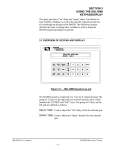
Figure 3.1 – HSL-SM8 Keypad Lay-out
The M4500 keypad is comprised of a 3 row by 8 column keypad. The
group of 12 keys on the right side are used for numeric entry, which
includes the "ENTER" and "ESC" keys. The group of 12 keys on the
left side are defined as follows:
DELAY TIME: Used to adjust the "On" delay of for the selected gun.
SPRAY TIME: Used to adjust the "Spray" duration for the selected
gun.
HSL-SM8 User’s Manual
SYSTEMS Electronics Group
- 17 -
SECTION 3
USING THE HSL-SM8
KEYPAD/DISPLAY
NEXT MACH: Used to select the next machine. Pressing this key
increments the machine number by one. If the
machine number was 8 when this key is pressed, the
machine number will roll over to 1 again. The gun
times and gun counts displayed are for the selected
machine and gun number which is selected with this
key.
NEXT GUN:
Used to select the next gun. Pressing this key
increments the gun number by one. If the machine
number was 8 when this key is pressed, the gun
number will roll over to 1 again. The gun times and
gun counts displayed are for the selected machine
and gun number which is selected with this key.
MAN SPRAY: Used to fire the selected gun when the machine is
stopped for test purposes. The selected gun will fire
once for the "spray" time of that gun every time this
key is depressed.
RESET:
Used to reset the "can jam/sensor fail" alarms and the
"gun life expectancy exceeded" alarm as well as reset
the gun spray counts for the selected gun.
INCR:
Increment key used to increment the selected field by
one. This is used to increment by one any of the
following provided it is selected (the selected field is
the field that contains the cursor): "on" delay,
"spray" time, or any of the set-up parameters.
Holding this key for one second will increment the
currently selected field continuously.
DECR:
Decrement key used to decrement the selected field
by one. This is used to decrement by one any of the
following provided it is selected (the selected field is
the field that contains the cursor): "on" delay,
"spray" time, or any of the set-up parameters.
Holding this key for one second will decrement the
currently selected field continuously.
CURR SHIFT: Used to display the number of coated cans for each
machine so far into the current shift.
HSL-SM8 User’s Manual
SYSTEMS Electronics Group
- 18 -
SECTION 3
USING THE HSL-SM8
KEYPAD/DISPLAY
LAST SHIFT: Used to display the total number of coated cans for
the previous (last) shift.
GUN LIFE:
Used to display the total number of spray cycles and
percent of used life for each gun.
SET-UP:
Initiates the set-up menu which contains the
following selections:
1: Set Expected Gun Life (# of Sprays)
2: Preset or Reset # of Gun Sprays
3: Set Can PRX-to-Gun Number of Indexes (shifts)
________________________________________________________
3.2 DEFAULT SCREEN
The default screen (displayed when no other commands are active)
contains the following data:
DELAY:xxx SPRAY:xxx
MACH:x GUN:x
Where "Delay" is the "on" delay time and "Spray" is the "spray"
duration. "Mach" and "Gun" specify the currently selected machine
and gun for which the delay and spray times are displayed. The "on"
delay and "spray" duration times are adjusted from the screen be
selecting the "DELAY TIME" and "SPRAY TIME" keys
respectively. This screen is always returned to when no other
commands are active.
________________________________________________________
3.3 SELECTING MACHINE (GUN) TO ADJUST
The "NEXT MACH" key and "NEXT GUN" key are used to select
the machine/gun for adjustment of any of the following variables:
"on" delay, "spray" time, gun count, gun life expectancy limit, or Can
PRX-to-Gun indexes. The "NEXT MACH" key increments the
machine number as displayed in the "MACH" field by one when
depressed. If the previous machine number was 8, pressing "NEXT
MACH" causes the machine number to roll over to 1 again. The
"NEXT GUN" key also increments the machine number by one when
depressed. If the previous machine number was 8, pressing the
"NEXT GUN" causes the machine number to roll over to 1 again.
HSL-SM8 User’s Manual
SYSTEMS Electronics Group
- 19 -
SECTION 3
USING THE HSL-SM8
KEYPAD/DISPLAY
________________________________________________________
3.4 SETTING GUN TIMES
(“ON” DELAY AND “SPRAY” TIME)
Two timers are used to control each gun; the "on" delay time or
"DELAY TIME" and the "spray" duration time or "SPRAY TIME".
The "on" delay time is used to delay when the gun is first fired after
the spray timing flag has occurred while the "spray" time is used to
control how long the gun is "on" once it is fired (see section 1.3 for a
complete description of the spray gun control). The times entered for
the "DELAY TIME" and "SPRAY TIME" are in milliseconds. The
gun times can only be adjusted if the "SET-UP" switch is in the
enable position.
The "DELAY TIME" key is used to set the "on" delay time while the
"SPRAY TIME" key is used to set the "spray" duration time. To set
the "on" delay time, simply press the "DELAY TIME" key. The
cursor will be positioned in the "DELAY" field. Either enter the
desired "on" delay time as a number between 0 and 999 and press the
"ENTER" key or press the "INCR" or "DECR" key to increase or
decrease the "on" delay time by one. To set the "spray" duration time,
simply press the "SPRAY TIME" key. The cursor will be positioned
in the "SPRAY" field. Either enter the desired "spray" duration time
as a number between 0 and 999 and press the "ENTER" key or press
the "INCR" or "DECR" key to increase or decrease the "spray"
duration time by one.
________________________________________________________
3.5 “CURR SHIFT” KEY
The "CURR SHIFT" key is used to activate the current shift data
display. The Current shift data menu displays the number of coated
cans for each machine so far into the current shift. The number of
coated cans is displayed for each machine one at a time for a time
delay of 7 to 8 seconds each. The "NEXT MACH" key can also be
used to advance to the next machine coated can count if desired. Once
the count for all the machines have been displayed, the default screen
is returned to.
The "Current shift" data is transferred to the "Last shift" data when
the end of shift input transfers from a "0" to a "1". This can be at the
end of either an 8 or 12 hour shift. This data cannot be reset by the
operator, only at the end of shift input transition.
HSL-SM8 User’s Manual
SYSTEMS Electronics Group
- 20 -
SECTION 3
USING THE HSL-SM8
KEYPAD/DISPLAY
________________________________________________________
3.6 “LAST SHIFT” KEY
The "LAST SHIFT" key is used to activate the last shift data display.
The Last shift data menu displays the total number of coated cans for
each machine for the previous (last) shift. The number of coated cans
is displayed for each machine one at a time for a time delay of 7 to 8
seconds each. The "NEXT MACH" key can also be used to advance
to the next machine coated can count if desired. Once the count for all
the machines have been displayed, the default screen is returned to.
________________________________________________________
3.7 “GUN LIFE” KEY
The "GUN LIFE" key is used to view the actual number of spray
cycles for each gun as well as the percent of life used for each gun.
When the "GUN LIFE" key is depressed, the following screen is
displayed:
MACH:x GUN:x USE:xx%
# SPRAYS:xxx,xxx,xxx
Where "MACH" is the currently displayed machine, "GUN" is the
currently displayed gun, "USE" is the percent of gun life that has been
used, and "# SPRAY" is the actual number of times the spray gun has
been fired since it was installed. The display is initialized with
machine 1, gun 1 when the "GUN LIFE" key is first hit. Each gun is
then displayed one at a time for a time delay. The "NEXT MACH" or
"NEXT GUN" key can be used to advance to the next gun as well.
The purpose of this screen is to give the operator and maintenance
personnel an idea of how much use each gun has incurred. The
percentage of use is calculated as: number of actual sprays divided by
expected gun life (see section 3.8.1) times 100. When the actual
number of sprays exceeds the expected gun life ("use" equal to or
greater than 100%), the "gun life expectancy exceeded" alarm will be
displayed for that particular gun, indicating that gun should be
replaced.
HSL-SM8 User’s Manual
SYSTEMS Electronics Group
- 21 -
SECTION 3
USING THE HSL-SM8
KEYPAD/DISPLAY
The "RESET" key can be used to reset "# SPRAYS" for the currently
displayed machine and gun. This should only be done when a new
spray gun has been installed to allow collection of the total number of
spray cycles for the gun. This key is disabled if the "SET-UP" switch
is in the disabled position to prevent unauthorized personnel from
resetting the gun counts.
________________________________________________________
3.8 “SET-UP” KEY
This selection is used to invoke the primary set-up menu. This
consists of the following three selections:
1: SET EXPECTED GUN LIFE (# OF SPRAYS)
2: PRESET OR RESET # OF GUN SPRAYS
3: SET CAN PRX-TO-GUN INDEXES (SHIFTS)
The set-up menu is key switch protected such that only authorized
personnel (those with the key) can activate the selection. The "Set-up
Enable" input must be "on" to invoke the set-up menu. Each selection
is displayed for a time delay. The "INCR" key and "DECR" key can
also be used to either advance to the next selection or retard to the
previous selection respectively.
When selected, each of the above selections bring up a sub-menu with
the corresponding set-up parameters. The following sections describe
these sub-menus and the definitions of the corresponding variables.
To select the respective set-up sub-menu, simply press the
corresponding numeric key (1 thru 3).
HSL-SM8 User’s Manual
SYSTEMS Electronics Group
- 22 -
SECTION 3
USING THE HSL-SM8
KEYPAD/DISPLAY
________________________________________________________
3.8.1 SET EXPECTED GUN LIFE (# OF SPRAYS)
This menu is displayed when the "1" key (SET EXPECTED GUN
LIFE) is pressed while the primary set-up menu is active. The
expected gun life limit is a number that is compared to the actual
number of accumulated gun spray cycles. If the number of spray
cycles (counts) is greater than the expected gun life limit, the "gun life
expectancy exceeded" alarm is displayed on the front of the M4500
for that gun.
Note: This alarm does not stop the machine or inhibit the spray
function in any way, it simply indicates the gun may be worn out and
should be replaced.
The expected gun life is also used in the calculation of percent of life
used which is displayed when the "GUN LIFE" key is depressed.
When this menu is activated, the following screen is displayed:
MACH:x GUN:x EXPECTD
LIFE:xxx,xxx,xxx
The menu is initialized to machine 1, gun 1. The "NEXT MACH" or
"NEXT GUN" key is used to advance to the next machine. The
existing expected life is displayed for each gun as the "NEXT
MACH" and "NEXT GUN" keys are depressed.
To change the expected gun life for the currently selected gun, simply
enter the desired gun life in counts (up to 649,999,999) and press the
"ENTER" key. The next gun will then automatically be advanced to.
In addition, the "INCR" and "DECR" key can be used to increment or
decrement the expected life by one. The number entered for the
expected life should be based on the manufactures number of cycles
rating for that particular gun.
Once all gun life expectancies have been entered, press the "ESC" key
to return to the primary set-up menu. The "ESC" key can also be
depressed at any time to return back to the primary set-up menu
without setting or viewing all the guns.
HSL-SM8 User’s Manual
SYSTEMS Electronics Group
- 23 -
SECTION 3
USING THE HSL-SM8
KEYPAD/DISPLAY
________________________________________________________
3.8.2 PRESET OR RESET # OF GUN SPRAYS
This menu is displayed when the "2" key (PRESET OR RESET # OF
GUN SPRAYS) is pressed while the primary set-up menu is active.
This is used to either reset the actual number of spray cycles for the
currently selected gun or preset the actual spray count with a number.
When this menu is activated, the following screen is displayed:
MACH:x GUN:x ACTUAL
SPRAYS:xxx,xxx,xxx
The menu is initialized to machine 1, gun 1. The "NEXT MACH" or
"NEXT GUN" key is used to advance to the next machine. The actual
number of accumulated spray cycles is displayed for each gun as the
"NEXT MACH" and "NEXT GUN" keys are depressed.
To reset the actual number of sprays for the currently selected gun,
simply press the "RESET" key. The actual number of sprays will be
reset to zero. To preset the actual number of sprays to a count, simply
enter the number of sprays in counts (up to 649,999,999) and press
the "ENTER" key. The next gun will then automatically be advanced
to. The actual number of spray counts can be preset to a number in the
case where a previously used gun is installed on the machine. When a
new gun is installed, the actual number of sprays would be reset to
zero.
Once all gun actual sprays are reset or preset, press the "ESC" key to
return to the primary set-up menu. The "ESC" key can also be
depressed at any time to return back to the primary set-up menu
without resetting or viewing all the guns.
HSL-SM8 User’s Manual
SYSTEMS Electronics Group
- 24 -
SECTION 3
USING THE HSL-SM8
KEYPAD/DISPLAY
________________________________________________________
3.8.3 SET CAN PRX-TO-GUN INDEXES (SHIFTS)
This menu is displayed when the "3" key (SET CAN PRX-TO-GUN
INDEXES) is pressed while the primary set-up menu is active. This is
used to set the number of indexes from the Can Body sensor to the
spray gun for the currently selected gun.
When this menu is activated, the following screen is displayed:
MACH:x GUN:x INDEXES
CAN PRX-TO-GUN:x
The menu is initialized to machine 1, gun 1. The "NEXT MACH" and
"NEXT GUN" key is used to advance to the next machine. The
number of indexes from the Can sensor to the gun is displayed for
each gun as the "NEXT MACH" and "NEXT GUN" keys are
depressed.
The HSL-SM8 package supports between 0 and 3 indexes between
the location of the can body sensor and the spray gun. If the Can
Body sensor is located at the same station as the spray gun, the index
would be set to zero. If the spray gun was located at the next station
following the Can Body sensor, the index would be set to 1, and so
on.
To set the number of indexes for the currently selected gun, simply
enter the number of indexes (0 to 3) and press the "ENTER" key. The
next gun will then automatically be advanced to. In addition, the
"INCR" and "DECR" key can be used to increment or decrement the
number of indexes by one.
Once the indexes for all the guns have been entered, press the "ESC"
key to return to the primary set-up menu. The "ESC" key can also be
depressed at any time to return back to the primary set-up menu
without setting or viewing all the guns.
HSL-SM8 User’s Manual
SYSTEMS Electronics Group
- 25 -
SECTION 3
USING THE HSL-SM8
KEYPAD/DISPLAY
________________________________________________________
3.9 MANUAL GUN ACTUATION
The "MAN SPRAY" key can be used to fire the currently selected
gun for test purposes while the machine is stopped. Only one gun is
fired (the one that is selected in the "MACH" and "GUN" field) and it
is fired for the "spray" time entered for that gun. The gun is fired
every time the "MAN SPRAY" key is depressed. This is generally
done to verify that the gun is operating properly. The spray gun can
also be fired from the respective manual spray push-button located on
the operators PB station.
________________________________________________________
3.10 RESETTING ALARMS
The "can jam", "timing sensor fail", and the "gun life expectancy
exceeded" alarms are reset by pressing the "RESET" key. The "can
jam" alarm indicates both a legitimate can jam and a can body sensor
fail. In either case, the alarm is activated when no change of state is
detected at the can body sensor after the can gate has been opened.
The timing sensor is activated "on" when the timing flag is in front of
the sensor. The can sensor is activated "on" when the can is in front of
the can sensor. Verify that both of these conditions occur and press
"RESET" to clear the alarm. If the condition persists, the alarm will
simply occur as soon as the machine is running with cans again.
In the case of the "gun life expectancy exceeded" alarm, the gun
counts will have to either be reset to zero or the life expectancy limit
increased (see sections 3.8.1 and 3.8.2) above the gun counts in order
to be able to reset the alarm by pressing the "RESET" key. Of course
the gun counts should not be reset unless the gun is replaced.
HSL-SM8 User’s Manual
SYSTEMS Electronics Group
- 26 -
SECTION 4
RECOMMENDED SPARE PARTS
The following are recommended spares for the HSL-SM8. These
parts are available through Systems Engineering Assoc. Inc.
Quantity
1ea.
1ea.
1ea.
1ea.
1ea.
2ea.
Part Number
Description
M4508
P4500
S4563
S4573
D4591
M273
PLC/PLS Processor/Chassis
Power Supply
16 Point 10-30Vdc Input Board
16 Point 10-30Vdc Output Board
Display/Keypad
High Speed Solenoid Drivers
HSL-SM8 User’s Manual
SYSTEMS Electronics Group
- 27 -
SECTION 4
RECOMMENDED SPARE PARTS
(This Page Intentionally Left Blank)
HSL-SM8 User’s Manual
SYSTEMS Electronics Group
- 28 -
APPENDIX A
MODBUS COMMUNICATIONS
The MODBUS communications driver uses the S4516 communications board to both read and
write data to a MODICON PLC.
The following data is written to the MODICON PLC:
MODICON Dest
4x Address
401700
401701
401702
401703
401704
401705
401706
401707
401708
401709
401710
401711
401712
401713
401714
401715
401716
401717
401718
401719
401720
401721
401722
401723
401724
401725
401726
401727
401728
401729
401730
401731
401732
401733
Data Definition
Mach #1 - Coated Cans (Lo-0 to 9,999)
Mach #1 - Coated Cans (Hi-10,000's)
Mach #2 - Coated Cans (Lo-0 to 9,999)
Mach #2 - Coated Cans (Hi-10,000's)
Mach #3 - Coated Cans (Lo-0 to 9,999)
Mach #3 - Coated Cans (Hi-10,000's)
Mach #4 - Coated Cans (Lo-0 to 9,999)
Mach #4 - Coated Cans (Hi-10,000's)
Mach #5 - Coated Cans (Lo-0 to 9,999)
Mach #5 - Coated Cans (Hi-10,000's)
Mach #6 - Coated Cans (Lo-0 to 9,999)
Mach #6 - Coated Cans (Hi-10,000's)
Mach #7 - Coated Cans (Lo-0 to 9,999)
Mach #7 - Coated Cans (Hi-10,000's)
Mach #8 - Coated Cans (Lo-0 to 9,999)
Mach #8 - Coated Cans (Hi-10,000's)
Gun #1 - Total Sprays (Lo-0 to 9,999)
Gun #1 - Total Sprays (Hi-10,000's)
Gun #2 - Total Sprays (Lo-0 to 9,999)
Gun #2 - Total Sprays (Hi-10,000's)
Gun #3 - Total Sprays (Lo-0 to 9,999)
Gun #3 - Total Sprays (Hi-10,000's)
Gun #4 - Total Sprays (Lo-0 to 9,999)
Gun #4 - Total Sprays (Hi-10,000's)
Gun #5 - Total Sprays (Lo-0 to 9,999)
Gun #5 - Total Sprays (Hi-10,000's)
Gun #6 - Total Sprays (Lo-0 to 9,999)
Gun #6 - Total Sprays (Hi-10,000's)
Gun #7 - Total Sprays (Lo-0 to 9,999)
Gun #7 - Total Sprays (Hi-10,000's)
Gun #8 - Total Sprays (Lo-0 to 9,999)
Gun #8 - Total Sprays (Hi-10,000's)
Timing/Can PRX Alarms (1-8)
Gun Life Exceeded Alarms (1-8)
HSL-SM8 User’s Manual
M4500 Source
Address
W1084
W1086
W1088
W1090
W1092
W1094
W1096
W1098
W1100
W1102
W1104
W1106
W1108
W1110
W1112
W1114
W1052
W1054
W1056
W1058
W1060
W1062
W1064
W1066
W1068
W1070
W1072
W1074
W1076
W1078
W1080
W1082
W36
B40
SYSTEMS Electronics Group
- A-1 -
APPENDIX A
MODBUS COMMUNICATIONS
The definitions of the data sent from the M4500 to the MODICON are as follows:
401700:
thru
401715:
401716:
thru
401731:
Mach #1 - Coated Cans (Lo)
Mach #8 - Coated Cans (Hi)
The "Coated Can" counts for the machines are the total sprayed cans for the current
shift. These are reset at the end of the shift. The (Lo) words are 0-9,999 while the
(Hi) words are in 10,000's.
Gun #1 - Total Sprays (Lo)
Gun #8 - Total Sprays (Hi)
The "Total Spray" counts for each gun are the total accumulated spray cycles for the
life of the gun. These are reset when the operator changes a gun (gun worn out). The
(Lo) words are 0-9,999 while the (Hi) words are in 10,000's.
The bits of the "Timing/Can PRX Alarms" (401732) are mapped as follows:
W36: PRX Alarms to MODICON (4x address 401732 in MODICON)
B36.0: Timing PRX Fail - Machine #1
B36.1: Timing PRX Fail - Machine #2
B36.2: Timing PRX Fail - Machine #3
B36.3: Timing PRX Fail - Machine #4
B36.4: Timing PRX Fail - Machine #5
B36.5: Timing PRX Fail - Machine #6
B36.6: Timing PRX Fail - Machine #7
B36.7: Timing PRX Fail - Machine #8
B37.0: Can Jam/Can PRX Fail - Machine #1
B37.1: Can Jam/Can PRX Fail - Machine #2
B37.2: Can Jam/Can PRX Fail - Machine #3
B37.3: Can Jam/Can PRX Fail - Machine #4
B37.4: Can Jam/Can PRX Fail - Machine #5
B37.5: Can Jam/Can PRX Fail - Machine #6
B37.6: Can Jam/Can PRX Fail - Machine #7
B37.7: Can Jam/Can PRX Fail - Machine #8
With the respective "Sensor Check Enable" input "on", both the "can" sensor and "timing" sensor
are checked for periodic transitions. If the can sensor fails to transition "off" to "on", a "Can
Jam/Can PRX Fail" alarm is generated for that machine. If the timing sensor fails "on" or "off", a
"Timing PRX Fail" alarm is generated for that machine.
HSL-SM8 User’s Manual
SYSTEMS Electronics Group
- A-2 -
APPENDIX A
MODBUS COMMUNICATIONS
The bits of the "Gun Life Exceeded Alarms" (401733) are mapped as follows:
B40: Gun Life Alarms to MODICON (4x address 401733 in MODICON)
B40.0: Life Exceeded - Gun #1
B40.1: Life Exceeded - Gun #2
B40.2: Life Exceeded - Gun #3
B40.3: Life Exceeded - Gun #4
B40.4: Life Exceeded - Gun #5
B40.5: Life Exceeded - Gun #6
B40.6: Life Exceeded - Gun #7
B40.7: Life Exceeded - Gun #8
The respective "Gun Life Exceeded" alarm is set when the accumulated "Total Spray" count for that
gun exceeds the "Expected Gun Life" preset. The alarm is cleared when the accumulated "Total
Spray" count for the gun is reset to zero and the alarm reset is pressed.
HSL-SM8 User’s Manual
SYSTEMS Electronics Group
- A-3 -
APPENDIX A
MODBUS COMMUNICATIONS
The following data is read from the MODICON PLC:
MODICON Source
4x Address
401760
401761
401762
401763
401764
401765
401766
401767
401768
401769
401770
401771
401772
401773
401774
401775
401776
401777
401778
401779
401780
401781
401782
401783
401784
401785
401786
401787
Data Definition
Status/Control (from MODICON)
Gun #1 Delay Time (Machine #1)
Gun #2 Delay Time (Machine #2)
Gun #3 Delay Time (Machine #3)
Gun #4 Delay Time (Machine #4)
Gun #5 Delay Time (Machine #5)
Gun #6 Delay Time (Machine #6)
Gun #7 Delay Time (Machine #7)
Gun #8 Delay Time (Machine #8)
Gun #1 Spray Time (Machine #1)
Gun #2 Spray Time (Machine #2)
Gun #3 Spray Time (Machine #3)
Gun #4 Spray Time (Machine #4)
Gun #5 Spray Time (Machine #5)
Gun #6 Spray Time (Machine #6)
Gun #7 Spray Time (Machine #7)
Gun #8 Spray Time (Machine #8)
Gun #1 Number of Indexes (Machine #1)
Gun #2 Number of Indexes (Machine #2)
Gun #3 Number of Indexes (Machine #3)
Gun #4 Number of Indexes (Machine #4)
Gun #5 Number of Indexes (Machine #5)
Gun #6 Number of Indexes (Machine #6)
Gun #7 Number of Indexes (Machine #7)
Gun #8 Number of Indexes (Machine #8)
Gun Life Expectancy (Lo-0 to 9,999)
Gun Life Expectancy (Hi-10,000's)
Guns Total Spray Counts Reset (bits)
HSL-SM8 User’s Manual
M4500 Dest
Address
W900
W902
W904
W906
W908
W910
W912
W914
W916
W918
W920
W922
W924
W926
W928
W930
W932
W934
W936
W938
W940
W942
W944
W946
W948
W950
W952
W954
SYSTEMS Electronics Group
- A-4 -
APPENDIX A
MODBUS COMMUNICATIONS
The definitions of the data read from the MODICON to the M4500 are as follows:
401761:
thru
401776:
401777:
thru
401784:
401786:
and
401787:
Gun #1 Delay Time (Machine #1)
Gun #8 Spray Time (Machine #8)
Two timers are used to control each gun; the "on" delay time or "Delay Time" and
the "spray" duration time or "Spray Time". The "on" delay time is used to delay
when the gun is first fired after the spray timing flag has occurred while the "spray"
time is used to control how long the gun is "on" once it is fired. The times entered
for the "Delay Time" and "Spray Time" are in milliseconds. Both the "Delay Time"
and "Spray Time" must be in the range of 0 to 999.
Gun #1 Number of Indexes (Machine #1)
Gun #8 Number of Indexes (Machine #8)
The HSL-SM8 package supports between 0 and 3 indexes between the location of
the can body sensor and the spray gun. If the Can Body sensor is located at the same
station as the spray gun, the index would be set to zero. If the spray gun is located at
the next station following the Can Body sensor, the index would be set to 1, and so
on.
Gun Life Expectancy (Lo)
Gun Life Expectancy (hi)
The expected life cycle count limit is used to generate the "Gun Life Exceeded"
alarm if the number of spray gun cycles exceeds the entered expected life cycle limit.
This feature is used for preventative maintenance purposes to track the number of
spray cycles and flag when a particular gun has exceeded it's rated life. The gun can
then be changed prior to incurring spray weight problems due to a worn out gun.
Note: The above parameters (401761 thru 401786) are effective only when the "SetUp Parameters Enable" bit (401760.1 from the MODICON) is set to a "1".
Otherwise these variables are not updated in the M4500.
HSL-SM8 User’s Manual
SYSTEMS Electronics Group
- A-5 -
APPENDIX A
MODBUS COMMUNICATIONS
The bits of the Status/Control register (from the MODICON to M4500) are mapped as follows:
W900: Status/Control from MODICON (4x address 401760 in MODICON)
B900.0: End of Shift
B900.1: Set-Up Parameters Enable
B900.2: Alarm Reset
B900.3: Not Used
thru
B900.7: Not Used
B901.0: Manual Spray Gun #1
B901.1: Manual Spray Gun #2
B901.2: Manual Spray Gun #3
B901.3: Manual Spray Gun #4
B901.4: Manual Spray Gun #5
B901.5: Manual Spray Gun #6
B901.6: Manual Spray Gun #7
B901.7: Manual Spray Gun #8
The Status/Control bits sent from the MODICON PLC are defined as follows:
B900.0:
End of Shift - Setting this bit to a "1" transfers the current shift data in the M4500 to
the last shift data and clears the current shift data (to start data collection for the next
shift). The current shift data in the MODICON should be saved to the last shift data
stack prior to setting this bit.
B900.1:
Set-Up Parameters Enable - Setting this bit to a "1" enables the set-up parameters
(401761 thru 401786 in the MODICON) to be used in the M4500. If this bit is set to
a "0", the values in 401761 thru 401786 in the MODICON are not used as the set-up
parameters, the M4500 instead uses the values set-up thru the HSL-SM8 keypad.
B900.2:
Alarm Reset - Setting this bit to a "1" resets the Timing PRX Fail alarms, Can
Jam/Can PRX Fail alarms, and Gun Life Exceeded Alarms.
B901.0:
thru
B901.7:
Manual Spray Gun #1
Manual Spray Gun #8
"Manual Spray Gun #1" thru "#8" are used to fire the respective gun for test
purposes while the machine is stopped. The gun is fired for the "spray" time entered
for that gun. The gun is fired every time the respective "Manual" bit transitions from
a "0" to a "1". This is generally done to verify that the gun is operating properly.
HSL-SM8 User’s Manual
SYSTEMS Electronics Group
- A-6 -
APPENDIX A
MODBUS COMMUNICATIONS
The bits of the "Guns Total Spray Counts Reset" register (from the MODICON to M4500) are
mapped as follows:
W954: Counts Reset from MODICON (4x address 401787 in MODICON)
B954.0: Reset Gun #1 Total Spray Counts (Life Expectancy)
B954.1: Reset Gun #2 Total Spray Counts (Life Expectancy)
B954.2: Reset Gun #3 Total Spray Counts (Life Expectancy)
B954.3: Reset Gun #4 Total Spray Counts (Life Expectancy)
B954.4: Reset Gun #5 Total Spray Counts (Life Expectancy)
B954.5: Reset Gun #6 Total Spray Counts (Life Expectancy)
B954.6: Reset Gun #7 Total Spray Counts (Life Expectancy)
B954.7: Reset Gun #8 Total Spray Counts (Life Expectancy)
The above bits are used to reset the respective "Total Spray" counts (401716 thru 401731) for the
corresponding gun. This is typically done when a gun is replaced (worn out).
The MODBUS driver uses the following data format and parameters (the MODBUS port on the
MODICON PLC must be set to match these):
MODBUS Port (PLC address): 5
MODBUS Baud: 19.2K
MODBUS framing mode: RTU
Number of start bits: 1
Number of data bits: 8
Number of stop bits: 1
Parity: NONE
HSL-SM8 User’s Manual
SYSTEMS Electronics Group
- A-7 -