1
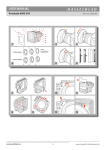
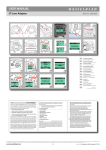
USER MANUALS PROSHADE V/H 60-95 Proshade V/H 60-95.. 1.eps COPYRIGHT © 2004 ANDERS ENGSTRÖM Item no.: 3053300 040825 ANDERS ENGSTRÖM, ILLUSTRATÖR Östra vägen 46 430 91 HÖNÖ tel/fax 031-96 84 64 [email protected] 1 2 3 4 5 6 7 8 9 10 Proshade V/H 60-95.. 2.eps COPYRIGHT © 2004 ANDERS ENGSTRÖM 12 13 1 1 2 COPYRIGHT © 2004 ANDERS ENGSTRÖM ANDERS ENGSTRÖM, ILLUSTRATÖR Östra vägen 46 430 91 HÖNÖ tel/fax 031-96 84 64 [email protected] 3 Proshade V/H 60-95.. 3.eps 4 040826 5 6 ANDERS ENGSTRÖM, ILLUSTRATÖR Östra vägen 46 430 91 HÖNÖ tel/fax 031-96 84 64 [email protected] ANDERS ENGSTRÖM, ILLUSTRATÖR Östra vägen 46 430 91 HÖNÖ tel/fax 031-96 84 64 [email protected] 2 2 COPYRIGHT © 2004 ANDERS ENGSTRÖM COPYRIGHT © 2004 ANDERS ENGSTRÖM 040825 11 ANDERS ENGSTRÖM, ILLUSTRATÖR Östra vägen 46 430 91 HÖNÖ tel/fax 031-96 84 64 [email protected] Proshade V/H 60-95.. 5.eps COPYRIGHT © 2004 ANDERS ENGSTRÖM 040826 ANDERS ENGSTRÖM, ILLUSTRATÖR Östra vägen 46 430 91 HÖNÖ tel/fax 031-96 84 64 [email protected] 3 4 5 6 Proshade V/H 60-95.. 4.eps 040826 Proshade V/H 60-95.. 6.eps 040828 3 1/6 www.hasselblad.com Proshade V/H 60-95 – 2011 – v4 USER MANUALS PROSHADE V/H 60-95 Proshade V/H 60-95.. 7.eps COPYRIGHT © 2004 ANDERS ENGSTRÖM 040828 ANDERS ENGSTRÖM, ILLUSTRATÖR Östra vägen 46 430 91 HÖNÖ tel/fax 031-96 84 64 [email protected] Item no.: 3053300 COPYRIGHT © 2004 ANDERS ENGSTR… M Proshade V/H 60-9 ANDERS ENGSTR…M , ILLUSTRAT…R …stra vŠgen 46 430 91 H…N… tel/fax 031-96 84 64 [email protected] m Proshade V/H 60-95.. 8.eps COPYRIGHT © 2004 ANDERS ENGSTR… M COPYRIGHT © 2004 ANDERS040829 ENGSTR… M ANDERS ENGSTR…M , ILLUSTRAT…R …stra vŠgen 46 430 91 H…N… tel/fax 031-96 84 64 [email protected] m ANDERS ENGSTR…M , ILLUSTRAT…R …stra vŠgen 46 430 91 H…N… tel/fax 031-96 84 64 [email protected] m 7 8 Proshade V/H 60-95.. 9.epsT © 2004 COPYRIGH 040830 ANDERS ENGSTR… M Proshade V/H 60-95 ANDERS ENGSTR…M , ILLUSTRAT…R …stra vŠgen 46 430 91 H…N… tel/fax 031-96 84 64 [email protected] m 9 Proshade V/H 60-95..11.eps COPYRIGHT © 2004 ANDERS ENGSTRÖM ANDERS ENGSTRÖM, ILLUSTRATÖR Östra vägen 46 COPYRIGHT © 2004 ANDERS ENGSTR… M430 91 HÖNÖ Proshade V/H tel/fax 031-96 84 64 [email protected] ANDERS ENGSTR…M , ILLUSTRAT…R 040825 60-95..10.eps 040830 …stra vŠgen 46 430 91 H…N… tel/fax 031-96 84 64 [email protected] m COPYRIGHT © 2004 ANDERS ENGSTR… M ANDERS ENGSTR…M , ILLUSTRAT…R …stra vŠgen 46 430 91 H…N… tel/fax 031-96 84 64 [email protected] m Proshade V/H 60-95.. 9.epsT © 2004 COPYRIGH 040830 ANDERS ENGSTR… M ANDERS ENGSTR…M , ILLUSTRAT…R …stra vŠgen 46 430 91 H…N… tel/fax 031-96 84 64 [email protected] m 10 Proshade V/H 60-95..12.eps 040830ENGSTRÖM COPYRIGHT © 2004 ANDERS ANDERS ENGSTRÖM, ILLUSTRATÖR Östra vägen 46 430 91 HÖNÖ tel/fax 031-96 84 64 [email protected] Proshade V/H 60-95..13.eps 040830 11 12 13 2/6 www.hasselblad.com Proshade V/H 60-95 – 2011 – v4 USER MANUALS PROSHADE V/H 60-95 Item no.: 3053300 COPYRIGHT © 2004 ANDERS ENGSTRÖM Proshade V/H 60-95..15.eps COPYRIGH T © 2004 ANDER S ENGSTR… M Proshade V/H 60-95..14.eps ANDERS ENGSTRÖM, ILLUSTRATÖR Östra vägen 46 430 91 HÖNÖ tel/fax 031-96 84 64 [email protected] 040822 040822 ANDER S ENGSTR…M , ILLUSTR AT…R …stra vŠgen 46 430 91 H…N… tel/fax 031-96 84 64 [email protected] 14 16 a b c d 17 11. V lens type scale 12. Rear frame with filter holder 13. Bellows Proshade V/H 60–95 The Hasselblad Proshade V/H 60 – 95 (3040740) is designed to fit virtually all lenses, with the appropriate adapters, in both the V and the H systems (the Distagon CFi 30 mm and the Tele-Superachromat FE 300 mm are the two exceptions). It provides precise control of shading to prevent degradation of the image caused by stray light or direct light on the front element of the lens. The Hasselblad Proshade V/H 60 – 95 can also function as a filter holder for glass, gelatine or optical resin filters (accessories not supplied). Optional accessories are available to suit the various front bayonet filter mount sizes. The figures beside the headings in text refer to the appropriate illustrations. Parts and components 15 1 The Hasselblad Proshade V/H 60 – 95 is supplied with a Proshade mask 6093/250 (3040312). 1. Proshade mask 6093/250 (3040312) 2. Mount slots for Proshade mask 3. Front frame 4. Filter holder catch 5. H lens type scale 6. Lens adapter mount catch 7. Rear frame clamp 8. Rear frame guide 9. Guide bar locking bolt 10. Guide bar 3/6 Optional accessories 1. 2. 3. 4. 5. 6. 2 Proshade adapter Ø60 (3040741) For V-series lenses with a Ø60 front mount. The adapter ring permits two glass filters to be attached to the internal front bayonet mount. Also used for C lenses (Ø50) with step-up ring Ø50 – Ø60 (3040711). Proshade adapter Ø70 (3040744) For V-series lenses with a Ø70 front mount. Proshade adapter Ø93 (3040746) For V-series lenses with a Ø93 front mount. Proshade adapter H67mm (3043415) For H-series lenses with a 67mm front thread. Proshade adapter H77mm (3043417) For H-series lenses with a 77mm front thread. Proshade adapter H95mm (3043419) For H-series lenses with a 95mm front thread. Adapters The Proshade is attached to the lens by way of an adapter that fits onto the front lens mount. The six different adapters (optional accessories) are listed above. You may find it is easier to fit a bayonet adapter to the Proshade and then the combination to the lens whereas it is easier to fit a screw fit adapter to the lens first and then the Proshade afterwards. www.hasselblad.com Proshade V/H 60-95 – 2011 – v4 USER MANUALS PROSHADE V/H 60-95 Item no.: 3053300 Attaching adapters to lenses 3, 4, 5, 6 Setting up the Proshade To attach an H adapter proceed as follows: 1. Ensure the locking lever on the adapter is in the raised position (fig 3) 2. Align the triangular index mark on the adapter against the central index on the lens. 3. Push the adapter towards the lens and turn clockwise until it stops (approx 1⁄8 turn) (fig 4). 4. Secure the adapter by pushing the locking lever back into the locked position (fig 5) Ø60 or Ø70 adapter (bayonet mount): 1. Align the triangular index mark on the adapter against the central index on the lens. 2. Push the adapter towards the lens and turn clockwise until it stops (approx 1⁄8 turn). Ø93 adapter (screw mount): 1. Screw the rear ring of the lens shade Ø93/40, /50 or 350-500 onto the lens (fig 6). 2. Screw the Ø93 adapter into place. When screwing mounts and adapters, ensure they run freely together and do not force them. Resistance implies incorrect positioning. 7, 8 For transport purposes, the guide bar on the Proshade is normally folded back. It has a springloaded captive-bolt which automatically snaps into place when the guide bar is folded out into the working position. To return it to the folded position, the bolt must first be unscrewed and then pulled a little way out of the bar and held out while folding back. To set up the Proshade, proceed as follows: 1. Fold out the guide bar on the Proshade until it snaps into place (fig 7). 2. Tighten the guide bar locking bolt until it stops (about four turns) 3. Adjust the position of the rear frame by squeezing the fixing clamp and sliding the frame along the guide bar (fig. 8). For V lenses position the marker on the frame against the corresponding focal length of the lens in use on the scale on the V lens type scale. For H lenses position the marker on the frame against the corresponding focal length of the lens in use on the scale on the H lens type scale. 4. The Proshade is now ready to be attached to the lens. Attaching the Proshade 9, 10 An H95mm adapter (3043419) cannot be used With an H, Ø60 or Ø70 adapter fitted to the lens, proceed as follows: 1. Position the Proshade against the lower retaining lugs on the adapter (fig 9) so that the white ring symbol on the adapter aligns with the white spot on the Proshade lock. 2. Press the Proshade against the adapter on the top edge so that they snap together. 3. Rotate the Proshade so that the white spot on the adapter now aligns with the white spot on the Proshade (fig 10). Ensure that the Proshade lock clicks into place. card mounts. Rigid optical resin filters or similar can be mounted singly or combined up to a maximum thickness of 4mm. when a 95mm filter – UV-Sky 95mm (3053478) / C-Pola 95mm (3053490) – is fitted to the lens. Using the Proshade 11 Ensure that when you change lenses, you also change the position of the shade in accordance with the focal length of the lens. When using the V-system 250 mm lenses the Proshade mask 6093/250 should additionally be attached to ensure the optimum effect. It slides into position between the main frame and the retaining lugs on the front of the Proshade (fig 11). The grip remains protruding above the frame as a reminder of it being in place when you change lenses. Removing the Proshade 12 Proceed as follows: 1. Raise the filter holder catch to free the bellows (fig 13) 2. Allow the bellows to swing down (fig 14) to access the filter holder. 3. Insert the filter(s) or filter mount so that the bottom edge is retained by the two lugs (fig 15). Swing the bellows section back into place ensuring that the filter holder catch snaps back into place to lock it into place. The ‘swing down’ function is also useful when you want to check the focus but find the filter distracting or you want to change a filter mounted on the front lens bayonet mount. Using a Ø 93 polarizing filter To remove the Proshade, press down the lens adapter mount catch as in the illustration (fig. 12) While keeping the catch depressed, rotate the Proshade so that the white spot on the catch aligns with the white circle on the adapter. The Proshade can now be removed. Alternatively, you can remove the Proshade and adapter together as a unit in which case you reverse the attachment procedures described above for adapter attachment. Using gelatine or rigid optical resin filters 13, 14, 15 The Hasselblad Ø 93 polarizing filter is attached to the lens and Proshade in the same manner as the Proshade Ø 93 lens adapter. For further information see the polarizing filter user manual. Using a cable release Optimal Proshade extension The filter holder can also accept 75 mm square and 100 mm square gelatin or optical resin filters in 16 The close proximity of the rear frame of the Proshade to the exposure release button on manual models can cause difficulties with some combinations of cable releases and lenses. The use of an open-L connector (3050776) will solve this problem however (fig 16). 17 The recommended extension scales are conservatively given for maximum aperture and infinite fo- 4/6 www.hasselblad.com Proshade V/H 60-95 – 2011 – v4 USER MANUALS PROSHADE V/H 60-95 Item no.: 3053300 FRA DEU ESP ITA PRT SWE NLD JPN CHN IND RUS SAU Ce texte dans votre langue? Utilisez “Google Translate” sur Internet. Diesen Text in Ihrer Sprache? Verwenden Sie “Google Translate” im Internet. Este texto en su idioma? El uso de “Google Translate” en Internet. Questo testo nella tua lingua? Utilizzare ‘Google Translate’ su Internet. Este texto na sua língua? Usar “Google Translate” na Internet. Denna text på ditt språk? Använd “Google Translate”på Internet. Deze tekst in uw taal? Gebruik ‘Google Translate’ op het internet. cusing distance. When stopping down the lens and at closer distances the extension can, for some lens types, be significantly increased. To find the optimal position proceed as follows: 1. Set working aperture and focus distance. 2. Remove the magazine/focusing screen adapter. 3. Replace with the Rear cover MultiControl (3051070). 4. Depress the depth-of-field button on the lens so that the lens stops down to the working aperture. 5. Open the shutter set at ‘B’. 6. Look through each hole in the Rear cover MultiControl in the direction of the lens and compare what you can see with the illustrations (fig 17): a. The aperture is fully open. No shading can be seen and so no vignetting will occur. b. The lens has been stopped down to the desired aperture and produces the ideal situation as no shading is visible. No vignetting will occur. c. The lens has been stopped down to the desired aperture but shading is visible. However this amount is acceptable for a vignette free result. d. The lens has been stopped down to the desired aperture and more than 50% coverage can be seen. Vignetting will occur and will produce a visible result. Reduce the amount of bellows extension. FRA DEU ESP ITA Ce texte dans votre langue? Utilisez “Google Translate” sur Internet. Diesen Text in Ihrer Sprache? Verwenden Sie “Google Translate” im Internet. Este texto en su idioma? El uso de “Google Translate” en Internet. Questo testo nella tua lingua? Utilizzare ‘Google Translate’ su Internet. PRT SWE NLD Special instructions attaching the Proshade to lenses of 100m · When focal length or shorter, the shade should be ex- tended first to at least 30 mm to avoid interference between the guide bar and the focusing hood. When a manually operated camera model is mounted on a flash bracket or similar with a 40, 60 or 80 mm lens and a Proshade, there is reduced access for fingers between the bracket handle and the guide bar. More room for fingers is obtained if the Proshade is turned 90˚ or 180˚ when attached, that is, with the guide bar underneath or to the right. When used with wide-angle lenses such as the Biogon 4,5/38mm or the Distagon 4/40mm, the Proshade extension should be set at zero to avoid the risk of vignetting. Please see the Appendix at the end of this manual for a listing of individual lens requirements regarding adapter types and filter mount sizes, etc. Not recommended for use with the HCD 4/28 mm due to vignetting. Visit www.hasselblad.com to download user manuals, datasheets, product brochures, technical information, technical articles, software and firmware updates etc., as well as news about the latest developments at Hasselblad. · · · · Este texto na sua língua? Usar “Google Translate” na Internet. Denna text på ditt språk? Använd “Google Translate”på Internet. Deze tekst in uw taal? Gebruik ‘Google Translate’ op het internet. CHN IND RUS JPN SAU Adapter V lenses Biogon CF/ CFi 4,5/38 mm Distagon CF/ CFE 4/40 mm •(IF and earlier types) Distagon CF 4/50 mm Distagon CFi 4/50 mm Distagon CF/ CFi 3.5/60 mm Planar CF/CB/CFE 2.8/80 mm Planar CF/ CFi 3.5/100 mm Makro-Planar CF/CFE 4/120 mm Sonnar CF/CFi 4/150 mm Sonnar CF/CFE 4/180 mm Sonnar CF/CFi 5.6/250 mm * Sonnar CF/CFi/CFE 5.6/250 mm Sa * Tele-Tessar CF 5.6/350 mm Tele-Superachromat CFE 5.6/350 mm Sa Tele-Apotessar CF 8/500 mm Distagon FE 2.8/50 mm Planar FE 2.8/80 mm Planar FE 2/110 mm Sonnar FE 2.8/150 mm Tele-Tessar FE 4/250 mm Tele-Tessar FE 4/350 mm Hasselblad FE 4.8/60 – 120 mm Ø60 Ø70 Ø93 75 100 X — — — X — X — X X X X X X X X — — — — X — — — — — — — X — — — — — — — — — — — — — X X X — — X — — — — — — — — — — X X X X — — — — X X — — — X X X X X X X X — — — — X — X — — — X X X X X X X X X X X X X X X X X X X X X All C-lenses with Ø50 front bayonet need the Ø50–Ø60 Step-up Ring(3040711) combined with the Proshade Ø60 Lens Adapter 5/6 Filter mount * Use the Proshade CF & C/250 Mask. www.hasselblad.com Proshade V/H 60-95 – 2011 – v4 USER MANUALS PROSHADE V/H 60-95 Item no.: 3053300 Filter mount Adapter H lenses Ø67 Ø77 Ø95 75 100 HCD 4/28 mm (not recommended due to vignetting) — — X — — HC 3.5/35 mm — — X X — HC 3.5/50 mm — X — X — HC 3.5/50 mm-ll — X — X — HC 2.8/80 mm X — — X — HC 2.2/100 mm — X — X — HC Macro 4/120 mm — X — X — HC Macro 4/120 mm-ll — X — X — HC 3.2/150 mm — X — X — HC 4/210 mm — X — X — HC 4.5/300 mm — — X X — HCD 4-5.6/35 – 90 mm — — X X — HC 3.5-4.5/50 – 110 mm — — X X — Adapter V lenses Biogon CF/ CFi 4,5/38 mm Distagon CF/ CFE 4/40 mm •(IF and earlier types) Distagon CF 4/50 mm Distagon CFi 4/50 mm Distagon CF/ CFi 3.5/60 mm Planar CF/CB/CFE 2.8/80 mm Planar CF/ CFi 3.5/100 mm Makro-Planar CF/CFE 4/120 mm Sonnar CF/CFi 4/150 mm Sonnar CF/CFE 4/180 mm Sonnar CF/CFi 5.6/250 mm * Sonnar CF/CFi/CFE 5.6/250 mm Sa * Tele-Tessar CF 5.6/350 mm Tele-Superachromat CFE 5.6/350 mm Sa Tele-Apotessar CF 8/500 mm Distagon FE 2.8/50 mm Planar FE 2.8/80 mm Planar FE 2/110 mm Sonnar FE 2.8/150 mm Tele-Tessar FE 4/250 mm Tele-Tessar FE 4/350 mm Hasselblad FE 4.8/60 – 120 mm Filter mount Ø60 Ø70 Ø93 75 100 X — — — X — X — X X X X X X X X — — — — X — — — — — — — X — — — — — — — — — — — — — X X X — — X — — — — — — — — — — X X X X — — — — X X — — — X X X X X X X X — — — — X — X — — — X X X X X X X X X X X X X X X X X X X X X The information in this manual is furnished for informational use only, is subject to change without notice, and should not be construed as a commitment by Victor Hasselblad AB & Hasselblad A/S. The text and images in this manual cannot be reprinted or reused without the express permission of Victor Hasselblad AB & Hasselblad A/S. Victor Hasselblad AB & Hasselblad A/S assume no responsibility or liability for any errors or inaccuracies that may appear in this manual. Victor Hasselblad AB & Hasselblad A/S assume no responsibility or liability for loss or damage incurred during or as a result of using Hasselblad products. Copyright © 2011 - Victor Hasselblad AB & Hasselblad A/S. All rights reserved. 6/6 www.hasselblad.com Proshade V/H 60-95 – 2011 – v4