1
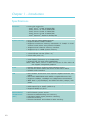
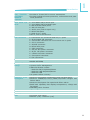
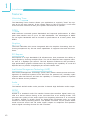
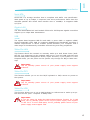
Introduction
1
I/O Connectors............................................................................. 40
CD-in Internal Audio Connector.................................................. 40
S/PDIF Connector...................................................................... 41
Digital I/O Connector................................................................. 42
SATA (Serial ATA) Ports............................................................. 43
FDD (Floppy Disk Drive) Connector............................................. 44
Cooling Fan Connectors.............................................................. 45
Chassis Instrusion Connector...................................................... 46
Power Connectors..................................................................... 47
Standby Power LED................................................................... 48
Front Panel Connectors.............................................................. 49
Expansion Slots........................................................................ 50
Battery.................................................................................... 51
Chapter 3 - BIOS Setup................................................................... 52
Overview............................................................................................................... 52
AMI BIOS Setup Utility.................................................................. 54
Main........................................................................................ 54
Advanced................................................................................. 55
PCIPnP..................................................................................... 78
Boot........................................................................................ 80
Security................................................................................... 86
Chipset.................................................................................... 89
Exit......................................................................................... 94
Updating the BIOS. ....................................................................... 97
Chapter 4 - Supported Software
.................................................... 98
Intel Chipset Software Installation Utility..................................................... 99
Microsoft DirectX 9.0C Driver..................................................................... 101
Microsoft .NET Framework 3.5..................................................................... 102
Intel Graphics Drivers...................................................................................... 104
Audio Drivers..................................................................................................... 106
Realtek LAN Drivers........................................................................................ 107
Intel LAN Drivers............................................................................................. 108
Intel Management Engine Interface............................................................... 110
MyGuard Hardware Monitor......................................................................... 112
Adobe Acrobat Reader 9.3............................................................................. 114
Infineon TPM Driver and Tool (optional)..................................................... 116
5