1
Chapter 4: Release Notes and Installation Guide for Windows
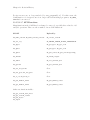
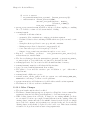
^f
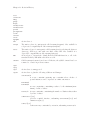
forward char
^b
backward char
^a
begin of line
^e
end of line
^p
previous line
^n
next line
^i
insert space
^s
forward search
^r
reverse search
^v
view history
^q
input next char blindly
^k
kill to end of line
8
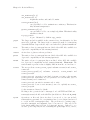
Options may be specified in the file ‘~/spcmd4.ini’ as:
Option Value
on separate lines. Recognized options are:
lines
Value is the number of lines in the history buffer. 1-100 is accepted; the default
is 25.
save
Value is either 0 (don’t save or restore history buffer) or 1 (save history buffer
in ‘~/spcmd4.hst’ on exit, restore history from the same file on start-up).
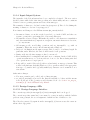
4.5 The Console Window
The console window used for the windowed executable is based on code written by Jan
Wielemaker <jan at swi.psy.uva.nl>.
The console comes with a menu access to common Prolog flags and file operations. Most of
these should be self explanatory. The ‘Reconsult’ item in the ‘File’ menu reconsults the
last file consulted with use of the ‘File’ menu. Eventually The SICStus Prolog IDE (see
Chapter 11 [The SICStus Prolog IDE], page 22) will replace the console.
Note that the menus work by simulating user input to the Prolog top-level or debugger. For
this reason, it is recommended that the menus only be used when SICStus is waiting for a
goal at the top-level (or in a break level) or when the debugger is waiting for a command.
4.5.1 Console Preferences
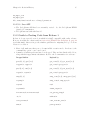
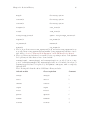
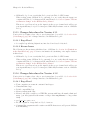
The stream-based console window is a completely separate library, using its own configuration info. It will look at the environment variable CONSOLE, which should contain a string
of the form name:value{,name:value} where name is one of the following: