1
TK220 GPS Car Alarm
Website:www.t10.cn,
email:[email protected]
User Manual
CONTENT
Preface .............................................................................................................................. 2
I. Features & Functions .................................................................................................... 3
II. How to operate it........................................................................................................... 4
SMS Command Format.......................................................................................................... 4
Authorize the Alert-received Mobile ..................................................................................... 4
Change User Password ......................................................................................................... 4
Check the Vehicle’s Status .................................................................................................... 5
Arm/Disarm the System by SMS .......................................................................................... 5
Arm/Disarm by Phone Calling ............................................................................................... 5
Check the Location by Google Map’s URL ........................................................................ 5
Check the Real Physical Address ........................................................................................ 6
Stop the Car .............................................................................................................................. 6
Restore the Stopped Car to Normal Status ....................................................................... 7
Monitor the Voice around the Car ........................................................................................ 7
Two-way Talking with the Car ............................................................................................... 7
Set up the Shock Sensor ....................................................................................................... 8
Arm the System Mutely. ......................................................................................................... 8
Turn ON/OFF Sleep Mode. ................................................................................................... 8
Check the IMEI No. ................................................................................................................. 9
Study the Remote Control...................................................................................................... 9
Odometer function ................................................................................................................... 9
SOS Anti-robbery Alert ........................................................................................................... 9
Set up Movement Alert ......................................................................................................... 10
Set up Over-speed Alert ....................................................................................................... 10
Set up Geo-Fence Alert ........................................................................................................ 10
Change the Heart-beating Interval. ....................................................................................11
III. Remote Control.......................................................................................................... 12
IV. The Setting for GPRS Connection ............................................................................ 12
V. Alarm Type .................................................................................................................. 14
VI. Installation ................................................................................................................. 15
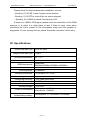
VII. Specifications ........................................................................................................... 23
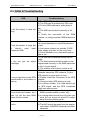
VIII. FAQs & Troubleshooting ......................................................................................... 24
IX.Maintenance ............................................................................................................... 25
Page 1