1
7. 1/ALL REPEAT
a. During playback press “REPEAT” and hold to see the repeat mode.
Chapter: Repeat the current chapter.
Title: Repeat the current title.
All: Repeat all chapters and titles.
Off: Resume normal playback.
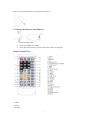
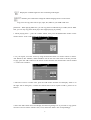
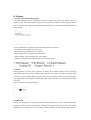
The “Chapter” repeat display shows below for example:
Chapter Repeat
C. Playback MP3/MPEG-4 Disc:
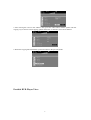
When a MP3/MPEG-4 disc is inserted into the unit the menu screen appears automatically. You
can use the menu screen to select your desired folders and songs or the system plays the songs in
the order they were burned onto the disc.
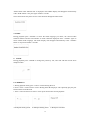
1. Press the ▲ or ▼ button to choose a folder from the folder list.
2. Press “OK” to select the highlighted folder. The songs available under the folder will be listed.
3. Use ▲ or ▼ button to choose a song from the list. Press “OK” to select and begin playback of
the highlighted song.
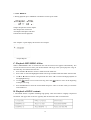
4. Use the
button to move to the next song. Press the
button to move to the beginning
of the previous song.
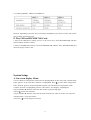
5. Press the ▲ button to select the current folder and press “OK” to confirm. Then you can back
to the folder list.
D. Playback of DIVX content:
1. The DIVX format is capable of holding high quality video and sound in a highly compressed
file format. File types such as AVI are typically able to hold more data in a smaller file:
16