1
Chapter 1
•
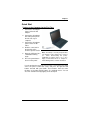
Set the computer on a flat, stable surface. To prevent damage to
the computer’s hard disk drive, avoid using the computer where
it will be exposed to strong vibration.
Checklists
After opening the package, carefully inspect the contents. If any of the
items is missing or appear damaged, contact your dealer. The
shipping carton should contain the following:
STANDARD
A notebook computer with a hard disk drive
An internal battery
An Optical drive
An AC adapter with power cord
OPTIONS
The following items are normally optional, but some vendors may
include them in the standard package. Some items may not be
available in some countries, or some vendors may choose not to carry
all the items.
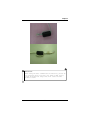
2GB or 4GB DDRIII SODIMM memory cards
CAUTION:
When purchasing any of the accessories listed above, purchase
only those accessories that are approved for use with your
computer. The above accessories are proprietary items. Your
system vendor can obtain these approved accessories. If you
use items that are not approved for use with this computer, you
may cause your computer to malfunction, or to emit or receive
electro-magnetic radiation in excess of local regulations. For
non-proprietary accessories such as PC cards or printers,
ensure that the accessory functions properly in your computer
before making the purchase. Your system vendor may be able to
recommend reliable brands and models.
5