1
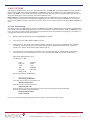
8. BOOT OPTIONS
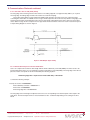
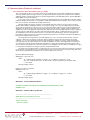
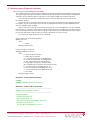
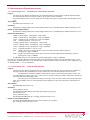
The CW12 has two boot modes. These are selected by the state of the BOOTSEL signal. When BOOTSEL is high, the CW12
boots from the FLASH that is internal to the BB25IC. If BOOTSEL is tied low, the CW12 boots from the ROM internal to the
BB25IC. This ROM has a boot loader that polls the serial port for boot code. This mode of operation requires special user handling and should only be used in conjunction with specific application notes.
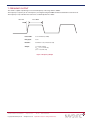
Note: BOOTSEL is sampled when the NPOR is de-asserted. This occurs 300ms after power is applied to the module. To run
the boot loader the unit must be powered up with the BOOTSEL line set to the correct state. The NPOR line is connected to a
power-on-reset (POR) circuit that is used to ensure that the device resets correctly in brown out conditions (MCP120-300 Microchip).
8.1 Flash Programming
The CW12 contains 128k Flash memory internal to the BB25IC which hold the module firmware. The Flash is reprogrammable
in the field by means of a ROM bootloader utility. To run the boot loader the unit must be powered up with the BOOTSEL line set
to the correct state. A loader program and a batch file are provided to transfer the firmware binary image file to the module. To
reprogram the module follow the instructions below:
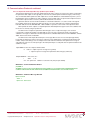
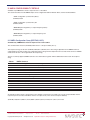
1)
With the module powered down, connect the BOOTSEL pin to GND
2)
Connect any of the CW12 UART to COM1 of your PC.
3)
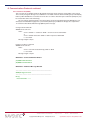
Power the unit up. The CW12 should start by outputting a stream of ‘Z’ characters at 38400 baud. This should be
checked out via a terminal program. If after about 20 seconds the re-programming step (4) hasn’t started, the
stream of ‘Z’’s will stop and the existing CW12 firmware will run.
4)
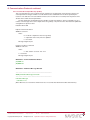
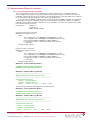
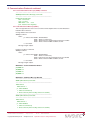
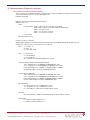
Just after the unit has been powered, and while the ‘Z’’s are being outputted, run “download.bat” batch file from a
Console window. You can edit this batch file to use a PC port other than COM1 if you prefer. You should see:
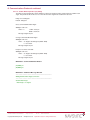
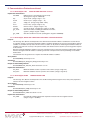
CW12 FILE Up/DownLoader ver 1.0
<C> NavSync Inc 2003
loader
- loader.hex
baud_rate
- 38400
comm
- com1
Addr
- 0x060000
binary file
- CW12.bin
debug_mode
- 2
Reset the board and then ENTER key
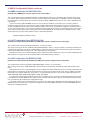
5)
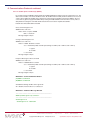
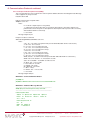
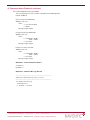
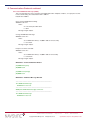
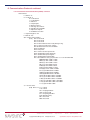
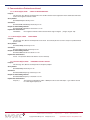
Hit <Enter> and you will see:
Start waiting for BootRom
Then after a few seconds you should then see:
BootRom loader found
After about 7-10 seconds you should see
S-Record loader sent
Then you will see a stream of dots going across the screen as the firmware is being downloaded.
Once the download has finished you will see:
Image download Passed
Process finished
If errors are encountered during the upgrade procedure simply reset the module and start again.
CW12 Software User Manual
Copyright ©2010 NavSync Ltd. All Rights Reserved
Page 62 of 68
Ver 12
Date: 05/07/10
Specifications subject to change without notice.