1
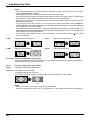
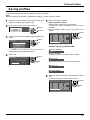
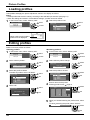
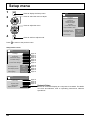
Digital Zoom
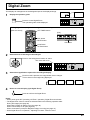
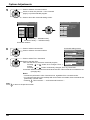
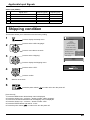
This displays an enlargement of the designated part of the displayed image.
1
Display the operation guide.
Exit
Press to access Digital Zoom.
The operation guide will be displayed.
1
During Digital Zoom, only the following buttons can be operated.
[Remote control]
OFF TIMER button
[Unit]
VOL button
INPUT
MENU
-/
VOL
+/
ENTER/
MUTE button
VOL button
POSITION /
ACTION button
2
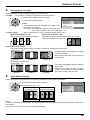
Select the area of the image to be enlarged.
Press on the enlargement location to select.
The cursor will move.
Exit
2
3
Select the magnification required for the enlarged display.
Each time this is pressed, the magnification factor changes.
This is shown in the image being displayed.
s1
4
s2
s3
s4
Return to normal display (quit Digital Zoom).
Press to exit from the Digital Zoom.
Notes:
• When power goes OFF (including “Off Timer” operation), Digital Zoom terminates.
• The Digital Zoom function cannot be selected while in the following operation state:
During 3D images (see page 36)
When MULTI DISPLAY Setup is On (see page 46).
When Portrait Setup is On (see page 48).
When Screensaver (except for Negative image) is running (see page 37)
• While Digital Zoom is in operation, “Adjusting Pos./Size” cannot be used.
21