1
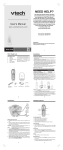
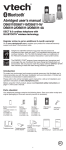
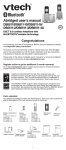
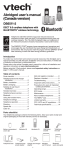
Battery installation
Install the battery as shown below.
. Plug the battery connector
securely into the socket.
. Place the battery with the label
THIS SIDE UP facing up and
the wires inside the battery
compartment.
3. Slide the battery compartment
cover towards the center of the
handset until it clicks into place.
. Place the handset in the telephone
base or charger to charge.
CHARGE light
remains on
when charging.
• If the handset will not be used for a long time, disconnect and remove the
battery to prevent possible leakage.
• To purchase a replacement battery, visit our website at www.vtechphones.com
or call 1 (800) 595-9511 . In Canada, go to www.vtechcanada.com or dial
1 (800) 267-7377.
Battery charging
Once you have installed the battery, the screen indicates the battery status (see
the table below). For best performance, keep the handset in the telephone base
or charger when not in use. The battery is fully charged after 12 hours of
continuous charging.
If the screen is blank or displays Put in charger, you need to charge the handset
without interruption for at least 30 minutes to give the handset enough charge to
use the telephone for a short time. When the battery is low, the handset displays
Low battery along with a flashing icon. If you are on a call in low battery mode,
the handset plays short beeps to alert you.
The following table summarizes the battery charge indicators and actions to take.
Battery indicators
Battery status
Action
The screen is blank, or
shows Put in charger and
flashes.
The battery has no charge
or very little charge. The
handset cannot be used.
Charge without interruption
(at least 30 minutes).
The screen shows
Low battery and
flashes.
The battery has enough
charge to be used for a
short time.
Charge without interruption
(at least 30 minutes).
The screen shows
HANDSET X.
The battery is charged.
To keep the battery
charged, place it in the
telephone base or charger
when not in use.
• If you place the handset in the telephone base or charger without plugging in the
battery, the screen displays NO BATTERY.