1
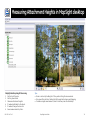
Measuring Attachment Widths in MapSight desktop
1
2
1
5
1
3
1
4
1
1
6
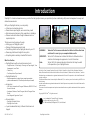
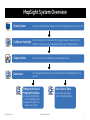
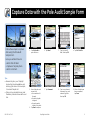
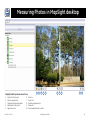
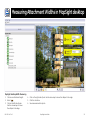
MapSight desktop Width Measuring
1.
2.
3.
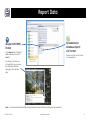
Click on an attachment height.
Select
.
Click on the left side of pole.
Use the arrows keys to move
the calliper to the edge.
MS-102-14-07-4.3
4. Click on the right side of pole. Use the arrow keys to move the calliper to the edge.
5. Click the check box.
6. Save measurements to photo.
MapSight User Guide
20