1
Operating Basics
Using Roll Mode
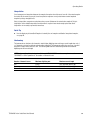
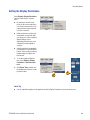
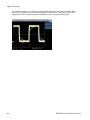
Roll mode gives a display similar to a strip chart recorder for low-frequency signals. Roll mode lets you see
acquired data points without waiting for the acquisition of a complete waveform record.
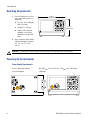
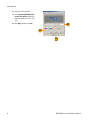
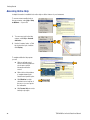
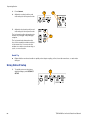
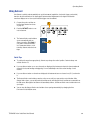
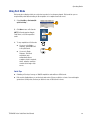
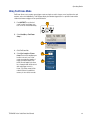
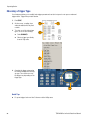
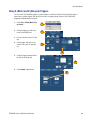
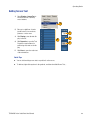
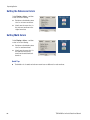
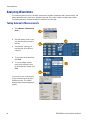
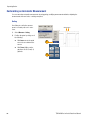
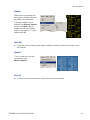
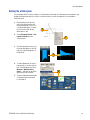
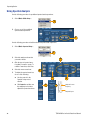
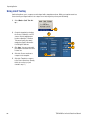
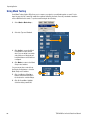
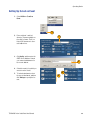
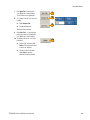
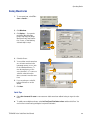
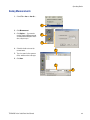
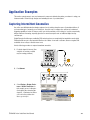
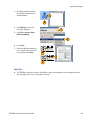
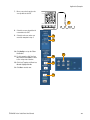
1. Select Horiz/Acq > Horizontal/Acquisition Setup....
1
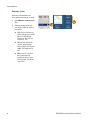
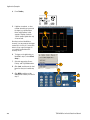
2. Click Auto to turn on Roll mode.
NOTE: Roll mode requires Sample,
Peak Detect, or Hi Res acquisition
mode.
2
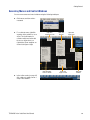
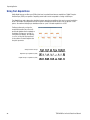
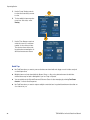
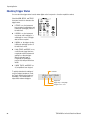
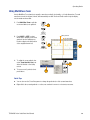
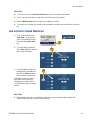
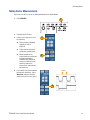
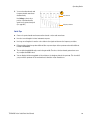
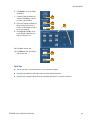
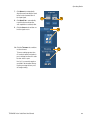
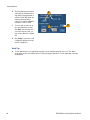
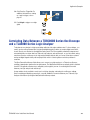
3. To stop acquisitions in Roll mode:
H
H
If you are not in Single
Sequence, push RUN/STOP
to stop Roll mode.
3
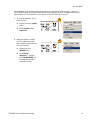
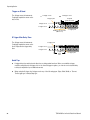
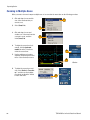
If you are in Single
Sequence, Roll mode
acquisitions stop
automatically when a
complete record is acquired;
that is, when the waveform
reaches the left edge of the
screen.
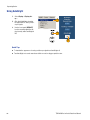
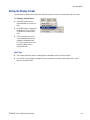
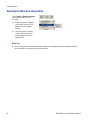
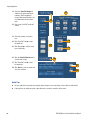
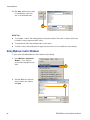
Quick Tips
H
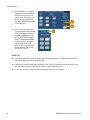
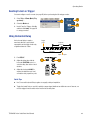
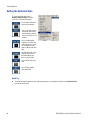
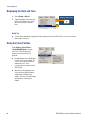
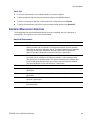
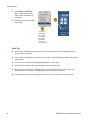
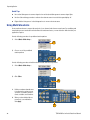
Switching to Envelope, Average, or WfmDB acquisition mode will turn off Roll mode.
H
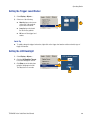
Roll mode is disabled when you set the horizontal scale to 20 ms per division or faster. At record lengths
greater than 10,000 points, the time per division to turn off Roll mode is slower.
TDS5000B Series Quick Start User Manual
33