1
07The e-Manual
The embedded e-Manual contains information about the key features of your TV.
-- You can download and view a printable version of the e-Manual on the Samsung website.
Displaying the e-Manual:
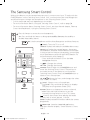
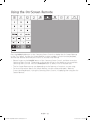
•On the Samsung Smart Control, press the MENU/123 button, and then select e-Manual
on the On-Screen Remote. On the Standard Remote Control, press the E-MANUAL
button.
•On the TV’s menu, select Support > e-Manual.
Using the buttons available on the main screen of the e-Manual
Search
Select an item from the search results to load the corresponding page.
Index
Select a keyword to navigate to the relevant page.
Recent pages
Select a topic from the list of recently viewed topics.
Accessing the associated menu screen from an e-Manual topic
page
Try Now
Access the associated menu item and try out the feature directly.
Link
Access a topic referred to on an e-Manual topic page.
Accessing the associated e-Manual topic from a menu screen
On the Standard Remote Control, press the E-MANUAL button on the remote control to read
the e-Manual topic about a current screen menu function.
-- The e-Manual cannot be accessed from some menu screens.
Updating the e-Manual to the latest version
You can update the e-Manual in the same way you update apps.
English - 26
[JU7000-XU]BN68-07072S-01ENG.indb 26
2015-05-04 오후 3:59:33