1
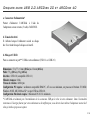
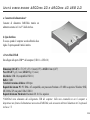
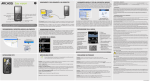
ARCDisk 20 and ARCDisk 40 USB 2.0 Hard Drive
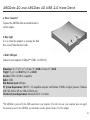
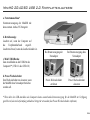
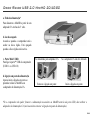
a. Power Connector*
To power the ARCDisk from an external Archos 5volt AC adapter.
b. Busy Light
It is on when the computer is accessing the hard
drive. It is off when the drive is idle.
c. Mini USB-B port
Connect to your computer’s USB port** (USB 1.1 or USB 2.0)
Dimensions: 76 x 77 (2.9” x 3”) x 9 mm (.35”) 20GB or 12mm (.47”) 40GB
Weight: 75 g (2.7 oz) 20GB 98 g (3.5 oz) 40GB
Interface: USB 2.0 (USB 1.1 compatible)
Buffer: 2 MB
Disk Rotation Speed: 4200 rpm
PC System Requirements: IBM PC, AT compatible computer with Pentium 233MHz or higher processor. Windows
98SE, ME, 2000 or XP; one USB or USB 2.0 port.
Macintosh System Requirements: Macintosh OS 10.3.2 or better.
*The ARCDisk is powered by the USB connection to your computer. If, in the rare case, your computer does not supply
the necessary power to the ARCDisk, you will need to use the optional Archos 5 volt AC adapter.
3