1
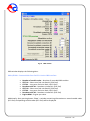
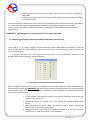
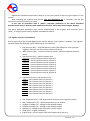
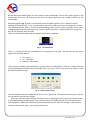
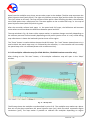
2.9. Auto-calibration The auto-calibration window is used to calibrate the engine at idle run. Start the calibration after the engine is turned on and the lambda probe begins to work. During the auto-calibration the engine should work at idle run. Switch off air-conditioning and lights and do not turn the steering wheel. During the calibration, the controller will automatically switch from petrol to LPG. The controller will be automatically switching on selected LPG cylinders. Once the auto-calibration is complete, the controller displays a message informing the auto-calibration has finished successfully. The following messages may appear during the calibration: Engine rpm too low [rpm]– engine rpm are too low, please check the “Num. of cyl. for coil” setting No injection at the injector – no signal at the petrol injector – check the connection of the emulator’s bundle. Collector pressure [bar] incorrect – the collector pressure may be incorrect, check the collector’s pressure sensor settings. Available calibration options: All injectors together– in the case of standard calibration (“All injectors together” option is switched off), the controller switches one cylinder to LPG first and then switches the remaining cylinders one by one. If the All injectors together” option is switched on, the controller will switch on all injectors at the same time. This option can be very useful in the case of some “full-group” injection systems, for which it is not possible to separate individual petrol injectors and 4 injectors form a single primed module with two terminals. This option should be switched on as well if fuel strip pressure emulators or “Renix” emulators are used. If this option is selected, the “Cylinder switchover” parameter will be automatically set to 0. 2.10. Oscilloscope Fig. 15 Oscilloscope view When the auto-calibration or map tab is selected, the oscilloscope is visible. The oscilloscope shows all the signals described in point 2.5. The control buttons have the following functions (from left to right): Start the oscilloscope Stop the oscilloscope Save current oscilloscope display Load saved oscilloscope display Decrease the number of displayed points (only for loaded graphs) Strona 21 z 34