1
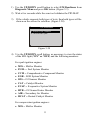
more than a specified amount of key-cycles. These codes will cause the control module to illuminate the malfunction indicator light (MIL) when emission-related fault occurs. Pending Codes are also referred to as “maturing codes” or “continuous monitor codes”. They indicate problems that the control module has detected during the current or last driving cycle but are not considered serious yet. Pending Codes will not turn on the malfunction indicator lamp (MIL). If the fault does not occur within a certain number of warm-up cycles, the code clears from memory. Permanent Codes are DTCs that are "confirmed" and are retained in the non-volatile memory of the computer until the appropriate monitor for each DTC has determined that the malfunction is no longer present and is not commanding the MIL on. Permanent DTC shall be stored in non-volatile memory and may not be erased by any diagnostic services or by disconnecting power to ECU. 1) Use UP/DOWN scroll button to select Read Codes from Diagnostic Menu and press OK button. (Figure 5.3 ) Diagnostic Menu 1.System Status 2.Read Codes 3.Erase Codes 4.Live Data 5.Freeze Frame 6.I/M Readiness 7.O2 Monitor Test 8.On-Board Monitor Test Figure 5.3 2) Use the UP/DOWN scroll button to select Stored Codes, Pending Codes or Permanent Codes from the Read Codes menu and press the OK button. (Figure 5.4 ) 21