1
Workorderama PM User Manual
V4.1 R2.0
PARTS INVENTORY LIST SCREEN
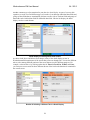
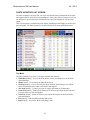
The Parts Inventory List screen lets you access cost and inventory information for the parts
and supplies that are utilized in your organization’s work order efforts. From this screen you
can navigate to the screen that provides detailed inventory information for each part and
supply.
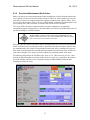
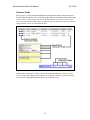
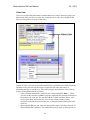
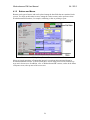
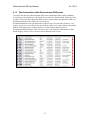
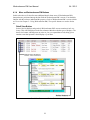
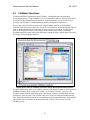
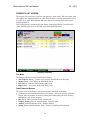
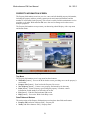
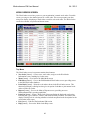
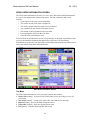
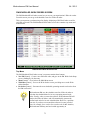
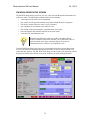
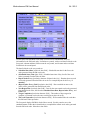
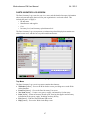
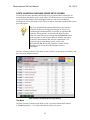
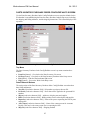
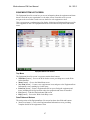
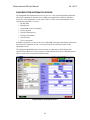
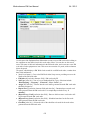
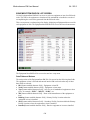
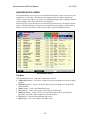
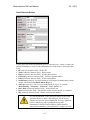
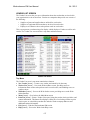
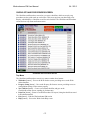
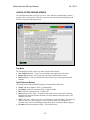
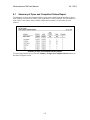
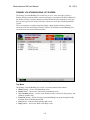
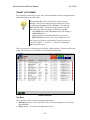
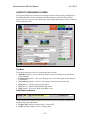
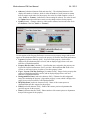
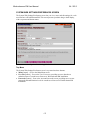
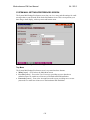
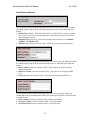
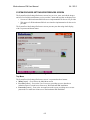
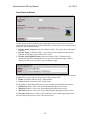
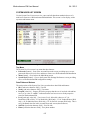
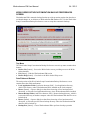
This screen presents your data using a list display, displaying a Part/Supply record for each
part and supply. The Parts Inventory List screen also has a top menu and bottom menu.
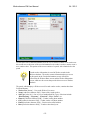
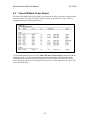
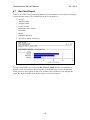
(Images\Screens\Exported\parts_inv_list.gif)
Parts Inventory List Screen
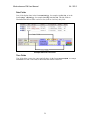
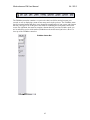
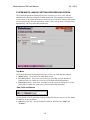
Top Menu
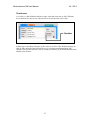
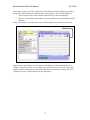
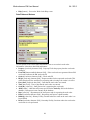
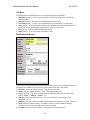
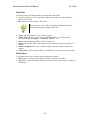
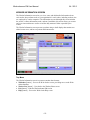
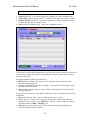
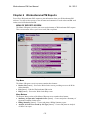
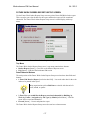
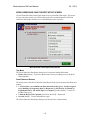
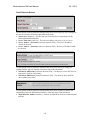
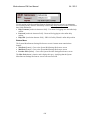
The Parts Inventory List screen’s top menu contains these buttons:
• WkOrders [button] – Goes to the Work Orders screen, providing access to the Work
Orders database
• Menu [button] – Goes back to the Main Menu screen
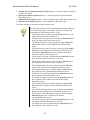
• PO Prep [button] – Goes to the Parts Inventory Purchase Order Setup screen, which
assists in creating POs for under-stocked parts and supplies
• New Item [button] – Creates a new part or supply, and stands-by for data entry
• Order List [button] – Prints a Parts Inventory Order List report showing the order and
inventory status for parts and supplies
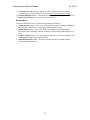
• Print List [button] – Prints an Inventory List report showing the inventory status for
parts and supplies
• Exit [button] – Ends the Workorderama PM session
• Help [button] – Goes to the Work Order Help screen
85