1
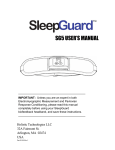
SG5 USER’S MANUAL IMPORTANT: Unless you are an expert in both Electromyographic Measurement and Pavlovian Response Conditioning, please read this manual completely before using your SleepGuard biofeedback headband, and save these instructions. Holistic Technologies LLC 32A Fairmont St. Arlington, MA 02474 USA Part 02-034 Rev G Table of Contents Description.........................................................................................3 Basic Operation .................................................................................4 Adjusting SleepGuard Module Settings.............................................7 Quick Reference Chart ....................................................................10 Headband ........................................................................................10 Batteries...........................................................................................12 Maintenance, Care, and Cleaning ...................................................13 Using Your SleepGuard Biofeedback Headband ............................13 Recording Your Results...................................................................14 Interpreting Your Results .................................................................15 Troubleshooting ...............................................................................16 Limited Warranty .............................................................................17 Technical Specifications ..................................................................17 Notice: This device is indicated for measurement, relaxation and muscle re-education. No other use or indication is claimed or intended. Questions: All questions regarding your health should be directed to your doctor. For customer service regarding this device only, contact Holistic Technologies at 781-643-1242, Monday – Friday 9:00 AM – 5:00 PM EST. Copyright © 2011 by Holistic Technologies LLC All Rights Reserved. SleepGuard™ is a trademarks of Holistic Technologies LLC. Printed in U.S.A. 2 Description The SleepGuard electronic module is a miniaturized electromyographic (EMG) laboratory measurement device that uses conductive pads on the forehead to sense the bioelectric signals from the temporalis muscles (at your temples) when you clench your teeth. The module records the number and duration of clenching events and can display these numbers on an LCD display, providing you with data to monitor your progress. In biofeedback mode, it will signal you to stop your clenching with a gentle RelaxToneTM, a patented feature designed allow you to respond in your sleep, and designed not to wake your partner. Electronic Module The heart of The SleepGuard headband is a small electronic module featuring a front control panel with MODE and SET buttons. The display will show: SCORE - number of times you clenched since last reset TIME – total duration of clenching since last reset LEVEL - bite trigger level (clenching intensity necessary to trigger the unit) VOLUME – the loudness level the biofeedback tone ramps up to The back of the device features a stainless steel tone generator which rests against the forehead. Assembly The illustration below shows a back view of the headband and electronic module. & BATTERY COVER 3 Basic Operation Wearing and Using the SleepGuard™ Headband 1. Clean and moisten your forehead and temples Dry skin, oily skin, or oil-based moisturizers can prevent good contact between the black conductive rubber (and stainless steel) sensor pads and skin. Wiping your forehead and temples with a moist washcloth or a moist paper towel just before putting on the unit will help the connection. 2. Place headband around head with little or no hair between sensor pads and skin with the display portion facing outward and elastic around the back of the head. Center the stainless steel beeper/sensor snugly against the forehead. Make sure there is no hair preventing the three 'Points of Contact' (See Page 10) on the headband from directly touching the skin. “Beep, beep” Turn on AFTER placing on head 3. Push and release the MODE button once. A number will appear on the display and you will hear a double beep. After the double-beep, if the sensor pads are in good contact with your skin, there will be no more beeps unless the muscle action of clenching is detected. 4. If the tone continues after the double-beep, the unit does not have good skin contact. If the SleepGuard module keeps beeping after being placed on the forehead, make sure no hair is between rubber pads and skin, moisten, press in place, and try again. 5. When you clench, you should hear a faint tone (the RelaxTone sound) that gets louder if you clench longer than 2 seconds. 6. The display will show your score (how may times you've clenched). This will increment every time you clench longer than 2 seconds (which makes the tone get loud) but will not increment on any clench that lasts less than 2 seconds. The SleepGuard module also keeps track of total time clenching after the score increments. This is explained later. 4 7. For the first few days, WHILE AWAKE, with the Bite Level set to about 3, and the Volume set between 5 and 9, do some purposeful relaxation training as follows: While doing an activity (such as paying bills, doing e-mail, watching TV, or driving your car), purposefully clench just hard enough so that you hear the tone. As soon as you hear the tone, completely relax your jaw and facial muscles. As the tone stops, imagine yourself relaxing each time you hear the tone in your sleep, and imagine yourself learning to relax all night and wake up refreshed. This daytime training can be a crucial part of getting great results. Many people continue doing a few minutes of daytime training (including imagining and visualizing cooperatively responding in sleep) each day to accelerate their success in kicking the clenching habit. 8. During the first few nights, wear your SleepGuard unit at night with the Volume set to 0 and the Bite Level set to 3. Wearing your SleepGuard unit with the Volume set to 0 (which effectively turns off the biofeedback) is how you take what is called a "baseline" measurement of your nighttime clenching and grinding. This measures how much nighttime clenching and grinding you have "normally" been doing. Do not set the Bite Level higher than 3 for this measurement, or you may not count important "low bite level" clenching which can contribute to migraines, jaw pain, neck pain, etc.. Reset the Score (total number of clenching incidents) and Time (total clench time) before each night's use. Immediately after taking the unit off your head in the morning, make sure the unit is still turned on (displaying a number), and record your Score and Time numbers for the night. If you find that your SleepGuard unit is turned off (not displaying a number) when you take it off your head in the morning, then the sensor pads may be losing good contact with your head at some point during the night. This happens more easily for some head shapes and skin types than others. In such a case you might want to try putting a tiny dab of KY jelly on each rubber pad to help the sensor pads keep good contact to your head. Sensor pads are removable and should be cleaned occasionally with an alcohol wipe. Care must be taken never to get water in the electronic module (which is not waterproof). 9. After the first few days, begin using your SleepGuard unit in biofeedback mode. By now you should have trained your relaxation response to the tone, and measured your baseline. Now it is time to start using the SleepGuard unit at night in biofeedback mode. Typical settings that work well are Volume = 5 and Bite Level = 3. Light sleepers may 5 want to set the volume level lower, and heavy sleepers may want to set the volume level higher. Remember, the volume level must be set to at least 1 or above, or the unit is not operating in biofeedback mode. If you hear the tone more than briefly when you roll in bed at a time you are not clenching, sensor pads may be losing contact, so you may want to try a dab of KY jelly on each sensor pad as explained above. Beeping during swallowing or yawning is normal because jaw muscles are used. 10. Track your nightly Score and Time. Each morning, make sure the unit is still turned on when you take it off your head. Since the volume is turned on now, you will know the unit is turned on as soon as you take it off your head, because you will hear the tone. Each morning, as soon as you take the unit off your head, use the MODE button to cycle through and record your score and time from the previous night. Then reset the count (see section on adjusting your SleepGuard unit settings), and track your progress in reducing your nighttime clenching and grinding. RelaxTone ™ The biofeedback tone comes on gradually and is heard best through contact with your forehead, so anyone near you will be much less likely to hear the tone, especially if you have trained yourself to relax quickly when you hear the tone. This allows for lower volumes that won’t wake your partner. Depending on how long you clench, the tone goes through three stages: FAINT - A faint tone begins immediately upon clenching and continues for two seconds, giving you time to stop. ALERT - If you don't stop, a louder tone sounds. The increased volume, which you can set, is intended to make you conscious of your activity. Your SCORE increases one point, and the TIME function starts counting seconds. ALARM - After 5 seconds, the constant tone switches to an intermittent alarm, which continues until you stop clenching or grinding. 6 Checking your Score Press and release the MODE button to stop the tone and see your Score (number of times you clenched) on the display. Press and release the MODE button again to see the total clenching Time in seconds. Record your Score and Time before resetting (see ‘Adjusting SleepGuard Module Settings’) Turning off your SleepGuard module Hold the MODE down for 2 seconds to turn off the SleepGuard module. It will also turn itself off automatically after the 25-second alarm is heard. Adjusting SleepGuard Module Settings TURNING ON To turn on the SleepGuard module, press and release the MODE button. The display will flash all segments momentarily, and then show the recently accumulated SCORE. You will hear a double beep as the SleepGuard module turns on. “Beep, beep” SENSE MODE In Sense Mode, the SleepGuard module will sense your clenching and grinding. Sense Mode starts with a double beep, and in sense mode the display shows the present score. The SleepGuard module detects sustained clenching and records clench count and the total clenching time. If the module is off the head or not positioned properly, then the ALERT and ALARM tones will be heard until module turns itself off or is put in Adjustment Mode by the user. ADJUSTMENT MODE • At any time the SleepGuard module is operating, press and release MODE once to enter Adjustment Mode. Any beeping will stop, because the module is no longer trying to detect clenching. Momentarily press MODE several times to cycle through SCORE, TIME, LEVEL, VOLUME, and back to SCORE again. In adjustment mode, while the LEVEL or VOLUME settings are displayed, the SET button can be used to adjust them (for more information, see Setting Volume section and Setting Bite Level sections below). 7 • When you are finished, wait 10 seconds (enough time to put the headband back on) and the module will automatically revert back to Sense Mode with a double beep. CHECKING AND RESETTING SCORE The present score is shown by default in Sense Mode. • Press and release the MODE button once. The SCORE is still shown (one point will be subtracted, this is normal), the word SCORE is lit. The tone will also stop. • SCORE will count up to 999. The count will not roll over and remains in memory, even when the SleepGuard module is turned off. • To clear SCORE, press and hold SET for two seconds. This will also clear the TIME. CHECKING AND RESETTING TOTAL CLENCH TIME • Press and release MODE repeatedly until TIME is lit. • TIME in seconds will be shown. This will count to 999 seconds. It will not roll over and remains in memory, even if the SleepGuard electronic module is turned off. • To clear TIME, press and hold SET for two seconds while time is displayed. This will also clear SCORE. SETTING BITE LEVEL NOTE: First make sure that the VOLUME is not set to zero! You will need to hear the tone to adjust the bite LEVEL. Press MODE repeatedly until LEVEL is lit. • The present setting for Bite Level is shown. Press and release SET to cycle through Bite Levels 0 - 9. The 0 setting requires the softest bite to trigger, and 9 requires the hardest bite to trigger. A bite level of 3 or below is recommended if relief from morning jaw pain or migraines or the like is desired. • Choose a setting and place the unit on your head (See “Basic Operation.") Wait for the double beep, and then test the setting by mildly clenching your teeth. You should hear a tone ramp up. • If you have to bite very hard to hear the tone, then the setting is too high. Set to a lower number, and try again. 8 • If the tone starts when you barely touch your teeth, then the setting may be too low. Increase the number and try again. • The Bite Level setting will remain in memory, even when the unit is turned off. SETTING VOLUME • Press and release MODE repeatedly until VOLUME is lit. • The present setting for VOLUME is shown. Press and release SET to cycle through VOLUME levels 0-9. The tone will sound at the given volume each time you press SET. Adjust to a desired volume level. You may want to have the unit on your head while adjusting the volume, since the perceived volume will be different when the unit is on your head. At volume setting 0, the tone is off. Volume setting zero may be used to measure your baseline clenching and grinding activity (the amount of clenching and grinding you do without biofeedback). • Once set, the Volume setting will remain in memory, even when the unit is turned off. RESUMING OPERATION When you are finished checking levels and adjusting, the SleepGuard electronic module will revert back to Sense Mode automatically after 10 seconds. This should be enough time to put the headband back on. TURNING OFF Automatic Off – The module will turn itself off automatically after 30 seconds if you are not wearing it. Six quick beeps will sound just before the module turns off Manual Off - Press and hold the MODE button for 2 seconds, and the unit will turn off. All settings including SCORE and TIME will remain in memory. LOW BATTERY When the batteries become weak, the tone may sound strange. Eventually, the low battery signal will flash on the display. You will no longer be able to use the module in Sense Mode, but you can still access your Score and Time by pressing the 9 MODE button. With low battery, the module will automatically shut itself off after 15 seconds. Quick Reference Chart Headband The Electronic Module snaps onto a disposable headband. The snaps make an electrical contact with two detachable conductive pads on the inside of the headband. An opening lets the stainless steel beeper/sensor pass through the fabric, allowing it to make contact with the forehead. The metal disc and two conductive pads comprise the three 'Points of Contact.’ All three must make good contact with the skin for the SleepGuard electronic module to work properly. Points of Contact The fabric headband stretches to fit the head. Headbands may be detached for replacement or washing. 10 Adjusting the Headband Detaching the module The headband strap may be adjusted for a snug but comfortable fit. Simply slide the plastic buckle to make a size adjustment. First remove the conductive pads by gently pulling around the rivet, and then remove the module. The conductive pads are made of specially engineered conductive medical silicone. Save these pads! Reattaching the module Slide the straps on the electronic module into the pockets on the front of the fabric headband. Align the snaps through the holes on the back and snap in a pad on each side. Orient the pads as shown in the ‘Points of Contact’ diagram. 11 Batteries Maintain Fresh Batteries The SleepGuard electronic module uses two (2) CR2032 Lithium 3 Volt Batteries that can be found at most drug stores and electronic shops. The batteries will last for 40 - 50 nights of use. If module is stored with batteries inserted, fresh batteries will last unused for 2 years. When the biofeedback tone starts to sound strange, the batteries are low and need to be replaced. Eventually, a ‘Battery Low’ indicator will flash (See Page 8.) Keep fresh batteries in the module for optimal performance. Replacing Batteries When batteries are removed, all information in memory is lost, including the settings for VOLUME and LEVEL. These will need to be reset. Make sure you have recorded SCORE and TIME, and note the VOLUME and LEVEL settings before changing batteries. To install batteries, loosen the battery door screw with the small screwdriver provided and remove the metal battery door. (CAUTION: The battery door is also the beeper, and one of the sensor contacts. Treat it carefully!) Remove old batteries and place two new batteries firmly in the battery compartment with the positive “+” terminals facing you. Tuck the two battery door tabs into place, and then snugly tighten the screw. Tuck in tabs first, then tighten screw 12 Maintenance, Care, and Cleaning WARNING: The Electronic Module is a delicate instrument. DO NOT EXPOSE IT TO EXCESSIVE SUNLIGHT, HEAT, OR MOISTURE! Handle it with care. Store at room temperature (50° - 95° F). Do not expose the instrument to extreme temperatures or humidity. For example, do not store in a car or on a window sill. The electronic module may be cleaned carefully with a damp cloth or alcohol-moistened cloth only. Cleaning Headband Wipe the conductive pads as needed with water or alcohol. The headband may be hand washed in a mild detergent and hung dry, but only after detaching the Electronic Module! Using Your SleepGuard Biofeedback Headband As with any biofeedback product, success will depend on your dedication to the program. The SleepGuard headband is used in a number of ways: Response Training and Establishing a Baseline For several nights, you wear the SleepGuard headband with the biofeedback tone turned off (Volume set to 0). The results provide you with a measurement of your current level of nighttime grinding and clenching. This data is important for you to measure how you later respond to conditioning. During this phase, wear your SleepGuard unit some during the day each day in biofeedback mode, and train yourself to relax in response to the RelaxTone biofeedback tone. For Conditioning For at least two weeks, wear your SleepGuard biofeedback headband in biofeedback mode each night. The biofeedback tone conditions you to relax each time you clench. If awake training was done effectively, the tone will not wake you. The SleepGuard biofeedback headband sharpens your subconscious and conscious awareness of your grinding, putting you in control. Keep a daily record of your nightly SCORE and TIME during this period and compare them to your baseline data. For Evaluation The SleepGuard headband can be used occasionally at night with the biofeedback tone turned off, to measure improvement after a conditioning program, or at any time in the future to test for relapse. 13 For Maintenance Studies have shown that elevations in stress can trigger tooth grinding and clenching. If clenching returns, simply repeat the conditioning program as often as needed. Recording Your Results Keeping a record of your progress will allow you to see how you are progressing, and overcome obstacles so you can progress faster. Bite Level Record the bite trigger level to which you have set your SleepGuard module. Date For consistency, always use the date of the morning you are recording your scores. Tracking dates is important because the day of the week may influence your behavior. This will allow you to remember if you skipped a night. Hours Asleep Record how long you slept. Total sleeping hours could affect scores. Volume Record the volume setting each night. This will allow you to see the influence of the volume of the biofeedback tone on your total clench time. SCORE and TIME Record the SCORE and TIME readings every morning when you wake up (on the sheet provided). In preparation for the next night, reset the SCORE & TIME to 0 (see instructions) immediately prior to going to bed. Please be diligent about recording your SCORE and TIME accurately; THIS IS THE MOST IMPORTANT INFORMATION. Optional Chart If you are experienced in using spreadsheet and charting software such as Microsoft Excel, you may want to use such software to chart your nightly score and time readings over a span of weeks. Examples of such charts from real users are shown in the "Interpreting Your Results" section below. 14 Interpreting Your Results Every person will respond to conditioning differently. Some people see an immediate drop in scores when the biofeedback is turned on during conditioning. For others, there is a more gradual trend. Many external influences can affect the amount of your clenching activity, such as a particularly stressful day. It is normal for score and time readings to vary by up to a factor of three from one day to the next. You need to be patient with the program in order to see good results. Below are four examples of actual results. Initial decrease is dramatic for some people and slow for others. If you find that your numbers come back up some after an initial drop, ongoing daytime Pavlovian conditioning will help. Most of us are of "two minds" (so to speak) while sleeping. The trained part of us relates to the tone and a friendly reminder to relax. The un-trained part of us can relate to the tone as an annoyance, and that part wants to sleep through any annoyance. Even just a few minutes per day of ongoing daytime training can make a big difference. When doing daytime training (relaxation response conditioning), it is helpful to initiate the beep while doing an activity, and to train yourself to willingly interrupt that activity and relax your jaw and face and imagine yourself responding well and having great health. This helps train you to be willing to similarly interrupt whatever was going on in your dream that may have been associated with your clenching. 15 Troubleshooting Problem Cause (and remedy) SleepGuard module will not turn on • Batteries are dead or inserted with when I press MODE. wrong polarity. (Insert properly) The tone sounds strange and uneven. • Tabs of battery door may not be tucked in slots. (Re-attach back) • Batteries are low. (Replace) I can't hear a tone when I clench after • Power may be off. (See instructions putting on the headband. for turning unit on.) • Volume too low, or set to 0. (Increase Volume to a level that you can hear.) • Bite level set too high. (Adjust LEVEL to a lower number.) • Battery door may not be seated correctly. (Re-attach battery door with tabs in slots) • Some people simply can't hear frequency of tone. Confirm this with another person. The tone continues uninterrupted • Poor sensor contact to skin. (wash when I put on the headband, and the & moisten forehead & clean pads, SleepGuard module eventually turns get hair out of way, press in place. In off. stubborn cases, use tiny dab of KY jelly on pads - See Page 5) • Worn out sensor pads (replace) • Sensor pads may not be snapped securely in place. (Compare to diagram and photos.) • Threshold setting is too low. (Adjust LEVEL to a higher number.) Slight movements trigger the tone. • Sensor pad contact with head is poor. (See above.) • Threshold setting is too low. (Adjust to a higher number.) The SCORE decreases by one when • This is normal. When you take off I first push the MODE button the headband, an event is recorded. Pressing MODE readjusts the score. SleepGuard module just doesn’t • Sometimes, a static electric shock behave right can electronically lock up the SleepGuard module. Simply take out the batteries, wait a minute, and put them in again. 16 Limited Warranty New and rented SleepGuard biofeedback modules are warranted to be free from manufacturing defects for a period of one year from date of original receipt by purchaser under normal use. Refurbished units are warranted to be free from manufacturing defects for a period of 90 days from date of original receipt by purchaser under normal use. This warranty extends to the original purchaser only. Sensor pads have an expected life of two to six months of use, require periodic replacement, and are not covered by the above warranty. The fabric part of the headband has an expected life of four to six months of normal use, requires periodic replacement, and is not covered by the above warranty. All warranty returns require a return authorization number, obtainable by phone or e-mail. During the warranty period Holistic Technologies will either repair or replace (at our option) free of charge any parts necessary to correct faults in materials or workmanship. This excludes damage to the product resulting from accident or misuse. Misuse includes any immersion of the module in water or other liquid, and any handling that results in water or other liquid getting inside the electronic module. Disassembly of the electronic module by consumer voids warranty. The above warranty is complete and exclusive. Holistic Technologies expressly disclaims liability for incidental, special, or consequential damages of any nature. (Some states do not allow the exclusion or limitation of incidental or consequential damages, so the above warranty may not apply to you.) Any implied warranties arising by the operation of law shall be limited in duration to the term of this warranty. (Some states do not allow limitations on how long an implied warranty lasts, so the above limitation may not apply to you.) This warranty gives you specific legal rights and you may have other rights which vary from state to state. Technical Specifications Model: SG5 Weight: 1.8 oz. Batteries: Two CR2032 Coin Cells, included Battery life: About 40 nights of use on fresh batteries Battery Shelf Life: 2 years Biofeedback tone frequency: 2.4 kHz Memory: Stores Score and Time until reset Operating Temperature: Room temperature 60-95°F Conductive Pad Material: Hypoallergenic Carbon-loaded Silicone Tone Generator/Sensor Material: Hypoallergenic Stainless Steel 17