1
FP 100 User Manual
INITIAL SET-UP
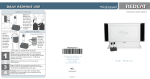
1. Slip the LT-71 LightMic with lanyard around your
neck and position the top of the microphone
just below your collarbone.
Positioning of the LightMic is critical for
proper volume adjustment.
2. Turn on the LightMic and
set the operating channel
to “A.” This microphone
will be designated as the
“Teacher Mic.”
3. Set the volume on the mixer/amplifier at a normal level. This will be the primary
control the teacher will use to turn the microphone volume(s) up and down.
4. While speaking in a normal voice, increase the
A VOLUME level until your own voice is
barely audible.
Remember: this equipment is designed to
supplement and distribute the teacher’s voice
so he or she is able to speak at a normal,
conversational tone. Having the volume set too
high will result in feedback and listener fatigue.
5. If a second student pass-around microphone
was purchased, set the volume level for that
transmitter as indicated above, using the B
VOLUME control.
6. Once the normal level is set on the FP 100, the user will now use the
mixer/amplifier volume control to adjust the
>> microphone up or down during
normal classroom operation.
11 | FP 100 User Manual