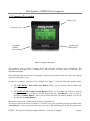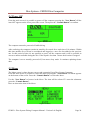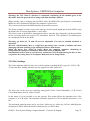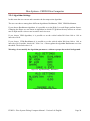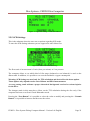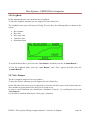
1
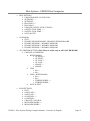
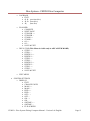
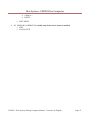
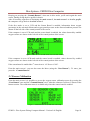
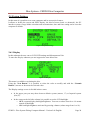
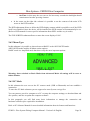
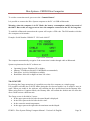
Dive System - FURYO Dive Computer FURYO Dive computer User Manual Version 2.06 English FURYO - Dive System Diving Computer Manual - Version 2.06 English Page 1 Dive System - FURYO Dive Computer INDEX 1. Introduction 1.1 Accessories 1.2 Certifications 1.3 Warnings 1.4 Technical specifications 1.5 Battery 1.6 Computer description 1.7 Pre-dive setup 1.8 Flying After Diving 1.9 Algoritms, ASM ad Violation Control System 2. Surface Mode 2.1 Menu structure 2.2 Main screen 2.3 Sensors Calibration 2.4 Switching off the computer 2.5 Menu 2.5.1 Mix Table 2.5.2 Dive Settings 2.5.3 Sensors 2.5.4 Algorithm Settings 2.5.5 SCR Settings 2.5.6 Logbook 2.5.7 Planner 2.5.8 Deco Stop 2.6 System Settings 2.6.1 Display 2.6.2 Menu Type 2.6.3 PC Mode 2.6.4 Gauge 2.6.5 Date & Time 2.6.6 Defaults 3. Dive Mode 3.1 Menu structure 3.2 Mix Table 3.3 Dive Settings 3.4 Algorithm Settings 3.5 Sensors 3.6 Display FURYO - Dive System Diving Computer Manual - Version 2.06 English Page 2 Dive System - FURYO Dive Computer 1. INTRODUCTION Congratulations for purchasing Furyo Dive System computer. Dive System, with its quality products, is always with you to warrant comfort, safety and enjoyment in diving. The Dive System computer you bought is an extremely up-to-date computer, suitable both for recreational and for technical dives. The Furyo Dive System computer includes two decompression algorithms that support Air, Nitrox, Trimix and can be used with scuba and Rebreathers (ECCR, MCCR, SCR). Please check regularly on www.divesystem.com for updates to this manual. 1.1 Accessories The Furyo Dive System computer can extend its features thanks to additional accessories. Some accessories are for dive use, while others are for out of water use. The original accessories of this computer are: • Submergible accessories: o HUD (Head-Up Display) o Sensor Board o Y-Box • Not Submergible accessories: o USB cable (to be used exclusively out of the water for downloading or uploading data from and to your personal computer) o User Tool The connector compartment (where the accessories are connected to Furyo Dive System computer) is located on the upper left side of the computer itself. The compartment is protected with a double O-ring equipped cap. You can remove the cap just using the delrin disc that is furnished with the computer. Before screwing back the cap, carefully make sure that the O-rings are undamaged and lubricated. Do not dive with the connector compartment open unless a submergible accessory is properly connected. 1.2 Certifications The computer hardware is certified in Europe both as CE and EN13319. FURYO - Dive System Diving Computer Manual - Version 2.06 English Page 3 1.3 Warnings Dive System - FURYO Dive Computer Please make sure to fully read this user manual before using the Furyo Dive System computer. Any inappropriate use of the computer and/or of its accessories will make the warranty void and can cause permanent damage to the computer itself and to its accessories. The Dive System computer is an auxiliary tool for diving, therefore it remains mandatory to carry with you the correct tables to properly plan your decompression phase in case of a malfunction. Dive computer DO NOT replace a proper dive training and should be used only by correctly trained divers. Diving activity has inherent risks that can't be completely avoided. No computer nor dive table can avoid the risk of Decompression Illness (DCI), Central Nervous System Oxygen toxicity, even if the diver carefully and correctly follows the dive plan shown by the computer or obtained using dive tables. The computer is not able to consider individual physiological variations that can be different day by day. Due to this, it is highly recommended to use the device in a conservative and precautionary way, keeping within the limits shown by the computer itself to minimize the risk of DCI and Central Nervous System Oxygen Toxicity. The diving computer must be kept clean and dry when not in use. Do not expose it to chemical agents, including alcohol. Cleaning of the computer should be done exclusively with fresh water, ensuring to remove all salt deposits. The computer must be dried naturally without using any air flows either warm or cold. Do not expose the computer directly to sun light or to any heat source above 50° Celsius. Store the computer in a dry and fresh place (between 5° and 25° Celsius). Do not attempt to open the computer nor to modify or repair it on your own. Always refer to Dive System for any maintenance that the computer may require. Do not use the computer in Hyperbaric chambers. The computer has been designed and built so that its measurements have +/- 2% of accuracy. European regulations require for the computer to be checked periodically for precision of depth and time measurements. The level of precision required by European regulations is +/- 3.5%. Do not use 3V rechargeable batteries. This batteries have a tension greater then 3.3V and this can damage the electronics. Warranty is null and void if back-cover is removed. FURYO - Dive System Diving Computer Manual - Version 2.06 English Page 4 Dive System - FURYO Dive Computer 1.4 Technical Specifications Maximum measurable depth: 130m. Absolute Pressure Measurement Accuracy (Temperature range 0 .. +40 °C) p = 0 .. 5bar p = 0 .. 10bar p = 0 .. 14bar min -20 -40 -100 max +20 +20 +20 mbar mbar mbar Maximum allowed depth: 200m. Temperature measurement error max.: -2 / +6°C. The computer allows you to choose between two different algorithms which can be used in three modes: • Buelhmann ZHL-16B with adjustable Gradient Factors. • VPM B with adjustable critical radius. • VPM B + Buelhmann (This algorithm uses VPM-B as main model while Buelhmann ZHL16B runs in background. When stop times and/or depths calculated from VPM-B are too much different from those obtained from Buelhmann model, then the Buelhmann model overrules and sets the decompression profile). ASM: Adaptive Sigmoidal Model, optimizes decompression calculations for repetitive dives. Deco Stop Settings: allows the dive to setup the deco stop steps in three different depth zones. Violation control: is a particular system that monitors how the diver behaves during the ascent. If the diver makes too much errors the computer doesn’t anymore calculate the deco profile, since the algorithm is no more valid. Tissues update rate in dive mode: 5 seconds. Tissues update rate in sleep mode: 1 minute. Number of configurable OC\SCR\CCR gases: 12 Memory: 100h diving time. Maximum dive time: 1999 minutes. Usable oxygen sensors: 3 Intuitive software and adaptive logic. FURYO - Dive System Diving Computer Manual - Version 2.06 English Page 5 Dive System - FURYO Dive Computer Connection to a PC: Bluetooth / USB. Updatable firmware. 100% compatible with the DAN DL7 database of the DSL. Battery: Standard 3V CR123Trustfire Lithium (replaceable by the user) O-ring: size 2,62 x 15,54 NBR 70 shore 1.5 Battery The battery compartment is located on the upper right side of the computer. The battery can be replaced by simply using the delrin coin to open the battery cap. The battery cap is protected by two O-rings that should be replaced every five battery replacements, or if they show any sign of deterioration. Before removing the battery please shout off the computer correctly. Before closing the battery cap, the O-rings should be checked, cleaned and lubricated with marine grease, paying special attention to not leave the O-rings dirty and moreover check that the battery spring is in the cap. The battery should move freely in the cap. If battery is not free to move in the cap, this could mean that the battery coating is too tick and may lead to power supply problems during the dive. Warning: in factory, we put a special conductive grease on the screw thread to improve the electrical contact and to prevent corrosion. The conductive grease, grey coloured, is hardly removable. Warning: It is also important to insert the battery in the correct direction and with the correct polarity. The positive pole is located in the innermost part of the battery compartment. The computer is supplied with a lithium battery R123A Trustfire 3.0V 1300mAh. The battery life is 50h of dive time if the computer is used with an HUD and 90h without HUD. The battery life with the computer switched off can reach 1 year. The battery life is guaranteed only when batteries used have compatible specifications to the one supplied with the computer and with factory default settings. An excessive use of the backlight and of the Bluetooth module may significantly reduce the battery life. It is suggested to replace the battery when the tension displayed is 2.75V. When the battery tension is insufficient the computer displays a visual alert. Warning: when diving in particularly cold water the battery tension may decrease of a value up to 0.3V, especially if the battery has been used for half or more of its life time. Therefore it is suggested to replace the battery before diving in extreme conditions. FURYO - Dive System Diving Computer Manual - Version 2.06 English Page 6 Dive System - FURYO Dive Computer Warning: in case of low voltage, the maximum screen backlight and HUD contrast are limited: <2.8V: The OFF value of the backlight is set to 0; the ON value is limited to a max value of 5; the LCD contrast is limited to a max value of 5; the HUD contrast is limited to a max value of 7. <2.75V: The OFF value of the backlight is set to 0; the ON value is limited to a max value of 3; the LCD contrast is limited to a max value of 5; the HUD contrast is limited to a max value of 5. <2.7V: Backlight values are set to 0; HUD is switched to value 1; but is highly recommended to turn it off in case of long lasting dive. These settings allow a proper functioning for the remaining dive time. It is highly recommended to replace the battery at the end of the dive. After the installation of a new battery, it is important to check that all data in the computer have not been accidentally deleted. Warning: after installing a fresh battery all tissue data are reset. So it is mandatory to no change the battery in between repetitive dives. To reduce battery consumption, the computer switches itself off, when not in dive mode, after 15 minutes of inactivity. Do not use 3V rechargeable batteries. This batteries have a tension greater then 3.3V and this can damage the electronics. FURYO - Dive System Diving Computer Manual - Version 2.06 English Page 7 Dive System - FURYO Dive Computer 1.6 Computer Description Battery Cap Connector Cap Right button Navigation Left button: Confirm Screen change Figure 1: Computer Description The computer case is made of highly shock and corrosion resistant marine aluminium. The computer’s LCD display has a resolution of 128x64 pixels, an active area of 33x61mm and adjustable backlight. Special attention has been put in developing a navigation system that let the diver enter the settings in an easy and intuitive way. On the dive computer you can see two buttons (see figure 1) with the following graphic signs: • The right button (also called Next Button) allows you to navigate among menus and options. • The left button (also called Commit Button) allows you to confirm the control or modify settings. Once you've selected a specific menu using the “Next Button”, you can enter it using the “Commit Button”. Once you've selected an item you want to modify, you can do it using the “Commit Button”. Navigation is based on a system made of menus and submenus. The items of the menu can be scrolled in a “circular” way just repeatedly pressing one button (the “Next Button”). Once on the last menu item, one more push will bring you on the first menu item. FURYO - Dive System Diving Computer Manual - Version 2.06 English Page 8 Dive System - FURYO Dive Computer Once you've found the item you're looking for, you can enter that part using the “Commit Button” (the left button). From the main screen, if there's no menu displayed, it is possible to switch to next screens just pressing the “Commit Button”. Warning: in most menu, to let changes be effective it is necessary to confirm each change: navigate with “Next Button” till Save&Exit appears. Then press the “Commit Button”. In some menu changes will be effective immediately, without any confirmation required. In this case only “Exit” will be displayed. Selecting it will let you exit from the menu. 1.7 Pre-dive Setup The computer is supplied with factory default settings to allow recreational dives, that is dives up to 40 meters , within No Decompression Limits and without decompression gases. Before performing technical dives either with decompression gases or with a rebreather, it is necessary to do one or more of the following: • Select the correct diving mode (OC, CCR, SCR). • Setup and enable the gas mixes that will be used while diving by changing the settings in the Mix Table (OC\SCR\CCR dives). Warning: : while diving, you could enable or disable each gas set in the table, but you cannot change mixes composition. • If diving with a rebreather, calibrate the sensors before each dive. • If diving with a SC circuit rebreather, setup the flows, the type of first stage used and the oxygen metabolic consumption. These values are required for correct NDL and TTS calculation. The computer powers on automatically at the start of a dive if exposed to a 1.3 bar pressure for more than 10 second. 1.8 Flying After Diving Dive System recommend to follow DAN flying after dive guidelines. Current DAN guidelines ( http://www.diversalertnetwork.org/medical/faq/faq.aspx?faqid=54 ) suggest: • For a single no-decompression dive, a minimum preflight surface interval of 12 hours is suggested. • For multiple dives per day or multiple days of diving, a minimum preflight surface interval of 18 hours is suggested. • For dives requiring decompression stops, there is little evidence on which to base a recommendation and a preflight surface interval substantially longer than 18 hours appears prudent. . FURYO - Dive System Diving Computer Manual - Version 2.06 English Page 9 Dive System - FURYO Dive Computer These indications can change depending on new studies and researches. Due to this, the information written above can be obsolete in the moment you're reading this manual. So always refer to most updated guidelines published on DAN web site if different from the above. 1.9 Algorithms, ASM and Violation Control System The Furyo Dive Computer mounts two decompression algorithms, Buehlmann and VPM (Varying Permeability Model), which could work in three different modes. The Buehlmann algorithm which is implemented in the Furyo dive computer is a derivative of the Buehlmann ZHL16B updated with the latest results in medical studies. When Buehlmann algorithm is selected, it is possible to setup the Gradient Factors (High and Low) which are responsible for the conservatism settings and the first stop depth and the Shape Factor which sets up the interpolation type of the two Gradient Factors. The Shape Factor is expressed in percentage: • 50% value (default) corresponds to a linear interpolation of the two Gradient Factors, this means that the change of the gradients is linear with depth. • A shape factor value lower than the 50% corresponds to a second order interpolation, this means that the two gradient factors a linked by a convex curve. In this case Gradient Factors vary slowly in depth and faster in shallower water. • A shape factor value higher than the 50% corresponds to a second order interpolation, this means that the two gradient factors a linked by a concave curve. In this case Gradient Factors vary faster in depth and slower in shallower water. The VPM (Varying Permeability Model) implemented on the Furyo dive computer is the VPM-B, which integrates the latest modifications done by Baker. The decompression calculations of the VPM are based even on the presence and formation of microbubbles in the tissues. It is possible to act on the conservatism of the algorithm by setting the critical bubble radius R0, which is unique both for Nitrogen and Helium. The third algorithm is a combination of VPM assisted by Buehlmann ZHL16B, which is named VPM+BUL or V+B. In this mode the main decompression algorithm is VPM, however in background Buehlmann is running. If during the ascent the difference on the stop depth or stop times are much more different as the tolerance specified with the parameter Thresh Idx the computer will switch to the Buehlmann ZHL16B decompression profile. The ASM (Adaptive Sigmoidal Model) is integrated in all decompression algorithms. This model enhances the decompression calculations by optimizing repetitive dives deco profiles, maintaining however a high safety level. The integration of this model is particularly important when performing more dives a day for different consecutive days. In repetitive dives with a surface interval shorter than two hours, the ASM has a higher effect on decompression time in the following dive. FURYO - Dive System Diving Computer Manual - Version 2.06 English Page 10 Dive System - FURYO Dive Computer The Violation Control System is responsible of monitoring in an intelligent and dynamic way the validity constrains of the decompression algorithms. When the constrains are no more valid, due to a sequence of errors committed by the diver, the decompression profile calculated by the algorithm is no more correct, the computer advices the diver to use the tables by switching the display between a visual warning “USE TABLE” and the calculated remaining decompression time and stops working for 24 hours after reached the surface. During the no work time the computer displays “DO NOT DIVE”. It is highly recommended to avoid any dive in order to avoid MDD risks. This system is based on an algorithm which monitors the behavior of the diver during his ascent, the controlled parameters are ascent rate, omitted deco stops and effective deco stop times. Each error typology is evaluated in a different way. The algorithm hold memory of the committed errors, once these errors are too much or are to heavy the Violation Control Systems stops the deco profile calculations advising the diver to use the tables. Warning: the conservatism parameters of the decompression algorithms should be modified only if you have the necessary theoretical background. Dive System is not responsible for damages to people due to erroneous setup of those parameters. 2. SURFACE MODE Most of the menu items listed below are only selectable on the surface. In dive mode the computer changes automatically enabling only the menu items needed while diving, for an easiest computer use during the dive. 2.1 Menu Structure In this paragraph all menus and sub-menus accessible in surface mode are listed. • OFF • MENU O MIX TABLE NEXT MIX O2++ O2- He++ He- ENABLE / DISABLE (‘Disable’ is not selectable for the active gas) SET ACTIVE (When mix is enabled) SET SCR SET CCR SAVE & EXIT FURYO - Dive System Diving Computer Manual - Version 2.06 English Page 11 Dive System - FURYO Dive Computer O DIVE SETTING CHANGE MODE (OC/SCR/CCR) SETPOINT + + SETPOINT - PPO2 MAX + + PPO2 MAX - CHANGE SAFETY STOP (YES/NO) SAFETY STOP TIME + + SAFETY STOP TIME - SAVE & EXIT O O2 SENSOR EXIT ENABLE SENSOR BOARD / DISABLE SENSOR BOARD ENABLE SENSOR 1 / DISABLE SENSOR 1 ENABLE SENSOR 2 / DISABLE SENSOR 2 ENABLE SENSOR 3 / DISABLE SENSOR 3 O ALGORITHM SETTING (This Menu is visible only in ADVANCED MODE) CHANGE ALGORITHM • BUEHLMANN O GF HIGH ++ O GF HIGH -O GF LOW ++ O GF LOW -O SHAPE ++ O SHAPE -• VPM O R0 ++ O R0 -• VPM + BUEHLMANN O R0 ++ O R0 -O THRESH INDEX ++ O THRESH INDEX -• SAVE & EXIT O SCR-SETTINGS EXIT GAS FLOW ++ GAS FLOW - O2 METAB. ++ O2 METAB. - CHANGE 1°STG.BAL MEAN PRESSURE ++ MEAN PRESSURE -- FURYO - Dive System Diving Computer Manual - Version 2.06 English Page 12 Dive System - FURYO Dive Computer O LOGBOOK EXIT (previous dive) (next dive) | (last dive) O PLANNER COMPUTE NEXT PAGE ST HOUR ++ ST HOUR - ST MIN ++ ST MIN - O2 ++ O2 - SAVE & EXIT O DECO STOP (This Menu is visible only in ADVANCED MODE) STEP 1 ++ STEP 1 - DEPTH 1 ++ DEPTH 1 - STEP 2 ++ STEP 2 - DEPTH 2 ++ DEPTH 2 - STEP 3 ++ STEP 3 - SAVE & EXIT O EXIT MENU SYSTEM SETTINGS O DISPLAY EXIT CHANGE UNITS MAIN + + MAIN - HUD + + HUD - OFF + + OFF - ON + + ON - ONTIME + + ONTIME - FLIP SCREEN FURYO - Dive System Diving Computer Manual - Version 2.06 English Page 13 Dive System - FURYO Dive Computer O MENU TYPE SAVE & EXIT CHANGE O PC MODE EXIT O GAUGE EXIT TIME START TIMER 30 SEC ++ TIMER 30 SEC - TIMER 5 MIN ++ TIMER 5 MIN - TIMER 30 MIN ++ TIMER 30 MIN – O DATE&TIME EXIT TIMEZONE ++ TIMEZONE - DAY + + DAY - MONTH + + MONTH - YEAR ++ YEAR - HOUR + + HOUR - MINUTE + + MINUTE - RESET SECONDS O DEFAULTS EXIT CHAR 1 ++ CHAR 1 - CHAR 2 ++ CHAR 2 - CHAR 3 ++ CHAR 3 - CHAR 4 ++ CHAR 4 - CHAR 5 ++ CHAR 5 - CHAR 6 ++ FURYO - Dive System Diving Computer Manual - Version 2.06 English Page 14 Dive System - FURYO Dive Computer CHAR 6 -RESET O EXIT MENU • O2 SENSOR CALIBRATION (visible only if the sensor board is enabled) O EXIT O SAVE & EXIT FURYO - Dive System Diving Computer Manual - Version 2.06 English Page 15 2.2 Main Screen Dive System - FURYO Dive Computer The main screen 1 is divided in 4 sections: • Upper left: Current depth • Upper right: Time o If not diving, the current time. o If diving, the dive time. o After a dive, current time and dive time. • Centre left: Selected dive mode (OC, CCR, SCR) o In OC mode the breathed mix. o In rebreather modes: The PPO2 (and the breathing gas O2 fraction with sensor board). If measured PPO2 values are different, PPO2 and O2 fraction of each sensor. o Selected Algorithm. • Centre right: Warinigs o PPO2 high / low (too high or too low PPO2 values). o Vbat low (if battery voltage less than 2.7V). o Ascent rate (when greater than 4.2m/min). o CNS > 80%. • Bottom centre: desaturation time and surface interval when not diving. • Bottom centre: menu items (when navigation button is pressed). Figure 2: Main Screen 1 FURYO - Dive System Diving Computer Manual - Version 2.06 English Page 16 Dive System - FURYO Dive Computer Figure 3: Main Screen 1- post dive mode OC Using the “Commit Button”, the main screen 2 will appear. In the bottom section of this screen, the following information are shown: • • • • Max PPO2 (BAR). CNS. OTU. Ambient pressure when not diving, max. depth during a dive. Figure 4: Main Screen 2 Using the “Commit Button” once again it is possible to go to the main screen 3. In the bottom section of this screen , the following information are shown: • • • • Mean Depth. Activated Open Circuit Mix or selected Diluent mix, dependent on dive mode. Battery voltage. Current temperature. Figure 5: Main Screen 3 FURYO - Dive System Diving Computer Manual - Version 2.06 English Page 17 Dive System - FURYO Dive Computer Keeping on pressing the “Commit Button”, when not in dive mode, you'll reach again the main screen. During diving the dive profile is shown. After 20 seconds, regardless of displaying the main screen 2, the main screen 3 or the dive profile, the computer will go back to the main screen 1. If the dive mode is set to CCR and the Sensor Board is enabled, information about oxygen percentage in the activated diluent and oxygen partial pressure at the detected ambient pressure are shown on the left side of the central portion of the screen. If the computer is set to CCR mode and the sensor board is enabled, the values detected by enabled oxygen sensors are shown in the left side of the central portion of the screen. Figure 6: Main Screen in CCR mode (sensor board enabled) If the computer is set to SCR mode and the sensor board is enabled, values detected by enabled oxygen sensors are shown in the left side of the central portion of the screen. If the sensorboard is enabled the 1st menu item is “O2 Sensor Calib”. From the main screen 1 you can also enter the Menu (using the “Next Button” ). To enter, just press the “Commit Button”. 2.3 Sensor Calibration From the main screen it is possible to access the oxygen sensor calibration menu by pressing the “Next Button” once and the “Commit Button” once, when the submenu Calibrate is shown in the bottom section. The calibration menu is available only when the sensor board is enabled. Figure 7: Calibration Screen (Calibration with AIR) FURYO - Dive System Diving Computer Manual - Version 2.06 English Page 18 Dive System - FURYO Dive Computer Figure 8: Calibration Screen (Calibration with OXYGEN) Figure 9: Calibration Screen (Failure) The Calibration Screen shows information about the ambient pressure, the temperature and the readings of the oxygen sensors in milliVolt. If the computer reads from the sensor a value lower than 25mV, it considers that calibration is performed with AIR. If the value is greater, it considers the calibration is performed with pure oxygen. Disabled sensors will be shown as ‘disabled’. On these, no calibration will be performed. If an oxygen sensor is enabled but not installed, a reading of 0.00mV will be shown. To save calibration data, it is necessary to navigate till “OK” appears in the lower part of the screen and confirm. To exit from the calibration menu without saving any data the “Commit Button” must be pressed once. FURYO - Dive System Diving Computer Manual - Version 2.06 English Page 19 2.4 Power Off Dive System - FURYO Dive Computer From the main screen it is possible to power off the computer pressing the “Next Button” till the item OFF appears on the lower part of the screen. Then press the “Commit Button” to confirm. Figure 10: OFF Menu The computer cannot be powered off while diving. After surfacing, the computer remains in stand-by dive mode for a total time of 10 minutes. Within this time another dive will not be considered and logged as a new dive but added to the previous one. In this period of time it's not possible to power off the computer and it will be possible to access to menus available during the dive. If the depth is less than 1 meter the divetime is stopped. The computer is never actually powered off, but enters sleep mode. It continues updating tissues data. 2.5 Menu The Menu screen is where the user can set and customize Furyo Dive System Computer. From the main screen is possible to enter this menu pressing the “Next Button” till Menu appears on the bottom of the screen. Press the “Commit Button” to select the Menu. Use the “Next Button” to browse in the Menu. The item will be selected. To enter the submenus press the “Commit Button”. Here are shown the item of the Menu: Figure 11: Menu FURYO - Dive System Diving Computer Manual - Version 2.06 English Page 20 2.5.1 Mix Table Dive System - FURYO Dive Computer This is the submenu where the user can set gas mixes for the dive. To enter the Mix Table submenu you are supposed to enter Menu first. In this table it's possible to define up to 12 gas mixes. Each mix could be: • ACTIVE: It is the gas mix used to start the descent, that is the gas currently breathed. Only one gas can be activated. • ENABLED: The enabled mixes are those the diver brings with him during the dive, that is the stage or decompression tanks. Enabled mixes also affect the TTS calculation. • DISABLED: Mixes not used during the dive. Note: it might be useful also to define mixes other divers are using, so in case of an emergency these can be enabled during the dive. • SCR: Diluent mix used in SCR mode. • CCR: Diluent mix used in CCR mode. Each mix can be used in three different ways: • Open circuit mix. • Dilunet mix for semiclosed rebreather. • Diluent mix for closed circuit rebreather. Figure 12: Mix Table Once the mix has been selected with the “Commit Button”, using the “Next Button” is possible to select which fraction of the gas you would modify. The “Commit Button” allows you to increase or decrease oxygen and helium fractions. The nitrogen fraction and the MOD (Maximum Operating Depth) are automatically updated according to the maximum PPO2 set. The disabled gases can be enabled and activated during the dive. Thanks to this feature it is possible to manage some emergencies. Before the dive, the diver can set his buddy's gas as disabled among his gas table. While diving, in case of emergency, such as a malfunction of stage or decompression tank, the diver can enable the “buddy's gas” he wants to use and the computer will automatically update all dive data according to the new enabled gas configuration. FURYO - Dive System Diving Computer Manual - Version 2.06 English Page 21 Dive System - FURYO Dive Computer Warning: the TTS (Time To Surface) is calculated considering all the enabled gases in the Mix table. Only the gases the diver brings with him should be enabled. When entering a gas or changing the max PPO2 value, the MOD of the gas/all gases is recalculated. MODs are also recalculated each time the computer is powered on. This is necessary because the MOD depends on the surface pressure. The diving computer assumes a gas as the ideal gas for the current depth based on the MOD, using the depth value of current depth minus 1 (one) meter. The correct value of the MOD is important not only to warn the diver letting the gas choosen blinks in case of wrong depth, but even for TTS calculation. Infact in TTS calculation all enabled gases are considered, based on the MOD. Warning: gas mixes #1, #2 and #12 are not adjustable. Can only be enabled, disabled or activated. Mix #12, called Dummy Mix, is a high inert percentage mix, created to simulate the most damaging situation speaking of gas absorption/release from tissues. When the divers goes diving in Gauge Mode the computer continues calculating in background the inert gases absorption and release based on Dummy Mix. Obtained data will be used in case the diver would exit GAUGE mode during the dive to have a repetitive dive using Furyo in Computer Mode and not in Gauge Mode. 2.5.2 Dive Settings This is the submenu where the user can set some options regarding the dive type (OC, SCR, CCR) . To enter the Dive Settings submenu you are supposed to enter Menu first. Figure 13: Dive Settings The diver can set the dive type choosing among SCR (Semi Closed Rebreather), CCR (Closed Circuit Rebreather) and OC (Open Circuit). In this menu it is even possible to set the setpoint. This setting affects the algorithm only if the computer is in CCR mode. The minimum selectable setpoint is 0.30 bar and the maximum is 1.60 bar. The maximum partial pressure can be set from 1.00 bar up to 1.60 bar by 0.05 bar. Modifying the maximum set PPO2 affects the MOD calculation (See 2.6 Mix Table). FURYO - Dive System Diving Computer Manual - Version 2.06 English Page 22 Dive System - FURYO Dive Computer The submenu SAFETY STOP allows to enable/disable the 5 meter safety stop warning at the end of a NDL dive. The submenu S-STOP TIME allows to set the last of the stop from a minimum of 1 minute to a maximum of 30 minutes. Using the “Next Button” it is possible select the value to modify and using the “Commit Button” it is possible to increase or decrease it. The Save&Exit option allows to save the settings and exit the menu. 2.5.3 Sensors This is the submenu where the user can manage the oxygen sensors. To enter the O2 Sensor submenu you are supposed to enter Menu first. Figure 14: O2 Sensors In this menu it is possible to enable the sensor board and 1-3 sensors. To modify the settings, use the “Next Button” to select the item and the “Commit Button” to confirm. Warning: if the sensor board is enabled but not installed, not connected or not working, during calibration the computer will detect the error and will show 0.00mV for each sensor. Warning: if the sensor board and all the sensors are enabled, but some sensor is not installed or not properly connected, during calibration the computer will detect the error and will show 0.00mV for not installed or not working sensors. Warning: the PPO2 value used for decompression calculation, when the sensorboard is enabled is the mean value of all enabled sensors. Hence, if a sensor fails during a dive, this sensor has to be deactivated by the user immediately, otherwise decompression calculation will be based on wrong breathing gas data. FURYO - Dive System Diving Computer Manual - Version 2.06 English Page 23 Dive System - FURYO Dive Computer 2.5.4 Algorithm Settings In this menu the user can set and customize the decompression algorithm. The user can choose among three different algorithms: Buehlmann, VPM, VPM+Buehlmann. If you choose Buehlmann algorithm, it is possible to set the High, Low and Shape gradient factors. Changing the Shape we can obtain an algorithm in which GF (gradient factors) increase at a faster rate in depth and at a slower rate in surface and viceversa. If you choose VPM algorithm, it is possible to set the critical radius R0 from 0.40 to 1.00 at intervals of 0.02. If you choose VPM+Buehlmann it is possible to set the critical radius R0 from 0.40 to 1.00, at intervals of 0.02 and the “thresh idx” from -2 to +2 that regulate the algorithm Buehlmann overview threshold. The default value is 0. Warning: do not modify the algorithm parameters without a proper theoretical background. Figure 15: Algorithm Setting : Buehlmann Figure 16: Algorithm Setting : VPM FURYO - Dive System Diving Computer Manual - Version 2.06 English Page 24 Dive System - FURYO Dive Computer Figure 17: Algorithm Setting: VPM + Buehlmann 2.5.5 SCR-Settings This is the submenu where the user can set options regarding SCR mode. To enter the SCR-Settings submenu you are supposed to enter Menu first. Figure 18: Semi Closed Circuit Settings The flows unit of measurement is L/min (liters per minute) at 1 bar pressure. The computer allows to set which kind of first stage (balanced or not balanced) is used on the diluent tank. In addition, it is possible to set even the metabolic oxygen consumption. Warning: SCR Settings are used only for TTS calculation and don't affect the tissue update. Tissue update only depends on the active Diluent and PPO2 measurement. A wrong setting, made without a proper theoretical background can lead to serious injuries for the diver. The changes made in this menu have effects on the TTS calculation during the dive only if the computer has been set to Semi-Closed Rebreather mode. Pressing the “Next Button” is it possible to select the value to modify and pressing the “Commit Button” is it possible to increase and decrease the values. FURYO - Dive System Diving Computer Manual - Version 2.06 English Page 25 2.5.6 LogBook Dive System - FURYO Dive Computer In this submenu the user can consult the dives LogBook. To enter the LogBook submenu you are supposed to enter Menu first. The LogBook stores up to 100 hours of diving. For each dive the following data are shown on the screen: • • • • • Dive number Dive date Dive entry time Total dive time Maximum depth Figure 19: LogBook To scroll backward dives, press once the “Next Button” and then press the “Commit Button”. To exit the LogBook mode, press the “Next Button” until “Exit” appears and then press the “Commit Button”. 2.5.7 Dive Planner The dive computer integrates a no stop planner. To enter the Planner submenu you are supposed to enter Menu first. On the left side of the screen you are supposed to enter the surf time (min 1 hour) between the two dives and the oxygen fraction of the mix you are going to use. In order to start calculation you should enter command “Compute”, by scrolling the menu with “Next Button”. It is possible to scroll the table by the “Next page” command. FURYO - Dive System Diving Computer Manual - Version 2.06 English Page 26 Dive System - FURYO Dive Computer Figure 20: Planner Warning: The displayed no deco times are calculated on the actual tissue saturation level. 2.5.8 Deco Stop Allows to set the distance among deco stops basing on depth range. STEP 1 regulates distance among stops for the first depth range. DEPTH 1 regulates the maximum depth for the first depth range and the beginning of the second range. STEP 2 regulates distance among stops for the second depth range. DEPTH 2 regulates the maximum depth for the second depth range and the beginning of the third range. STEP 3 regulates distance among stops for the third depth range. Depth ranges are defined as follows: • First range: starts at 0m meters and ends at the depth set in DEPTH 1. • Second range: starts at depth defined in DEPTH 1 and ends at the depth set in DEPTH 2. • Third range: starts at the depth defined in DEPTH 2 and ends at max reached depth. Figure 21: Deco Stop FURYO - Dive System Diving Computer Manual - Version 2.06 English Page 27 Dive System - FURYO Dive Computer 2.6 System Settings In this menu it is possible to set some computer and its accessories features. It allows to define the screen and HUD display, the kind of menu (basic or advanced), the PC interface system, Gauge Mode activation and customization, date and time setting and to reset the computer to default. Figure 22: System Settings 2.6.1 Display In this submenu the user can set LCD, HUD settings and Measurement Unit. To enter the Display submenu you are supposed to enter Menu first. Figure 23: Display This menu is available even during the dive. Using the “Next Button” it is possible to select the value to modify and with the “Commit Button”, increase or decrease the selected value. The Display settings screen is divided in three zones: • In the upper part you may chose between Metric system (meters, °C) or Imperial system (feet,°F). • In the center on the left side column it is possible to set the LCD backlight: o OFF: constant display backlight brightness. You can set values from 0 to 4. 0 means turned off backlight o ON: backlight brightness activated by pressing a button (values range from 1 to 10). FURYO - Dive System Diving Computer Manual - Version 2.06 English Page 28 Dive System - FURYO Dive Computer o On-Time: in this entry the user can set for how many seconds the backlight should remain turned on after pressing a button. • In the center on the right side column it is possible to set the contrast of the main LCD screen or the HUD contrast. The HUD adjustment allows to define the HUD display contrast which is possibile even if the HUD itself is not installed. Once the device will be installed, the HUD contrast will automatically be set. (Refer to HUD manual for more specific information about HUD and the way it works). The FLIP SCREEN submenu allows to rotate the screen display of 180°. 2.6.2 Menu Type In this submenu it is possible to choose between BASIC or the ADVANCED mode. ADVANCED mode enables all Menu section options. BASIC mode is a simplified mode that shows only the most important options. Figure 24: Menu Type Warning: Once switched to Basic Mode from Advanced Mode all settings will be reset to fabric defaults. 2.6.3 PC Mode In this submenu the user can set the PC connect mode (USB or Bluetooth) and can establish a connection. To enter the PC Mode submenu you are supposed to enter System settings first. You can connect your dive computer to a PC to setup the computer settings, to download data and dive profiles, and also to update the computer software. In this paragraph you will find some basic information to manage the connection and hardware/software specs required for installation. Refer to PC Software Manual for more detailed information about its features and functions. FURYO - Dive System Diving Computer Manual - Version 2.06 English Page 29 Dive System - FURYO Dive Computer To exit the connection mode, press once the “Commit Button”. It is possible to connect the Dive System computer to the PC via USB or Bluetooth. Warning, when the computer is in PC Mode, the battery consumption could be increased of the 100%. Due to this, we suggest not to leave the computer connected to the PC for long time. To establish a Bluetooth connection the system will require a PIN code. The PIN matches with the dive computer serial number. Example: Serial Number: DS000127 PIN code: 000127 Figure 25: PC Connection The computer automatically recognize if the connection is made through cable or Bluetooth. System requirements for the PC software are: • • • • Operating System: Windows XP or higher. Memory: 256 Mbytes RAM (512 MB RAM recommended). Disk Space: At least 100 Mbytes available. Resolution: 800x 600 or higher at least 256 colors. 2.6.4 GAUGE By selecting the Gauge menu item it is possible to use the dive computer as a simple gauge. It is possible to disable the GAUGE Mode during the dive but not enable it or re-enable it once in water. When you enable it, the software will calculate the deco profile based on the Dummy Mix. When going back to Computer Mode, the Dummy Mix will remain the default mix till when the diver would activate a different mix. The Gauge screen is divided in 5 zones: • In the upper part on the left side the actual depth is displayed. • In the lower part on the left side the dive time. • In the center the actual temperature. • In the upper part on the right side the maximum reached depth. FURYO - Dive System Diving Computer Manual - Version 2.06 English Page 30 Dive System - FURYO Dive Computer • In the lower part on the right side a user controllable timer. The TIMER START entry will start the timer, while the TIMER STOP entry will stop it. Before starting the timer, it is possible to set the countdown starting value: • TIMER 30 SEC++ increases the timer of 30 seconds. • TIMER 30 SEC-- decreases the timer of 30 seconds. • TIMER 5 MIN++ increases the timer of 5 minutes. • TIMER 5 MIN-- decreases the timer of 5 minutes. Figure 26: Gauge 2.6.5 Date & Time In this submenu the user can verify the Furyo dive computer's serial number, the software version and to adjust the computer date and time. To enter the Date & Time submenu you are supposed to enter System Settings first. Figure 27: Date & Time In this menu it is possible to set the Time Zone as regards to UTC (Coordinated Universal Time), Date and Time using the “Next Button” to select the item to modify and the “Commit Button” to increase or decrease the selected item. Changing the Tim e Zone allows to manage the differences due to the time zone for divers travelling through different time zones. • TIME ZONE ++ allows to add 1 hour to the time zone. • TIME ZONE -- allows to detract 1 hour from the time zone. FURYO - Dive System Diving Computer Manual - Version 2.06 English Page 31 Dive System - FURYO Dive Computer • DAY++ allows to set the computer date adding one day at a time. • DAY-- allows to set the computer date detracting one day at a time. • MONTH++ allows to set the computer date adding one month at a time. • MONTH-- allows to set the computer date detracting one month at a time. • YEAR++ allows to set the computer date adding one year at a time. • YEAR-- allows to set the computer date detracting one year at a time. • HOURS++ allows to set the computer time adding one hour at a time. • HOURS-- allows to set the computer time detracting one hour at a time. • MINUTES++ allows to set the computer time adding one minute at a time. • MINUTES-- allows to set the computer time detracting one minute at a time. • RESET SECONDS allows to reset the seconds to zero for a more accurate time setting. On the screen will be even shown information about: • Software Version • Computer Serial Number Warning: changes in time and date do not affect desaturation calculation. 2.6.6 Defaults This menu resets the computer to the default settings. To activate the reset the RESET CODE will be required. This code matches with the computer's serial numbers. Refer to 2.6.5 to know where to find this number. Warning: All settings will be reset to defaults. Warning: Tissue saturation data will not be reset. Figure 28: Reset to default FURYO - Dive System Diving Computer Manual - Version 2.06 English Page 32 Dive System - FURYO Dive Computer 3. DIVE MODE To make the use while diving easier, the computer uses an adaptive system. Basically, when the user is diving, the computer allows him to enter only some menus necessary for the dive. The computer will show menu items in a logical sequence to let all changes made while diving as fast as possible, including gas change. During the dive, on the main screen the user will see those information: • Depth (upper left corner). • Dive Time (upper right corner). • Time (below Dive Time when not diving). • Dive Type, currently breathed gas or PPO2 data and selected algorithm (middle left). • Warnings: for too fast ascent rate, too high Oxygen partial pressure and/or CNS > 80% (middle right). • No Decompression Limit (NDL) or Time To Surface (TTS) (lower left corner). The ∞ symbol means NDL higher than 99 minutes. • Stop Time, if close to current ceiling value (middle low). • Stop Depth (lower right corner). Figure 29: Main Screen in Dive Mode Open Circuit - Mix: Air No Deco Time 3 minutes Figure 30: Main Screen in Dive Mode Open Circuit – Mix: Air No Deco Time more than 99 minutes FURYO - Dive System Diving Computer Manual - Version 2.06 English Page 33 Dive System - FURYO Dive Computer Figure 31: Main Screen in Dive Mode Open Circuit – Mix: Air Deco Stop at 6 meters for 1minutes Time To Surface 8 minutes Figure 32: Main Screen in Dive Mode Open Circuit – Mix: Air Deco Stop at 6 meters for 1 minute Time to Surface 5 minutes Mix Change Warning Figure 33: Mix Change – Suggested Mix: EAN50 FURYO - Dive System Diving Computer Manual - Version 2.06 English Page 34 Dive System - FURYO Dive Computer Figure 34: Main Screen in Dive Mode Open Circuit – Mix: Trimix 18/45 Deco Stop at 30 meters for 1 minute Time to Surface415 minutes From the main screen it is possible to scroll forward to see more information just pressing the “Commit Button.” While diving it is even possible to see the current dive profile. To enter the profile screen press several times the “Commit Button”. Using the “Next Button” it is possible to enter the Menu items. The Menu items are shown in the lower portion of the display. The available menu items and the sequence in which they are shown (as previously specified) depends on the kind of dive the user is having. Figure 35: Dive Profile Once surfaced, the computer remains in post dive mode for 10 minutes during which it is possible to enter only the menus available during the dive. The total dive time of the last dive is shown in the upper right corner, just below the current time. If the diver submerges again before ten minutes have passed, the computer will consider the new dive as a prosecution of the previous one. It is not possible to switch off the computer during 10 minutes after surfacing. In post dive mode, Run Time (RT) could not be increased, so the dive profile graph would not be updated. CNS is increased during the dive and decreased during surface interval. In Open Circuit, On/Off gassing is calculated basing on the selected gas and TTS is calculated basing on the tissue loadings and the enabled gases. FURYO - Dive System Diving Computer Manual - Version 2.06 English Page 35 Dive System - FURYO Dive Computer In CCR/SCR mode: • if the sensorboard is enabled the mean value of measured PPO2 values is used for gas composition calculation. The Diluent Gas composition is known. The Gas in the circuit is a composition of the Diluent gas, but with more or less oxygen. So basing on the ambient pressure and PPO2 measurement the gas fractions are calculated. • If sensorboard isn't activated (only possible in CCR mode) the given setpoint is used as base for gas fraction calculation. • TTS is calculated using the theoretic PPO2 values. Even in SCR mode, where this calculation is based on the stated orifice (gas flow), on diver's oxygen metabolism and on the pressure of the used gas (might also be depth dependent) and on the selected diluent gas. • With disabled sensors (only possible in CCR mode), tissues update and TTS calculation are based on selected diluent gas and Setpoint. • With enabled sensors, tissues update is based on selected diluent and sensors' values. TTS calculation is based on selected diluent and Setpoint/SCR settings Warning: during hard dives, because slower update of the deco information due to a higher calculation charge, the display of the deco data may be alternated with the NDL ∝ symbol. 3.1 Menu Structure • MIX TABLE O Next Mix o Enable / Disable (Disable is not selectable for the active mix) o Set Active (when mix is enabled) o Set CCR o Set SCR O Save&Exit • SETTINGS O Change Mode OC / CCR / SCR O Setpoint + + O Setpoint - O Save&Exit • ALGORITHMS (Depending on the choosen model) O BUHLMANN GF High ++ GF High - GF Low ++ GF Low -O VPM R0 ++ R0 -O VPM + BUHLMANN R0 ++ FURYO - Dive System Diving Computer Manual - Version 2.06 English Page 36 Dive System - FURYO Dive Computer R0 - Thresh Index ++ Thresh Index -O Save & Exit • O2 SENSORS O Save & Exit O Enable Sensor Board / Disable Sensor Board O Enable Sensor 0 / Disable Sensor 0 O Enable Sensor 1 / Disable Sensor 1 O Enable Sensor 2 / Disable Sensor 2 • DISPLAY O Save&Exit O Change Units O Main + + O Main - O Hud + + O Hud - O Off + + O Off - O On + + O On - O Ontime + + O Ontime - O Flip Screen 3.2 Mix Table Thanks to an algorithm based on intuitive logic, the computer will suggest the diver the best mix for the current depth choosing among a set of mixes, proposing it as first of enabled gases. Obviously, Mix Table has to be properly set before each dive, as described in the paragraph 2.5.1. Decompression data are calculated according to the enabled gases set by the diver before diving. During the dive, the diver is warned, highlighting the breathed gas, when the switch gas depth is reached. When the current gas is not the ideal one for the current depth , the computer will display the current breathing gas flashing. Calculation of the ideal gas is based on Maximum Operating Depth (MOD), which depends on the oxygen fraction and maximum allowed PPO2, only. To select the suggested gas, press “Next Button” and then “Commit Button” to enter mix change menu. To activate the suggested mix just press again the “Commit Button”. To enter the Mix Table menu during the dive, just browse with the “Next Button” till you reach the Mix Table menu. To confirm, press “Commit Button”. In this menu it is possible to change the mix. FURYO - Dive System Diving Computer Manual - Version 2.06 English Page 37 Dive System - FURYO Dive Computer Figure 36: Main Screen Dive Mode Change Mix Warning Mix Table Menu Figure 37: Mix Change Screen Suggested Mix : NX50 Figure 38: Change Mix Screen Suggested Mix: NX50 Figure 39: Mix Table in Dive mode Warning: it is highly recommended to first change regulator and then set the gas change on the computer. FURYO - Dive System Diving Computer Manual - Version 2.06 English Page 38 Dive System - FURYO Dive Computer To select a different gas, just browse till Mix Table menu item and enter the submenu by pressing the “Commit Button”. When the intended gas appears among selected gas, enable the gas (if disabled) or activate it if already enabled. Warning: the computer allows to enable a gas previously disabled to manage emergencies or a simple oversight. For example, a failure in the first or second stage of a decompression tank can occur. Thanks to this feature, the diver can disable the no more available gas and enable the buddy's bailout gas to use it during decompression. Warning: each time the diver enables or disables a gas, this change will affect TTS calculation. Warning: TTS calculation is made according to the gases the divers has with him during the dive, therefore according to the enabled gases in the Mix Table. 3.3 Dive Settinsg Even during the dive it is possible to modify some parameters of the decompression algorithm and the computer operating mode. To enter the Dive Settings menu during the dive, just browse till you reach the Dive Settings menu item and enter it. Figure 40: Dive Settings During a rebreather dive it is possible to switch from SCR mode to CCR or OC mode and vice versa. In this menu it is possible even to set the setpoint. This affects the algorithm only if the computer is in CCR mode. The minimum selectable setpoint is 0.30 bar and the maximum is 1.60 bar. Warning: it is not possible to change the maximum PPO2 during the dive. Using the “Next Button” it is possible to select the value to modify and increase or decrease it using the “Commit Button”. FURYO - Dive System Diving Computer Manual - Version 2.06 English Page 39 Dive System - FURYO Dive Computer 3.4 Algorithm Settings In this menu the user can customize the decompression algorithm. User cannot change algorithm during the dive. If before diving you have chosen Buehlmann algorithm, it is possible to set the High, Low Gradient Factors and its Shape. Changing the Shape we can obtain an algorithm in which GF (gradient factors) increase at a faster rate in depth and at a slower rate in surface and vice versa. If before diving you have chosen VPM algorithm, it is possible to set the critical radius R0 from 0.40 to 1.00 at intervals of 0.02. If before diving you have chosen VPM+Buehlmann it is possible to set the critical radius R0 from 0.40 to 1.00, at intervals of 0.02 and the “thresh idx” from -2 to +2 that regulate the algorithm Buehlmann overview threshold. The default value is 0. Warning: do not modify the algorithm parameters without a proper theoretical background. Figure 41: Algorithm parameters modification 3.5 O2 Sensors During the dive it is possible to enable or disable the sensor board or just some sensor. To enter the Sensors menu item, just browse till the Sensors menu and confirm the choice. Figure 42: Sensors FURYO - Dive System Diving Computer Manual - Version 2.06 English Page 40 Dive System - FURYO Dive Computer In this menu it is possible to enable the sensor board and the related installed sensors. To modify the settings, just select the item you want to modify and choose the new setting using the “Commit Button”. Warning, if the sensor board is enabled during the dive, the calibration data used will be those saved during the last calibration. 3.6 Display Even during diving it is possible to change the display settings. The Display menu item is the same as the one in surface mode. For more details refer to 2.6.1. FURYO - Dive System Diving Computer Manual - Version 2.06 English Page 41 Dive System - FURYO Dive Computer Acronyms and abbreviations used in this manual ASC BL BT CNS DCI DCS OC CCR ft GF GFHigh GFLow He HUD l m MOD NDL NX O2 PPO2 RT SCR SP TTS TX UTC VPM Ascend Backlight Bluetooth Central Nervous System Decompression Illness Decompression Sickness Open Circuit Closed Circuit Rebreather feet Gradient Factor Gradient factor: High value Gradient factor: Low value Helium Head Up Display litres meters Maximum Operating Depth No Decompression Limit Nitrox Oxygen Oxygen Partial Pressure Runtime Semi Closed Circuit Rebreather Setpoint Time To Surface Trimix Coordinate Universal Time Varying Permeability Model FURYO - Dive System Diving Computer Manual - Version 2.06 English Page 42