1
Wireless Access Point User Guide
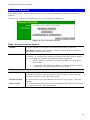
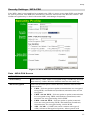
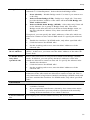
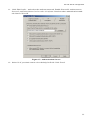
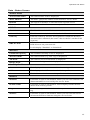
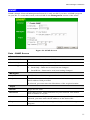
Respond to Autoconfiguration request by
other AP
If checked, this AP will respond to "Auto Configuration"
requests it receives. If not checked, "Auto Configuration"
requests will be ignored.
Provide login name and
password
If enabled, the login name and password on this AP is supplied the the AP making the Auto-configuration request. If
disabled, the AP making the Auto-configuration request will
keep its existing login name and password.
Provide "Respond to
Auto-configuration"
setting
If enabled, the "Respond to Auto-configuration" setting on
this AP is supplied the the AP making the Auto-configuration
request. If disabled, the AP making the Auto-configuration
request will keep its existing setting.
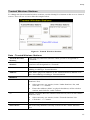
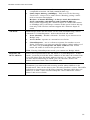
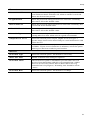
Auto Update
Check for Firmware
upgrade
Install...
If enabled, this AP will check to see if a Firmware (FW)
upgrade is available on the specified FTP Server. If enabled:
•
Enter the desired time interval (in days) between checks.
•
Select the desired option for installation (see next item).
•
Provide the FTP server information.
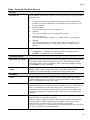
Select the desired option:
•
Install FW if different version found
If selected, then if the firmware file at the specified location is different to the current installed version, the FW
will be installed. This allows "Downgrades" - installing
an older version of the FW to replace the current version.
•
Install later version only
If selected, then the firmware file at the specified location
will only be installed if it is a later version.
FTP Server address
Enter the address (domain name or IP address) of the FTP
Server.
Firmware pathname
Enter the full path (including the FW filename) to the the FW
file on the FTP Server.
FTP Login Name
Enter the login name required to gain access to the FTP
Server.
FTP Password
Enter the password for the login name above.
72