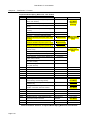
1
TANKSMART
TankSmartXL
™
A Tool for Planning
Industrial & Domestic
Water Supply, Recycling,
Storage, & Disposal
User Manual
Version 1.01
NUFER & Associates (Aust) Pty Ltd
CONSULTING ENGINEERS
Address:
Telephone:
Facsimile:
Mobile:
Internet:
Email:
325 Jackson Road
Sunnybank Hills
Queensland 4109
Australia
61 (0)7 3273 1793
61 (0)7 3273 5493
61 (0)428 645 046
http://www.nufer.com.au
[email protected]
TankSmartXL™ User Manual
Preface
DOCUMENT CONFIDENTIALITY & LIMITATIONS
This manual is regarded as ‘Commercial-in-Confidence’ and is for use by persons who have purchased the
TankSmartXL™ product. It shall not be disclosed to any external parties whatsoever without the permission of the
Principal Engineer – Nufer & Associates (Aust) Pty Ltd. The contents of this manual have been authored carefully
however whilst every attempt has been made to substantiate its contents there may be discrepancies in some
information contained within, as a consequence of changes which the author has little control.. Where such
occurrences are substantiated it is requested that the necessary corrections be made known to the author so that the
document can be amended accordingly. Contact details are provided below.
DOCUMENT REVISION STATUS
Notice: Please be aware that all documents should be regarded as uncontrolled unless specifically annotated
otherwise. Readers are advised to check with the document repository under the SunWater Hummingbird Document
Management System for the latest document revision.
Ver
1.01
Description
Draft Release
Author
Date
Approved
KDN
dd/mm/yy
KDN
If additional entries are required please insert additional rows above the line.
NAA Document Reference:
Author:
Telephone:
Facsimile:
Mobile:
Email:
TSM-070816-KDN-0100J-TANKSMARTMANUAL
Kerry Nufer
61 (0)7 3273 1793
61 (0)7 3273 5493
61 (0)428 645 046
[email protected]
MS Office™, MS Excel™ are trade marks of the Microsoft™ organisation. TankSmartXL™ is a trademark of Nufer &
Associates (Aust) Pty Ltd.
Copyright © 2007 by Nufer & Associates (Aust) Pty Ltd.
The contents of this manual are copyright to Nufer & Associates (Aust) Pty Ltd and shall not be distributed, copied,
replicated or circulated to any other parties whatsoever with the written permission of
Nufer & Associates (Aust) Pty Ltd., or its agents where approved to do so.
Page ii
TankSmartXL™ User Manual
Table-of-Contents
Table of Contents
Page
CHAPTER 1
1-1
Introduction............................................................................................................................................ 1-1
Product Limitations ........................................................................................................................... 1-1
What is TankSmartXL™?................................................................................................................... 1-1
What TankSmartXL™ Does? ............................................................................................................. 1-1
How Does TankSmartXL™ Function? ............................................................................................... 1-1
Summary ...................................................................................................................................... 1-2
Water Model ................................................................................................................................. 1-2
Profiles.......................................................................................................................................... 1-2
Usage Configuration..................................................................................................................... 1-2
Benefits of TankSmartXL™................................................................................................................ 1-2
Planning........................................................................................................................................ 1-3
What-if Scenarios ......................................................................................................................... 1-4
TankSmartXL™ Water Supply & Disposal Scope.............................................................................. 1-4
TankSmartXL™ Features................................................................................................................... 1-5
What Does this Manual Contain & How is it Structured? ................................................................. 1-5
Limitations in Use of TankSmartXL™ ................................................................................................ 1-6
CHAPTER 2
2-1
Installation & Set-up .............................................................................................................................. 2-1
Licensing 2-1
TankSmartXL™ Licence ................................................................................................................ 2-1
MS Excel™ Licence ..................................................................................................................... 2-1
Suggested Hardware Requirements ................................................................................................ 2-1
Minimum System requirements for TankSmartXL™.......................................................................... 2-2
Starting TankSmartXL™ .................................................................................................................... 2-2
If Problems Occur ............................................................................................................................. 2-2
CHAPTER 3
3-1
TankSmartXL™ Overview ...................................................................................................................... 3-1
TankSmartXL™ Environment ............................................................................................................ 3-1
Characteristics of the TankSmartXL™ Environment ......................................................................... 3-1
Data Entry..................................................................................................................................... 3-1
Drop-Down Boxes ..................................................................................................................................... 3-2
Verification................................................................................................................................................. 3-2
Data Synchronisation................................................................................................................................. 3-3
Record/Row Entry ..................................................................................................................................... 3-4
Record Row/Deletion.................................................................................................................... 3-5
TankSmartXL™ Structure .............................................................................................................. 3-6
Data Tables ............................................................................................................................................... 3-6
Other Information....................................................................................................................................... 3-7
Graphical & Tabular Outputs ..................................................................................................................... 3-7
CHAPTER 4
4-1
The Summary Tab (ST) ........................................................................................................................ 4-1
Summary Tab (ST) Areas of Functionality ....................................................................................... 4-2
Data Entry Requirements ................................................................................................................. 4-2
Water Supply Particulars .............................................................................................................. 4-2
Page iii
TankSmartXL™ User Manual
Table-of-Contents
Water Supply Usage & Management ............................................................................................... 4-2
Water Sources........................................................................................................................................... 4-2
Roof Collection Detail................................................................................................................................ 4-3
Tank Manufacturers & Capacity ................................................................................................................ 4-4
Water Recycling & Disposal.............................................................................................................. 4-4
Analysis Parameters ......................................................................................................................... 4-4
Model Rules ...................................................................................................................................... 4-5
CHAPTER 5
5-1
The Configuration Tab (CT) .................................................................................................................. 5-1
Introduction ....................................................................................................................................... 5-1
High-Level View ................................................................................................................................ 5-2
Water Usage Definitions ................................................................................................................... 5-2
Water Supply/Disposal Options ........................................................................................................ 5-3
Water Source................................................................................................................................ 5-3
Water Disposal ............................................................................................................................. 5-3
Water Restriction Definitions............................................................................................................. 5-4
Permission Level Matrix ............................................................................................................... 5-4
How the Permission (Restriction) Levels Work ............................................................................ 5-5
Entering Data Into Water Permission Matrix ................................................................................ 5-5
Entering Data into the Restriction Matrix ...................................................................................... 5-5
Abbreviated data Entry ................................................................................................................. 5-5
Comments .................................................................................................................................... 5-6
Data Entry & Application Requirements ........................................................................................... 5-6
CHAPTER 6
6-1
The Profile Tab (PT) .............................................................................................................................. 6-1
Introduction ....................................................................................................................................... 6-1
Profile Tab Table Data.................................................................................................................. 6-2
Profile Tab Summary Data ........................................................................................................... 6-2
Profile Entries/Flow Rate Estimates ................................................................................................. 6-3
Water Usage Activity .................................................................................................................... 6-3
Day Entry ...................................................................................................................................... 6-3
Flow Rate Estimation.................................................................................................................... 6-3
Flow Rate Subtotals...................................................................................................................... 6-4
Summary Demands, Disposal, & Applications ................................................................................. 6-4
Water Supply Demands................................................................................................................ 6-4
Mains Water Restriction Summaries ................................................................................................ 6-5
Alternate Water Supply Requirements Summaries .......................................................................... 6-6
Daily Water Disposal Summaries ..................................................................................................... 6-6
Daily Water Application Area Summaries......................................................................................... 6-7
Applying Water Usage Profiles ......................................................................................................... 6-7
Naming of Profiles............................................................................................................................. 6-8
CHAPTER 7
7-1
Model Tab (MT) ..................................................................................................................................... 7-1
Introduction ....................................................................................................................................... 7-1
Model Time Base .............................................................................................................................. 7-2
Derived Date Information.............................................................................................................. 7-3
Legacy Rainfall Data..................................................................................................................... 7-3
Potential Run-off ........................................................................................................................... 7-3
Model usage Profiles & Restrictions ................................................................................................. 7-3
Page iv
TankSmartXL™ User Manual
Table-of-Contents
Profile Information ........................................................................................................................ 7-3
Restriction Level ........................................................................................................................... 7-3
Town Water Flow Requirements ...................................................................................................... 7-4
Storage Modelling ............................................................................................................................. 7-5
Rainwater Planning Flow Requirements .......................................................................................... 7-6
Grey Water Planning Flow Requirements ........................................................................................ 7-6
Other Flow Management Outcomes................................................................................................. 7-7
TankSmartXL™ Options ................................................................................................................ 7-7
CHAPTER 8
8-1
TankSmartXL™ Tutorial ......................................................................................................................... 8-1
Domestic Scenario............................................................................................................................ 8-1
Current Situation........................................................................................................................... 8-1
Current Present Water Usage – Summer/Autumn..................................................................................... 8-1
Current Summer/Autumn Kitchen & Laundry............................................................................................. 8-2
Current Summer/Autumn Bathroom, Yard & Other ................................................................................... 8-3
Current Present Water Usage – Winter/Spring.......................................................................................... 8-3
Current Winter/Spring Kitchen & Laundry.................................................................................................. 8-4
Current Winter/Spring Bathroom, Yard & Other......................................................................................... 8-5
Proposed Situation ....................................................................................................................... 8-6
Proposed Summer/Autumn Kitchen & Laundry ......................................................................................... 8-7
Proposed Summer/Autumn Bathroom, Yard & Other ................................................................................ 8-8
Proposed Winter/Spring Kitchen & Laundry .............................................................................................. 8-9
Proposed Winter/Spring Bathroom, Yard & Other ................................................................................... 8-10
APPENDIX
I
Introduction.................................................................................................................................................I
Typical Water Usage Allowances ..........................................................................................................I
Domestic Applications ..................................................................................................................... II
Commercial Applications ................................................................................................................ III
Reference Documents ........................................................................................................................ IV
Table of Figures
Page
Figure 1 TankSmartXL™ Data Entry Fields & Help Information ................................................................ 3-1
Figure 2 TankSmartXL™ Drop-down Entry Fields ..................................................................................... 3-2
Figure 3 Data Entry Error .......................................................................................................................... 3-2
Figure 4 Data Synchronisation Established .............................................................................................. 3-3
Figure 5 Entry Changed to Rinse Mouth ................................................................................................... 3-3
Figure 6 Emergence of False Annunciation Due Loss of Data Sync ........................................................ 3-3
Figure 7 Error Message Arising from Cursor Being Outside Table Boundary .......................................... 3-4
Figure 8 Row/Record Deletion in TankSmartXL™ ..................................................................................... 3-5
Figure 9 TankSmartXL™ Structure & Interdependencies .......................................................................... 3-6
Figure 10 Summary Tab (ST) Areas of Functionality................................................................................ 4-1
Figure 11 Summary Tab – Project Particulars Detail ................................................................................ 4-2
Figure 12 Summary Tab – Water Supply, Usage & Management Detail.................................................. 4-3
Figure 13 Summary Tab – Water Recycling & Disposal ........................................................................... 4-4
Figure 14 Summary Tab – Analysis Parameters....................................................................................... 4-4
Figure 15 Summary Tab – The TankSmartXL™ Model Rules ................................................................... 4-5
Figure 16 Configuration Tab – High Level View........................................................................................ 5-1
Figure 17 Configuration Tab – Water Usage Definitions........................................................................... 5-2
Figure 18 Configuration Tab - Water Source Options ............................................................................... 5-3
Figure 19 Configuration Tab - Water Disposal Options ............................................................................ 5-4
Page v
TankSmartXL™ User Manual
Table-of-Contents
Figure 20 Configuration Tab - Water Restriction Matrix ............................................................................ 5-5
Figure 21 Profile Tab – High-Level View ................................................................................................... 6-1
Figure 22 Profile Tab – Flow Rate Estimates ............................................................................................ 6-3
Figure 23 Profile Tab – Water Supply/Disposal Pathways........................................................................ 6-4
Figure 24 Profile Tab – Water Supply Demain Summaries....................................................................... 6-5
Figure 25 Profile Tab – Water Disposal Summaries ................................................................................. 6-5
Figure 26 Profile Tab – Daily Water Restriction Summary........................................................................ 6-5
Figure 27 Profile Tab – Daily Alternate Water Supply Summaries ........................................................... 6-6
Figure 28 Profile Tab – Daily Water Disposal Summaries ........................................................................ 6-6
Figure 29 Profile Tab – Daily Application Area Summaries ...................................................................... 6-7
Figure 30 Profile Tab - Daily Application Area Supply/Disposal Options .................................................. 6-7
Figure 31 Model Tab - High-Leve View ..................................................................................................... 7-1
Figure 32 Model Tab – Time Base, Rainfall Data, & Usage Patterns ....................................................... 7-2
Figure 33 Model Tab – Town Water Planning ........................................................................................... 7-5
Figure 34 Model Tab - Rain Water Planning ............................................................................................. 7-6
Figure 35 Model Tab – Grey Water Planning ............................................................................................ 7-6
Tables
Page
Table 1 TankSmartXL™ Manual Contents ................................................................................................. 1-5
Table 2 Configuration Tab – Permission Matrix Abbreviated Data Entry.................................................. 5-5
Table 3 Domestic Scenario - Current Summer/Autumn Kitchen & Laundry ............................................. 8-2
Table 4 Domestic Scenario - Current Summer/Autumn Bathroom, Yard & Other .................................... 8-3
Table 5 Domestic Scenario - Current Winter/Spring Kitchen & Laundry................................................... 8-4
Table 6 Domestic Scenario - Current Winter/Spring Bathroom, Yard & Other ......................................... 8-5
Table 7 Domestic Scenario - Proposed Summer/Autumn Kitchen & Laundry .......................................... 8-7
Table 8 Domestic Scenario - Proposed Summer/Autumn Bathroom, Yard & Other................................. 8-8
Table 9 Domestic Scenario - Proposed Winter/Spring Kitchen & Laundry ............................................... 8-9
Table 10 Domestic Scenario - Proposed Winter/Spring Bathroom, Yard & Other .................................. 8-10
Table 11 Typical Domestic Applications – Water Usage Rates ................................................................... II
Table 12 Typical Commercial Applications - Water Usage Rates............................................................... III
Page vi
TankSmartXL™ User Manual
Glossary
Glossary of Terms & Definitions
CT
Configuration Tab - TankSmartXL™ MS Excel™ spreadsheet containing the water usage
configuration details for the project.
MT
Model Tab - TankSmartXL™ excel spreadsheet model for simulating water usage.
PT
Profile Tab - TankSmartXL™ MS Excel™ spreadsheet containing the profile information for
the project.
ST
Summary Tab – TankSmartXL™ MS Excel™ spreadsheet containing the summary details
for the project.
TSXL
Acronym for TankSmartXL™
Page vii
TankSmartXL™ User Manual
Glossary
THIS PAGE LEFT INTENTIONALLY BLANK
Page viii
CHAPTER 1
INTRODUCTION
Thank you for purchasing TankSmartXL™. This spreadsheet application was developed
as an extension of the work done by Nufer & Associates in process control for the water
industry, and as a consequence of this region experiencing the worst drought in over 100
years. The product has been given its name as a consequence of the dilemma often
faced by water users in dimensioning tanks and storage requirements for water, however
TankSmartXL™ is a comprehensive water modelling application which can be applied to
all water usage applications whether these involve the use of tanks of not.
Product Limitations
Please note that TankSmartXL™ is a software modelling tool. Since it deals with
estimation of water usage based on multiple and or complex events, the results of the
calculations it performs are estimates only, and cannot be used in any way to predict
actual outcomes, and for this reason, no responsibility will be accepted by the author for
usage of this information whatsoever, whether these be direct or consequential
application of the information by the user or others.
What is TankSmartXL™?
TSXL™ is a spreadsheet simulation designed to run on MS Excel™ (not supplied). The
application is comprised of custom spreadsheets and underlying visual basic code built
into a comprehensive model. The system is fully user configurable for investigating water
usage and impacts on supply sources, storage and disposal.
What TankSmartXL™ Does?
TSXL™ models or simulates water flows in industrial and domestic situations.
It allows the user to calculate out water usage during different periods of the year and
accordance with various usage patterns.
This information may then used to determine the demands on water supply, rain water,
tanks including grey water recycling, which best suit the application requirements.
Note that it is not necessary to have tanks in the system at all. In these situations TSXL™
works just as well for the purpose of determining impacts on supply sources as well as
disposal options.
How Does TankSmartXL™ Function?
Put simply TSXL™ is like a set-of-accounts for water supply, usage, and disposal. It
comprises various sources of supply, such as the town supply, mains, or rainwater. You
can have tanks to store this water in the case of rainwater, and tanks to store recycling
supplies such as grey water. Ultimately water is either consumed by users or processes,
Page 1-1
TankSmartXL™ User Manual
Chapter 1 – Introduction
and the left-over supply eventually disposed of to sewerage. TSXL™ comprises four
components for modelling water usage which include:
•
•
•
•
Summary;
Water Model;
Usage Profiles; and
Usage Configuration.
The proper use of these is essential to achieving the desired outcomes from the TSXL™
application and are the subject of this manual.
SUMMARY
The summary page provides the overall project details for TSXL™. It includes details of
the water, grey water and other water supplies as well as disposal methods and other
options. It also includes details such as the roof-area for rainwater collection. The
summary page provides the introduction to the project being considered.
WATER MODEL
The Water Model is the core deliverable of TankSmartXL™. Based on historic rainfall
information and the details contained in the profiles, it can model water usage in an
industrial or domestic application for any period of time – from days through to years.
PROFILES
The way water is used is dependent on the particular industry and household. This is also
subject to the constraints imposed by the particular jurisdiction in which the modelling is
being undertaken.
TSXL™ comprises a series of tables, which allow the user to build up water usage
patterns called profiles for various scenarios and times of the year and in accordance with
the prevailing water usage constraints. Note prevailing restrictions must be entered by the
user and cannot be pre-installed in TankSmartXL™.
USAGE CONFIGURATION
In TSXL™ water usage configuration describes water usage for a wide range of
situations found in the home. An additional aspect is the restriction level imposed by
various water usage practices. For example washing the car, may be restricted under
levels three and above. The jurisdiction where you may be applying TSXL™ will have
special definitions which you enter here. This part of the spreadsheet also includes water
supply sources and disposal for the various applications you are entering. For example
the water supply source for toilet flushing may be grey water.
Benefits of TankSmartXL™
The primary benefits of TSXL™ lie in its ability to;
•
•
•
Audit & Review,
Plan, and
Explore various what-if scenarios for;
Multiple TankSmartXL™ applications can also be coordinated to provide summary water
usage information and compare before and after implementations.
Page 1-2
TankSmartXL™ User Manual
Chapter 1 - Introduction
Water supply and disposal in situations such as;
•
•
•
•
•
New Industrial Complexes,
Shops and Warehouses,
Residential Construction,
Domestic Water Management, and
Similar Water Usage Applications.
Are readily undertaken with TankSmartXL™, and the basis for appropriate decisions
subsequently made.
Audit & Review
TSXL™ can be used as an auditing tool to review proposed water strategies against
current water usage practices.
For example if water consumption is compiled for the typical week for all the activities
around a factory or in a residential situation, and the water meter read at the beginning
and end of this period then a comparison made for estimates versus actual, and
questions asked as to:
(a) How much water do I consume in particular industrial processes, in areas of
administration, the kitchen, bathroom or laundry?
(b) Is there close agreement with the indicated water usage from the meter and that
calculated from my usage profile?
(c) Is the water supply meter correct?
(d) Are my usage assumptions correct?
(e) Should I test these assumptions using independent measurement?
(f) What is the effect on usage of modifying these practices(see what-if scenarios)?
(g) Should I consider water harvesting strategies such as a rainwater tank?
(h) Should I consider water recycling strategies such as greywater collection and reuse?
(i) Should I contact the council to have my water meter checked?
(j) What will be the effect on my usage of new water restriction levels?
PLANNING
For people building new warehouses, factories, and residences, there is increasing need
to plan resource usage in order to optimise funds and ensure make good use of available
materials.
For example, the reducing size of residential blocks means there is less space to locate
rainwater and greywater tanks. Similarly why buy large water supply tanks if the
application does not demand it or more importantly there is little likely-hood of the water
tank filling due to a small roof or lack of rain.
TSXL™ provides a means for planning water supply options including the dimensioning
of rainwater and greywater tanks. Questions which it might help to answer include:
Page 1-3
TankSmartXL™ User Manual
Chapter 1 – Introduction
(k) What size rainwater tank should I consider for my new home given its roof-area,
location, and planned usage of the water it holds?
(l) How often will it fill2 or empty?
(m) What size greywater3 tank should I consider for my home given the planned sources
and usage I am considering?
WHAT-IF SCENARIOS
4
In a whole raft of situations where water supplies are being reviewed TSXL™ provides
the means of considering the what-if scenarios, as a means to looking at alternative
strategies in either modifying the use of existing water supplies or examining options for
the development of new water supply installations.
The fact TankSmartXL™ is implemented using MS Excel™ also means that summations
from various scenarios can be summed and compared into a combined analysis, thereby
allowing a comprehensive comparison of multiple strategies.
Examples of some scenarios:
(a) What will be the impact of new restriction levels on water usage configurations?
(b) What are the optimum tank sizes for various water recycling methods?
(c) How will my reliance on town water be affected by these water strategies?
(d) What are the cost savings versus to be obtained using various water saving and
recycling strategies.
TankSmartXL™ Water Supply & Disposal Scope
TSXL™ modelling includes the consideration of four main aspects of water supply and
disposal. With respect to water supply the modelling includes:
•
•
•
•
Mains or Town Supply;
Rainfall & Storage in Tanks of a Nominal Capacity;
Recycled Grey Water of a Nominal Capacity; and
Alternative or User Defined Water Sources.
Similarly TSXL™ also models the disposal of water through a number of mechanisms
including:
•
•
•
•
Consumption of the water outright;
Recycling or grey water through nominal tank capacities;
Disposal to sewerage; and
Disposal to some other user-based system.
In so doing TSXL™ is therefore able to provide an excellent means of indicating tank
capacity based on planned usage and recycling.
2
Based on previous rainfall records for the locale.
Greywater usage maybe controlled by the council or government jurisdiction in which the residence is located notwithstanding that
various greywater sources may not be appropriate and/or may require primary treatment for the applications intended which will
involve additional equipment considerations outside the scope of this document.
4
Scenarios are dependent on the accuracy of the information being put into the model. Since this is a simulation process only, no
responsibility can be or will be accepted for usage of the resulting information or subsequent actions based on this information.
3
Page 1-4
TankSmartXL™ User Manual
Chapter 1 - Introduction
TankSmartXL™ Features
Whilst primarily directed to modelling of water supply flows around the residential
application it also has a number of other features which provide the user with excellent
planning information in terms of water supply configuration. Features include:
•
•
•
•
•
•
•
•
•
•
User definition of water usage applications;
5
Application of water restriction rules or permissions ;
User definition of water sources and sinks per application;
6
Nomination of rain-water and grey water tank sizes;
Override of default water rate applications with manual entry option;
Infinite number of model graphing options including those built in;
Weekly summaries of input/output water flows on a day-by-day basis;
Sensitivity analysis of rainfall, storage and consumption data;
Calculation of mains or town water supply costs;
Because it is a spreadsheet the user is free to add their own graphs etc.
The other benefit of TSXL™ is that it allows you to take into account past rainfall events,
and see the results with respect to the tank sizes.
TSXL™ also allows the modelling of greywater storage which is set to become a major
consideration for future optimisation of water usage in all applications.
What Does this Manual Contain & How is it Structured?
This manual comprises all you need to use TSXL™. However should you wish to
leverage the computations carried out by TSXL™ then you will need a good
understanding of MS Excel™. This manual is structured based on the following sections.
Section
Introduction
Installation &
Set-Up
TankSmartXL™
Overview
Summary Tab
Configuration
Tab
Profile Tab
Model Tab
TankSmartXL™
Tutorial
Description
This section of the manual providing a lead-in overview to the
implementation and use of TSXL™.
Licensing and installation of TSXL™, as a standalone and core
helper application for use with other spreadsheets.
A general overview of TSXL™ and how it is structured and used,
including the inter-relationships between the various table
(spreadsheets).
Stepping through the operation of the TSXL™ summary screen.
How to set up the usage information in the spreadsheet under the
‘Config’ tab.
Setup and operation of the spreadsheet under the ‘Profile’ Tab and is
relation to spreadsheet data on the ‘Config’ Tab.
Setup and running of the ‘Model’ spreadsheet, along with leveraging
of its additional information outputs and graphing capabilities.
A tutorial in the actual usage of TSXL™ for some hypothetical water
supply applications.
Table 1 TankSmartXL™ Manual Contents
For more information please send your requests to [email protected].
5
This is a user responsibility owing to the fact there are so many different water jurisdictions around the world, and that each one
has its own rules w.r.t. the restriction of water usage e.g. washing the car may be restricted above Level 4 as it is in Brisbane,
Queensland, Australia.
6
Note that nomination of tank sizes is based on one rain-water tank, and one grey water tank, on the basis that each tank system is
aggregated for modelling purposes, as is the roof area – see discussion for other options later in manual.
Page 1-5
TankSmartXL™ User Manual
Chapter 1 – Introduction
Limitations in Use of TankSmartXL™
As with other modelling software, TSXL™ has limitations based on the data that is put
into the spreadsheets, and sophistication of the model used for calculating the water
flows such as –
(a) The modelling depends on the integration of water flows within the tanks i.e. as long
as the water tanks do not run dry or flow over, the inflows over the 24 hour period
during which rainfall will be calculated will aggregated with the outflows:
(b) Under particular conditions or rainfall, such as deluge conditions, the efficiency of
water collection systems will change leading to limitations in the ability to harvest
rainfall run-off. Notwithstanding this fact rainfall records are at best an indication due
to the wide scale variance of precipitation over short distances:
(c) Water flow applications are calculated using the parameters for the model. Whilst the
ability to redefine these at the time of entry is provided, it must be remembered that
the quantity involved is likely to be quite variable, and so a best-estimate is required.
Page 1-6
TankSmartXL™ User Manual
CHAPTER 2
INSTALLATION & SET-UP
There is no real installation requirement for TSXL™ with the exception that you need a
properly functioning computer system on which to run the application. A licence is
required for both TSXL™ and for MS Excel™ (not provided by Nufer & Associates as part
of this solution).
In terms of the TSXL™ application you receive from Nufer & Associates, it is suggested
that you retain the original file and make a copy for your usage. The copy of TSXL™
should then be used for your calculations so that the original is not corrupted.
Licensing
TANKSMARTXL™ LICENCE
A paid licence is required to use TSXL™ in order to help underwrite support and ongoing
development. Help us to help you get the most out of this program.
MS EXCEL™ LICENCE
TSXL™ is based on MS Excel™. Its capabilities are exploited in TSXL™ to provide the
user with a very powerful working environment for modelling of water flows and usage
scenarios.
In order to start using TSXL™ you must have a legal licence for MS Excel™. Note this is
not part of the TSXL™ offer from Nufer & Associates.
Suggested Hardware Requirements
In order to run TSXL™ it is suggested you have the following –
(a) Properly licensed environment for running Microsoft™ applications including up-todate licensed copies of Microsoft XP Service Pack 2 along with MS Excel™ or
MSOffice 2002/2003:
(b) Appropriate computer hardware such as a widescreen monitor (17" or greater
suggested) due to the width of the spreadsheets:
(c) A reasonable amount of computer capacity ~ Pentium 4 1.8 GHz plus at least
500 MByte (1GByte Suggested) or RAM, and to minimise the other apps in the
background (note this probably depends on how big your model becomes):
(d) An appropriate printer on which to print the results of your calculations.
Page 2-1
TankSmartXL™ User Manual
Chapter 2 – Installation & Set-Up
Minimum System requirements for TankSmartXL™
TSXL™ is based around the use of MS Excel and should work from versions 2002
upwards. There are a couple caveats to the use of TSXL™ associated with the versions
of MS Office™ being used.
At this time TSXL™ has only been tested on MS Office™ 2002 and MS Office™ 2003.
This is not to say it will not work on Vista Office and testing has suggested it will operate
satisfactorily in compatibility mode, however extensive testing for operation under
Microsoft™ Office 2007 have yet to be carried out.
Starting TankSmartXL™
To use TSXL™ simply start MS Excel™ and load TSXL™.
Open the first tab marked ‘Summary’ to bring up the summary sheet containing the
TSXL™ configuration data. Complete the fields marked with light yellow.
If Problems Occur
Since TSXL™ is essentially just a spreadsheet application, test the underlying MS
Excel™ program using some other work you may have done.
If the problem persists, send an email describing the problem to
[email protected]. Ensure that you put the word ‘TANKSMART’ as the first work
in the title in order to ensure the email is accepted through the spam filtering. We will
endeavour to reply to you within 24 hours.
Note if you cannot validate your TSXL™ licence, support will be refused.
Page 2-2
TankSmartXL™ User Manual
CHAPTER 3
TANKSMARTXL™ OVERVIEW
The TSXL™ application has been developed to replicate a common look and feel
throughout so that whatever practices you use on one sheet are also used on others.
TankSmartXL™ Environment
There are very few differences between the TSXL™ and a normal spreadsheet. This has
been done on purpose in order not change the user installed MS Excel™ environment.
Consequently if there is a computer malfunction due to some reason there will be no
change to the MS Excel™ environment.
Characteristics of the TankSmartXL™ Environment
In working with applications such as TSXL™ from Nufer & Associates the spreadsheet is
supplemented with a number of additional features comprising;
(a) Preformatted spreadsheets for holding usage data;
(b) Formulae specific to the TSXL™ application;
(c) Macro functions to supplement the base MS Excel™ application; and
(d) Helper procedures for the automation of data entry and manipulation.
Without the TSXL™ application loaded MS Excel™ will continue to function normally.
DATA ENTRY
Data Entry within the context of the TSXL™ application refers to the entry of some
information into a specific field. This may in some case be part of a record which is
discussed separately below.
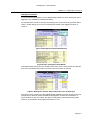
Figure 1 TankSmartXL™ Data Entry Fields & Help Information
Data entry fields throughout the TSXL™ applications are shown as light yellow. In some
cases, these are supplemented with a red chevron to signal in-cell help information.
Positioning the cursor over such entries will display a message regarding that particular
cell. Other fields marked white or other colours comprise general information or formula
and must not be changed pursuant to the licence agreement, and proper functioning of
the TSXL™ application.
Page 3-1
TankSmartXL™ User Manual
Chapter 3 – TanksmartXL Overview
Drop-Down Boxes
An additional aspect of some yellow data entry fields in the appearance of a drop-down
list. This is initiated to display a list of options for selection and entry of prescribed data
into the field.
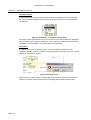
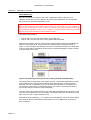
Figure 2 TankSmartXL™ Drop-down Entry Fields
Such data is either generated by other user functions or procedures within the application
and in the latter case cannot be changed. In such cases the provided options are all that
is available, unless modified in some other part of the application.
Verification
In addition to the use of drop-down boxes, most user data entry fields have data
verification. Should you enter information not appropriate for the field you will get a similar
warning to that shown in Figure 3.
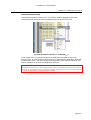
Figure 3 Data Entry Error
Simply click the ‘Cancel’ button to exit the data entry process and revert to the previous
contents, or attempt a new numerical entry in keeping with the stated requirements.
Page 3-2
TankSmartXL™ User Manual
Chapter 3 – TanksmartXL Overview
Data Synchronisation
A loss of data synchronisation occurs if data already posted to a down-stream part of the
application is invalidated by subsequent editing.
For example if the reference to water was changed, the cross referencing of tables within
TSXL™ would change and a Loss of Data Synchronisation error flagged as shown in
Figure 4.
Figure 4 Data Synchronisation Established
Figure 5 Entry Changed to Rinse Mouth
If the data should change due to a variation in the entry of the ‘Config’ sheet, the data will
be in entry and therefore provide a user alert in the form shown in Figure 6.
Figure 6 Emergence of False Annunciation Due Loss of Data Sync
Throughout TSXL™ data errors are trapped where possible to provide an alert to the user
and prevent to whatever extent possible the propagation of erroneous information. In
Figure 6 wherever the error arises, the data is subsequently enunciated as being false
wherever a computation involving that information occurs.
Page 3-3
TankSmartXL™ User Manual
Chapter 3 – TanksmartXL Overview
Record/Row Entry
Record entry within the context of the TSXL™ application refers to the entry of a
collection of data into one of the tables that makes up the application. This is important
due to the way in which the application works.
Tables are actually live, with many of the fields incorporating macros and formulae with
links to the underlying visual basic environment. For this reason it is not possible to
merely enter a new row in a TSXL™ table, as it will fail, and is not designed for this type
of spreadsheet operation. Each row of a TSXL™ must be entered using the provided
buttons at the top and bottom of the spreadsheet table.
Two buttons are provided;
•
•
One for entry of a new row to the bottom of the table; and
One for entry of a new row at the cursor position within the table.
Note that the insertion of a new row cannot be achieved without have the highlighted cell
within the active table area. It will not work and will flag a fault message as shown in
Figure 7. In this example, and although not shown, the selected cell was in the white area
to the top of the table. Subsequent clicking of the ‘Insert New Row@Line’ button resulted
in the generation of an error.
Figure 7 Error Message Arising from Cursor Being Outside Table Boundary
The reason for this requirement in the design of TSXL™ and similar applications by Nufer
& Associates was the requirement to indicate the actual cell where it was required to
enter the new row of information. Doing so ensures the maintenance of integrity in the
row equations. Note that on completing the action, the cursor is restored to the start of
the new line ready for insertion of new information.
A similar manner of operation exists for the ‘Insert New Row@End’ button however in this
case, the row is added to the end of the table. Once again, the cursor is positioned on the
start of the new row, ready to add the record.
Note that because TankSmartXL™ is a MS Excel™ spreadsheet, new rows can be copied
from the lines above or below and inserted either once or multiple times, to speed up
entry if required.
Page 3-4
TankSmartXL™ User Manual
Chapter 3 – TanksmartXL Overview
RECORD ROW/DELETION
If it is desired to delete a record or row, it is simply a matter of highlighting the row/s
involved and right-clicking to select the delete function as shown in Figure 8.
Figure 8 Row/Record Deletion in TankSmartXL™
In this regard TSXL™ leverages existing functionality where possible to reduce the
‘learning curve’ for users and increase their level of comfort with the application. Note that
for this reason TSXL™ has been largely left unprotected to allow users to build their own
custom variations on the theme the application presents.
Note however that TSXL™ ‘Undo’ functionality is limited to built-in functions and
procedures of MS Excel™ since underlying functions, procedures and macros cannot be
reversed. Any operation which comprises a native spreadsheet function such as deleting
a row on the other hand, may be undone if needed.
Page 3-5
TankSmartXL™ User Manual
Chapter 3 – TanksmartXL Overview
TANKSMARTXL™ STRUCTURE
TSXL™ is structured around a pseudo database comprising flat tables with limited
relational data connections. Nevertheless it is able to operate very effectively from the
rich functionality of the underlying data processing available to each cell of the
spreadsheet table.
CONFIG
PROFILE 1
PROFILE 2
SUMMARY
MODEL
PROFILE N
SYSTEM
Rainfall
Records
--- --- --- ----- --- --- ----- --- --- ----- --- --- ----- --- --- ---
Performance
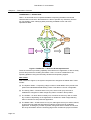
Figure 9 TankSmartXL™ Structure & Interdependencies
Given the enormous processing capability of the MS Excel™ application, is able to easily
process and present the resulting information. This is of course conditional on the
operating platform having the necessary hardware and operating support.
Data Tables
With reference to Figure 9, the system comprises four categories of tabular data. These
include:
(a) The System Tables – Comprising a large number of small tables which provide user
options and standardised data filtering criteria. This table in not user configurable:
(b) The Config Table – Of which there is only one, which is set up by the user to
establish the categories of water usage they want to include in their profile/s:
(c) The Profiles – Of which there is initially one, but which the user may wish to create
any number of depending on the application or variations in water usage that they
want to consider for their particular application:
(d) The Model Table – Of which there is only one, although there may be others created,
in which the user builds the final usage model they require for their residential
application, including any number of profiles, along with historic rainfall records, and
the set-up information from the summary page which includes the project constants.
Page 3-6
TankSmartXL™ User Manual
Chapter 3 – TanksmartXL Overview
Other Information
As shown in the diagram, other information also goes into the analysis process. This
includes:
(a) Summary Information – Information regarding the details of the water usage
application including tanks sizes, roof area, etc; and
(b) Rainfall Records – In the case of including rainfall particulars as part of the analysis
process.
Graphical & Tabular Outputs
The results of these calculations and analysis are presented in a variety of means
including the:
(a) Native Tabular Results – Printing of the analysis tables as is;
(b) Inbuilt Graphs – Which may be repositioned as part of the overall spreadsheet by
themselves for easier viewing and printing; or
(c) User Data/Graphical Extracts – Through the use of the rich analysis environment
provided by MS Excel™.
To assist with Item (c) all of the tables used in the TSXL™ are individually named, so that
the database functions of MS Excel™ can be used for the outcome required.
A detailed discussion of each of the tables and their usage is presented in the following
chapters of the manual.
Page 3-7
TankSmartXL™ User Manual
Chapter 3 – TanksmartXL Overview
THIS PAGE LEFT INTENTIONALLY BLANK
Page 3-8
TankSmartXL™ User Manual
CHAPTER 4
THE SUMMARY TAB (ST)
This Summary Tab (ST) provides the user with the first stage of running the TSXL™
Spreadsheet Application (TSA). It is designed as a cover page for those who want to
develop a project summary using the printouts from the underlying analysis and
assumptions made in putting together their water usage solution.
Note it is important to complete the data entries required for the TSA on this page as
much of the calculation cannot be effectively completed without valid data entries. Be
aware however that the ST is live linked to other spreadsheets in the TSA, and can be
altered at any time during the analysis process to explore what-if scenarios.
The ST is discussed as follows:
•
•
•
Areas of Functionality
ST Data Entry Requirements
The completed ST.
These are discussed in detail throughout the remaining part of this chapter.
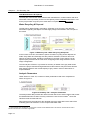
Figure 10 Summary Tab (ST) Areas of Functionality
Page 4-1
TankSmartXL™ User Manual
Chapter 4 – The Summary Tab
Summary Tab (ST) Areas of Functionality
The Summary Tab can be effectively divided into five areas. These include the:
•
•
•
•
•
Water Supply Particulars;
Water Supply Usage & Management;
Water Recycling & Disposal;
Analysis Parameters; and
Model Rules.
These are shown encircled by red rectangles in Figure 10.
Data Entry Requirements
WATER SUPPLY PARTICULARS
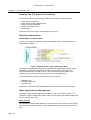
A close-up of a typically completed section of the Water Supply Particulars section is
shown below in Figure 11.
Figure 11 Summary Tab – Project Particulars Detail
The records completed here comprise typical information regarding the project being
undertaken. It should be noted that in the TSA, most data entry fields and some
computed data fields are actually named. This means these can be readily crossreferenced from anywhere in the TSA as well as your own applications.
The most important outcomes of this aspect of the ST are the;
•
•
•
Updated Field;
File Name Field; and
File Path Field.
These and the information are self explanatory and will not be described any further.
Water Supply Usage & Management
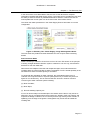
The Water Supply Usage & Management section of the ST is shown in Figure 12. It
comprises a series of fields which define water sources and the associated details of the
sources relevant to the TSA.
Water Sources
The completion of these fields allows the user to define the four sources of water supply
to be used in the model. Clicking the applicable field results in this being set as true or
false.
Page 4-2
TankSmartXL™ User Manual
Chapter 4 – The Summary Tab
In the case of the ‘From Other Water’ field, the user is then directed to complete
information regarding that water supply source. The supply source provides the user with
the ability to select a number of predefined alternative sources. However if these are
unacceptable then a new option can be chosen under ‘User Define Source’.
This value then takes precedence in the ‘Other Supply Source’ field which is not user
configurable.
Figure 12 Summary Tab – Water Supply, Usage & Management Detail
The next three entry fields and results field allow the user to input water-harvesting
details.
Roof Collection Detail
Water harvesting or collection of rain from roof run-off in the TSA works on the principle
of having a single rainwater collection system. It allows for one roof only, and assumes
that there is one rain-water tank.
Where there are multiple roof areas and multiple storages, the model assumes the
resulting tanks are interconnected so that the cumulative run-off is stored equitably in the
site tanks as a whole until tank capacity is exceeded.
To assist with the calculation of water collection, the model allows either entry of
collection are in square metres or squares (100 square foot). A further entry here is a
figure for run-off efficiency. This is meant to take into account a number of factors
concerning the water collection system including:
(a) Roof Condition;
(b) Roof Slope;
(c) Run-off Handling Capacity etc.
If a roof is old and subject to the absorption of moisture into the tiles, it may not be as
effective in hot dry conditions where there is light rain. Similarly if the roof is steep, and
experiences deluge conditions, the run-off may reach a high velocity which results in it
splashing over the edge of the gutters. Small gutters may not be able to handle the
resulting flow.
Page 4-3
TankSmartXL™ User Manual
Chapter 4 – The Summary Tab
Tank Manufacturers & Capacity
The final part of this section deals with the tank manufacturer, model numbers and other
information. Most importantly however is the capacity of the combined water tanks in use
for the project which may be input in either litres or Imperial Gallons but not both.
Water Recycling & Disposal
The flip side to ‘Water Supply, Harvesting, & Storage’ is its recycling, and disposal.
Information regarding this aspect of water supply usage is discussed in this next part of
the model.
Figure 13 Summary Tab – Water Recycling & Disposal
In this section of the ST, the selection options for water recycling and/or disposal are
made. Grey Water and sewerage are fairly obvious selections, however other user
options are also provided, including consumption (not shown on the options, but an
implicit option presented to the user when configuring water usage scenarios under
usage configuration.
The second part of Section 3, provides for the entry of details of the grey water tanks
used in the project. Manufacturing details and model numbers may be entered and the
total capacity tallied for the overall capacity of grey water in terms of either litres or
Imperial Gallons.
Analysis Parameters
Under Section 4 of the ST, a number of other parameters need to be completed as
shown in Figure 14.
Figure 14 Summary Tab – Analysis Parameters
The analysis start date provides the reference start date for the water usage model, whilst
11
the Rainfall Records Location is merely a reference name for the location where the
rainfall records were derived from.
Start volumes may be entered for the rainwater and grey water tanks at the start of the
modelling period as referred to in the ‘Analysis Start Date’ field.
11
A future release of the TankSmartXL™ will feature a rainfall records database and in that scenario this field will be used to
reference the records for the water usage model.
Page 4-4
TankSmartXL™ User Manual
Chapter 4 – The Summary Tab
Model Rules
The last section of the ST allows the user to define some of the rules by which the model
may operate under unusual circumstances.
Users should be aware that under community and local government jurisdictions these
options may not be permitted and where this is the case must not violate local
regulations. These options have been provided in accordance with the wide scale
application of TSXL, but there is no implied requirement for ‘TRUE’ to be entered into any
of the fields in Section 5, for proper operation of the spreadsheet software.
Figure 15 Summary Tab – The TankSmartXL™ Model Rules
The option as to whether town water is available is used in the model for calculating the
daily draw-down on the mains supply. Where permitted, this also includes the backing up
of short-falls in the other water supply options as shown.
The other selections are designed to model the interconnection of water supply and
disposal options under various scenarios and will normally set to be false.
Note that certain jurisdictions, local authorities and governments, may have prescribed
rules on which determine whether these are legitimate options. Users of TankSmartXL™
will need to determine these selection options on their own and Nufer & Associates shall
not take any responsibility – in any director indirect way – for the selection so determined
by the user.
Page 4-5
TankSmartXL™ User Manual
Chapter 4 – The Summary Tab
THIS PAGE LEFT INTENTIONALLY BLANK
Page 4-6
TankSmartXL™ User Manual
CHAPTER 5
THE CONFIGURATION TAB (CT)
The configuration Tab exposes the configuration spreadsheet for TankSmartXL™. This
spreadsheet has the function of listing the various types of water usage in the domestic or
residential application. With reference to Figure 9, Page 3-6, there is one CT in the
TankSmartXL™ model.
Introduction
As provided the CT comes with a number of pre-existing water usage categories
predefined for you, however you may vary these to suit your own requirements, and add
others if required.
The CT spreadsheet exists in the form of a large table and records the water usage
application, along with a number of other details including the validity of the particular
water application based on a specific restriction level.
Button for
Inserting New
Line into
Table
Water Usage
Definitions
Water
Restriciton
Level
Defintions
Button for
Adding New
Line into
Table
Water Supply & Disposal
Options
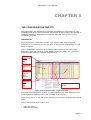
Figure 16 Configuration Tab – High Level View
The restriction characteristics can then be used to legitimise the water application in the
model, against the particular time of tear and water supply source.
There is only one CT in use, and it is the reference for any number of profiles that may be
used
The CT is discussed below in terms of its:
•
•
High-Level View;
Areas of Functionality;
Page 5-1
TankSmartXL™ User Manual
Chapter 5 – The Configuration Tab
•
Data Entry & Application Requirements.
A general high-level view of the Configuration Tab (CT) spreadsheet is shown above in
Figure 16.
High-Level View
The CT spreadsheet is a table of all water usage applications for developing
TankSmartXL™ profiles. It comprises three main sections:
(a) Water Usage Definitions;
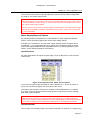
(b) Water Supply/Disposal Options;
(c) Water Restriction Level Definitions.
In addition the CT spreadsheet comprises the usage tools that were described in the
TankSmartXL™ Overview.
Water Usage Definitions
The water usage definitions are the actual activities that water may be used for. There
are more than you may think, and in addition to the basic applications included in
TankSmartXL™, you may add as many as you would like.
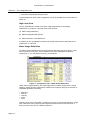
Figure 17 Configuration Tab – Water Usage Definitions
Under water usage definitions, the usage application is entered, along with the usage
category. Note that usage categories are limited to five options (being for a domestic or
residential application) including;
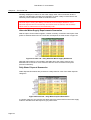
•
•
•
•
•
Bathroom,
Kitchen,
Laundry,
Other,
Yard.
Following entry of this information, a ‘Quantity of Usage’ is entered along with the usage
units. Note these can be anything that might be expected such as litres-per-flush, or
litres-per-load, in the case of a washing machine.
Page 5-2
TankSmartXL™ User Manual
Chapter 5 – The Configuration Tab
The outcome of this section of the spreadsheet is then the final Unit Water Usage Rate
for usage in your Water Usage Profile.
Note: It is important to note here that the name of the application can reflect many
different variations. For example you may have a ‘Washing Machine (Light Load)’; and/or
a, ‘Washing Machine (Heavy Load)’; or various other names to provide options for use in
your various water usage profile/s.
Note: Do not worry that you may need a different ‘Usage Rate’ in your final profile. Usage
rates can be over-ridden for specific applications in the profile – refer to the next section
for more information.
Water Supply/Disposal Options
An important aspect of TankSmartXL™ is the definition of water supply and disposal
options. These are defined against the various water supply options.
Note that it is not possible to vary the water supply disposal options anywhere else in
TankSmartXL™. It is suggested that if other options are required then these should be
defined with slightly different Usage Application Names e.g. ‘Washing Machine (Tank
Water)’ versus ‘Washing Machine (Town Water)’.
WATER SOURCE
All usage applications will require a water supply, which is defined in the next columns
under the CT.
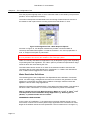
Figure 18 Configuration Tab - Water Source Options
Four sources of water supply provided-for under TankSmartXL™. These are shown in
Figure 18, and follow-through to the other parts of the model.
Obviously some selections would not be sensible in certain applications e.g. drinking
grey-water, however strange scenarios develop and it is left up to the user to manage
their water supply situations.
Note that certain local government authorities, government health departments and other
jurisdictions may declare some water supplies unavailable for the usage applications
listed. In such cases it is the TankSmartXL™ user’s responsibility to determine what these
may be and no liability can be accepted for subsequent or consequential outcomes.
WATER DISPOSAL
The outcome of most water usage is the need for disposal as a result of it no longer being
Page 5-3
TankSmartXL™ User Manual
Chapter 5 – The Configuration Tab
fit for the purpose originally used. In some cases the water is consumed by the process in
question, and no disposal is necessary.
The method of disposal is fundamental to the accounting of water flows into and out of
the residence and is part of the accounting system that TankSmartXL™ does.
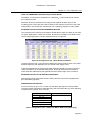
Figure 19 Configuration Tab - Water Disposal Options
As shown in Figure 19, four disposal methods are possible. Consumed water is
commonly associated with irrigation or inside the residence – the use in preparation of
food, or straight consumption by individuals.
Note that since water is lost from the body via perspiration as well as loss of bodily waste
it is not possible to account for this addition to the sewerage system.
Water from laundry and bathroom applications may be disposed to grey-water depending
on prevailing laws and regulations. The ‘Other’ option is provided for special water usage
schemes which are nominated by the user.
The ‘Data Valid’ column carries our a check of the selections made to see these are
consistent with the rules made elsewhere in TankSmartXL™. If data is not valid then an
error condition will be flagged for the user’s attention.
Water Restriction Definitions
The remaining part of the Configuration Tab Spreadsheet is the definition of restriction
levels. As water supply management becomes more critical for the guarantee of water
supplies to communities and cities under conditions of drought, restriction levels are
applied to various water usage applications.
Restriction Definitions are defined under a Town Water Permission Matrix. This approach
has been used in TankSmartXL™ in order to make data entry easier to understand.
Data is entered into the Town Water Permission Matrix as a ‘True’ or ‘False’. ‘True’
indicated that the associated Water Usage Application e.g. ‘Washing the Car
(Bucket)’ is permitted under the level shown.
PERMISSION LEVEL MATRIX
In this version of TankSmartXL™, the permissions have been defined around a seven
level model, in which less-necessary water usage applications are constrained or made
illegal as the situation becomes worse (Restriction Level Increases from 1 through to 7).
Page 5-4
TankSmartXL™ User Manual
Chapter 5 – The Configuration Tab
HOW THE PERMISSION (RESTRICTION) LEVELS WORK
The addition of a permission qualification in TankSmartXL™ was introduced to assist in
the modelling process.
Restriction levels are entered into the usage model, against the date range for the
modelling period. These are then used to reference the relevant records out of the water
usage profile in use at that time. Please refer to the following chapters for more details.
ENTERING DATA INTO WATER PERMISSION MATRIX
The restriction matrix works as a permissions based table in which the ability to use water
for specific applications is either true or false. By doing so, the ability to use water for the
various usage applications is clearly defined as shown in Figure 20.
Figure 20 Configuration Tab - Water Restriction Matrix
The data entered is then cross-referenced against the usage profile to factor in the water
demand created by that application into the overall water supply model.
In practical applications the permissions matrix exhibits a steadily increasing number of
‘false’ permissions, as the situation deteriorates. Eventually all but the most critical of
water needs are addressed by the application and the water usage cut to a minimum.
ENTERING DATA INTO THE RESTRICTION MATRIX
Entering data into the permission matrix is easily carried out and more straightforward
than immediately apparent.
ABBREVIATED DATA ENTRY
It is not necessary to type ‘True’ or ‘false’ into the table, although this is also possible.
The table as been designed for rapid data entry and can equally take any of the following
to represent the required ‘True’ or ‘False’
Abbreviated Entry
Y, y
Yes, yes
1
N, n
No, no
0 (zero)
Translation Result
TRUE
FALSE
Table 2 Configuration Tab – Permission Matrix Abbreviated Data Entry
Page 5-5
TankSmartXL™ User Manual
Chapter 5 – The Configuration Tab
As a consequence of the development of data entries into the permissions matrix, a
pattern should emerge in which the ‘True’ areas of the table eventually taper-off to the
‘False’ areas of the table on the right.
Note that government authorities will issue particular restriction notices in relation to
water usage applications. Because TankSmartXL™ is designed for general usage
throughout the world, it is the responsibility of the user to complete the Water Permission
Matrix.
COMMENTS
The final column of the table provides an entry for comments regarding the particular
water usage application shown on the left. This is useful for clarifying the entry in some
circumstances.
Data Entry & Application Requirements
The Configuration Tab (CT) Spreadsheet provides a live reference to the Water Usage
Profiles (discussed in the next chapter).
If you delete or change the name of a water usage application, then it will be found to
propagate an error in all the profiles where this application is referenced, resulting in
erroneous information being passed up to the Water Usage Model.
The reason for this is that the Usage Application term provides the reference index for the
profiles below.
Note however that changing the values associated with the Usage Application Term
including water supply source, disposal, or restrictions levels, will result in these
quantities and references being automatically propagated throughout the rest of
TankSmartXL™ resulting in the necessary updates to aspects such as the Water Usage
Restriction that is applicable at the time.
Page 5-6
TankSmartXL™ User Manual
CHAPTER 6
THE PROFILE TAB (PT)
The Profile Tab references one of the most important spreadsheets in TankSmartXL™. It
contains the day-by-day usage pattern for the water usage model, based on the water
usage applications developed for the particular residence or domestic application. With
reference to Figure 9, Page 3-6, there is at least one usage Profile in TankSmartXL™, and
may be any number of profiles depending on available resources, although it is
suggested that a maximum of five may be appropriate for most situations – one for each
season, and another for special applications.
Introduction
As provided, TankSmartXL™ is supplied with one profile. It is suggested that this be used
as the basis for other profiles, and the original retained as a master.
As with the Configuration Tab, the PT comprises a large table of records regarding how
water is used by the residence or domestic application over the period of one week. As
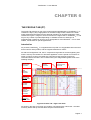
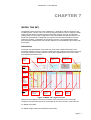
shown in Figure 21 below, the table also comprises a large amount of summary
information above the table. This is referenced by the Usage Model (please refer to the
following chapter).
Alternate Daily
Water Supply
Summaries
Daily Water
Disposal
Summaries
Daily Water
Application Area
Summaries
Mains Daily
Water
Restriction
Summaries
Button for
Inserting New
Line into Table
Profile Entries &
Flow Rate
Estimates
Water Supply
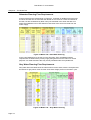
Demands,
Disposal, and
Application
Summaries
Button for
Adding New
Line into Table
Figure 21 Profile Tab – High-Level View
As shown in the High-Level View, the profile is comprised of two main areas – the table
summary data at the top and the table component at the bottom.
Page 6-1
TankSmartXL™ User Manual
Chapter 6 – The Profile Tab
PROFILE TAB TABLE DATA
With regard to the table entry portion of the PT Spreadsheet it can be seen there are a
limited number of data entry fields in each record – as evidenced from the yellow field
entries – refer Chapter 2 - TankSmartXL™ Overview for more information.
Data in the white fields of the PT spreadsheet, contain information derived from
underlying tables as a consequence of referencing the usage application from the
Configuration Tab spreadsheet (refer previous Chapter).
PROFILE TAB SUMMARY DATA
Data in the summary area of the spreadsheet is derived from the underlying table and is
tabulated as shown for the purposes of being cross-referenced from the water usage
model (Refer following Chapter).
This is very important since it summarises water flows for the profile in terms of the;
•
•
•
Day;
Flow Type;
Area of Application.
These are described in detail under the following subsections:
(a) Profile Entries & Flow Rate Estimates;
(b) Profile Entry Summary Demands, Disposal & Applications;
(c) Mains Water Daily Restriction Summaries;
(d) Alternate Daily Water Supply Summaries;
(e) Daily Water Disposal Summaries;
(f) Daily Water Application Area Summaries.
Although seemingly complex, the water supply profile is merely a way of cross-linking the
application configurations to the water supply model, based on the daily usage patterns,
and accounting for the number of people and repetition of the water application each day
through the week.
Page 6-2
TankSmartXL™ User Manual
Chapter 6 – The Profile Tab
Profile Entries/Flow Rate Estimates
The water usage profile for a week is made up from consecutive entries for each activity
as shown in Figure 22.
WATER USAGE ACTIVITY
Clicking on the Water User Activity field of the
record produces a drop-down box listing the
various activities defined under the Configuration
Tab as shown. The option required is selected and
on closure of the drop-down box, the non-entry
fields of the new record are automatically inserted
as required across all columns.
DAY ENTRY
The ‘Day’ entry for the record allows for the
cross-referencing of the particular activity to the
necessary days of the week.
As shown, clicking on the yellow entry field,
results in a number of options being presented
for selection. To speed up entry various day
combinations are allowed such as all days, work
days (Monday to Friday inclusive) or specific
days of the week where the activity is special.
This entry then allows a summary to be created
for the record, and used for water flow estimates over the period of a week. As a result of
these entries, default data is extracted from the Configuration Tab spreadsheet and
presented.
FLOW RATE ESTIMATION
With reference to Figure 22, nominal flow rates for water usage are derived from the
Configuration Tab spreadsheets. Two details are extracted – the Nominal Flow Quantity
and the Nominal Flow Units..
Figure 22 Profile Tab – Flow Rate Estimates
Note that whilst the nominal flow units can be almost anything you want as long as it is
expressed in litres per ‘something’ the objective is litres per day.
Page 6-3
TankSmartXL™ User Manual
Chapter 6 – The Profile Tab
Therefore firstly the option is provided to vary the flow value as shown. The ‘Half Toilet
Flush’ entry value is changed from the default which is 3, to a new value of 4. The Agreed
Flow Rate is now updated to reflect this change in terms of the default units. Next it is
required to determine the actual flow rate subtotals for the day.
FLOW RATE SUBTOTALS
In order to arrive at the daily flow-rate subtotals, two other factors are taken into account
for profile entries – these are the:
(a) Daily Activity Multiplier – Or the number of times the activity is repeated every day by
an individual, and
(b) Daily Person Multiplier – The number of persons undertaking the activity each day.
Together with the Agreed Flow Rate the quantity of water used on a daily basis is then
obtained and the result presented in units of litres/day as the Activity Subtotal as shown
in Figure 23.
Figure 23 Profile Tab – Water Supply/Disposal Pathways
Together with the ‘Water Use Pathway’ (derived from the ‘Configuration Tab spreadsheet’
the entry for the ‘Water Usage Activity’ is completed.
The remainder of the Water Usage Profile is concerned with the analysis of these
requirements, and their presentation in the summary area at the top of the profile. This
allows this information to be made available to the model.
Summary Demands, Disposal, & Applications
The remaining columns of the table are concerned with summarising the water
requirements for each Water Usage Application.
WATER SUPPLY DEMANDS
Water supply demands are separated out into a number of columns in accordance with
the three categories and options source as described in the Summary Tab. Some
examples are shown in Figure 24.
Page 6-4
TankSmartXL™ User Manual
Chapter 6 – The Profile Tab
Figure 24 Profile Tab – Water Supply Demain Summaries
Columns in turn are summed for the whole of the profile to give the total water supply
requirements over a period of a week. In the case of Town or Mains water supplies, this
information is further dissected in terms of the various restriction levels.
Figure 25 Profile Tab – Water Disposal Summaries
In a similar way to supply, the disposal summaries for each Water Usage Activity are
derived as shown in Figure 25. In addition the Application Area for the particular activity is
shown as derived from the Configuration Tab.
Mains Water Restriction Summaries
Mains Water Restriction Summary data is developed out of the profile for the purposes of
linking into the water usage model (refer following chapter).
Figure 26 Profile Tab – Daily Water Restriction Summary
This table is of particular importance because it summarises the flows arising from draw
down on the town water supply. Where the user has tanks installed (as shown in the
Page 6-5
TankSmartXL™ User Manual
Chapter 6 – The Profile Tab
following chapter) this reliance on the water supply under various restriction levels is
reduced. The table also provides some indication on either a daily or level basis for the
sensitivity of the residence to water to restriction levels.
Note that the “SubT Week Days” Row at the bottom of this table is the total of the
individual days including the AllDays, Weekends, and Workdays definitions. If the
individual requirements for Wednesday are needed, then the AllDays and Workdays
values must be subtracted from the Wednesday total.
Alternate Water Supply Requirements Summaries
With the option of other water supplies, a further summary of interest is the impact of the
profile on alternate water sources. These are developed in the table shown in Figure 27.
Figure 27 Profile Tab – Daily Alternate Water Supply Summaries
Note that mains water is not included in this table due to the need to have its own
dedicated set of records for cross reference with the seven restriction levels (refer
previous subsection).
Daily Water Disposal Summaries
Water Disposal Summaries are provided on a daily basis for each of the water disposal
categories.
Figure 28 Profile Tab – Daily Water Disposal Summaries
In a similar manner to the previous two tables these are referenced from the water supply
model to calculate flows with respect to grey water tanks.
Page 6-6
TankSmartXL™ User Manual
Chapter 6 – The Profile Tab
Daily Water Application Area Summaries
The ‘Profile Application Summary’ table shows water usage for the particular profile for
each of the five application areas, on a daily basis. An example of this table is shown in
Figure 29. Associated with the table in the Figure is a small column called ‘Check’. This
column should only contain ‘zeros’ and is used as a balance check on the water inflows
and outflows. The ‘Application Summary Table’ also includes other capabilities to show
profile water flows in each of the application areas on a daily basis.
Figure 29 Profile Tab – Daily Application Area Summaries
These quantities can be selected by clicking on the drop-down box under the table label
as shown in Figure 30.
Figure 30 Profile Tab - Daily Application Area Supply/Disposal Options
A range of options commensurate with the sources and disposal sinks described can be
selected. On choosing the appropriate option, the specific flow for that option is shown
across al days for each area of the residence.
Applying Water Usage Profiles
A number of profiles may be built up to describe water usage patterns for a given week. If
water usage changes then a new weekly profile is required to be developed.
The normal way of handling this would be to develop a prototype profile, then copy this
for application in other profiles.
Page 6-7
TankSmartXL™ User Manual
Chapter 6 – The Profile Tab
For example if you washed the car once every month, then you would copy the basic
profile, and add a new entry for car washing to a new profile based on the prototype. This
would be picked up by the model as described in the following paragraph and the change
taken into account in the resulting water flows.
Naming of Profiles
Any number of profiles can be developed for modelling water flows. It is suggested that
short simple names or mnemonics be used to represent the particular usage pattern,
since this name must be entered into the Water Supply Model – Please refer to the next
chapter for more information.
Page 6-8
TankSmartXL™ User Manual
CHAPTER 7
MODEL TAB (MT)
The MODEL Tab is the focus of the TankSmartXL™ application and the outcome of the
modelling inputs. The MT can be as small or large as needed in order to reflect the water
usage scenario being considered, and models water supplies, storage, and disposal
strategy based on the usage configurations and profiles that have been developed. The
Model Tab spreadsheet is comprised of a large amount of linked information from the
underlying profile/s, configuration and summary screens. It is suggested that if these
have not been completed then the relevant chapters be reviewed before proceeding with
this chapter.
Introduction
The Model Tab spreadsheet is not unlike any of the other modules described in the
preceding chapters in that it comprises a single table with graphical summaries at the top.
These are provided by default, however others are possible based on the user’s skills
and familiarity with MS Excel™.
Overall Water
Supply Planning
Graphical
Summary
Model Rainwater
Planning Graphical
Summary
Model Grey Water
Planning Graphical
Summary
Model Disposal
Outcomes
Graphical Summary
Button for
Inserting
New Line
into Model
Model
Time-base
Information
Model
Rainfall,
Usage
Profiles &
Restrictions
Information
Model
Town Water
Flow Rqmnts
Button for
Adding New
Line into
Model
Rainwater
Planning Flow
Outcomes
Grey Water
Planning Flow
Outcomes
Other Supply
Mgmt Flow
Outcomes
Water
Disposal
Outcomes
Figure 31 Model Tab - High-Leve View
Apart from the graphical summary information at the top of the screen, the model
comprises one main table which can be divided up into seven sections. These are the:
(a) Model Time Base;
(b) Model Usage Profiles and Restriction Information;
Page 7-1
TankSmartXL™ User Manual
Chapter 8 – The Model Tab
(c) Town Water Flow Requirements;
(d) Rainwater Planning Flow Requirements;
(e) Grey Water Planning Flow Requirements;
(f) Other Flow Management Outcomes; and
(g) Water Disposal Outcomes.
Collectively these operate together to provide an overall visual estimation of water flows
over the period being modelled as described below.
Model Time Base
The Model Time Base is at the heart of the modelling process, as it provides the
reference for:
•
•
•
•
Rainfall Records;
Application of Profile Information;
Application of Restriction Information; and
Subsequent Water Flows.
These other aspects are described below.
Note that the time base is slightly skewed by the rainfall measurement process which in
Australia starts and finishes at 9AM every day. However under most circumstances this
misalignment with the 24 hour clock could be expected to be integrated-out by the tanks
storage process.
The Time Base comprises a list of consecutive references which obtain its start date from
‘Item 4 Analysis Parameters’, where the entry is made for the Analysis Start Date.
Leaving this field empty defaults the Analysis Start Date to the current date, which may
not be appropriate since each time TankSmartXL™ is opened the date will adjust
accordingly.
Figure 32 Model Tab – Time Base, Rainfall Data, & Usage Patterns
In the case of the excerpt shown in the screen capture above, the date has defaulted to
the current date due to the entry field in the Summary Tab being left unfilled. However on
entry of a valid date, this starting entry will reference that entry as the basis for the
resulting calculations.
Page 7-2
TankSmartXL™ User Manual
Chapter 6 – The Model Tab
DERIVED DATE INFORMATION
As a consequence of the ‘Date’ field entry, it is possible to determine the “Day of the
Month’ and ‘Day-of-the Week’ for subsequent cross-referencing with the Usage Profiles.
LEGACY RAINFALL DATA
Similarly the date can be used to cross-reference the applicable rainfall records for
calculation of ‘what-if’ scenarios based on legacy rainfall records from previous years.
POTENTIAL RUN-OFF
Based on the collection area of the roof or other harvesting surfaces the quantity of run12
off can be estimated. This area information which is also completed as part of the
Summary Tab spreadsheet therefore allows for the modelling of rain water tank inflows.
Model usage Profiles & Restrictions
The TankSmartXL™ system has been designed to take into account restriction levels and
various water usage profiles. These must be entered against a particular date.
PROFILE INFORMATION
As the profile information represents water usage characteristics over the period of a
week, each day as an argument is passed to the profile in use to determine what the
scheduled water flows were on those days – whether these were for town water,
rainwater sewerage etc.
RESTRICTION LEVEL
In a similar way to the profile information the restriction level for that day is also entered
and town water demands determined.
Note that where continuous entries need to be made it is possible to simultaneously
depress the <CTRL> and <;> keys to duplicate the cell from above.
Profiles and Restriction entries will usually be entered continuously over long periods of
time. Profiles may be influenced by changing operational conditions or seasonal factors,
whilst Restrictions will be determined by government.
12
Note that Run-Off can be difficult to estimate and maybe totally wrong under conditions of light rain interspersed with very hot
sunny conditions. In such cases the initial precipitation is largely evaporated before run-off can occur. Similarly the quality and
condition of certain roofing materials can be expected to have an impact on the amount of run-off achieved. An example might be
old porous roof-tiles versus new galvanised roofing iron. If in doubt it maybe possible to test the roof collection efficiency to more
accurately determine efficiency.
Page 7-3
TankSmartXL™ User Manual
Chapter 8 – The Model Tab
Town Water Flow Requirements
The town water planning and subsequent draw-down of mains supply is one of the most
important outputs of TankSmartXL™ and is described in the first part of the model. By
using the savings arising from the use of rain-water, grey-water, and other supply
sources, the reduced impact on town water can be calculated on a day-by-day basis.
Two components are considered in the use of town-water – the ‘Normal Mains
Requirement’ for the purposes of critical applications such as human consumption and
food processing, and the ‘Backup Mains Requirement’ resulting as a consequence of
supporting other sources such as grey water or ‘Other’ e.g. bore water.
Page 7-4
TankSmartXL™ User Manual
Chapter 6 – The Model Tab
Note the use of town water to back-up alternate water sources being used at a site may
be prohibited or require special technical considerations.
The ability to use town water can be disabled in the options under the Summary Tab.
Figure 33 Model Tab – Town Water Planning
In addition to backing-up rain water supplies, it may be allowed to backup other water
sources, although the experience is that the system generally produces much more greywater than can actually be put to good use, and should normally need to be supported.
Storage Modelling
Both rain water and grey water are different to the other water supplies in that these are
held in temporary holding tanks for supply on demand. In operation the levels rise and fall
continually in accordance with the usage, and under extreme conditions either run dry or
over flow.
Although it happens over an indeterminate time span and in accordance with prevailing
daily supply and usage patterns, for the purpose of the model, the situation represented
in the model is that which exists at the end of the day. Therefore the balances of water in
tanks are passed forward as part of the first field in the following record from each row in
the table.
Both rain and grey water storage information comprises the same set of entries i.e.
•
•
•
•
•
Inflows,
Direct Draw,
Storage Balance (at end of day),
Short Fall, and
Overflow or Spill.
In situations where a tank overflows, that quantity is lost from the system, and may
actually be run into the sewerage system.
In the case of rain water, in conditions where the tank runs dry, this water may be
backed-up from the mains supply if permitted.
Page 7-5
TankSmartXL™ User Manual
Chapter 8 – The Model Tab
Rainwater Planning Flow Requirements
In the excerpt from the model shown in Figure 34, a number of rainfall events gives rise
to inflows of water into the rainwater tank based on the roof-area. These accumulate in
the tank, but are simultaneously taken out by the allocated uses. When the tank runs
empty the installation in this case allows for that water to be second-sourced from the
mains supply.
Figure 34 Model Tab - Rain Water Planning
In this case (allowed for by the set-up in the Summary Tab), the additional water
requirements are added to the primary supply being drawn from the mains for normal
purposes. As noted elsewhere this may not be permitted under local jurisdictions.
Grey Water Planning Flow Requirements
Grey water flows are balanced in the same manner as rain water, with the exception that
the inflows for grey water come via other clean water usage process in the water cycle.
Figure 35 Model Tab – Grey Water Planning
Page 7-6
TankSmartXL™ User Manual
Chapter 6 – The Model Tab
For this reason, there it is usually easy to maintain grey-water supplies as opposed to
town water and rain water sources.
Other Flow Management Outcomes
The fourth water supply option is shown under ‘Other Supply Direct Draw’ in Figure 35.
For the purposes of the modelling process this is assumed to be an unrestricted
alternative supply of water. It could however also be another storage, in which case a
different modelling process would be required.
TANKSMARTXL™ OPTIONS
A number of options exist for modelling water supplies, however the ones provided are
believed to be the most common. If alternative custom arrangements are required please
contact Nufer & Associates at the address on the front of this document.
Page 7-7
TankSmartXL™ User Manual
Chapter 8 – The Model Tab
THIS PAGE LEFT INTENTIONALLY BLANK
Page 7-8
TankSmartXL™ User Manual
CHAPTER 8
TANKSMARTXL™ TUTORIAL
In this Chapter two example tutorials are provided for using the TankSmartXL™
spreadsheet application. The result may be used as a guide for your own situations
where there is a desire to plan water usage and the potential benefits of installing rain
water and grey water storage tanks.
Domestic Scenario
The Smith household comprises four persons, Jack and Alice, and their two teenage
children John & Anne, residing in Eight Mile Cliffs, Brighton.
After building their home some 15 years earlier, Jack and Alice are considering
improvements to save on water usage, through the installation of rain water and grey
water tanks, along with new water saving shower rose.
CURRENT SITUATION
Before commencing, they are keen to examine just what saving and removal of
dependency on the town water supply based on the rainfall experienced over the
previous 12 months.
During this time they have noted how the water restriction levels have steadily increased
from Level 1 through to Level 5, and since Alice has been concerned at the loss of her
garden she is keen to see what potential exists for reusing grey-water for application to
her garden and as a replacement for flushing the toilet.
Jack has compiled a list of water usage applications around the home including the
Kitchen, Laundry, Bathroom, Yard, & Other.
There are little differences between the Summer/Autumn and Winter/Spring Months in
Brisbane due to the local climate. Consequently Jack prepares a weekly water usage
budget for a typical week during each period of time. He also produces an additional
profile to account for washing the car every month.
Current Present Water Usage – Summer/Autumn
The summer autumn period is characterised by being fairly and consistently warm to hot.
This results in people tending to use water more including drinks, bathing, and similar. As
it represents the present situation all water is derived from the mains.
On weekends the teenage children tend to be out with their friends, reducing the impact
on the domestic water supply a little.
During workdays, the absence of all but Alice from the house means the water
requirements of the others are born by their respective work places.
Page 8-1
TankSmartXL™ User Manual
Chapter 8 – TankSmartXL™ Tutorial
Current Summer/Autumn Kitchen & Laundry
Area
Kitchen
Water Usage Activity
20 litres/meal
Preparation of Breakfast (Everyone)
Weekends
30 litres/meal
Preparation of Lunch (Alice Only) Workdays
Laundry
Usage
Preparation of Breakfast (Everyone)
Workdays
Water Source
Town Water
5 litres/meal
Preparation of Dinner – Each workday for
(Jack, Alice, John & Anne)
40 litres/meal
Preparation of Lunch Saturday (Jack & Alice
Only)
15 litres/meal
Preparation of Lunch Sunday (Jack & Alice
Only)
15 litres/meal
Preparation of Dinner Party Saturday (Jack
& Alice + 2 Adult Friends)
50 litres/meal
Preparation of Barbeque Sunday Evening
(Jack, Alice & Family)
30 litres/meal
Dishwasher Workdays
20 litres/day
Dishwasher Saturdays
45 litres/day
Dishwasher Sundays
35 litres/day
Drinking (Workdays)
12 litres/person
Water Consumption – Jack, John & Anne
(Workdays)
5 litres/person
Water Consumption – Alice (Workdays)
8 litres/person
Water Consumption – Jack & Alice
(Weekends)
10 litres/person
Water Consumption – John & Anne
(Weekends)
5 litres/person
Town Water
Town Water
Washing of Floors
50 litres/wash
Town Water
Garbage Disposal
30 litres/day
Town Water
Washing Machine (Top Loader) Three
Loads on Saturday
200 litres/wash
Town Water
Washing Machine (Top Loader) Four Loads
on Wednesday
200 litres/wash
Table 3 Domestic Scenario - Current Summer/Autumn Kitchen & Laundry
Page 8-2
TankSmartXL™ User Manual
Chapter 8 – TankSmartXL™ Tutorial
Current Summer/Autumn Bathroom, Yard & Other
Area
Water Usage Activity
Bathroom Toilet Full – 2 visits per day each (Jack,
Alice, John & Anne)
Toilet Half – 5 visits per day Alice
6 litres/flush
Toilet Half – 2 visits per workday (John &
Anne)
6 litres/flush
Toilet Half – 3 visits per weekend day (John
& Anne)
6 litres/flush
Toilet Half – 4 visits per workday (Jack)
6 litres/flush
Toilet Half – 6 visits per weekend day (Jack)
6 litres/flush
Showers – 2 showers per work day each
(Jack, Alice, John & Anne)
20 litres/minute
Bath – 1 bath per Sunday (Jack & Alice)
50 litres/bath
Showers – 1 shower per weekend day each
(John & Anne)
20 litres/minute
Showers – 1 shower per Saturday each
(Jack & Alice)
20 litres/minute
Brushing Teeth – 1 each per (Jack, Alice,
John & Anne)
Yard
1 litre/clean
Basin – 1 each per (Jack & John)
5 litres/wash
Basing – 2 each per (Alice & Anne)
5 litres/wash
Hand Washing – 10 each workday per
(Anne)
1 litre/wash
Hand Washing – 5 times each workday per
(Jack, John, & Anne)
1 litre/wash
Hand Washing – 7 times each weekend day
per (Jack & Alice)
1 litre/wash
Hand Washing – 3 times each weekend day
per (John & Anne)
1 litre/wash
Sprinkling the Grass – two hours each three
times per week each odd day not including
Monday
1000 litres/hour
Topping-Up Swimming Pool – once per
weekend day
250 litres
Hosing Dust off Driveways - Refer Monthly
Profile – once each month in summer
Other
Usage
11 litres/flush
Washing the Car – Refer Monthly Profile –
once each month in summer
Water Source
Town Water
Town Water
Town Water
Town Water
75 litres/5 mins
200 litres/12
minutes
Town Water
Table 4 Domestic Scenario - Current Summer/Autumn Bathroom, Yard & Other
Current Present Water Usage – Winter/Spring
During the winter and spring months, the demand for water tends to drop slightly due to
the cooler temperatures. Evaporation reduces the requirement to fill up the pool, whilst
people may tend to revert to one shower per day due to the discomfort of the cold.
Similarly consumption for drinking and associated purposes also drops, along with the
need to wash the car. Other activities usually curtailed by the cooler weather include the
sprinkling of the lawn and hosing of driveways etc. aspects are reflected in the modified
usage tables below.
Page 8-3
TankSmartXL™ User Manual
Chapter 8 – TankSmartXL™ Tutorial
Current Winter/Spring Kitchen & Laundry
Area
Kitchen
Water Usage Activity
20 litres/meal
Preparation of Breakfast (Everyone)
Weekends
30 litres/meal
Preparation of Lunch (Alice Only) Workdays
Laundry
Usage
Preparation of Breakfast (Everyone)
Workdays
Water Source
Town Water
5 litres/meal
Preparation of Dinner – Each workday for
(Jack, Alice, John & Anne)
40 litres/meal
Preparation of Lunch Saturday (Jack & Alice
Only)
15 litres/meal
Preparation of Lunch Sunday (Jack & Alice
Only)
15 litres/meal
Preparation of Dinner Saturday (Jack &
Alice)
40 litres/meal
Preparation of Dinner Sunday Evening
(Jack, Alice & Family)
40 litres/meal
Dishwasher Workdays
20 litres/day
Dishwasher Saturdays
25 litres/day
Dishwasher Sundays
25 litres/day
Drinking (Workdays)
10 litres/person
Water Consumption – Jack, John & Anne
(Workdays)
5 litres/person
Water Consumption – Alice (Workdays)
6 litres/person
Water Consumption – Jack & Alice
(Weekends)
6 litres/person
Water Consumption – John & Anne
(Weekends)
6 litres/person
Town Water
Town Water
Washing of Floors
50 litres/wash
Town Water
Garbage Disposal
30 litres/day
Town Water
Washing Machine (Top Loader) Three
Loads on Saturday
200 litres/wash
Town Water
Washing Machine (Top Loader) Four Loads
on Wednesday
200 litres/wash
Table 5 Domestic Scenario - Current Winter/Spring Kitchen & Laundry
Page 8-4
TankSmartXL™ User Manual
Chapter 8 – TankSmartXL™ Tutorial
Current Winter/Spring Bathroom, Yard & Other
Area
Water Usage Activity
Bathroom Toilet Full – 2 visits per day each (Jack,
Alice, John & Anne)
Yard
Other
Usage
11 litres/flush
Toilet Half – 7 visits per day Alice
6 litres/flush
Toilet Half – 3 visits per workday (John &
Anne)
6 litres/flush
Toilet Half – 3 visits per weekend day (John
& Anne)
6 litres/flush
Toilet Half – 4 visits per workday (Jack)
6 litres/flush
Toilet Half – 7 visits per weekend day (Jack)
6 litres/flush
Showers – 1 showers per work day each
(Jack, Alice, John & Anne)
20 litres/minute
Showers – 1 shower per weekend day each
(John & Anne)
20 litres/minute
Showers – 2 shower per weekend day each
(Jack & Alice)
20 litres/minute
Brushing Teeth – 1 each per (Jack, Alice,
John & Anne)
1 litre/clean
Basin – 1 each per (Jack & John)
5 litres/wash
Basing – 2 each per (Alice & Anne)
5 litres/wash
Hand Washing – 8 each workday per (Anne)
1 litre/wash
Hand Washing – 4 times each workday per
(Jack, John, & Anne)
1 litre/wash
Hand Washing – 5 times each weekend day
per (Jack & Alice)
1 litre/wash
Hand Washing – 3 times each weekend day
per (John & Anne)
1 litre/wash
Sprinkling the Grass – 1 hour each week
each odd day not including Monday
1000 litres/hour
Topping-Up Swimming Pool – once per
weekend day
0 litres
Hosing Dust off Driveways - Refer Monthly
Profile – once each month in summer
0 litres/5 mins
Washing the Car – Refer Monthly Profile –
once each month in summer
200 litres/12
minutes
Water Source
Town Water
Town Water
Town Water
Town Water
Town Water
Table 6 Domestic Scenario - Current Winter/Spring Bathroom, Yard & Other
Page 8-5
TankSmartXL™ User Manual
Chapter 8 – TankSmartXL™ Tutorial
PROPOSED SITUATION
After reviewing the current situation Jack decides that he would like to implement some
changes to the home to improve the efficiency with which they utilise water.
Jack also notes that with increasing restrictions certain activities in the future such as
sprinkling the garden, hosing dirt off driveways, washing the car and other expected
activities will no longer be possible with the town water supply.
He wishes to examine the best strategies and investment for maintaining a
environmentally consistent water usage practices.
Having set-up all of the profiles required in TankSmartXL™, he is now ready to investigate
the benefits of water saving measures. He decides to consider initiatives such as the
fitting of water efficient shower heads and collection of rain water off his 20 square metal
roof, along with the installation of a basic recycling system and grey water storage tank.
He also decides to re-plumb his toilet for use of grey water, and utilise his new water tank
for utility applications around the home such as watering the garden, washing the car,
and topping up the swimming pool. In doing so he makes the following changes to the
water usage schedules previously listed, and using the previous 18 months of rainfall
records, evaluates the size of rain water tank that provides the optimum storage volume.
He adjusts the previous schedules as indicated to reflect the new design.
Page 8-6
TankSmartXL™ User Manual
Chapter 8 – TankSmartXL™ Tutorial
Proposed Summer/Autumn Kitchen & Laundry
Area
Kitchen
Water Usage Activity
20 litres/meal
Preparation of Breakfast (Everyone)
Weekends
30 litres/meal
Preparation of Lunch (Alice Only) Workdays
Laundry
Usage
Preparation of Breakfast (Everyone)
Workdays
Water Source
Town Water
5 litres/meal
Preparation of Dinner – Each workday for
(Jack, Alice, John & Anne)
40 litres/meal
Preparation of Lunch Saturday (Jack & Alice
Only)
15 litres/meal
Preparation of Lunch Sunday (Jack & Alice
Only)
15 litres/meal
Preparation of Dinner Party Saturday (Jack
& Alice + 2 Adult Friends)
50 litres/meal
Preparation of Barbeque Sunday Evening
(Jack, Alice & Family)
30 litres/meal
Dishwasher Workdays
20 litres/day
Dishwasher Saturdays
45 litres/day
Dishwasher Sundays
35 litres/day
Drinking (Workdays)
Town Water
12 litres/person
Town Water
Water Consumption – Jack, John & Anne
(Workdays)
5 litres/person
Town Water
Water Consumption – Alice (Workdays)
8 litres/person
Water Consumption – Jack & Alice
(Weekends)
10 litres/person
Water Consumption – John & Anne
(Weekends)
5 litres/person
Washing of Floors
50 litres/wash
Town Water
Garbage Disposal
30 litres/day
Town Water
Washing Machine (Top Loader) (Front
Loader) Three Loads on Saturday
Washing Machine (Top Loader)(Front
Loader) Four Loads on Wednesday
200 litres/wash
100 litres/wash
Town Water
Dispose to Grey
Water
Table 7 Domestic Scenario - Proposed Summer/Autumn Kitchen & Laundry
Page 8-7
TankSmartXL™ User Manual
Chapter 8 – TankSmartXL™ Tutorial
Proposed Summer/Autumn Bathroom, Yard & Other
Area
Water Usage Activity
Bathroom Toilet Full – 2 visits per day each (Jack,
Alice, John & Anne)
Yard
Toilet Half – 5 visits per day Alice
6 litres/flush
Toilet Half – 2 visits per workday (John &
Anne)
6 litres/flush
Toilet Half – 3 visits per weekend day (John
& Anne)
6 litres/flush
Toilet Half – 4 visits per workday (Jack)
6 litres/flush
Toilet Half – 6 visits per weekend day (Jack)
Showers – 2 showers (efficient shower
rose) per work day each (Jack, Alice, John
& Anne)
6 litres/flush
20 litres/minute
9 litres/minute
Bath – 1 bath per Sunday (Jack & Alice)
Showers – 2 shower (efficient shower
rose) per weekend day each (John & Anne)
50 litres/bath
Showers – 1 shower (efficient shower
rose) per weekend day each (Jack & Alice)
20 litres/minute
9 litres/minute
Water Source
Town Water
Grey Water
Dispose to
Sewerage
Town Water
Dispose to Grey
Water
20 litres/minute
9 litres/minute
Brushing Teeth – 1 each per (Jack, Alice,
John & Anne)
1 litre/clean
Basin – 1 each per (Jack & John)
5 litres/wash
Basin – 2 each per (Alice & Anne)
5 litres/wash
Hand Washing – 10 each workday per
(Anne)
1 litre/wash
Hand Washing – 5 times each workday per
(Jack, John, & Anne)
1 litre/wash
Hand Washing – 7 times each weekend day
per (Jack & Alice)
1 litre/wash
Hand Washing – 3 times each weekend day
per (John & Anne)
1 litre/wash
Sprinkling the Grass – two hours each three
times per week each odd day not including
Monday
1000 litres/hour
Town Water
Tank Water
Topping-Up Swimming Pool – once per
weekend day
250 litres
Town Water
Rain Water
Hosing Dust off Driveways - Refer Monthly
Profile – once each month in summer
Other
Usage
11 litres/flush
Washing the Car – Refer Monthly Profile –
once each month in summer
75 litres/5 mins
200 litres/12
minutes
Town Water
Dispose to Grey
Water
Town Water
Rain Water
Town Water
Rain Water
Table 8 Domestic Scenario - Proposed Summer/Autumn Bathroom, Yard & Other
Page 8-8
TankSmartXL™ User Manual
Chapter 8 – TankSmartXL™ Tutorial
Proposed Winter/Spring Kitchen & Laundry
Area
Kitchen
Water Usage Activity
20 litres/meal
Preparation of Breakfast (Everyone)
Weekends
30 litres/meal
Preparation of Lunch (Alice Only) Workdays
Laundry
Usage
Preparation of Breakfast (Everyone)
Workdays
Water Source
Town Water
5 litres/meal
Preparation of Dinner – Each workday for
(Jack, Alice, John & Anne)
40 litres/meal
Preparation of Lunch Saturday (Jack & Alice
Only)
15 litres/meal
Preparation of Lunch Sunday (Jack & Alice
Only)
15 litres/meal
Preparation of Dinner Saturday (Jack &
Alice)
40 litres/meal
Preparation of Dinner Sunday Evening
(Jack, Alice & Family)
40 litres/meal
Dishwasher Workdays
20 litres/day
Dishwasher Saturdays
25 litres/day
Dishwasher Sundays
25 litres/day
Drinking (Workdays)
10 litres/person
Water Consumption – Jack, John & Anne
(Workdays)
5 litres/person
Water Consumption – Alice (Workdays)
6 litres/person
Water Consumption – Jack & Alice
(Weekends)
6 litres/person
Water Consumption – John & Anne
(Weekends)
6 litres/person
Town Water
Town Water
Washing of Floors
50 litres/wash
Town Water
Garbage Disposal
30 litres/day
Town Water
Washing Machine (Top Loader) (Front
Loader) Three Loads on Saturday
Washing Machine (Top Loader)(Front
Loader) Four Loads on Wednesday
200 litres/wash
100 litres/wash
Town Water
Dispose to Grey
Water
Table 9 Domestic Scenario - Proposed Winter/Spring Kitchen & Laundry
Page 8-9
TankSmartXL™ User Manual
Chapter 8 – TankSmartXL™ Tutorial
Proposed Winter/Spring Bathroom, Yard & Other
Area
Water Usage Activity
Bathroom Toilet Full – 2 visits per day each (Jack,
Alice, John & Anne)
Toilet Half – 7 visits per day Alice
6 litres/flush
Toilet Half – 3 visits per workday (John &
Anne)
6 litres/flush
Toilet Half – 3 visits per weekend day (John
& Anne)
6 litres/flush
Toilet Half – 4 visits per workday (Jack)
6 litres/flush
Toilet Half – 7 visits per weekend day (Jack)
Showers – 1 showers (efficient shower
rose) per work day each (Jack, Alice, John
& Anne)
Showers – 2 shower (efficient shower
rose) per weekend day each (John & Anne)
6 litres/flush
Showers – 1 shower (efficient shower
rose) per weekend day each (Jack & Alice)
Brushing Teeth – 1 each per (Jack, Alice,
John & Anne)
Yard
Other
Usage
11 litres/flush
20 litres/minute
9 litres/minute
Town Water
Grey Water
Dispose to
Sewerage
Town Water
Dispose to Grey
Water
20 litres/minute
9 litres/minute
20 litres/minute
9 litres/minute
1 litre/clean
Basin – 1 each per (Jack & John)
5 litres/wash
Basing – 2 each per (Alice & Anne)
5 litres/wash
Hand Washing – 8 each workday per (Anne)
1 litre/wash
Hand Washing – 4 times each workday per
(Jack, John, & Anne)
1 litre/wash
Hand Washing – 5 times each weekend day
per (Jack & Alice)
1 litre/wash
Hand Washing – 3 times each weekend day
per (John & Anne)
1 litre/wash
Sprinkling the Grass – 1 hour each week
each odd day not including Monday
Water Source
1000 litres/hour
Town Water
Dispose to Grey
Water
Town Water
Tank Water
Topping-Up Swimming Pool – once per
weekend day
0 litres
Town Water
Rain Water
Hosing Dust off Driveways - Refer Monthly
Profile – once each month in summer
0 litres/5 mins
Town Water
Rain Water
Washing the Car – Refer Monthly Profile –
once each month in summer
200 litres/12
minutes
Town Water
Rain Water
Table 10 Domestic Scenario - Proposed Winter/Spring Bathroom, Yard & Other
Page 8-10
TankSmartXL™ User Manual
APPENDIX
INTRODUCTION
The TankSmartXL™ Appendix contains information which may be of interest in the
undertaking of tutorials and use of TankSmartXL™.
Typical Water Usage Allowances
There have been a number of typical water usage allowances published by a variety of
agencies and commercial organisations. The following are provided as a guide for input
into the Configuration Tab Spreadsheet.
Page I
TankSmartXL™ User Manual
TankSmartXL™ Appendix
DOMESTIC APPLICATIONS
Table 11 comprises a list of water usage rates – obtained from numerous sources mainly
in Australia. These are meant as a guide for the completion of the Configuration Tab
Spreadsheet of TankSmartXL™.
Water Appliance
Water Usage
Dishwasher (Full Load)
16 - 32 litres/load
Garbage Disposal
30 litres/day
Washing-Up by Hand (Washing)
5 litres/wash ???
Washing-Up by Hand (Rinsing)
5 litres/wash ???
Domestic Cleaning (Washing Floors)
20 litres/week ???
Cooking & Meal Preparation
10 litres/meal ???
Drinking Purposes
20 litres/person ???
Hand Washing
Washing Machine (Twin Tub)
5 litres/person/day ???
40 litres/load
Washing Machine(Front Loader)
100 litres/load
Washing Machine (Top Loader)
170 - 265 litres/load
Bath (Typical Max)
150 litres/bath
Bath (Typical Min)
50 litres/bath
Shower (Typical)
20 litres/minute
Shower (Best Practice)
9 litres/minute
Basin (Typical)
5 litres/use
Brushing Teeth (Typical)
5 litres/clean
Brushing Teeth (Best Practice)
1 litre/clean
Sprinkling
1000 litres/hour
Car Washing
Hosing Driveway
200 litres/12 minutes
75 litres/5 minutes
Table 11 Typical Domestic Applications – Water Usage Rates
Page II
TankSmartXL™ User Manual
TankSmartXL™ Appendix
COMMERCIAL APPLICATIONS
Table 12 comprises a list of commercial water usage rates have been obtained from
numerous sources mainly in Australia. These are meant as a guide for the completion of
the Configuration Tab Spreadsheet of TankSmartXL™.
Water Appliance
Water Usage
Dishwasher (Hood Type)
156 litres/hour
Dishwasher (Rack Conveyer)
320 litres/hour
Sinks (Best Practice)
12 litres/min
Sinks (Typical)
25 litres/min
Basins (Best Practice)
6 litres/min
Basins (Typical)
12 litres/min
Washer Extractor – Good (Without Reuse)
17 – 22 litres/kg linen
Washer Extractor – Fair (Without Reuse)
22 – 26 litres/kg linen
Washer Extractor – Poor (Without Reuse)
>26 litres/kg linen
Washer Extractor – Good (With Reuse)
12 – 15 litres/kg linen
Washer Extractor – Fair (With Reuse)
15 – 18 litres/kg linen
Washer Extractor – Poor (With Reuse)
Hotel Showers – (Typical)
Hotel Showers – (Best Practice)
Hotel Toilets – (Typical Single Flush)
>18 litres/kg linen
15 litres/min
9 litres/min
11 litres/flush
Hotel Toilets Dual Part Flush – (Best Practice)
3 litres/flush
Hotel Toilets Dual Full Flush – (Best Practice)
6 litres/flush
Hotel Basins – (Typical)
12 litres/min
Hotel Basins – (Best Practice)
6 litres/min
Urinals – Typical
2-3 gallons/flush
Urinals – Best practice
1 gallon/flush
Table 12 Typical Commercial Applications - Water Usage Rates
Page III
TankSmartXL™ User Manual
TankSmartXL™ Appendix
Reference Documents
The following documents are provided for reference purposes on the matter of reducing
the demand for fresh water and investigation of recycling.
http://www.homewaterwise.com/
Queensland Dept Natural Resources
http://www.nrw.qld.gov.au/publications/water_management.html
Queensland Water Commission Home Page
http://www.qwc.qld.gov.au/HomePage
North Carolina Dept Environment “Water Efficiency Manual”
http://www.p2pays.org/ref/01/00692.pdf
Page IV