1
Saving the Settings (Memory)
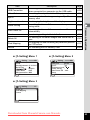
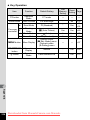
Item
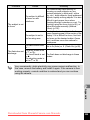
Face Detection
Flash Mode
Drive Mode
Focus Mode
Zoom Position
MF Position
White Balance
Sensitivity
EV
Compensation
AE Metering
Digital Zoom
DISPLAY
File No.
Default
Page
Setting
The Face Detection mode set by using the I button
P
p.72
The flash mode set with the four-way controller (4)
O
p.99
p.91
The drive mode set with the four-way controller (2)
P
p.92
The focus mode set with the four-way controller (5)
P
p.101
The zoom position set with the zoom button
P
p.78
The manual focus position set with the four-way
P
p.102
controller (23)
The [White Balance] setting on the [A Rec. Mode]
P
p.108
menu
The [Sensitivity] setting on the [A Rec. Mode] menu
P
p.112
The [EV Compensation] setting on the
P
p.106
[A Rec. Mode] menu
The [AE Metering] setting on the [A Rec. Mode]
P
p.110
menu
The [Digital Zoom] setting on the [A Rec. Mode]
O
p.79
menu
The information display mode set with the
P
p.20
4/W button
If a new SD Memory Card is inserted when O (On)
has been selected, file numbers are assigned
O
—
sequentially
Description
Downloaded from ManualsCamera.com Manuals
3
Taking Pictures
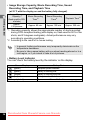
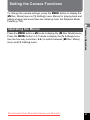
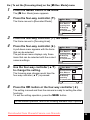
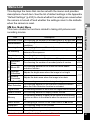
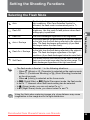
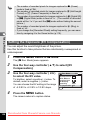
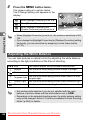
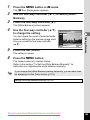
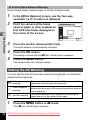
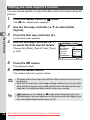
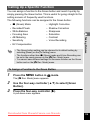
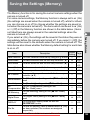
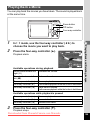
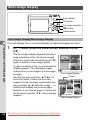
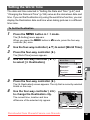
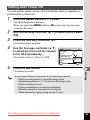
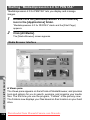
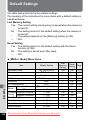
The Memory function is for saving the current camera settings when the
camera is turned off.
For some camera settings, the Memory function is always set to O (On)
(the settings are saved when the camera is turned off), while for others
you can choose on or off (to choose whether the settings are saved or
not when the camera is turned off). The items which can be set to O (On)
or P (Off) in the Memory function are shown in the table below. (Items
not listed here are always saved in the selected settings when the
camera is turned off.)
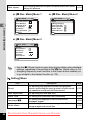
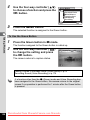
If you select O (On), the settings will be saved in the status they were in
immediately before the camera was turned off. If you select P (Off), the
settings will be reset to the defaults when the camera is turned off. The
table below also shows whether the Memory default setting for each item
is on or off.
125