1
System Unit
1.4.8
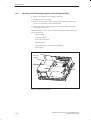
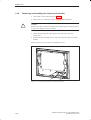
Removing and Installing the Hard Disk Drive
Open the system unit as described in Section 1.4.1.
Remove the hard disk drive as described in Section 1.4.6.
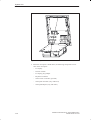
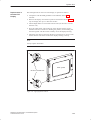
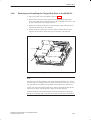
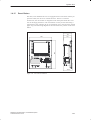
The hard disk drive is screwed to a support. This support is fixed to the
floor of the system housing with four screws. Remove these screws and
lift the support out of the unit.
Before disconnecting the cables, please write down their previous
connections.
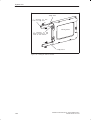
Release the four screws which mount the floppy disk drive to the
vibration reducing part of the support. Take the hard disk drive out of the
drive support.
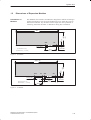
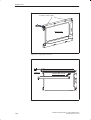
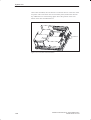
Figure 1-26 Removing the Support for the Hard Disk Drive
SIMATIC PC BI10/FI10/FI15, Technical Description
C79000-G7076-C773-03
1-29