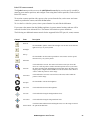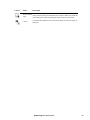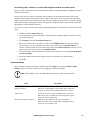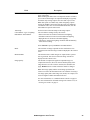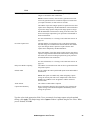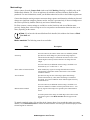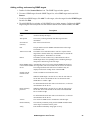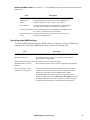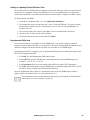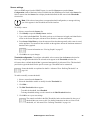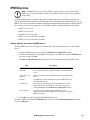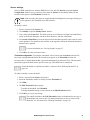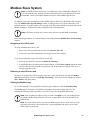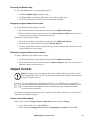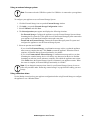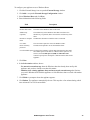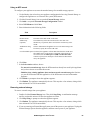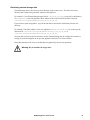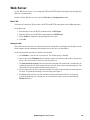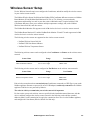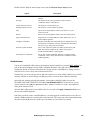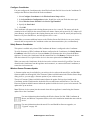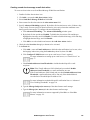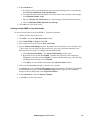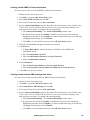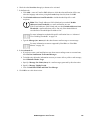
1
NetBotz® Appliance User’s Guide NBRK0570 NBRK0550 NBRK0450 NBWL0455 NBWL0456 NBWL0355 NBWL0356 This manual is available in English on the enclosed CD. Contents Preface ............................................................................. 1 U.S. Government Restricted Rights . . . . . . . . . . . . . . . . . . . . . . . . . . 1 Misuse . . . . . . . . . . . . . . . . . . . . . . . . . . . . . . . . . . . . . . . . . . . . . . . . . . 1 Improper Use of Audio/Video Recording Capabilities. . . . . . . . . . . . 1 Availability of Open Source Technologies . . . . . . . . . . . . . . . . . . . . . 1 Introduction ..................................................................... 2 System Definition . . . . . . . . . . . . . . . . . . . . . . . . . . . . . . . . . . . . . . . . . 2 Basic Concepts and Terminology . . . . . . . . . . . . . . . . . . . . . . . . . . . . 2 SSL Support . . . . . . . . . . . . . . . . . . . . . . . . . . . . . . . . . . . . . . . . . . . . . 3 Web Client: Getting Started ........................................... 4 System Requirements . . . . . . . . . . . . . . . . . . . . . . . . . . . . . . . . . . . . . 4 Choosing a Language. . . . . . . . . . . . . . . . . . . . . . . . . . . . . . . . . . . . . . 5 Supported languages . . . . . . . . . . . . . . . . . . . . . . . . . . . . . . . . . . . . . 5 Accessing the Web Client . . . . . . . . . . . . . . . . . . . . . . . . . . . . . . . . . . 5 Interface Navigation . . . . . . . . . . . . . . . . . . . . . . . . . . . . . . . . . . . . . . . 6 Launching Advanced View. . . . . . . . . . . . . . . . . . . . . . . . . . . . . . . . . . 6 Web Client: Monitoring Your Environment................... 7 Status tab . . . . . . . . . . . . . . . . . . . . . . . . . . . . . . . . . . . . . . . . . . . . . . . 7 Alerts tab . . . . . . . . . . . . . . . . . . . . . . . . . . . . . . . . . . . . . . . . . . . . . . . 8 Cameras tab . . . . . . . . . . . . . . . . . . . . . . . . . . . . . . . . . . . . . . . . . . . . 8 Pods tab . . . . . . . . . . . . . . . . . . . . . . . . . . . . . . . . . . . . . . . . . . . . . . . . 8 Sensor History tab . . . . . . . . . . . . . . . . . . . . . . . . . . . . . . . . . . . . . . . 9 NetBotz Appliance User’s Guide i Advanced View: Getting Started.................................. 10 System Requirements . . . . . . . . . . . . . . . . . . . . . . . . . . . . . . . . . . . . 10 Software Installation . . . . . . . . . . . . . . . . . . . . . . . . . . . . . . . . . . . . . . 11 Installing software on a Windows system . . . . . . . . . . . . . . . . . . . 11 Installing software on a Linux system . . . . . . . . . . . . . . . . . . . . . . 11 Adding Appliances . . . . . . . . . . . . . . . . . . . . . . . . . . . . . . . . . . . . . . . 12 Removing Appliances. . . . . . . . . . . . . . . . . . . . . . . . . . . . . . . . . . . . . 12 Accessing an Appliance Using Advanced View . . . . . . . . . . . . . . . 13 Interface Navigation . . . . . . . . . . . . . . . . . . . . . . . . . . . . . . . . . . . . . . 14 Navigation pane . . . . . . . . . . . . . . . . . . . . . . . . . . . . . . . . . . . . . . . . 14 Using folders . . . . . . . . . . . . . . . . . . . . . . . . . . . . . . . . . . . . . . . . . . . 14 Locking a Navigation pane selection . . . . . . . . . . . . . . . . . . . . . . . 15 Sensor Data Pane . . . . . . . . . . . . . . . . . . . . . . . . . . . . . . . . . . . . . . . . 16 Action/Information Pane. . . . . . . . . . . . . . . . . . . . . . . . . . . . . . . . . . . 16 Advanced View Menus . . . . . . . . . . . . . . . . . . . . . . . . . . . . . . . . . . . . 17 Using Advanced View POST-only Mode . . . . . . . . . . . . . . . . . . . . . . 18 Editing Preferences . . . . . . . . . . . . . . . . . . . . . . . . . . . . . . . . . . . . . . 18 Appearance preferences . . . . . . . . . . . . . . . . . . . . . . . . . . . . . . . . . 18 General preferences . . . . . . . . . . . . . . . . . . . . . . . . . . . . . . . . . . . . . 18 Network preferences . . . . . . . . . . . . . . . . . . . . . . . . . . . . . . . . . . . . 18 Video clip player . . . . . . . . . . . . . . . . . . . . . . . . . . . . . . . . . . . . . . . . 18 Advanced View: Monitoring Your Environment......... 19 Viewing Sensor Readings and Status. . . . . . . . . . . . . . . . . . . . . . . . 19 Alerting Sensors . . . . . . . . . . . . . . . . . . . . . . . . . . . . . . . . . . . . . . . . 19 Security Sensors . . . . . . . . . . . . . . . . . . . . . . . . . . . . . . . . . . . . . . . . 19 Controlling Rack Access sensors . . . . . . . . . . . . . . . . . . . . . . . . . . 19 Deleting a Pod . . . . . . . . . . . . . . . . . . . . . . . . . . . . . . . . . . . . . . . . . . . 20 Viewing Live Video . . . . . . . . . . . . . . . . . . . . . . . . . . . . . . . . . . . . . . . 21 Pelco PTZ Camera Presets. . . . . . . . . . . . . . . . . . . . . . . . . . . . . . . . . 24 Adding a Pelco PTZ Camera Preset . . . . . . . . . . . . . . . . . . . . . . . . 24 Modifying a Pelco PTZ Camera Preset . . . . . . . . . . . . . . . . . . . . . . 24 Renaming a Pelco Camera Preset . . . . . . . . . . . . . . . . . . . . . . . . . . 24 Removing a Pelco Camera Preset . . . . . . . . . . . . . . . . . . . . . . . . . . 24 NetBotz Appliance User’s Guide ii Recording Camera Images. . . . . . . . . . . . . . . . . . . . . . . . . . . . . . . . . 25 Viewing Alerts . . . . . . . . . . . . . . . . . . . . . . . . . . . . . . . . . . . . . . . . . . . 25 Resolving alerts . . . . . . . . . . . . . . . . . . . . . . . . . . . . . . . . . . . . . . . . 26 Saving picture sequences to your system . . . . . . . . . . . . . . . . . . . 26 Viewing Maps . . . . . . . . . . . . . . . . . . . . . . . . . . . . . . . . . . . . . . . . . . . 26 Creating and editing maps . . . . . . . . . . . . . . . . . . . . . . . . . . . . . . . . 27 Viewing Graphs . . . . . . . . . . . . . . . . . . . . . . . . . . . . . . . . . . . . . . . . . . 27 Viewing Historical Data . . . . . . . . . . . . . . . . . . . . . . . . . . . . . . . . . . . 28 Running a historical data report . . . . . . . . . . . . . . . . . . . . . . . . . . . 28 Exporting the data to a text file . . . . . . . . . . . . . . . . . . . . . . . . . . . . 28 Event Log. . . . . . . . . . . . . . . . . . . . . . . . . . . . . . . . . . . . . . . . . . . . . . . 29 Advanced View: Pod/Sensor Settings ........................ 30 Alert Action . . . . . . . . . . . . . . . . . . . . . . . . . . . . . . . . . . . . . . . . . . . . . 30 Pre-configured alert actions . . . . . . . . . . . . . . . . . . . . . . . . . . . . . . 30 Available alert notification methods . . . . . . . . . . . . . . . . . . . . . . . . 30 Creating or editing alert actions . . . . . . . . . . . . . . . . . . . . . . . . . . . 32 Alert Profile . . . . . . . . . . . . . . . . . . . . . . . . . . . . . . . . . . . . . . . . . . . . . 32 Default alert profile . . . . . . . . . . . . . . . . . . . . . . . . . . . . . . . . . . . . . . 33 Creating or editing an alert profile . . . . . . . . . . . . . . . . . . . . . . . . . 33 Creating an alert sequence . . . . . . . . . . . . . . . . . . . . . . . . . . . . . . . 34 Suppressing alert notifications . . . . . . . . . . . . . . . . . . . . . . . . . . . . 35 Camera Pods . . . . . . . . . . . . . . . . . . . . . . . . . . . . . . . . . . . . . . . . . . . . 36 Settings . . . . . . . . . . . . . . . . . . . . . . . . . . . . . . . . . . . . . . . . . . . . . . . 36 Capture settings . . . . . . . . . . . . . . . . . . . . . . . . . . . . . . . . . . . . . . . . 38 Mask settings . . . . . . . . . . . . . . . . . . . . . . . . . . . . . . . . . . . . . . . . . . 41 Masking a Pelco IP camera . . . . . . . . . . . . . . . . . . . . . . . . . . . . . . . 42 Visual mode settings . . . . . . . . . . . . . . . . . . . . . . . . . . . . . . . . . . . . 42 Sensor configuration . . . . . . . . . . . . . . . . . . . . . . . . . . . . . . . . . . . . 43 Threshold configuration . . . . . . . . . . . . . . . . . . . . . . . . . . . . . . . . . . 43 Scanned Devices. . . . . . . . . . . . . . . . . . . . . . . . . . . . . . . . . . . . . . . . . 44 Adding, editing, and removing SNMP targets . . . . . . . . . . . . . . . . 46 Specifying global SNMP settings . . . . . . . . . . . . . . . . . . . . . . . . . . 47 Adding or updating Device Definition Files . . . . . . . . . . . . . . . . . . 48 Supplemental OIDs view . . . . . . . . . . . . . . . . . . . . . . . . . . . . . . . . . 48 Sensor settings . . . . . . . . . . . . . . . . . . . . . . . . . . . . . . . . . . . . . . . . . 49 NetBotz Appliance User’s Guide iii IPMI Devices . . . . . . . . . . . . . . . . . . . . . . . . . . . . . . . . . . . . . . . . . . . . 50 Adding, editing, and removing IPMI devices . . . . . . . . . . . . . . . . . 50 Sensor settings . . . . . . . . . . . . . . . . . . . . . . . . . . . . . . . . . . . . . . . . . 51 Modbus Slave System . . . . . . . . . . . . . . . . . . . . . . . . . . . . . . . . . . . . 52 Assigning a slave ID to a pod . . . . . . . . . . . . . . . . . . . . . . . . . . . . . 52 Removing a slave ID from a pod . . . . . . . . . . . . . . . . . . . . . . . . . . . 52 Viewing the Modbus map . . . . . . . . . . . . . . . . . . . . . . . . . . . . . . . . . 52 Exporting the Modbus map . . . . . . . . . . . . . . . . . . . . . . . . . . . . . . . 53 Assigning a register address to a sensor . . . . . . . . . . . . . . . . . . . 53 Removing a register address from a sensor . . . . . . . . . . . . . . . . . 53 Output Control. . . . . . . . . . . . . . . . . . . . . . . . . . . . . . . . . . . . . . . . . . . 53 Output control label settings . . . . . . . . . . . . . . . . . . . . . . . . . . . . . . 53 Output control external port settings . . . . . . . . . . . . . . . . . . . . . . . 54 Output control sensor settings . . . . . . . . . . . . . . . . . . . . . . . . . . . . 57 Periodic Reports . . . . . . . . . . . . . . . . . . . . . . . . . . . . . . . . . . . . . . . . . 58 Configuring periodic e-mail reports . . . . . . . . . . . . . . . . . . . . . . . . 58 Configuring periodic FTP reports . . . . . . . . . . . . . . . . . . . . . . . . . . 59 Configuring periodic HTTP reports . . . . . . . . . . . . . . . . . . . . . . . . . 61 Rack Access Pods . . . . . . . . . . . . . . . . . . . . . . . . . . . . . . . . . . . . . . . 62 Configuring the Rack Access Pod settings . . . . . . . . . . . . . . . . . . 62 Configuring the Rack Access Pod sensors . . . . . . . . . . . . . . . . . . 63 Threshold configuration . . . . . . . . . . . . . . . . . . . . . . . . . . . . . . . . . . 63 Rack Access System . . . . . . . . . . . . . . . . . . . . . . . . . . . . . . . . . . . . . 64 About the Rack Access System dialog . . . . . . . . . . . . . . . . . . . . . . 64 Selecting a card format . . . . . . . . . . . . . . . . . . . . . . . . . . . . . . . . . . 64 Registering cards . . . . . . . . . . . . . . . . . . . . . . . . . . . . . . . . . . . . . . . 64 Registering a card manually . . . . . . . . . . . . . . . . . . . . . . . . . . . . . . 65 Editing card information . . . . . . . . . . . . . . . . . . . . . . . . . . . . . . . . . 65 Deleting a card . . . . . . . . . . . . . . . . . . . . . . . . . . . . . . . . . . . . . . . . . 65 Assigning doors to a card . . . . . . . . . . . . . . . . . . . . . . . . . . . . . . . . 65 Copying permissions between cards . . . . . . . . . . . . . . . . . . . . . . . 66 Removing a door from a card . . . . . . . . . . . . . . . . . . . . . . . . . . . . . 66 Adding an appliance . . . . . . . . . . . . . . . . . . . . . . . . . . . . . . . . . . . . . 67 Removing an appliance . . . . . . . . . . . . . . . . . . . . . . . . . . . . . . . . . . 67 Editing an appliance . . . . . . . . . . . . . . . . . . . . . . . . . . . . . . . . . . . . . 67 Sensor Pods . . . . . . . . . . . . . . . . . . . . . . . . . . . . . . . . . . . . . . . . . . . . 68 Settings . . . . . . . . . . . . . . . . . . . . . . . . . . . . . . . . . . . . . . . . . . . . . . . 69 Sensors . . . . . . . . . . . . . . . . . . . . . . . . . . . . . . . . . . . . . . . . . . . . . . . 69 External ports . . . . . . . . . . . . . . . . . . . . . . . . . . . . . . . . . . . . . . . . . . 70 NetBotz Appliance User’s Guide iv Advanced View: Configuring Appliances ................... 74 Backup . . . . . . . . . . . . . . . . . . . . . . . . . . . . . . . . . . . . . . . . . . . . . . . . . 74 Clock . . . . . . . . . . . . . . . . . . . . . . . . . . . . . . . . . . . . . . . . . . . . . . . . . . 74 Custom Audio Clips . . . . . . . . . . . . . . . . . . . . . . . . . . . . . . . . . . . . . . 75 Adding custom audio clips . . . . . . . . . . . . . . . . . . . . . . . . . . . . . . . 75 Deleting custom audio clips . . . . . . . . . . . . . . . . . . . . . . . . . . . . . . 75 Data Center Expert . . . . . . . . . . . . . . . . . . . . . . . . . . . . . . . . . . . . . . . 75 DNS. . . . . . . . . . . . . . . . . . . . . . . . . . . . . . . . . . . . . . . . . . . . . . . . . . . . 76 Configuring DNS settings . . . . . . . . . . . . . . . . . . . . . . . . . . . . . . . . 76 Configuring dynamic DNS settings . . . . . . . . . . . . . . . . . . . . . . . . . 76 E-mail Server . . . . . . . . . . . . . . . . . . . . . . . . . . . . . . . . . . . . . . . . . . . . 77 External Storage . . . . . . . . . . . . . . . . . . . . . . . . . . . . . . . . . . . . . . . . . 77 Using an external storage system . . . . . . . . . . . . . . . . . . . . . . . . . . 78 Using a Windows share . . . . . . . . . . . . . . . . . . . . . . . . . . . . . . . . . . 78 Using an NFS mount . . . . . . . . . . . . . . . . . . . . . . . . . . . . . . . . . . . . . 80 Removing external storage . . . . . . . . . . . . . . . . . . . . . . . . . . . . . . . 80 Reclaiming external storage data . . . . . . . . . . . . . . . . . . . . . . . . . . 81 IP Filter . . . . . . . . . . . . . . . . . . . . . . . . . . . . . . . . . . . . . . . . . . . . . . . . . 82 Overview . . . . . . . . . . . . . . . . . . . . . . . . . . . . . . . . . . . . . . . . . . . . . . 82 Adding new filters . . . . . . . . . . . . . . . . . . . . . . . . . . . . . . . . . . . . . . . 82 Filter fields . . . . . . . . . . . . . . . . . . . . . . . . . . . . . . . . . . . . . . . . . . . . . 83 Configuring IP filters . . . . . . . . . . . . . . . . . . . . . . . . . . . . . . . . . . . . 84 Using CIDR bit-masks . . . . . . . . . . . . . . . . . . . . . . . . . . . . . . . . . . . 84 Example configurations . . . . . . . . . . . . . . . . . . . . . . . . . . . . . . . . . . 85 License Keys . . . . . . . . . . . . . . . . . . . . . . . . . . . . . . . . . . . . . . . . . . . . 86 Location . . . . . . . . . . . . . . . . . . . . . . . . . . . . . . . . . . . . . . . . . . . . . . . . 86 Log . . . . . . . . . . . . . . . . . . . . . . . . . . . . . . . . . . . . . . . . . . . . . . . . . . . . 86 Modbus Slave Communication . . . . . . . . . . . . . . . . . . . . . . . . . . . . . 87 Network Interfaces . . . . . . . . . . . . . . . . . . . . . . . . . . . . . . . . . . . . . . . 87 PPP/Modem . . . . . . . . . . . . . . . . . . . . . . . . . . . . . . . . . . . . . . . . . . . . . 89 Managing your appliance using a dial-In PPP connection . . . . . . 91 PPP performance considerations . . . . . . . . . . . . . . . . . . . . . . . . . . 91 Using SIM security . . . . . . . . . . . . . . . . . . . . . . . . . . . . . . . . . . . . . . 92 Upgrading over PPP . . . . . . . . . . . . . . . . . . . . . . . . . . . . . . . . . . . . . 92 NetBotz Appliance User’s Guide v Pod, Pelco Camera, and Rack Access PX-HID Sharing . . . . . . . . . 93 Setting up a Pelco shared IP camera pod . . . . . . . . . . . . . . . . . . . . 95 Setting up shared IP camera pods . . . . . . . . . . . . . . . . . . . . . . . . . . 95 Proxy . . . . . . . . . . . . . . . . . . . . . . . . . . . . . . . . . . . . . . . . . . . . . . . . . . 97 Rack Access Settings . . . . . . . . . . . . . . . . . . . . . . . . . . . . . . . . . . . . 97 Region . . . . . . . . . . . . . . . . . . . . . . . . . . . . . . . . . . . . . . . . . . . . . . . . . 98 Configuring the available language files . . . . . . . . . . . . . . . . . . . . . 98 Restore . . . . . . . . . . . . . . . . . . . . . . . . . . . . . . . . . . . . . . . . . . . . . . . . 99 Serial Devices . . . . . . . . . . . . . . . . . . . . . . . . . . . . . . . . . . . . . . . . . . . 99 SMS . . . . . . . . . . . . . . . . . . . . . . . . . . . . . . . . . . . . . . . . . . . . . . . . . . 100 SNMP . . . . . . . . . . . . . . . . . . . . . . . . . . . . . . . . . . . . . . . . . . . . . . . . . 101 SSL. . . . . . . . . . . . . . . . . . . . . . . . . . . . . . . . . . . . . . . . . . . . . . . . . . . 102 Upgrade . . . . . . . . . . . . . . . . . . . . . . . . . . . . . . . . . . . . . . . . . . . . . . . 103 Users . . . . . . . . . . . . . . . . . . . . . . . . . . . . . . . . . . . . . . . . . . . . . . . . . 103 Lost password recovery . . . . . . . . . . . . . . . . . . . . . . . . . . . . . . . . . 105 Web Server . . . . . . . . . . . . . . . . . . . . . . . . . . . . . . . . . . . . . . . . . . . . 106 Basic Tab . . . . . . . . . . . . . . . . . . . . . . . . . . . . . . . . . . . . . . . . . . . . . 106 Advanced tab . . . . . . . . . . . . . . . . . . . . . . . . . . . . . . . . . . . . . . . . . . 106 Wireless Sensor Setup. . . . . . . . . . . . . . . . . . . . . . . . . . . . . . . . . . . 107 Add Addresses . . . . . . . . . . . . . . . . . . . . . . . . . . . . . . . . . . . . . . . . 108 Configure Coordinator . . . . . . . . . . . . . . . . . . . . . . . . . . . . . . . . . . 109 Safely Remove Coordinator . . . . . . . . . . . . . . . . . . . . . . . . . . . . . . 109 Wireless Sensor Firmware Update . . . . . . . . . . . . . . . . . . . . . . . . . 109 Advanced View: Defining Thresholds ....................... 110 Defining Analog Thresholds . . . . . . . . . . . . . . . . . . . . . . . . . . . . . . 110 Defining State Thresholds . . . . . . . . . . . . . . . . . . . . . . . . . . . . . . . . 112 Advanced Threshold Settings . . . . . . . . . . . . . . . . . . . . . . . . . . . . . 114 NetBotz Appliance User’s Guide vi Advanced View: Creating Alert Actions ....................115 Creating an activate button output alert action . . . . . . . . . . . . . . 116 Creating a call web services alert receiver alert action . . . . . . . . 116 Creating a play audio alert action . . . . . . . . . . . . . . . . . . . . . . . . . . 116 Creating a play custom audio alert action . . . . . . . . . . . . . . . . . . . 117 Creating a send custom HTTP GET alert action . . . . . . . . . . . . . . 118 Creating a send custom text file to FTP server alert action . . . . . 120 Creating a send data to FTP server alert action . . . . . . . . . . . . . . 121 Creating a send e-mail alert action . . . . . . . . . . . . . . . . . . . . . . . . . 123 Creating a send HTTP post alert action . . . . . . . . . . . . . . . . . . . . . 125 Creating a send short message e-mail alert action . . . . . . . . . . . 126 Creating a send SNMP v1 trap alert action . . . . . . . . . . . . . . . . . . 127 Creating a send SNMP v3 inform alert action . . . . . . . . . . . . . . . . 128 Creating a send wireless SMS message alert action . . . . . . . . . . 128 Creating a set beacon output state alert action . . . . . . . . . . . . . . 130 Creating a set output switch 1 or output switch 2 alert action . . 131 Creating a set switch output state alert action . . . . . . . . . . . . . . . 132 Creating a set outlet state alert action . . . . . . . . . . . . . . . . . . . . . . 133 Creating a set lock output state alert action . . . . . . . . . . . . . . . . . 134 Creating a set reader output state alert action . . . . . . . . . . . . . . . 135 BotzWare Macros.........................................................136 Appliance Macros . . . . . . . . . . . . . . . . . . . . . . . . . . . . . . . . . . . . . . .136 Location Macros . . . . . . . . . . . . . . . . . . . . . . . . . . . . . . . . . . . . . . . .136 Alert Macros. . . . . . . . . . . . . . . . . . . . . . . . . . . . . . . . . . . . . . . . . . . .138 Overloaded Appliances: Symptoms and Solutions............................................140 Symptoms . . . . . . . . . . . . . . . . . . . . . . . . . . . . . . . . . . . . . . . . . . . . .140 Solutions . . . . . . . . . . . . . . . . . . . . . . . . . . . . . . . . . . . . . . . . . . . . . .141 Verifying Signed M-JPEG AVI Files ...........................143 Output Examples . . . . . . . . . . . . . . . . . . . . . . . . . . . . . . . . . . . . . . . .143 NetBotz Appliance User’s Guide vii NetBotz Appliance User’s Guide viii Preface U.S. Government Restricted Rights Restricted rights legend. Use, duplication, or disclosure by the Government is subject to restrictions as set forth in subparagraph (c) (1) (ii) of the Rights in Technical Data and Computer Software clause at DFARS 252.227-7013 or subparagraphs (c) (1) and (2) of the Commercial Computer SoftwareRestricted Rights clause at CFR 52.227-19, as applicable. Misuse Use your appliance ONLY in the manner specified. If the equipment is used in a manner not specified, the protection provided by the equipment may be impaired. APC is not responsible for misuse. Improper Use of Audio/Video Recording Capabilities Attention: THE EQUIPMENT CONTAINS, AND THE SOFTWARE ENABLES, AUDIO/VISUAL AND RECORDING CAPABILITIES, THE IMPROPER USE OF WHICH MAY SUBJECT YOU TO CIVIL AND CRIMINAL PENALTIES. APPLICABLE LAWS REGARDING THE USE OF SUCH CAPABILITIES VARY BETWEEN JURISDICTIONS AND MAY REQUIRE AMONG OTHER THINGS EXPRESS WRITTEN CONSENT FROM RECORDED SUBJECTS. YOU ARE SOLELY RESPONSIBLE FOR INSURING STRICT COMPLIANCE WITH SUCH LAWS AND FOR STRICT ADHERENCE TO ANY/ALL RIGHTS OF PRIVACY AND PERSONALTY. USE OF THIS SOFTWARE FOR ILLEGAL SURVEILLANCE OR MONITORING SHALL BE DEEMED UNAUTHORIZED USE IN VIOLATION OF THE END USER SOFTWARE AGREEMENT AND RESULT IN THE IMMEDIATE TERMINATION OF YOUR LICENSE RIGHTS THEREUNDER. Availability of Open Source Technologies This product includes technologies that are governed by the GNU Public License. The GPL source code contained in our products is available for free download from: http://support.netbotz.com/gpl NetBotz Appliance User’s Guide 1 Introduction The Schneider Electric NetBotz® Web Client and Advanced View each provide a software interface for monitoring and controlling your NetBotz security and environmental monitoring system with the following NetBotz appliances: NetBotz Rack Monitor 450, NetBotz Rack Monitor 550, NetBotz Rack Monitor 570, NetBotz Room Monitor 455, and NetBotz Room Monitor 355. You use the Web Client interface primarily to monitor the environment. You use the full-featured Advanced View to monitor the environment and for system administration. This NetBotz Appliance User’s Guide explains how to use both the Web Client and Advanced View. System Definition Your NetBotz security and environmental monitoring system may consist of one or more appliances. When using the Web Client or Advanced View, you select one appliance on which to view sensor readings, live video, and associated devices. Devices associated with the appliance are typically NetBotz camera or sensor pods connected to the appliance, or supported third-party cameras or other supported devices that have security and environmental monitoring capabilities. Basic Concepts and Terminology Sensor pod and camera pod. The terms Sensor Pod and Camera Pod are commonly used in both the Web Client and Advanced View. These terms refer to the two categories of devices that make up your NetBotz security and environmental monitoring system. Sensor pods typically have multiple internal sensors or sensor ports for connecting APC or third-party sensors. The NetBotz product line consists of various sensor pods and camera pods, but in the Web Client and the Advanced View software interface, references to pods goes beyond the NetBotz products to include other devices, such as Pelco IP cameras and the Rack Access PX-HID. In addition, the functionality of NetBotz appliances is divided into sensor pod functionality and camera pod functionality and is initially labeled in the Web Client and Advanced View as Sensor Pod (Integrated) and Camera Pod (Integrated). Shared devices. Depending on the hardware and software that you purchased for use with your NetBotz security and environmental monitoring system, you may be able to monitor remote devices on your network (for example, Pelco IP cameras, the Rack Access PX-HID, and NetBotz appliances) from one screen in Advanced View or the Web Client. This feature is called Pod Sharing. If you use Pod Sharing, remote devices are initially labeled as Shared. For additional details on shared devices, see “Pod, Pelco Camera, and Rack Access PX-HID Sharing” on page 93. NetBotz Appliance User’s Guide 2 SSL Support By default, Secure Sockets Layer (SSL) is enabled on your NetBotz appliance. All browser/appliance interaction can be carried out using SSL by connecting to the appliance using a URL beginning with https (for example, https://IP_address). Your appliance can also use SSL when posting alert notification and sensor data to Web servers, and Advanced View can be configured to use SSL when communicating with your appliance. The SSL certificate needed for SSL communications is generated by the appliance (self-signed) and requires no user interaction. If the hostname or domain name of the appliance is changed, the certificate automatically regenerates. You can also request and install a signed SSL certificate from a certification authority. For information on how to install a signed SSL certificate, see “SSL” on page 102. Note: Your browser generates a warning the first time you attempt to communicate with the appliance using SSL after a self-signed SSL certificate has been created. This is normal behavior and you can accept the certificate. To use SSL when communicating with the appliance using the Web Client, use https:// at the beginning of the appliance Web address. For more information about the Web Client see “Web Client: Monitoring Your Environment” on page 7. To use SSL when posting alert notifications and sensor data to a Web server, use https:// at the beginning of the Web address of the Web server when configuring the Send Using HTTP Post Alert Action. For information on configuring Send Using HTTP Post Alert Actions, see “Creating or editing alert actions” on page 32 and “Creating a send HTTP post alert action” on page 125. To use SSL when monitoring or managing your appliance using Advanced View, select Use SSL in the Advanced View interface. For more information about Advanced View, see “Advanced View: Getting Started” on page 10. NetBotz Appliance User’s Guide 3 Web Client: Getting Started The NetBotz Web Client provides a real-time overview of alerts and device details for a NetBotz appliance running at least version 4.2. It does not require the Advanced View application and Java Runtime Environment. You can use the Web Client to view a list of active and resolved alert conditions: images captured by camera pods connected to the appliance, and sensor readings reported by camera pods; sensor pods; external sensors connected to sensor pods; devices monitored using scanners; and graphs of collected sensor data. Additionally, you can activate relay output actions and configure sensors. By default, Secure Sockets Layer (SSL) is enabled on the NetBotz appliance. The SSL certificate is generated by the appliance (self-signed) and requires no user interaction. System Requirements The Web Client has been tested on the following Web browsers. Other versions may work, but have not been tested. • Microsoft® Internet Explorer® 8.x, 9.x • Google Chrome® 23 • Firefox® 17.0 • Safari® 5.17 NetBotz appliances also support a simplified version of the Web Client that can be viewed using the following mobile devices and tablets. Other mobile devices and tablets may work, but have not been tested. Mobile devices • iPhone® 3GS • iPhone® 4 • iPod® Touch • Android® 2.2+ • BlackBerry® 6.0 Tablets • iPad® • iPad® • 2 Android®2.2+ • Firefox® 3.0 NetBotz Appliance User’s Guide 4 Choosing a Language Configure your browser or operating system to view the Web Client in any of the following supported languages. Note: The appliance you are accessing will have a subset of the following languages loaded. If the Web Client is not displayed in the chosen language, it may need to be loaded. See “Region” on page 98 for instructions on loading language files onto the appliance. Supported languages • English • Italian • Russian • Spanish • Japanese • German • French • Korean • Chinese (Simplified) • Brazilian Portuguese Accessing the Web Client To access an appliance using the Web Client, enter the hostname or IP address of the appliance in a supported Web browser. • If the appliance Guest account is configured with a Sensor (No Camera), Sensor, Application, or Administrator privilege set, you are automatically granted access to the appliance and can view data permitted by the privilege set. For more information, see “Users” on page 103. • If the Guest account is configured with no privileges (privilege set of None), you must provide a User ID and Password to access the appliance. Once you log in, you can access Web Client views permitted by the privilege set assigned to your user account. • If you have a user account on the appliance with greater privileges than those allowed to guests, enter your User ID and Password to access the appliance. Views accessible by privilege set Privilege Set Accessible Views Administrator Cameras, Sensor History, Alerts, Pods, and Status panes. Application Cameras, Sensor History, Alerts, and Status panes. Application (with Alert Update) Cameras, Sensor History, Alerts, and Status panes. Sensor Cameras, Sensor History, and Status panes. Sensor (No Camera) Sensor History and Status panes. None Does not permit access to any appliance features. Note: The Application, Application (with Alert Update), and Sensor (No Camera) privilege sets are only available with the purchase of the Advanced Software Pack. They are standard on the NetBotz Rack Appliance 550 and NetBotz Rack Appliance 570. NetBotz Appliance User’s Guide 5 Interface Navigation The Web Client interface is divided into five tabs: Status, Alerts, Cameras, Pods, and Sensor History: Status: Provides information at a glance about alerting sensors, security sensors, and cameras. Alerts: Displays alerts from the device types and severities you select, All by default. Cameras: Displays live video captured by the appliance, the cameras connected to the appliance, or IP cameras on your network that are shared through the appliance. Pods: Allows you to view data from Sensor, Rack Access, or Camera pods you select. Sensor History: Displays data from a sensor pod and sensor you select, at an interval you select, in a graph. Launching Advanced View If you wish to switch to the Advanced View application, you must launch it from its install directory on your system. If Advanced View is not installed on your machine, a link in the Web Client help opens a web page where you can download and install the program. Advanced View is not supported on mobile devices. Note: You must have at least the 1.6.0_12 version of the JRE installed to run Advanced View. NetBotz Appliance User’s Guide 6 Web Client: Monitoring Your Environment The Web Client provides a real-time overview of alerts and device details, including sensor readings and images captured by camera pods, for a NetBotz appliance running at least version 4.2. It does not require the Advanced View application and Java Runtime Environment. By default, Secure Sockets Layer (SSL) is enabled on the NetBotz appliance. The SSL certificate is generated by the appliance (self-signed) and requires no user interaction. To access the Web Client, enter the hostname or IP address of the appliance in a browser. Once you log in, you can view data according to the privilege set assigned to your user account. The interface is divided into five tabs: Status, Alerts, Cameras, Pods, and Sensor History. Status tab The Status tab provides an overview of the devices monitored by the NetBotz appliance. Note: For an air flow sensor, data must be accumulated for 15 to 30 minutes before accurate air flow readings are available. After power is applied to the device, air flow sensor data appears as N/A until enough data is collected. • Alerting Sensors: Displays the sensors reporting alerts, and their severity, at all the devices monitored by the NetBoltz appliance. You can select a sensor to view its details, and change its label or sensor value history, or choose whether to report unplugged errors, if necessary. • Security Sensors: Displays pods and sensors reporting rack access alerts, and their severity, at all the devices monitored by the NetBoltz appliance (available only when a rack access device is managed by the NetBotz appliance). You can select a sensor to view its details, and change its label, if necessary. Security sensors include all Door sensors, Handle sensors, and Lock sensors connected to a Rack Access Pod 170, and any Door, Handle, or Lock sensors connected to a pod-shared Rack Access PX-HID appliance. • Cameras: Displays thumbnail views and identification information for all the cameras monitored by the NetBotz appliance, regardless of whether an alert is reported. You can select a camera to view its details, change the resolution and refresh rate, or change the camera angle (supported cameras only). • Maps: Displays the device maps created in the NetBotz Advanced View, showing the location of pods and sensors, and the alert state of the devices on the map. You use the Advanced view to create, edit, or delete a map. When more than one device map is stored on the appliance, the first map in the list is displayed by default. You can select from the list to view additional device maps. You can select a device in a map to view the readings and alerts for each sensor. NetBotz Appliance User’s Guide 7 Alerts tab The Alerts tab allows you to view the alerts reported by the sensor or camera pod you select, and the severity you select, All by default. • Pod: Allows you to select the alerts you want to view by pod type and severity, and choose whether to include resolved alerts. The severity values, from most severe to least severe, are Failure, Critical, Error, Warning, and Information. Resolved alerts are stored on the appliance for up to 24 hours. The period of time for which resolved alerts are available is configured using Advanced View. • Alerts: Displays the alerts reported by the devices, according to the options you select in the Pod section. You can select an alert to display more details and alert data, including graphs, camera images, or maps captured when the alert occurred, as configured in the Advanced View application. Note: Camera capture data are a series of still images, displayed at a refresh rate you select, in a 10-second picture sequence. Cameras tab The Cameras tab displays thumbnail views and identification information for all the cameras monitored by the NetBotz appliance, and allows you to control a camera you select. • Camera: Select a camera from the list, or select a thumbnail, to see a larger view of the images, or view All (Tiled); change the resolution and refresh rate; and, for supported pan-tilt-zoom (PTZ) cameras, zoom and change the angle at which you want to view the images. • Resolution: Select the resolution used for the images captured by the selected camera, not available when All (Tiled) is selected. • Refresh Rate: Select how often the images from the selected camera will automatically refresh, for example, 1 frame/15 seconds. • Camera Controls: Select to pan and tilt to change the angle at which you want to view the images, or zoom to view the images in more detail (available for supported PTZ cameras only). Pods tab The Pods tab provides a tile view of all the pods monitored by the NetBotz appliance, by pod type, including port information. A critical or warning icon indicates the highest severity of an alert reported by a pod. Note: A-Link port numbers are unique identifiers; they are randomly generated, and are not sequential. You can select a pod to view its details, view connected sensors, and change the pod label. For pods that support external sensors, you can select the sensor type, and port labels, when applicable. NetBotz Appliance User’s Guide 8 Depending on the pod type selected, one or more of the following options are available: • Settings: Allows you to change the pod label. • External Sensor Ports: Allows you to select the sensor type, and change the port label. • Pod Details: Displays details for the selected pod, including the name, model, manufacturer, revision, bootstrap verison, and application version. You can select a sensor to change its label or sensor value history, or choose whether to report unplugged errors, when applicable. A toggle switch is displayed for supported state sensors. Sensor History tab The Sensor History tab allows you to view historical sensor data in a graph, for a sensor and interval you select. Note: The start time available is dependent upon the value you specify for Sensor Value History in the Settings section of the Pods tab. NetBotz Appliance User’s Guide 9 Advanced View: Getting Started Advanced View is a stand-alone Java application you can use to monitor and configure your appliance and any camera pods, sensor pods, CCTV adapter pods, output relay pods, 4-20 mA sensor pods, external sensors, or supported serial-based sensors connected to the appliance. Note: Your monitor must be set to at least 1024x768 for Advanced View to display properly. System Requirements To run the Advanced View software application, your personal computer must meet these system requirements: • x86-compatible (32-bit or 64-bit) processor • Supported operating systems: – Microsoft® Windows® XP Pro SP2 or SP3 – Windows Vista® Business or Enterprise – Windows 7 – Red Hat ® Enterprise Linux® version 5 running X Windows – Red Hat Fedora® 10 or 11 • 120 MB of free disk space • A monitor capable of displaying a resolution of 1024x768 NetBotz Appliance User’s Guide 10 Software Installation Follow the procedures in this section to install the following applications from the NetBotz Appliance Utility CD onto the personal computer that you will use to configure and manage your NetBotz security and environmental monitoring system: • Advanced View: A Java-based user interface for monitoring and managing your NetBotz security and environmental monitoring system. • Serial Configuration Utility: A Java-based application that you can use to configure the network settings on a NetBotz appliance. (Windows only) • Java Runtime Environment (JRE): A software package that must be installed to run Java applications. (included with the installation) Installing software on a Windows system 1. Place the NetBotz Appliance Utility CD in the CD drive. The CD starts automatically. If it does not start, open the CD drive using Windows Explorer and double-click contents.htm. 2. Click the Advanced View link, then follow the instructions for a Windows system. Installing software on a Linux system Note: Installation must be executed within an X Windows session. 1. Place the NetBotz Appliance Utility CD in the CD drive. 2. Mount the drive. 3. Execute the file /av/linux/install.bin 4. Follow the on-screen instructions to complete the installation. NetBotz Appliance User’s Guide 11 Adding Appliances Before using Advanced View to manage an appliance, you must first add the appliance IP address or hostname to the Appliance list. To add an appliance to the Appliance list: 1. Click Add Appliance. The Add Host Device window opens. 2. In the IP Address or Hostname field, type the IP address or hostname of the appliance. 3. In the Port field, type the TCP port through which you will communicate with this appliance. The default value is 80. 4. To use SSL encryption to communicate with this appliance, check Connect Using SSL. 5. If you want to be logged out after a period of inactivity, select Auto Logoff and specify the length of idle time before you are logged out in the provided field. Click OK. Once you have added an appliance to the Appliance list, Advanced View automatically loads data from the appliance into Advanced View. Navigate to an appliance by selecting the appliance address or hostname from the Appliance list. If you specified Use SSL when adding the appliance, SSL appears in the selection list beside the appliance IP address or hostname. Removing Appliances To remove an appliance from the Appliance list: 1. Select Remove Appliance from the File menu. The Remove Appliance window opens. 2. Select the appliance you want to remove from the list of appliances. 3. Click Remove to remove the appliance from the Appliance list. NetBotz Appliance User’s Guide 12 Accessing an Appliance Using Advanced View Select an appliance from the Appliance list. • If the appliance Guest account is configured with a Sensor (No Camera), Sensor, Application, or Administrator privilege set, you are automatically granted access to the appliance and can view Advanced View panes permitted by the privilege set. If you have a user account on the appliance with greater privileges than those allowed to guests, click Logon at the top of the Advanced View interface and enter your User ID and Password. • If the Guest account is configured with no privileges (privilege set of None), you must provide a User ID and Password. Once you have logged in, you can view the Advanced View panes that are permitted by the privilege set assigned to your user account. For more information, see “Users” on page 103. Advanced View panes accessible by privilege set Privilege Set Accessible Panes Administrator Gives user access to all information and configuration icons available on the appliance. Application (with Alert Update) Gives user access to the Navigation, Sensor Data, and selected portions of the Information/Action panes. Users can view the Camera, Graphs, Alerts, History, and About panes. Users can also resolve alert conditions for thresholds that have been configured with the Return-To-Normal Requires User Input setting in their Advanced Settings. Note: This privilege set does not permit access to the Configuration pane. Application Gives user access to the Navigation, Sensor Data, and selected portions of the Information/Action panes. Users can view the Camera, Graphs, Alerts, History, and About panes. Note: This privilege set does not permit access to the Configuration pane and the user cannot resolve alert conditions for thresholds configured with the Return-To-Normal Requires User Input setting in their Advanced Settings. Sensor Gives user access to the Navigation, Sensor Data, and selected portions of the Information/Action panes. Users can view the Camera, Graphs, History, and About panes. Note: This privilege set does not permit access to the Alerts or Configuration panes. Sensor (No Camera) Gives user access to the Navigation, Sensor Data, and selected portions of the Information/Action panes. Users can view the Graphs, History, and About panes. Note: This privilege set does not permit access to the Cameras, Alerts, or Configuration panes. None No access to any appliance features. Note: The Application, Application (with Alert Update), and Sensor (No Camera) privilege sets are only available with the purchase of the Advanced Software Pack. They are standard on the NetBotz Rack Appliance 550 and NetBotz Rack Appliance 570. NetBotz Appliance User’s Guide 13 Interface Navigation The Advanced View interface is divided into the Navigation pane, the Sensor Data pane, and the Action/ Information pane. Navigation pane Located in the upper-left corner of the interface, the Navigation pane displays: • An appliance and camera pods and sensor pods connected to the appliance • Serial-based sensors being monitored using scanners • Alerting sensors • Shared devices, such as shared IP cameras Click a device in the Navigation pane to display all sensors associated with the device in the Sensor Data pane. Right-click a device in the Navigation pane and select Configure Pod to modify the sensors, settings, and external ports associated with the device. See “Scanned Devices” on page 44. Pods connected to your appliance automatically appear in the Navigation pane. Newly-added pods are labeled by their pod type and their serial number. For details on changing labels, see “Camera Pods” on page 36, “Sensor Pods” on page 68, or “Output Control” on page 53. If you connect a pod to the appliance and then disconnect it, the pod remains in the Navigation pane, but the icon is grayed out. If you reconnect the pod, its Navigation pane entry becomes active again. Using folders The Navigation pane lists all devices associated with the appliance. You can create folders in the Navigation pane to form virtual groups of devices. Devices included in a folder are also listed in the selection list. A single device can be included in multiple folders. When a folder is not expanded, if any one device in the folder is in an alert status, the folder will be red. Folders can be created, modified, or deleted only using Advanced View. Any folders created using Advanced View are visible in the Web Client. NetBotz Appliance User’s Guide 14 To create or modify a folder: 1. Right-click on the background of the Navigation pane, not on a device, and select Add Folder. To modify a folder, right-click on the folder and select Modify Folder. 2. Type a folder name in the Folder Name field. 3. To add devices, select one or more devices from Available Enclosures and click the right arrow (>) button to add the selected devices to the Selected Enclosures list. 4. To remove devices, select one or more devices from Selected Enclosures, and click the left arrow (<) button to move the selected devices to the Available Enclosures list. 5. Click OK. To delete a folder, right-click on the folder and click Delete Folder. Locking a Navigation pane selection You can lock the Navigation pane so that only a specific device is selected. Once the Navigation pane is locked, Advanced View automatically starts with the pane in the locked state. To lock the pane to a specific device: 1. Select a device. 2. Right-click on the device and select Lock selection. 3. To unlock the pane, right-click on any device in the Navigation pane and clear the check box for the Lock selection option. NetBotz Appliance User’s Guide 15 Sensor Data Pane Located in the lower-left hand corner of the interface, the Sensor Data pane displays the readings and alert status of sensors associated with the selected device in the Navigation pane. If the selected device is an output relay device, the state of the relay is displayed. If the selected device features a large number of sensors, the sensors may be divided into sensor sets. Use the Set drop-down list to select either a specific sensor set or All Sensors. Right-clicking on a sensor in the Sensor Data Pane reveals a drop-down menu with the following options: • Configure sensor... Select this option to display the Sensor Configuration window, where you can modify the settings and thresholds for the available sensors. • View graph Select this option to display the Graph View pre-populated with the current sensor. • View History Select this option to display the History View pre-populated with the current sensor. Action/Information Pane Use the Action/Information pane, located on the right-hand side of the interface, to view information and perform configuration tasks on your appliance and pods. The following views are available from the Action/Information pane: • Camera View: This view displays live video captured by the appliance, cameras connected to the appliance, or IP cameras on your network that are shared through the appliance. You can listen to an audio stream from a selected camera pod or CCTV adapter pod and transmit audio from a microphone connected to a computer running Advanced View to a selected camera pod or CCTV adapter pod. If relay outputs are associated with a camera pod, buttons for each switch or relay appear on the camera image to which they correspond. See “Output Control” on page 53. • Alerts View: This view displays alerts and resolved alerts reported by the appliance, any pods connected to the appliance, or any devices being monitored by scanners. • Maps View: This view displays maps that you configure for use with the appliance. A device with a red background has an alert status. A device with a green background has a status of OK. • Graph View: This view displays a graph of up to 24 hours of environmental data collected from any sensors or devices associated with an appliance. • History View: This view displays a historical set of data for a chosen appliance or sensor set. This data can be exported to a text file for import into another application. • Configuration View: Use this view to configure your appliance, pods connected to the appliance, and sensors, plus various other system settings and features. • About View: This view displays information about your appliance and all connected pods. NetBotz Appliance User’s Guide 16 Advanced View Menus Advanced View features the following menu bar: • File: Use this menu to add appliances to or remove appliances from the Appliance selection drop-down list and to exit the Advanced View application. • Edit: Use this menu to cut, copy, paste, and delete text, and to configure Preferences. See “Editing Preferences” on page 18. • Tools: Use this menu to complete the following tasks: – View Messages (information generated by Advanced View for logging and debugging purposes). – Put the appliance in Advanced View POST-only Mode. This mode is only for appliances located behind a firewall. This mode does not permit StruxureWare Data Center Expert appliances to access the appliances directly. – View the Appliance Log. See “Log” on page 86. – View the Event Log. See “Event Log” on page 29. – Reboot the appliance. – Change the Root Password. Note: The Root Password only affects console access to the device. It should only be changed by advanced users. – Access the Configuration Wizard. Only user accounts with administrator privileges have full access to the Tools menu. For more information, see “Users” on page 103. • Window: Use the Window menu to launch a New Window or to switch between multiple Advanced View windows. • Help: Use this menu to access information about Advanced View and to access context-sensitive help. NetBotz Appliance User’s Guide 17 Using Advanced View POST-only Mode If you use StruxureWare Data Center Expert to monitor and manage a NetBotz appliance that is located behind a firewall, StruxureWare Data Center Expert may not be able to communicate directly with the appliance. Placing the appliance in Advanced View POST-Only Mode causes the appliance to post all monitoring data to a specified StruxureWare Data Center Expert appliance at a user-specified interval. SSL encryption can be used for secure data posting. To use the Advanced View POST-Only Mode: 1. From Advanced View, log in to the appliance using a User account with administrator privileges. 2. From the Tools menu, select Advanced > Advanced View POST-Only Mode. 3. Click Add to open the Advanced View POST-Only Mode Configuration window. Enter your information and click OK. Editing Preferences With Advanced View you can configure preferences that apply to the appearance and functionality of the Advanced View user interface. These settings are saved on your client system, not on your appliance. Select Preferences from the Edit menu. Choose from the following preference categories: • Appearance • General • Network • Video Clip Player Appearance preferences To edit your client Appearance settings, open the Client Preferences window and select Appearance from the Category list. Select an option from the Look and Feel drop-down menu, define whether the Toolbar should include text and icons, and choose the size of those elements. When you are finished, click OK. General preferences To edit the General settings for the client, open the Client Preferences window and select General from the Category list. Configure the browser location, restore the Advanced View window to full size when an alert occurs, and force Advanced View to ignore the default setting of the clock and to use either a 12-hour or 24-hour clock. When you are finished, click OK. Network preferences To edit your client Network preferences, open the Client Preferences window and select Network from the Category list. Configure the connection time-out, choose a direct connection for camera images, and enter the proxy configuration information. When you are finished, click OK. Video clip player To specify the maximum amount of disk space allocated for use by the Video Clip Player, open the Client Preferences window and select Video Clip Player from the Category list. Specify the maximum number of megabytes of disk space available to the Video Clip Player, and click OK. NetBotz Appliance User’s Guide 18 Advanced View: Monitoring Your Environment Use Advanced View to view sensor readings, view camera images, graph collected sensor data, and view active and resolved alert conditions. You can also create, view, and delete maps for use in the Map view. Viewing Sensor Readings and Status To view sensor readings, select a device that includes sensors from the Navigation pane. The Sensor Data pane automatically updates with sensor information for the device you selected. Any sensors with an alert status have a background color of red. If the device has a large number of sensors, the sensors are divided into sensor sets. If the sensors are divided into sets, you have the following options: • To display all of the sensors for the selected device, select All Sensors from the Set drop-down list. • To view only the sensors in a sensor set, select the sensor set from the Set drop-down list. Note: For an air flow sensor, data must be accumulated for 15 to 30 minutes before accurate air flow readings are available. After power is applied to the device, air flow sensor data appears as N/A until enough data is collected. Alerting Sensors Selecting the Alerting Sensors entry in the Navigation pane provides a list of all local or pod-shared sensors that are currently generating an alert. The alerting sensors are listed in the Sensor Data pane. Security Sensors Selecting the Security Sensors entry in the Navigation pane provides a list of all security-related sensors that are currently generating an alert in the Sensor Data pane. Security sensors include all Door sensors, Handle sensors, and Lock sensors connected to a Rack Access Pod 170, as well as any Door, Handle, or Lock sensors connected to a pod-shared Rack Access PX-HID appliance. Controlling Rack Access sensors If you have an SP170 Rack Access Pod connected to your appliance, you can lock and unlock rack locks and enable or disable card reader hardware using the Web Client or Advanced View. The user account must have “Sensor” or “Administrator” privileges in order to access this functionality. To lock or unlock a rack lock in Advanced View: 1. From the Navigation pane, select a Rack Access Pod. 2. Right-click a lock sensor in the Sensor Data pane. 3. Select Lock (n): Set to “Unlocked”. The reading will change to Unlocked and the menu item will read Lock (n): Set to ‘Locked’. The lock will automatically relock in 10 seconds by default. This setting can be changed in the Rack Access Settings configuration dialog. NetBotz Appliance User’s Guide 19 To enable or disable a card reader in Advanced View: 1. From the Navigation pane, select a Rack Access Pod. 2. Right-click the Reader sensor in the Sensor Data pane. 3. Select Reader (n): Set to “Disabled” next to the desired card reader. The reading will change to Disabled and the button label will read Reader (n): Set to “Enabled”. Note: A physical key can always be used to access the rack regardless of whether the card reader is enabled or disabled. Deleting a Pod When a pod is disconnected from an appliance, you can delete it from the Navigation pane. You cannot delete integrated pods. 1. Disconnect the pod from the appliance. The symbol for the pod in the Navigation pane will dim. 2. From the Navigation pane, right-click the pod and select Delete pod. 3. Click Remove to confirm the deletion. NetBotz Appliance User’s Guide 20 Viewing Live Video Click the Camera View button in the Action/Information pane to view live video captured by the appliance, cameras connected to the appliance, or shared IP cameras on your network. Controls are applied to the top-most camera image. Click an image to change its position to the top. To view all camera images side by side, click the Tiled check box. For information on shared IP cameras, see “Pod, Pelco Camera, and Rack Access PX-HID Sharing” on page 93. Standard camera controls Control Description Mode To change the size of the image, right-click the camera image, and select Configure Camera. Select Settings, and, from the Mode drop-down list, choose dimensions (resolution) for the image. The dimensions 640x480, for example, mean 640 pixels wide by 480 pixels high. NOTE: As the image dimensions increase, the maximum image rate available will decrease. Rate To change the frame rate, that is, the frequency that the video image is updated, make a selection from the Refresh Rate drop-down list in the Camera View. NOTE: The maximum rate available is determined by the mode setting (described above) and, if applicable, the image quality settings. NOTE: The maximum frame rate for shared IP cameras is limited to 15 frames per second. For more information on image quality settings, see “Capture settings” on page 38. For more information on shared IP cameras, see “Pod, Pelco Camera, and Rack Access PXHID Sharing” on page 93. Zoom This zoom feature does not apply to Pelco PTZ cameras. See “Pelco PTZ camera controls” on page 22 for details on the zoom features for Pelco PTZ cameras. 1. To avoid distortions, right-click the camera image and select Maintain aspect ratio. 2. Within the camera image, click and drag to draw a box around the area of interest. 3. Right-click the camera image and select Zoom in. 4. To return to the full camera image, right-click and select Zoom out. Only available when a microphone is connected to the NetBotz appliance or a pod. Click to listen to streaming audio. Click again to turn off the audio.† Only available when speakers are connected to the NetBotz appliance or a pod. Click and hold the button while speaking into your system microphone. NOTE: While transmitting audio, you will not be able to hear audio from the device.† †These audio features are only available when the Advanced Software Pack has been installed on the system running Advanced View. The Advanced Software Pack is included with a NetBotz 550 or NetBotz 570 appliance, but must be purchased separately when using any other NetBotz appliance. To check if the software pack has been installed, click the Configuration button, then click License Keys from the Appliance Settings area. NetBotz Appliance User’s Guide 21 Pelco PTZ camera controls The Update button provides access to the Add/Update Presets display, used to specify or modify a name for preset camera positions, and configure a tour using those camera positions, for the selected Pelco PTZ camera. To associate a camera position with a preset, select a preset from the list, use the arrow and zoom controls to position the camera, and click the Set button. To view the live video for a preset, select a preset from the list, and click the Go button. If you remove the camera from the NetBotz appliance, its preset camera locations and tour will be removed from the list in Advanced View. The camera will retain these preset definitions. The following are additional camera controls for the supported Pelco PTZ (pan, tilt, zoom) cameras. Control Name Description Pan Left Click and hold to pan the camera left and right. You can also use the left and right arrow keys on your keyboard. Pan Right Tilt Up Click and hold to tilt the camera up and down. You can also use the up and down arrow keys on your keyboard. Tilt Down Zoom In Click and hold to zoom in. The camera will zoom in until you release the mouse or it will stop when it reaches maximum optical zoom. If you release the mouse and then click and hold the Zoom In button again, the image will magnify, but in a digital format. NOTE: You can also use the mouse wheel to zoom in while the pointer is on the image. Zoom Out Click and hold to zoom out. You can also use the mouse wheel while the pointer is on the image. Iris Open Click and hold to increase the brightness. Iris Close Click and hold to decrease the brightness. Focus In Click and hold to bring the background into focus. Focus Out Click and hold to bring the foreground into focus. Point Camera Click this button and then click and drag the mouse over the image to control the pan and tilt functions. NetBotz Appliance User’s Guide 22 Control Name Description View a part of the image in more detail. Click this button, and then on the Resize Camera image, click and drag a box around the area of interest. When you release the View mouse button, the camera automatically zooms to the box you created. Center Click this button and then click a point on the image to center the image on that point. NetBotz Appliance User’s Guide 23 Pelco PTZ Camera Presets The Pelco camera preset controls allow you to associate a name with a camera position, and save it. You can modify the camera position of a preset, or rename it. Adding a Pelco PTZ Camera Preset To create, modify, or remove presets for the selected Pelco camera: 1. Click the Update button from the Action/Information pane. 2. On the Presets tab, in the Add/Update Preset field, specify the name of a new preset, and click Add, then click OK. 3. To modify the name of an existing preset, select it from the Presets drop-down list, specify the new name, and click Update, then click OK. 4. To remove a preset, select it from the Presets drop-down list, and click Remove, then click OK. Modifying a Pelco PTZ Camera Preset To modify the camera position of an existing preset for the selected Pelco camera: 1. Reposition the camera using the Pelco camera controls. 2. Click the Save Preset button. 3. Select the Overwrite an existing preset option, and select the name of the preset you want to modify from the drop-down list. 4. Click OK. Renaming a Pelco Camera Preset To rename a preset for the selected Pelco camera: 1. Click the Manage Presets button. 2. Select the preset from the list in the display. 3. Select Rename, specify the new name, and click OK. 4. Click OK. You must click OK to save any changes. Removing a Pelco Camera Preset To delete a preset for the selected Pelco camera: 1. Click the Manage Presets button. 2. Select the preset from the drop-down list. 3. Click Remove, then click OK. You must click OK to save any changes. NetBotz Appliance User’s Guide 24 Recording Camera Images Use Advanced View to record camera images and save them to a user-specified directory. By default, recorded camera images are saved to a subdirectory with the same name as the camera pod, located within a directory named camera in your Home directory. For example, a user account named NetBotz on a Windows XP system recording images from a camera pod labeled My Camera would store recorded images in the directory C:\Documents and Settings\NetBotz\camera\My Camera. Images are stored as JPG files, and are named imagexxx.jpg by default, where xxx is a picture count number that is automatically incremented as images are captured and saved. To specify camera recording settings, right-click in the camera image and select Preferences. Specify the directory in which camera images are stored, the file name used when recording camera images, and a maximum number of pictures or a maximum amount of disk space used to store recorded images on your system. To record camera images to your hard drive, right-click on an image and select Record images. Viewing Alerts To view alert conditions reported by your appliance or attached pods or sensors: 1. Click the Alerts View button from the Action/Information pane. 2. From the Pods drop-down list, select the appliance, pod, or other device to check for alert conditions. By default, the appliance is selected. To view alert conditions for the appliance and all connected pods, select All from the Pods drop-down list. 3. Use the Refresh Interval drop-down list to specify how often the Alerts View content is updated. Click the Refresh button to refresh the contents of the Alerts View immediately. The default refresh rate is 15 seconds. 4. To view resolved alert conditions, check Include Return to Normal. By default, resolved alerts are stored on the appliance for up to 24 hours. The period of time for which resolved alerts are available on the appliance is configured using Advanced View. Active and resolved alerts for the selected sensor are displayed in a table on the Alerts panel. Alertspecific data for resolved alerts is shown in italics. The following information is available for each active or resolved alert condition: • Time: The time at which the alert occurred. A second time stamp indicates the time at which the alert was resolved. • Severity: The severity of the alert. Severity values, from most severe to least severe, are Failure, Critical, Error, Warning, and Information. • Sensor/Device: The device or sensor reporting the alert. • Alert Type: A brief description of the alert. • Description: A detailed description of the conditions that caused the alert. To view detailed information about an alert, double-click the alert. A new window opens, displaying detailed information about the alert, including the value reported by the sensor that reported the alert, the sensor port to which the sensor is connected, and the alert ID. Click Close to return to the Alerts view. NetBotz Appliance User’s Guide 25 If additional alert-specific data such as graphs, maps, or captured images is available, it appears on the Alert Details view as entries in additional tabs. Double-click entries on tabs to view additional data. Note: When viewing video that was captured for an alert for a camera motion sensor, the IP Address displayed is that of the appliance selected from the Appliance field, even if the camera pictures are from a shared IP camera. Resolving alerts Normally, alerts are automatically resolved when the sensor reading that caused the alert returns to normal. However, if the threshold that generated this alert was configured using the Return-To-Normal Requires User Input setting in its Advanced Settings, and the user account that is accessing the Alerts View has either Administrator or Application (with Alert Update) privileges, then a Mark Alert Resolved button appears in this window as well. Thresholds that are configured to require user input before returning to normal do not automatically clear when the monitored value returns to acceptable or normal levels. Alerts generated when the threshold is exceeded will not report a Return-To-Normal state until a user with Administrator or Application (with Alert Update) privileges opens the resulting alert entry in the Alerts View and clicks the Mark Alert Resolved button. Saving picture sequences to your system If an alert includes a picture sequence, you can save the picture sequence to your system as a M-JPEG AVI or as a digitally signed M-JPEG AVI file (if you have the appropriate license). M-JPEG AVI files are motion picture files that can be played using standard media player software. Signed files provide proof that the generated images have not been tampered with or altered in any way. To save a picture sequence as an M-JPEG AVI or as a Signed M-JPEG AVI, double-click an alert from the Alerts view, select the Camera Pictures tab, select the picture sequence, and click View Camera Sequence. Right-click in the camera image and select either Download AVI (Signed) or Download AVI (Unsigned). For information on how to verify that signed AVI files have not been tampered with, see “Verifying Signed M-JPEG AVI Files” on page 140. Viewing Maps The Map View lets you create, edit, and delete user-created maps that show the location of your NetBotz appliances, pods, and sensors. The alert state of devices on the Map View is indicated with red for an alert and green for a normal state. To view a map using Advanced View, click the Map View button in the Action/Information pane. The first map stored on the appliance is displayed. If more than one map is stored on the appliance, select additional map views from the Maps drop-down list. To view sensor readings for a device displayed in the Map view, select the device. The Sensor Data pane displays the reading reported by sensors associated with the selected device, and the alert status for each sensor. If the selected device features a large number of sensors, the sensors may be divided into sensor sets. NetBotz Appliance User’s Guide 26 Creating and editing maps To create a new map for use in the Map View or to edit a map: 1. Click the Maps View button in the Action/Information pane. 2. To create a new map, click Add. To edit a map, select the map from the Maps drop-down list and click Edit. The Map Configuration window opens. Note: There is a limited amount of space available for creating maps and using custom audio clips. The Storage Information area at the bottom of the window shows the storage space used and the total storage space available. 3. Enter a name in the Name field. 4. A default background image is provided for the map. To use a different image, click Change Background Image. Select a graphic file (JPG or PNG format, no larger than 640x480) and click OK. 5. Place devices or sensors on the map. To position a device on the map, select the device symbol from the device directory structure at the left side of the window and click Add Selected Pod/ Sensor, or click and drag the icon from the directory structure onto the map. – To specify a new label for symbols on the map, right-click on the symbol, then click Change map label.... Type the new label for the symbol and click OK. – To remove a symbol from the map, right-click the symbol, then click Remove. 6. When you have finished placing symbols on the map, click OK to save the map to your appliance. Viewing Graphs To view a graph of the data collected by a sensor connected to your appliance: 1. Click the Graph View button in the Action/Information pane. 2. Select the pod from the Pods drop-down list that either includes the sensor you need to view or to which the external sensor that you need to view is connected. 3. From the Sensors drop-down list, select a sensor for which data will be graphed. Only sensors that are available on the device selected from the Pods drop-down list, and that are included in the selected sensor set (if applicable) are listed in the Sensors drop-down list. 4. Use Start Time and End Time to specify the range of time for which sensor data is graphed, and use the Refresh Interval drop-down list to specify how often the graph content is updated. The default Start Time is 60 minutes and the default End Time is Present. For more information, see “Capture settings” (for camera pods and CCTV adapter pods) or “Settings” (for sensor pods). NetBotz Appliance User’s Guide 27 Viewing Historical Data The History View lets you view and export historical data from one or more sensors. You can specify which pods and sensors to include, as well as the range of time for which data will be retrieved. The data can then be exported to a text file in a tab-delimited, comma-delimited, or semi-colon-delimited format. The History View button is available on the Action/Information pane. Running a historical data report To define the parameters for the report: 1. Click History View on the Action/Information pane. The History View pane is displayed. 2. In the list of Pods, select one or more pods. Use Control-click or Shift-click to select multiple pods. The Sensor list is populated with the sensors from the selected pods. Note: Unplugged sensors will be displayed in the list, as will sensors with no recorded data. Sensors that have been deleted from the system will not be shown. 3. In the list of Sensors, select one or more sensors. Use Control-click or Shift-click to select multiple sensors. 4. In the Start time drop-down, select the amount of time for which you wish to display data. 5. Click Run History to run the report. Depending on the pods and sensors chosen, the report may take a few minutes to complete for larger reports. Note: Best results can be achieved by separating large report requests into logical sections. The report returns a sortable table with the pod name, sensor name, time the value was recorded, and the value of the sensor. By default, the table is sorted by pod and sensor, with the most recent data listed first. Only changes in value or state are listed in the table, so if a sensor has not changed during the report scope, only the initial value will be listed. If a sensor has been disconnected during the entire scope of the report, a empty table will be listed for that sensor. Exporting the data to a text file Once a report has been run, the displayed data can be exported into a text file. The file can be tabdelimited, comma-delimited, or semi-colon-delimited. Note: The Date column is exported in a 13-digit format (milliseconds since January 1st, 1970). To export the data from a report: 1. On the History view, click Export Data. 2. Choose the delimiter for the file on the right side of the window. There are three choices, Semicolon, Comma, and Tab. 3. Choose the location where you will save the file and enter a filename. Click Save. NetBotz Appliance User’s Guide 28 Event Log The event log records System and Rack Access System events in order to provide an audit trail for security-related events. The Event Log can hold ten pages of data (with each page limited to 64K of data). For each event, the date and time of the event is recorded, along with the category of the event, the severity of the event, and a text description of the event. To refresh the contents of the Event Log, click Refresh. Any new events will be appended to the bottom of the current page. To clear the current Event Log, click Clear. All recorded event data currently contained in the Event Log is deleted. After the Event Log has been cleared, the first entry in the new log will be “Event log has been cleared”. NetBotz Appliance User’s Guide 29 Advanced View: Pod/Sensor Settings Use the icons in the Pod/Sensors Settings area of the Configuration view to configure the pods and sensors connected to your appliance and configure the alert actions and policies that are used when alerts are reported by sensors. Note: The icons that appear in the Pod/Sensor Settings area depend on how your system is configured. It is possible that not all icons discussed in this chapter will appear in your Pod/ Sensor Settings area. Alert Action Use the Alert Action icon to define Alert Actions. Pre-configured alert actions Your appliance comes with pre-configured alert actions. To use the pre-configured alert actions, edit the alert action to provide the information that is required to complete the alert action. Available alert notification methods An alert action consists of a single alert notification method and any specific information necessary to deliver the notification. Your appliance supports the following alert notification methods: • Activate Button Output: Generates an output relay that is defined as a Button Relay. Note: This alert notification method is designed for use only with output switch devices. • Call Web Services Alert Receiver: Sends alert data to a web server implementing the NetBotz Web Services Alert Receiver. • Play Audio Alert: Plays a description of the alert in spoken English. • Play Custom Audio Alert: Plays a user-specified audio clip. Audio clips are uploaded to the appliance using the Custom Audio Clip icon. For information about Custom Audio Clips, see “Custom Audio Clips” on page 75. • Send Custom HTTP GET: Delivers alert notifications as custom HTTP GET commands. The URL generated from the alert action is user-definable, and can include BotzWare macro values. • Send Custom Text File to FTP Server: Sends a customized text file with user-specified content to an FTP server. Use macros supported by BotzWare to define the name of the directory on the server in which custom text files are stored and the base filename used for the text files. • Send Data to FTP Server: Sends an alert notification with information about the alert to an FTP server. Use macros supported by BotzWare to define the name of the directory on the server in which data files are stored and the base filename used for FTP data files. • Send E-mail: Sends an alert notification e-mail with information about the alert to one or more e-mail recipients. The alert notification e-mail can include images captured by a camera pod, a graph, and a map of the sensor-specific data associated with the alert. NetBotz Appliance User’s Guide 30 • Send HTTP Post: Sends an HTTP post to a specified HTTP server with information about the alert. The alert notification post can include images captured by a camera pod, a graph, and a map of the sensor-specific data associated with the alert. Note: The appliance posts all data according to the HTTP Post/FTP Data Delivery parameters. You must configure the target HTTP server appropriately to receive the posted data. More information can be found on the APC Web site. • Send Short Message E-mail: Sends a user-configurable e-mail alert notification for devices with limited display capabilities, such as cellular telephones and personal data assistants (PDAs). Use macros supported by BotzWare to specify the contents of the title and body of the e-mail. For more information on macros supported by BotzWare, see “BotzWare Macros” on page 133. • Send SNMP v1 Trap: Sends an SNMP trap that contains information about the alert to a specified SNMP trap recipient. • Send SNMP v3 Inform: Sends an SNMP INFORM packet that contains information about the alert to a specified SNMP trap recipient. • Send Wireless SMS Message: Sends a wireless SMS message that contains information about the alert to an e-mail address or phone number. For more information, see “SMS” on page 100. • Set Beacon Output State: Set the Beacon to turn on or off in response to an alert. • Set Output Switch 1: Set an output device to turn on or off in response to an alert. • Set Output Switch 2: Set an output device to turn on or off in response to an alert. Note: Set Output Switch 1 and 2 are only available on the NetBotz Rack Monitor 450, 550 and 570 models. • Set Switch Output State: Generates an output relay that is defined as a Switch Relay. Note: This alert notification method is designed for use only with relay output devices. • Set Lock Output State: Set the lock to lock or unlock in response to an alert. • Set Outlet State: Set the outlet to turn on or off in response to an alert. • Set Reader Output State: Set the card reader to enabled or disabled in response to an alert. NetBotz Appliance User’s Guide 31 Creating or editing alert actions To create a new Alert Action or edit an existing Alert Action: 1. Double-click the Alert Actions icon. 2. Click Add... If you are editing an existing alert action, select it from Alert Action, click Edit, and proceed to step 4 . 3. Select the alert notification method for this action from the Add Alert Action window, and click OK. 4. Specify the notification information for this alert action. For detailed notification method-specific instructions, see “Advanced View: Creating Alert Actions” on page 115. 5. Click OK to save your changes. The saved alert action appears in the list of defined alert actions, and is available for use in your Alert Profile. If you create an Alert Action for a specific pod and subsequently remove and delete that pod from your appliance, you must manually remove the alert actions that were associated with that pod. Alert Profile Use the Alert Profile icon to customize your appliance default alert notification policy, or to create additional alert notification policies. Alert policies define the notification actions taken by the appliance in response to alerts. Each Alert Profile consists of one or more Alert Sequences. An Alert Sequence specifies: • The period of time that must pass before an alert condition results in notification • The number of times the notification is repeated if the alert condition is not corrected • The time interval at which the notification is enacted • One or more alert actions that are part of the Alert Sequence notification process • The schedule that determines whether the Alert Sequence is active at the date and time the alert occurs • Capture settings that can override specific alert-action attributes, such as including graphs or image captures with alert notifications You can also use the Alert Profile icon to temporarily disable all alert notifications globally associated with an Alert Profile. NetBotz Appliance User’s Guide 32 Default alert profile Your appliance comes pre-configured with a default alert profile. The default policy features the following four pre-configured Alert Sequences which are active 24 hours a day, 7 days a week: • Alert Level 1: Begins immediately after an alert condition occurs (Start Value of 0) and repeats two times at 5 minute intervals. It initiates the Primary E-Mail Notification, and Short Message E-Mail alert actions. • Alert Level 2: Begins 20 minutes after an alert condition occurs and repeats one time at a 10 minute interval. It initiates the Secondary E-Mail Notification and Short Message E-Mail alert actions. • Alert Level 3: Begins 90 minutes after an alert condition occurs and repeats two times at 60 minute intervals. It initiates the Primary E-Mail Notification, Secondary E-Mail Notification, and Short Message E-Mail alert actions. • Continuous Alert: Begins immediately after an alert condition occurs (Start Value of 0) and repeats indefinitely at one minute intervals. It initiates the Send SNMP Trap alert action. Note: Pre-defined alert actions or individual sensor thresholds may require additional information such as e-mail addresses, server IP addresses, output devices, etc., for notifications to be delivered. Be sure to properly configure alert actions and thresholds used in your Alert Profile. The default alert profile can be edited but not removed. When sensor thresholds are created, the default alert profile is used unless you use advanced threshold settings to specify otherwise. You can also create additional Alert Profiles. Creating or editing an alert profile To create a new alert profile or modify an existing alert profile: 1. Double-click the Alert Profile icon. 2. Click Add.... 3. Type a label for the Alert Profile and configure the Alert Sequence(s) for the new profile. For information on creating an Alert Sequence, see “Creating an alert sequence” on page 34. 4. Click the Advanced tab to schedule an alert notification delay, if desired. 5. If you are modifying an existing alert profile, select the alert profile from the Profile table and click Edit.... When you finish making your changes, click OK. NetBotz Appliance User’s Guide 33 Creating an alert sequence To create a new alert sequence or modify an existing alert sequence: 1. Double-click the Alert Profile icon. 2. Select the alert profile to which you would like to add a new alert sequence and click Edit. 3. Click Add.... If you are modifying an existing alert sequence, select the alert sequence from the Sequence table and click Edit.... 4. Type a name for the alert sequence in the Label field. 5. In the Start field, type the number of minutes that must pass before an alert condition sends a notification. If you want notifications to begin immediately, specify a Start Time of 0 seconds. 6. (Optional) Check Automatically add new alert actions to this schedule if you want new alert actions created after this alert schedule is defined to be automatically added to this schedule. 7. Check Repeat Until Return to Normal if you want the alert actions for this alert sequence to be repeated automatically until the alert condition no longer exists. If you want the actions to be repeated only a specific number of times, leave this check box unchecked and use the Repeat field to specify how many times to repeat the actions. 8. In the Interval field, type the number of minutes that will pass between repeated notifications. 9. Specify Capture Settings for graphs, pictures, and maps. Capture settings override the Maximum Camera Pictures and Include a Graph with the Alert settings for alert actions associated with this alert sequence. Note: Images are only captured and included in an alert notification if you checked at least one Cameras to Trigger when defining a threshold. 10.Click Add..., and select one or more alert actions from the Add Action window. Click OK. 11. If you wish to edit any of the Alert Actions while setting up your profile, click Edit Alert Actions... to display the list of Alert Actions. 12.Click OK to save the alert sequence to your alert profile. NetBotz Appliance User’s Guide 34 Suppressing alert notifications You can temporarily suppress all alert notifications associated with a selected alert profile globally. Note: Disabling alert notifications prevents your appliance from automatically notifying you of conditions that may be hazardous to your critical assets and spaces. Use this feature only for scheduled maintenance or downtime. When alert notifications are disabled, sensors in the Sensor Readings pane continue to turn red to indicate that a threshold has been violated. Disable Alert Notification settings are not persistently stored on the appliance. If the appliance loses power or restarts prior to the specified time that alert notifications should resume, alert notifications are no longer suspended. To suppress alert notifications: 1. Select the Alert Profile for which you need to suppress alert notifications from the Alert Profile window and click Edit.... 2. Select the Advanced tab. 3. Check Suppress alert notifications until. 4. Use the calendar control to specify the date and time to resume alert notification. 5. Click OK. NetBotz Appliance User’s Guide 35 Camera Pods To configure a camera: Note: From the Navigation pane, you can right-click a Pelco camera and select Connect to... to launch the Pelco Web interface for the camera. This will allow access to additional required configuration settings. 1. For integrated cameras or cameras connected to the appliance, double-click the Camera Pods icon. The Camera Pod Configuration window appears with a list of cameras. 2. For IP cameras that are shared, for example Pelco cameras, double-click the Shared Cameras icon. The Shared Camera Configuration window appears listing the IP camera. For more information on shared cameras, see “Pod, Pelco Camera, and Rack Access PX-HID Sharing” on page 93. 3. From the window that appeared, select the camera to configure, then configure the camera by using the buttons described below and in greater detail on the following pages: – Click Settings to specify labels for the camera, to specify an interactive camera frame rate limit and interactive camera mode limit. – Click Capture to configure the camera image capture settings. – Click Masking to configure the camera motion sensor and to specify motion and block-out masks, if available. – Click Visual Modes to specify the imaging mode and to specify the window to use with Pan and Scan mode. (Not available for Pelco PTZ IP cameras.) – Click Sensors to configure the sensors associated with the camera and to create thresholds for those sensors. Settings Select a camera from the Camera Pods window and click Settings to open the Camera Pods Settings window. From this window you can configure the following camera settings. Note: Fields displayed may vary depending on the features of the camera selected. Field Pod Label Description The label that identifies the device. This field does not appear for integrated cameras. For integrated cameras the Pod Label is set for the appliance. For more information, see “Settings” on page 69. Camera Label An additional label for the camera. If you provide both a Pod Label and a Camera Label, images and alerts generated by this device are identified as Pod Label (Camera Label). Microphone Label An additional label for the microphone on this pod (camera pods and CCTV adapter pods only). NetBotz Appliance User’s Guide 36 Field Description Speaker Label An additional label for the speaker on this pod (camera pods and CCTV adapter pods only). Unplugged Alert Severity The severity of alerts generated if this device is unplugged. Unplugged Alert Profile The actions taken if the camera pod is unplugged. By default, the default alert profile is used for all thresholds. If you create additional alert profiles, you can specify an alert profile other than default. Enable video from camera Enable video output from the camera pod. You can set an Advanced Schedule that specifies times at which video output is enabled. To configure Advanced Scheduling: 1. Check Enable video from camera. 2. Click Advanced Scheduling. 3. By default, all time periods in the schedule are Enabled. To disable video output for a period of time, click and drag to select the time range, and click Disable. 4. Click OK. Enable audio from camera drop-down Select the conditions that cause audio streaming from the camera list pod to the Advanced View Camera View. This option is available only when configuring camera pods. Interactive Frame Rate Limit (Percent) Specify what percentage of the total possible frame rate for a given camera resolution is available to users that are using the appliance interactively. For example, if you specified an Interactive Frame Rate Limit of 50% and your maximum frame rate for 640x480 resolution is 10 frames per second, you can only select frame rate values of up to 5 frames per second. Interactive Mode Limit The maximum image resolution available to users that are using the appliance interactively. This limits the performance impact caused by multiple clients with high image resolution settings accessing your appliances interactively. For example, if you specified an Interactive Mode Limit of 320x240, the maximum resolution mode available in the Camera View of Advanced View is 320x240. When you finish updating the camera settings, click OK. Click Cancel to close this window without saving any changes. NetBotz Appliance User’s Guide 37 Associating relays, switches, or outlets with integrated cameras and camera pods. Relays, switches, and outlets can be associated with cameras to simplify manually changing relay states from the Camera View. Once a relay, switch, or outlet is associated with a camera, you can associate an action with it, and manually generate that action from the camera image in the Camera View. You right-click the camera image, and select the action from the menu. You can also configure Advanced View to include a button on the camera image to generate the action. This applies to integrated cameras and cameras connected to the appliance, but not shared IP cameras. To associate a relay or switch with a camera, and include buttons in the Camera View for the associated relays: 1. Double-click the Camera Pods icon. 2. A list of integrated cameras and cameras connected to the appliance appears. Select the camera you want to configure. 3. Click Settings. Select the Associated Sensors tab. 4. Select one or more relays, switches, or outlets from Available Sensors to associate with the selected camera. Click -> (right arrow) to move the selected relays to Selected Sensors. To remove a sensor from the list, select one or more relays from Selected Sensors, and click <- (left arrow) to move the selected sensor to Available Sensors. 5. To include buttons for the associated relay actions in the Camera View, check Overlay Buttons on Camera Image. 6. Select the location in the camera image to place the associated relay action buttons. 7. Click OK. Capture settings Select a camera from the Camera Pods window and click Capture to open the Camera Capture Settings window. From this window you can configure the following settings: Note: Fields displayed may vary depending on the features of the camera selected. Field Description Brightness The brightness of the image captured by the camera, from 0 to 255. Gamma correction Adjust the overall brightness of the camera image. Images not properly corrected can look either bleached out or too dark. Video format The format in which video is transmitted by the video source. Note: This option is available only when configuring Capture settings for CCTV adapter pods. Rotate camera image 180 degrees Rotate the image captured by the camera 180 degrees. Note: This option is not available when configuring Capture settings for CCTV adapter pods. NetBotz Appliance User’s Guide 38 Field Description Flicker filter Minimize image brightness flickering that can occur in the dark areas of the image. Note: Enabling the flicker filter can impact the number of frames per second at which images are captured and displayed, typically noticeable only at image capture rates more than 5 per second. Note: This option is available only when configuring Capture settings for NetBotz Camera Pod 120s, Revision A0, Submodel 120-0000 or earlier. For revision and submodel details, click the About button to open the About View. Timestamp Set the location of the timestamp on the image capture. Color Balance / Type of Lighting / Red Balance / Blue Balance The color balance settings used by the camera: • Fluorescent: Best for locations with fluorescent lighting. • Incandescent: Best for locations with incandescent lighting. • Daylight: Best for locations with natural lighting. • Auto-detect: Analyzes the lighting conditions and automatically selects the best setting. Select Custom to specify Red Balance and Blue Balance. Mode The resolution of images captured for alert notifications. This setting does not affect the image resolution displayed in the Camera View. Maximum Rate The maximum rate at which images are captured when a picture alert is generated. This does not affect the image refresh rate displayed in the Cameras View. Image Quality The amount of compression applied to captured images. As compression increases, file sizes decrease but the quality of the image decreases as well. For Pelco cameras, this field does not apply. Default is shown in this field and it cannot be changed. Note: The image quality and the mode setting specified in the Camera view affect the maximum frame rate available. Choosing a low image quality and a small image size (mode), for example, will result in a higher available maximum frame rate. For more information, see “Standard camera controls” on page 21. For more information on the Mode setting in the Camera view, see “Viewing Live Video” on page 21. NetBotz Appliance User’s Guide 39 Field Post-Alert Capture Time Description The total number of seconds after the alert generating event that images are included in alert notifications. NOTE: For Pelco cameras, once an alert is generated a new alert will not be generated until 30 seconds has elapsed. To ensure that you capture all motion, set this field to 30 seconds. The number of post-alert images captured is equal to the Post-Alert Capture Time multiplied by the Maximum Rate. If the total number of post-alert image captures and pre-alert image captures is larger than the Maximum Camera Pictures setting for an alert action, the most recent images captured are given preference and included in the alert notification. For more information, see “Creating a send e-mail alert action” on page 123. Pre-Alert Capture Time The total number of seconds prior to the event that generated the alert that images are included in the alert notification. The number of pre-alert images that are captured is equal to the Pre-Alert Capture Time multiplied by the Maximum Rate. If the total number of post-alert image captures and pre-alert image captures is larger than the Maximum Camera Pictures setting for an alert action, the most recent images captured are given preference and included in the alert notification. For more information, see “Creating a send e-mail alert action” on page 123. Delay Time Before Capturing The number of seconds between when an alert is generated and the first picture capture. Include Audio Specify whether the camera pod should capture audio and include it with the alert. NOTE: This option is available only when configuring Capture settings for camera pods and CCTV Adapter Pods connected to a NetBotz 550, NetBotz 570 or an appliance with the Advanced Software Pack. Audio Volume The volume at which audio is captured. Capture Data Summary Shows information about the files generated by the pod using the Capture settings. This information updates automatically as new settings are specified. Type the values in the appropriate fields. To see an example of an image capture using the updated settings, click Apply. The sample image in the Capture window is updated using the new values. When you are finished, click OK. NetBotz Appliance User’s Guide 40 Mask settings Select a camera from the Camera Pods window and click Masking. Masking is available only on the NetBotz Rack Monitor 570, 550 or on appliances for which the Advanced Software Pack has been purchased. For more information, contact your NetBotz authorized reseller or the NetBotz support team. Camera-based motion sensing compares concurrent image captures and determines whether any detected changes are significant enough to generate an alert. An alert is generated only if observed changes meet the criteria specified by both the Sensitivity and Area of Motion settings. For Pelco cameras, custom settings are available to set the Sensitivity and Area of Motion more precisely. Setting these values too high or too low can produce constant motion detection alerts, or no alerts, depending on the camera. Note: If you have the Advanced Software Pack installed, this window also features a Block Out Mask tab. Motion mask tab. The following controls are available: Field Description Enable Camera Motion Check to enable the camera motion sensor. For Pelco cameras, the camera motion sensor is enabled by default. Sensitivity Specifies how much change in a portion of the image capture is tolerated before the change is considered movement. Lower values indicate higher sensitivity and less tolerance for change between images. For Pelco cameras, an additional custom setting is available to set the Sensitivity % to a value from 1 - 100. Show outline of detected motion When enabled, any region of an image that indicates motion is surrounded by a dotted-line outline. This feature is not available with Pelco cameras. Area of Motion Specifies how large an area of the image capture must change (based on the Sensitivity value) before the change is considered movement. Lower Area of Motion values indicate higher sensitivity and smaller areas. For Pelco cameras, an additional custom setting is available to set the Area of Motion to a number of16x16 pixel blocks from 1 - 100. Motion Detection Mask Specify regions of the image to be ignored by the Camera Motion sensor. To mask a portion of the image, click and drag to draw a box around the region to ignore. Click Mask Selection. Red Xs appear in the region. To unmask a masked region, click and drag in the image to draw a box around the region you want to unmask. Click Unmask Selection to remove the mask from the selected region. Red Xs displayed in the selected region are removed. NetBotz Appliance User’s Guide 41 Click OK to save your changes. Click Cancel to close the Camera Motion Configuration window without saving any changes. Block out mask tab. The following controls are available: • Enable Block Out Mask: Check to enable the Block Out Mask function. • Block Out Mask: Specify regions of the image that are not visible in the camera image. Use the Block Out Mask to configure your camera so specified areas of the image cannot be seen. To mask a portion of the image: 1. Click and drag to draw a box around the region you want to ignore. Click Mask Selection to mask the selected region. A blue block appears in the region to be blocked. 2. To unmask a region, click and drag to draw a box around the region you want to unmask. Click Unmask Selection to remove the mask from the selected region. Any portion of the blue block out mask that you selected is removed. 3. Click OK. Click Cancel to close the Camera Motion Configuration window without saving any changes. Masking a Pelco IP camera When setting up the motion mask on a Pelco IP camera, you must make sure that the primary stream resolution of the Pelco camera matches the selected resolution of the Camera View. To set the primary stream resolution for the Pelco camera: 1. Access the web configuration site for the Pelco camera in a web browser. This is usually the IP address of the camera. 2. In the AV/Streams tab of the interface, select Video Configuration. 3. Go to the primary stream area and select the resolution that matches the resolution shown in Advanced View. 4. Click Save to save the new settings, and close the website. Visual mode settings Use Visual Modes to select the camera imager mode and to select the window of interest used when Pan and Scan mode is active. This window is not available for Pelco PTZ cameras. The camera pod imager can capture images at resolutions up to 1280x1024, and supports Wide Screen mode and Pan and Scan mode. Wide Screen mode captures images using the entire 1280x1024 frame, while Pan and Scan mode captures a selected portion of the total 1280x1024 field of view. Use the Mode drop-down list to specify the imager mode used by the camera. If you select Pan and Scan, use the arrow buttons to select the image view. Click OK. Motion in pan and scan mode. When the camera pod is in Pan and Scan mode and you enable the Camera Motion sensor, only motion detected within the 640x480 window causes an alert condition. If you enabled the Show outline of detected motion functionality and specified a Mode in the Cameras tab that is 800x600 or greater, outlines appear only in the 640x480 window that you specified. NetBotz Appliance User’s Guide 42 Sensor configuration Select a camera from the Camera Pods or Shared Cameras window and click Sensors. The Sensor Configuration window displays a Sensors list and a Thresholds list. Select a sensor from the Sensors list to display thresholds defined for the sensor in the Thresholds list. To modify a sensor: 1. Select the sensor to modify from the Sensors list and click Modify. 2. Enter a label in the Label field. This label can be up to 64 characters, and identifies the sensor in the Sensor Data pane, Advanced View interfaces, and in alert notifications. 3. From Sensor Value History, select the amount of time that data reported by this sensor is stored on the appliance. The amount of data available on the appliance affects the maximum amount of data that can be graphed. For more information see “Viewing Graphs” on page 27. 4. Click OK. Threshold configuration All sensors have a default threshold that is generated automatically by Advanced View. This threshold provides the typical threshold used for the specific sensor type. Thresholds can be customized. Sensor thresholds are explained in detail in “Advanced View: Defining Thresholds” on page 110. To enable or modify a sensor threshold: 1. Select a sensor from the Sensor selection list. 2. Select the threshold to enable or modify from the Thresholds selection list. Click Edit.... 3. The Edit Threshold window appears. – To enable the threshold, check Enabled. – To change threshold settings, use the Basic and Advanced controls in the Edit Threshold window to set new values. 4. Click OK. NetBotz Appliance User’s Guide 43 Scanned Devices Note: The Scanned Devices icon is only available with the purchase of the 5-node Scanner/ IPMI Pack. For more information, contact your NetBotz authorized reseller or the NetBotz support team. Scanned devices are SNMP targets that are monitored by the NetBotz appliance. You can monitor status information for up to five remote SNMP targets such as servers, routers, and switches as well as APC devices such as APC UPSs and APC Rack Power Distribution Units (PDUs). When you add SNMP targets, each target appears in the Navigation pane. Once added, you can set thresholds, monitor alerts, and graph reported data. For APC devices, at user-configurable intervals, the appliance retrieves sensor information specific to the APC device. For all SNMP targets, the appliance monitors the following MIB II SNMP values: • Online: State sensor that reports whether the target is Online or Offline. • Ping RTT: Analog sensor that reports the amount of time it takes SNMP queries or ICMP Ping requests to complete a send and reply from the appliance. • SNMP System Contact: Displays the target system contact data (does not support threshold configuration). • SNMP System Description: Displays the target system description data (does not support threshold configuration). • SNMP System Location: Displays the target system location data (does not support threshold configuration). • SNMP System Name: Displays the target system name data (does not support threshold configuration). • SNMP System Object ID: Displays the target system object ID data (does not support threshold configuration). • SNMP System Uptime: Analog sensor that reports the uptime value of the target. • System Model: Displays the target system model data (does not support threshold configuration). • System Type: Displays the target system type data (does not support threshold configuration). • System Vendor: Displays the target system vendor data (does not support threshold configuration). NetBotz Appliance User’s Guide 44 Scanners gather the following information about the network interfaces of all configured SNMP targets in individual sensor sets: • Admin Status: State sensor that reports the admin status of the interface. • IF Description: Displays the interface description value (does not support threshold configuration). • IF MAC Address: Displays the interface MAC address (does not support threshold configuration). • IF Type: State sensor that reports the interface type value. • Incoming Discards: Analog sensor that reports the number of incoming packets discarded by the interface. • Incoming Errors: Analog sensor that reports the number of incoming packets containing errors received by the interface. • Incoming Non-Unicast Packets: Analog sensor that reports the number of incoming non-unicast packets received by the interface. • Last Change: Analog sensor that reports the last change value for the interface. • OP Status: Analog sensor that reports the OP status of the interface. • Outgoing Errors: Analog sensor that reports the number of outgoing packets containing errors sent by the interface. • Outgoing Non-Unicast Packets: Analog sensor that reports the number of non-unicast packets sent by the interface. • Outgoing Octets: Analog sensor that reports the number of outgoing octets sent by the interface. • Outgoing Unicast Packets: Analog sensor that reports the number of outgoing unicast packets sent by the interface. NetBotz Appliance User’s Guide 45 Adding, editing, and removing SNMP targets 1. Double-click the Scanned Devices icon. The SNMP Target window appears. 2. To remove SNMP targets from the SNMP Targets list, select SNMP target entries and click Remove. 3. To add a new SNMP target, click Add. To edit a target, select the target from the SNMP Targets list and click Edit. 4. The Add SNMP Device window or Edit SNMP Device window appears. Configure the SNMP target using the item descriptions for both windows shown below. When finished, click OK. Item Description Host/IP Address The hostname or IP address of the SNMP target. Label A label to identify this target. Alert profile The severity of alerts generated when this target becomes unavailable. Scan interval (minutes) How often a scan will occur. Port The port number used for SNMP communications on the target. The default is 161. Timeout in seconds The number of seconds that scanners wait for a response from a target before scanners either retry communications or consider the target unresponsive. The default is 30 seconds. Retries The number of times scanners retry communications with an SNMP target that is not responding before considering the target unresponsive and moving to the next target. Delete SNMP sensors Automatically removes previously defined SNMP-based sensors if not found on SNMP on a target when, after a successful scan, the sensors are found to device be no longer defined. If the sensors are not deleted, they are displayed with sensor reading values of N/A or null. Include network interface status Check to include network interface status. User When the SNMP target is an APC device, enter the user name set for the APC device. The default for the User field on the Add SNMP Device window is apc. For information about the user name set for the device, see the user documentation for the device. Password/Verify password When the SNMP target is an APC device, enter the password set for the APC device. The default for this field on the Add SNMP Device window is apc. For information about the user name set for the device, see the user documentation for the device. Version The version of SNMP used to communicate with the target. Read community The read-only community string used for SNMP communications on the target. The default value is public. Verify Enter the Read community string again to verify. NetBotz Appliance User’s Guide 46 Additional SNMPv3 fields. If you select “v3” as the SNMP version, the dialog asks for the following information: Item Description User The user name for the SNMP device. Authentication Protocol The authentication protocol used to access the SNMP device. Available choices are “None”, “MD-5”, and “SHA-1” Password/Verify The password for the user. Re-enter the password in the Verify field. The password must be a minimum of 15 characters. Encryption Algorithm The encryption algorithm for the SNMP device. Available choices are “None”, “56-bit DES”, and “128-bit DES”. Encryption Password/ The password used for the encryption protocol. Re-enter the Verify password in the Verify field. Specifying global SNMP settings Click Global SNMP Settings to configure SNMP settings for scanned devices for all SNMP target communications. The Global SNMP Settings window contains the following fields: Item Description Scan interval The number of minutes between scanned target queries. Maximum route hops The maximum number of hops recorded and saved by scanners providing route tracing support. Number of Device Scanners in use The number of device scanners being used. Maximum number of Device Scanners The maximum number of device scanners supported by this appliance. Device descriptions version The version of the device descriptions data file stored on the device. Update device descriptions Scanners use a device descriptions data file to identify the System Model, Type, and Vendor value for SNMP targets. NetBotz periodically updates the contents of the device descriptions file to include new target types. Click Update Device Descriptions to contact the NetBotz Web site or browse to a local device descriptions update file and update the content of the scanners device description file. NetBotz Appliance User’s Guide 47 Adding or updating Device Definition Files Device Definition Files (DDFs) allow the appliance to determine what type of device is connected and what sensors it can monitor. The Device Definition File view on the Scanned Device Configuration window lists which DDFs are installed and the option to add new DDFs or update to the latest version. To add and update your DDFs: 1. On the Device Definition Files view, click Add/Update Definitions.... 2. To download the newest versions from APC, select “Check APC Website”. If you have already downloaded the required files to a local directory, select “Local File” and click Browse... to navigate to the file. 3. After you have made your selection, click Next. A list of available DDFs is displayed. 4. Choose the files to add or update and click Next. 5. Confirm that the correct files are listed and click Finish. Supplemental OIDs view Even if advanced data is not available for some SNMP targets, you can still configure Advanced Scanners to monitor individual OIDs on your target. You can use the Add Supplemental OID function to manually configure Advanced Scanners to monitor any valid OID on your SNMP targets. The Supplemental OID view displays a list of supplemental OIDs and a user-defined description of the OID. To add a supplemental OID: 1. Click Add. The Add Supplemental OID window opens. 2. In the OID field, enter the OID that you want to monitor on the selected SNMP target (for example, 1.3.6.1.4.1.318.1.1.1.2.2.2). 3. In the Description field, enter a description of the OID (for example, UPS Temperature). 4. Click OK. Advanced Scanners query the SNMP target to determine whether the OID is valid. If the OID is valid, it is added to the Advanced Data sensor set. Once the supplemental OID is added, it is automatically detected on any SNMP target to which it applies, and you can monitor and receive alert notifications for it. For information on how to define thresholds and specify sensor settings on Advanced Data sensor values, see “Sensor settings” on page 49. NetBotz Appliance User’s Guide 48 Sensor settings Select an SNMP target from the SNMP Targets view and click Sensors to open the Sensor Configuration window. Monitored values available from the SNMP target are listed in the Sensors list. Select a sensor from the Sensors list to display thresholds defined for that sensor in the Thresholds selection list. Note: If the selected sensor does not support threshold configuration, a message advising you of this appears in the Thresholds area of the interface. To modify a sensor: 1. Select a sensor from the Sensors list. 2. Click Modify to open the Modify Sensor window. 3. Type a label in the Label field. This label can be up to 64 characters in length, and identifies the sensor in the Sensor Data pane, Advanced View interfaces, and alert notifications. 4. From Sensor Value History, select the amount of time that data reported by this sensor is stored on the appliance. The amount of data available on the appliance affects the maximum amount of data that can be graphed. For more information see “Viewing Graphs” on page 27. 5. Click OK to save your changes. Threshold configuration. To configure a threshold, select a sensor from the Sensors selection list. Previously configured thresholds for the selected sensor appear in the Thresholds selection list. All sensors have a default threshold that is generated automatically by Advanced View. This threshold provides the typical threshold for the specific sensor type. Thresholds can be customized. Sensor thresholds are explained in detail in “Advanced View: Defining Thresholds” on page 110. To enable or modify a sensor threshold: 1. Select a sensor from the Sensor list. 2. Select the threshold to enable or modify from the Thresholds list. 3. Click Edit.... 4. The Edit Threshold window appears. – To enable the threshold, check Enabled. – To change threshold settings, use the controls in the Edit Threshold window. 5. Click OK to save your new settings. The controls available in the Edit Threshold window are determined by the type of threshold that you create or edit. For detailed instructions on how to create or edit thresholds, see “Advanced View: Defining Thresholds” on page 110. NetBotz Appliance User’s Guide 49 IPMI Devices Note: The IPMI Devices icon is only available with the purchase of the 5-node Scanner/ IPMI Pack. For more information, contact your NetBotz authorized reseller or the NetBotz support team. The IPMI standard defines a hardware and software management interface and implementation that provide different hardware platforms with compatible server management and control functions. Use the IPMI Devices icon to add network-attached, Intelligent Platform Management Interface (IPMI)-enabled devices to the list of devices monitored by your NetBotz appliance. Supported IMPI versions follow: • IPMI V1.5 over LAN • IPMI V2.0 over LAN • SuperMicro V1.5 over LAN • IPMI V1.5 over LAN for Intel V2 BMCs • IPMI V2.0 over LAN for Intel V2 BMCs Adding, editing, and removing IPMI devices To add an IPMI device to the list of devices monitored by your NetBotz appliance or to edit an IMPI Device: 1. Click the IPMI Devices icon to display the IPMI Device Configuration window. 2. To add a new IPMI device, click Add. To edit a target, select the device from the IPMI Devices selection list and click Edit. 3. The Add (or Edit) IPMI Devices window opens. This window contains the following fields: Item Description Hostname/IP Address The hostname or IP address of the IPMI-enabled device. User name The User ID that accesses the IPMI interface on the IPMI-enabled device. Password / Verify password The Password that accesses the IPMI interface on the IPMI-enabled device. Protocol The IPMI protocol that communicates with the IPMI interface on the IPMI-enabled device. Scan interval How frequently the appliance queries an IPMI device for data. Note: You can force the appliance to do a scan at any time by clicking Scan Now in the IPMI Device Configuration window. Device Controls The control options enabled on this IPMI device. These capabilities only function on IPMI devices that support the specific IPMI control option. 4. Click OK to save the settings for this IPMI-enabled device. To remove IPMI devices from the IPMI Devices selection list, select IPMI-enabled devices from the list and click Remove. NetBotz Appliance User’s Guide 50 Sensor settings Select an IPMI-enabled device from the IPMI Devices view and click Sensors to open the Sensor Configuration window. Once you select a sensor from the Sensors list, thresholds defined for the selected sensor appear in the Thresholds selection list. Note: If the selected sensor does not support threshold configuration, a message advising you of this appears in the Thresholds area of the interface. To modify a sensor: 1. Select a sensor from the Sensors list. 2. Click Modify to open the Modify Sensor window. 3. Type a label in the Label field. This label can be up to 64 characters in length, and identifies the sensor in the Sensor Data pane, Advanced View interfaces, and alert notifications. 4. From Sensor Value History, select the amount of time that data reported by this sensor is stored on the appliance. The amount of data available on the appliance affects the maximum amount of data that can be graphed. For more information see “Viewing Graphs” on page 27. 5. Click OK to save the new Sensor values. Threshold configuration. To configure a threshold, select a sensor from the Sensors selection list. Previously configured thresholds for the selected sensor appear in the Thresholds selection list. All sensors have a default threshold that is generated automatically by Advanced View. This threshold provides the typical threshold for the specific sensor type. Thresholds can be customized. Sensor thresholds are explained in detail in “Advanced View: Defining Thresholds” on page 110. To enable or modify a sensor threshold: 1. Select a sensor from the Sensor selection list. 2. Select the threshold to enable or modify from the Thresholds list. 3. Click Edit.... 4. The Edit Threshold window appears. – To enable the threshold, check Enabled. – To change threshold settings, use the controls in the Edit Threshold window. 5. Click OK to save your new settings. The controls available in the Edit Threshold window are determined by the type of threshold that you create or edit. For detailed instructions on how to create or edit thresholds, see “Advanced View: Defining Thresholds” on page 110. NetBotz Appliance User’s Guide 51 Modbus Slave System Note: The Modbus Slave System icon is available only on the NetBotz Rack Monitor 570, 550 or on appliances for which the Advanced Software Pack has been purchased. For more information, contact your NetBotz authorized reseller or the NetBotz support team To configure your pod to communicate with a Modbus Master, double-click the Modbus Slave System icon. The Modbus Slave System Settings window is displayed and a list of pods connected to your appliance appears. Using this window you can assign slave IDs to the available sensor pods and view the Modbus mapping of all pods and sensors configured on the current appliance. Note: All sensors are Read-Only. Sensor states cannot be set with Modbus commands. In the following procedures, it is assumed that you are starting from the Modbus Slave System Settings window. Assigning a slave ID to a pod To assign a Modbus slave ID to a pod: 1. Select one or more pods from the list and click Generate Slave ID. 2. A slave ID is generated automatically and assigned to each selected pod. If you wish to manually assign a slave ID to a specific pod: 1. Select the pod from the list and click Modify Pod Settings.... 2. In the Modbus Slave Sensor Register Settings window, click the Slave Address drop-down menu and select the slave ID you wish to assign to the pod. If the ID does not appear in the list, it is already assigned to a pod. Removing a slave ID from a pod To remove an assigned slave ID from a pod, select one or more pods from the list and click Remove Slave ID. Alternatively, you can click Modify Pod Settings... and select “No Slave Mapping” from the Slave Address drop-down menu. Viewing the Modbus map To view the mapping of all assigned Slave IDs and register addresses, click View Modbus Map. The Modbus map is a summary of all Modbus information associated with the appliance. The information in the map can be exported to a text file for entry into the Modbus master map. Note: After assigning slave IDs to pods, you must click Apply to save your changes before viewing the Modbus map. Otherwise, the newly assigned pods will not be included in the Modbus map. Note: Up to 500 sensors can be seen for each Modbus pod or device. Pods or devices with more than 500 sensors will be indicated by a yellow highlight of the pod or device in the Modbus Slave System pane. NetBotz Appliance User’s Guide 52 Exporting the Modbus map To export the Modbus map to a space-delimited text file: 1. Click View Modbus Map to display the map. 2. Click Save to file... in the upper right corner. A save dialog window opens. 3. Select the location and a file name for the saved data and click Save. Assigning a register address to a sensor To assign a Modbus register address to a sensor: 1. Select the pod from the list that hosts the sensor and click Modify Pod Settings.... 2. Select the desired sensor(s) from the list and click Generate Register Address. This applies the first unused register addresses to the selected sensor(s). To manually assign a register address: 1. Select the pod from the list that hosts the sensor and click Modify Pod Settings.... 2. Select the desired sensor from the list and click Modify Register.... 3. Enter the register address in the provided field. If you specify an address that is already in use, the program displays an error message. Removing a register address from a sensor To remove a Modbus register address from a sensor: 1. Select the pod from the list that hosts the sensor and click Modify Pod Settings.... 2. Select the desired sensor(s) from the list and click Remove Registers. This removes the register addresses from the selected sensor(s). Output Control Note: The Output Control icon appears only when a supported Sealevel I/O device or APC Switched Rack PDU (up to version 2.74) has been connected to the appliance and configured using the Serial Devices icon. For more information on configuring serial devices, see “Serial Devices” on page 99. For more information about supported Sealevel I/O devices and APC Switched Rack PDUs and how they connect to the appliance, see the installation and quick configuration manual included with your appliance. To configure a supported output control device, double-click the Output Control icon. A list of devices connected to your appliance appears. Output control label settings Select a device from the Output Control Configuration window and click Settings. 1. Type a label for this device in the Label field. 2. Select options for Unplugged alert severity and Unplugged alert profile, and click OK. NetBotz Appliance User’s Guide 53 Output control external port settings Select a device from the Output Control Configuration window and click External Ports. To modify devices connected to your output control devices: 1. Select the output control action to assign to the corresponding port from Relay Output Type. Note: Output control actions do not apply for devices wired between the NO and NC terminals. These devices have an always open state. The following output control actions are available when the output control device is wired between the NO (Normally Open) and COM terminals on the appliance: Action Description None No output action is associated with this port. One-Second Button (NC) When activated, a normally closed (NC) relay is switched to an open state for 1 second, and then switched back to closed. One-Second Button (NO) When activated, a normally open (NO) relay is switched to a closed state for 1 second, and then switched back to open. Switch (NC) When activated, a normally closed (NC) relay is switched to an open state. Switch (NO) When activated, a normally open (NO) relay is switched to a closed state. Ten-Second Button (NC) When activated, a normally closed (NC) relay is switched to an open state for 10 seconds, and then switched back to closed. Ten-Second Button (NO) When activated, a normally open (NO) relay is switched to a closed state for 10 seconds, and then switched back to open. Reboot Button When activated, power to the outlet is interrupted for 10 seconds, and then restored. NetBotz Appliance User’s Guide 54 The following output control actions are available when the output control device is wired between the NC (Normally Closed) and COM terminals on the appliance: Action Description None No output action is associated with this port. One-Second Button (NC) When activated, a normally closed (NC) relay is switched to a closed state for 1 second, and then switched back to open. One-Second Button (NO) When activated, a normally open (NO) relay is switched to an open state for 1 second, and then switched back to closed. Switch (NC) When activated, a normally closed (NC) relay is switched to a closed state. Switch (NO) When activated, a normally open (NO) relay is switched to an open state. Ten-Second Button (NC) When activated, a normally closed (NC) relay is switched to a closed state for 10 seconds, and then switched back to open. Ten-Second Button (NO) When activated, a normally open (NO) relay is switched to an open state for 10 seconds, and then switched back to closed. Reboot Button When activated, power to the outlet is interrupted for 10 seconds, and then restored. 2. In the Port Label field, type a label to identify the device connected to the output control device port. 3. Click OK. Defining custom output action types. You can add custom output action types by clicking Add Custom.... Once created, custom output action types are available from the Relay Output Type list. Note: Custom output action types can only be added or removed. They cannot be edited. View the custom settings for selected output action types by clicking View Custom. To create a custom output action type, click Add Custom... and select either Button Relay or Switch Relay: • Button Relay actions cause the state of the relay device to switch from its default or unpressed state to its pressed state for a specified period of time, after which the relay automatically reverts to the unpressed state. To create a Button Relay action: a. Select Button Relay and click OK. b. The Add Button Relay Output window opens. This window features the following fields and controls: Field Description Relay output type The name of the custom output action definition. Once defined, the output type label appears only in the Relay Output Type list when specifying output control external port settings. NetBotz Appliance User’s Guide 55 Field Description Default relay output label The label used, by default, for any new output types added using this custom output definition. To modify a label, see “Output control sensor settings” on page 57. Unpressed value The text describing the relay in its unpressed state. Pressed value The text describing the relay in its pressed state. Active time (seconds) The time in seconds that the relay remains in a pressed state before reverting to the unpressed state. Button contact type Specifies whether the relay is in an on or off state when pressed. c. Enter the appropriate values for the Button Relay action. d. Click OK to add this output action to the list of available output actions. • Switch Relay actions cause the relay device to switch from its current state (On or Off) to its alternate state. Once switched, the relay remains in the new state until another switch action changes its state again. To create a Switch Relay action: a. Select Switch Relay and click OK. b. The Add Switch Relay Output window features the following fields and controls: Field Description Relay output type The name of the custom output action definition. Once defined, the Output Type label appears only in the Relay Output Type selection list when specifying output control external port settings. Default relay output label The label used, by default, for any new output types added using this custom output definition. To modify a label, see “Output control sensor settings” on page 57. On value The text that describes the relay in its on state. Off value The text that describes the relay in its off state. Switch initial state The state (On or Off) of the relay at the time the output action is assigned. This is also the state to which the switch is set when the appliance is turned on, regardless of what state the switch was in when the appliance was turned off. c. Enter the appropriate values for the Switch Relay action. d. Click OK to add this output action to the list of available output actions. NetBotz Appliance User’s Guide 56 Output control sensor settings After you select an output control device from the Output Control Configuration window and click Sensors, the Sensor Configuration window opens. Select a relay from the Sensors list to display thresholds defined for the selected sensor in the Thresholds list. Sensor settings. To modify a sensor: 1. Select a relay to modify from the Sensors list. Click Modify. 2. Type a label in the Label field. This label can be up to 64 characters in length, and identifies the relay in the Sensor Data pane, Advanced View interfaces, and in alert notifications. 3. From Sensor Value History, select the amount of time that data reported by this sensor is stored on the appliance. The amount of data available on the appliance affects the maximum amount of data that can be graphed. 4. Click OK. For more information see “Viewing Graphs” on page 27. Threshold settings. To configure a threshold, select the sensor from the Sensors list. Configured thresholds for the selected sensor appear in the Thresholds list. Sensor thresholds are explained in detail in “Advanced View: Defining Thresholds” on page 110. To enable or modify a sensor threshold: 1. Select a relay from the Sensor list. 2. Select the threshold to modify from the Thresholds list. 3. Click Edit.... 4. The Edit Threshold window appears. – To enable the threshold, check Enabled. – To change threshold settings, use the controls in the Edit Threshold window to set new values. 5. Click OK. The controls available in the Edit Threshold window are determined by the type of threshold that you create or edit. For detailed instructions on how to create or edit thresholds, see “Advanced View: Defining Thresholds” on page 110. Testing device power-on behavior. Plug the device directly into a standard power outlet. If power is restored to the device without requiring interaction, it can be used with the power control pod. NetBotz Appliance User’s Guide 57 Periodic Reports Configure your appliance to generate sensor reading reports and deliver them on a user-specified schedule. These reports contain readings for all sensors connected to your appliance. Double-click the Periodic Reports icon to open the Periodic Reports Configuration window. This window displays a table with the following reporting methods: • Periodic E-mail Report • Periodic FTP Report • Periodic HTTP Report If a periodic report is enabled and configured, you can click Test Reports to immediately generate and deliver reports to all enabled report recipients. Configuring periodic e-mail reports 1. Select Periodic E-mail Report from the Periodic Reports Configuration window and click Edit. 2. The Edit E-mail Periodic Report window opens and contains the following fields: Field Description Enabled Enable periodic e-mail reporting. Include camera pictures Include image captures by camera pods connected to the appliance in the e-mailed report. Image captures included with periodic reports are 640x480 resolution, regardless of appliance camera settings. Include maps Include maps in the e-mailed report. Include graphs Include graphs of the sensor readings in the e-mailed report. Interval The frequency in minutes with which e-mail reports are generated. Sensor priority Limit the amount of sensor data included with the periodic report. Select one of the following settings: High: Only sensor data associated with physical sensors that are integrated with or connected to the appliance are included in the report. Sensor data associated with shared pods is not included in the report. Medium: Sensor data associated with physical sensors and shared pods is included in the report. Data associated with scanned devices is not included. Low: Sensor data from all sensors is included in the report. Graph priority Limit the amount of sensor data included with the periodic report. Select one of the following settings: High: Only sensor data associated with physical sensors that are integrated with or connected to the appliance are included in the report. Sensor data associated with shared pods is not included in the report. Medium: Sensor data associated with physical sensors and shared pods is included in the report. Data associated with scanned devices is not included. Low: Sensor data from all sensors is included in the report. NetBotz Appliance User’s Guide 58 Field Description Graph available history The maximum time period for which data is graphed. E-mail addresses The addresses to which periodic e-mail reports are delivered. 3. Type the appropriate values in the fields. 4. By default, all Periodic Reports are generated according to the Interval you specify. You can specify that a Periodic Report be active only during specific time ranges. To configure Advanced Scheduling: a. Click Advanced Scheduling.... b. By default, all time periods in the schedule are Enabled. To disable the Periodic Report for a period of time, click-and-drag over the time range, and click Disable. To enable the Periodic Report for a period of time, click-and-drag over the time range, and click Enable. c. Click OK to save the schedule and return to the Edit E-mail Periodic Report window. 5. Click OK. Configuring periodic FTP reports To configure your appliance to periodically generate and deliver sensor reports to a specified FTP server: 1. Select Periodic FTP Report from the Periodic Reports Configuration window and click Edit. 2. The Edit Periodic FTP Report window opens. This window contains the following fields: Field Description Enabled Enable periodic FTP reporting. Include camera pictures Include image captures by camera pods connected to the appliance in the FTP post. Image captures included with periodic reports are 640x480 resolution, regardless of appliance Camera settings. Include maps Include maps stored on the appliance in the FTP post. Include graphs Include graphs of the sensor readings for all sensors associated with the appliance in the FTP post. Interval The frequency in minutes with which FTP reports are generated. Sensor priority Limit the amount of sensor data included with the periodic report. Select one of the following settings: High: Only sensor data associated with physical sensors that are integrated with or connected to the appliance are included in the report. Sensor data associated with shared pods is not included in the report. Medium: Sensor data associated with physical sensors and shared pods is included in the report. Data associated with scanned devices is not included. Low: Sensor data from all sensors is included in the report. NetBotz Appliance User’s Guide 59 Field Description Graph priority Limit the amount of sensor data included with the periodic report. Select one of the following settings: High: Only sensor data associated with physical sensors that are integrated with or connected to the appliance are included in the report. Sensor data associated with shared pods is not included in the report. Medium: Sensor data associated with physical sensors and shared pods is included in the report. Data associated with scanned devices is not included. Low: Sensor data from all sensors is included in the report. Graph available history The maximum time period for which data is graphed. FTP hostname The hostname or IP address of the FTP server to which the report is delivered. User name The user ID to access the specified FTP server. FTP password The password to access the specified FTP server. Verify password Type the FTP Password to confirm the password. Target directory The relative directory path used for storing the data on the FTP server. This should always be a path relative to the default directory associated with the user ID used to log on to the FTP server. If the directories on the path do not exist they are created automatically. The Target Directory field accepts BotzWare macros. For more information on macros supported by BotzWare see “BotzWare Macros” on page 133. Base file name The base filename used for storing the data on the FTP server. The alert data is stored in a file with this name, followed by the .nbalert file extension. Pictures from alerts are stored in files with this name, followed by the .n.jpg file extension, where n is the picture number (1, 2, 3, etc.). The Base Filename field accepts BotzWare macros. For more information on macros supported by BotzWare see “BotzWare Macros” on page 133. NetBotz Appliance User’s Guide 60 This window features Primary and Backup tabs, each of which has the same fields available. The settings on the Primary tab are used by default for any periodic FTP reports. The settings on the Backup tab are used if communication with the Primary server fails. 3. Type the appropriate values in the fields. 4. By default, all Periodic Reports are generated according to the Interval you specify. You can specify that a Periodic Report is active only during specific time ranges. To configure Advanced Scheduling: a. Click Advanced Scheduling.... b. By default, all time periods in the schedule are Enabled. To disable the Periodic Report for a period of time, click-and-drag over the time range, and click Disable. To enable the Periodic Report for a period of time, click-and-drag over the time range, and click Enable. c. Click OK to save the schedule and return to the Edit Periodic FTP Report window. 5. Click OK. Configuring periodic HTTP reports To configure your appliance to periodically generate and post sensor reports to a specified HTTP server: 1. Select Periodic HTTP Report from the Periodic Reports Configuration window and click Edit. 2. The Edit Periodic HTTP Report window opens. This window contains the following fields: Field Description Enabled Enable periodic HTTP reporting. Include camera pictures Include image captures by camera pods connected to the appliance in the HTTP post. Image captures included with periodic reports are 640x480 resolution, regardless of appliance Camera settings. Interval The frequency with which HTTP reports are generated. Sensor priority Limit the amount of sensor data included with the periodic report. Select one of the following settings: High: Only sensor data associated with physical sensors that are integrated with or connected to the appliance are included in the report. Sensor data associated with shared pods is not included in the report. Medium: Sensor data associated with physical sensors and shared pods is included in the report. Data associated with scanned devices is not included. Low: Sensor data from all sensors is included in the report. SSL Options The SSL options to use for this post. Target URL The URL of the Web server to which the report is posted. Target user name The user ID used to gain access to the specified Web server. Target Password The password used to gain access to the specified Web server. Verify Password Type the Target Password to confirm the password. NetBotz Appliance User’s Guide 61 This window features Primary and Backup tabs, each of which has the same fields available. The settings on the Primary tab are used by default for any periodic HTTP reports. The settings on the Backup tab are used if communication with the Primary server fails. 1. Type the appropriate values in the fields. 2. By default, all Periodic Reports are generated according to the Interval you specify. You can specify that a Periodic Report is active only during specific time ranges. To configure Advanced Scheduling: a. Click Advanced Scheduling.... b. By default, all time periods in the schedule are Enabled. To disable the Periodic Report for a period of time, click-and-drag over the time range, and click Disable. To enable the Periodic Report for a period of time, click-and-drag over the time range, and click Enable. c. Click OK to save the schedule and return to the Edit Periodic HTTP Report window. 3. Click OK. Rack Access Pods Note: The Rack Access Pods icon only appears when a Rack Access Pod 170 has been connected to the appliance. The Rack Access Pods dialog allows users to configure the thresholds and settings for any attached Rack Access Pod 170. Depending on the NetBotz appliance and the number of cascading Rack Access Pods, one or more power supplies may be needed to support the attached hardware. The following is a guide to the recommended number of power supplies: Appliance Max Rack Access Pods Power Supply Description Rack Monitor 570 13 One AP9505I power supply for the fourth attached pod, plus an additional power supply for each additional four pods. Rack Monitor 550 13 One AP9505I power supply for the third attached pod, plus an additional power supply for each additional three pods. Room Monitor 455 2 One AP9505I power supply. Configuring the Rack Access Pod settings To configure the Rack Access Pod settings, highlight the Rack Access Pod in the list of connected pods and click Settings.... The following settings can be modified for the Rack Access Pod: Label. In the Sensor Pod Settings dialog, you can enter a custom label for the pod. The new name will be displayed in the Appliance Pane and anywhere the Rack Access Pod is listed. NetBotz Appliance User’s Guide 62 Unplugged alert severity. Select the severity to be applied to the reported alert from the list. This alert severity will be used if the Rack Access Pod is unplugged or no longer responding. Unplugged alert profile. Select the alert profile to use when the Rack Access Pod is unplugged or no longer responding. Configuring the Rack Access Pod sensors The Rack Access Pod 170 can have two sets of sensors attached to the appliance. Each set consists of four components; a door sensor, a handle sensor, a lock sensor, and a card reader sensor. Select a Rack Access Pod from the Rack Access Pods window and click Sensors. The Sensor Configuration window displays a Sensors list and a Thresholds list. Select a sensor from the Sensors list to display thresholds defined for the sensor in the Thresholds list. To modify a sensor: 1. Select the sensor to modify from the Sensors list and click Modify. 2. Enter a label in the Label field. This label can be up to 64 characters, and identifies the sensor in the Sensor Data pane, Advanced View interfaces, and in alert notifications. 3. From Sensor Value History, select the amount of time that data reported by this sensor is stored on the appliance. The amount of data available on the appliance affects the maximum amount of data that can be graphed. For more information see “Viewing Graphs” on page 27. 4. Click OK. Threshold configuration All door, handle, and lock sensors have a default threshold that is generated automatically by Advanced View. This threshold provides the typical threshold used for the specific sensor type. Thresholds can be customized. Specific Rack Access thresholds are available for each sensor type. This thresholds are explained in detail in “Defining State Thresholds” on page 112. To enable or modify a sensor threshold: 1. Select a sensor from the Sensor selection list. 2. Select the threshold to enable or modify from the Thresholds selection list. Click Edit.... 3. The Edit Threshold window appears. – To enable the threshold, check Enabled. – To change threshold settings, use the Basic and Advanced controls in the Edit Threshold window to set new values. 4. Click OK. NetBotz Appliance User’s Guide 63 Rack Access System Note: The Rack Access System icon only appears when a Rack Access Pod 170 has been connected to the appliance. The Rack Access System dialog allows administrators to control access to resources secured by Rack Access hardware. Proximity cards, traditional key access, and remote access through Advanced View and the Web Client can be used to control access to hardware contained in racks utilizing the Rack Access System. The Rack Access System dialog allows users to register or remove cards and assign scheduled access on a individual door basis. About the Rack Access System dialog The main tab of the Rack Access System dialog contains three panes, the Registered Cards pane, the Assigned Doors pane, and the All Available Doors (or Unassigned Doors) pane. The Registered Cards pane list all cards that have been registered with the current appliance. The Assigned Doors pane lists all of the doors that have been assigned to the currently selected card in the card list. The All Available Doors pane lists all of the doors known to the appliance. If the All Available Doors title is clicked, it can be changed to the Unassigned Doors title, which only shows doors that have not been assigned to the currently selected card. The Unregistered Cards tab contains a list of all known cards that have not been registered for use with the Rack Access System. Note: No changes to the Rack Access System will be saved to the appliance until the user clicks OK or Apply. Selecting a card format The Rack Access System uses HID proximity cards in four formats. All cards registered to an appliance must use the same format, and this format must be chosen before the first card is registered. If you have not selected a card format, you will not be able to access the Rack Access System dialog. Select a card format in the Rack Access Settings appliance setting. For more information on the available formats, see “Rack Access Settings” on page 97 Registering cards To register a card: 1. Hold the card near a card reader. Three beeps will sound, and the card ID will appear in the Unregistered Cards tab, along with a timestamp of when the card was swiped. If the card reader does not beep, the card ID is already listed, or the card is an invalid type. 2. Click the card ID in the Unregistered Cards list and click Register.... 3. Fill in the User Name and Description for the new card. 4. Decide whether the card requires an authorization card swipe and click OK. A maximum of 200 cards is supported on NetBotz Rack Monitor 550/570 and Room Monitor 455 using the Rack Access Pod 170. NetBotz Appliance User’s Guide 64 Authorization card swipes. There are two levels of authorization for cards in the Rack Access System. A Level One card does not require authorization from another card to access assigned doors. A Level Two card has the “Requires authorization card swipe” checkbox selected. When a Level Two card is swiped, it must be followed by a swipe from a Level One card before the Auto-Lock timer expires in order to access the door. Both cards must have valid access to the door in order for access to be granted. If the Auto Lock timer expires without the Level One swipe, the Level Two card must be swiped again before the authorization swipe can occur. If a door is “assigned” to a card, it means that the card is authorized to access that door. As part of the assigning process, a schedule is created that controls when the card is authorized to access the door. Registering a card manually If you have the ID for a card, you can manually register the card. To manually register a card: 1. Click Add... on the Rack Access System dialog. 2. Enter the Card ID, User Name, and Description. The Card ID and User Name fields are required. Note: The Card ID field is only validated against previously registered cards (and cards in the Unregistered Cards list). Also, the Card ID does not necessarily correspond to the printed information on a card. Entering the printed text may not properly register the card. Editing card information To edit the information on an existing card: 1. Select the card from the list of registered cards. 2. Click Edit... 3. Change the necessary information. Deleting a card To delete a registered card: 1. Select the card from the list of registered cards. 2. Click Remove. 3. Click Yes to confirm the deletion, or click No to cancel. The card will still be listed in italicized red font in the list. In order to remove the card, you must either click OK or Apply to commit the changes. You will not be able to re-enter the card into the Unregistered Card list until the change is committed. Assigning doors to a card Access to the hardware protected by a Rack Access System is achieved by assigning doors to the various cards registered to your appliance. Each card can have access to multiple doors, and can also be limited to a scheduled time of access that can be different for each door. If a door is already assigned to the card, it is shown in italicized font in both the Assigned Doors and All Available Doors panes. Note: If you have assigned a door to a card but still cannot access the door with the card, check to make sure that the access schedule is set correctly. An assigned door with no valid access times is equivalent to an unassigned door. Also, make sure that you have applied your changes by clicking Apply at the bottom of the dialog before they become active. NetBotz Appliance User’s Guide 65 To assign a door to a card. 1. Select the card from the list of registered cards. 2. Select a door (or doors) in the list of available doors in the All Available Doors pane. You can select all doors on an appliance by right-clicking the appliance and selecting Select all doors from the menu. You can also select all Door (1) doors or Door (2) doors 3. Drag and drop the door into the Assigned Doors pane. Alternatively, you can click the yellow “up arrow” icon, or right click the door and select Assign Door from the list. You cannot assign multiple doors using the right-click menu. Use one of the other methods to assign multiple doors at the same time. 4. Set the access schedule for the door(s). By default, all access is assumed to be disabled 24 hours a day, 7 days a week. You can specify that access is enabled only during specific time ranges. To set the schedule: a. By default, all time periods are Disabled. To enable a period of time that is disabled, click-and-drag to highlight the time range, and click Enable. To disable access for a period of time, click-and-drag to highlight a time range, and click Disable. b. Click OK to save the schedule and complete the door assignment. Copying permissions between cards Door access privileges and schedules can be copied from one card to multiple cards. This duplicates the assigned door list and the schedules associated with each assigned door. You can also include the “Requires authorization card swipe” attribute in the copy procedure. Note: If you have many cards with identical requirements for access to rack equipment, you may wish to set up a “template” card that serves as an access template to be copied onto new cards as they are registered. To copy permissions from one card to another: 1. Click Copy Permissions... . 2. In the left-hand pane, select the card you wish to use as the source for the permissions. 3. In the right-hand pane, select all the cards whose permissions will be overwritten. 4. Click the “Include ‘Authorization card swipe’ attribute” checkbox if you wish to overwrite the attribute on the target cards. 5. Click OK. 6. Click Yes on the confirmation dialog. All existing permissions on the target cards will be cleared, and the new permissions will be added. Removing a door from a card To remove a door from a card: 1. Select the card from the list of registered cards. 2. Expand the assigned door list and select the door you want to remove. 3. Right-click the door and select “Unassign door” from the menu or click the red “X” icon in the upper right of the pane. The red “X’ icon can also be used to remove multiple doors. 4. Click Yes to confirm the deletion, or click No to cancel. NetBotz Appliance User’s Guide 66 Adding an appliance You can have multiple appliances (with associated Rack Access Pods) listed in the All Available Doors pane. A maximum of five appliances can be listed in the pane. When an appliance is added to the list, all of the registered cards on that appliance are added to the Registered Cards list. Cards can be assigned to doors across all appliances in the list. Note: All listed appliances must use the same HID Card Format. When OK or Apply is clicked on the Rack Access Settings dialog, each appliance is updated with the complete list of registered cards, along with that appliance’s assigned doors for each user. To add an appliance: 1. Click the “Add Rack Access appliance” icon in the upper right of the All Available Doors pane. 2. Enter the IP Address or hostname of the appliance. Enter the port number and whether the connection should use SSL. 3. Enter the account details for an administrative user on the remote appliance. 4. Click OK to add the appliance. The new appliance appears in the list. Removing an appliance Note: If you remove an appliance without clicking Apply first, the appliance will not be updated with any changes you have made during the current session. To remove an appliance from the list: 1. Right-click the name of the appliance in the All Available Doors pane and select Remove Appliance from the menu. Alternatively, you can click the “Remove Rack Access Appliance” icon in the upper right of the pane to remove the appliance. 2. Click Yes on the confirmation dialog to remove the appliance. Editing an appliance To edit the connection settings on a remote appliance, right-click the name of the appliance in the All Available Doors pane and select Edit Appliance from the menu. Enter the new values for the connection and authentication fields and click OK to use the new values. NetBotz Appliance User’s Guide 67 Sensor Pods Use the information in this section to configure integrated sensor pods, NetBotz sensor pods, Rack Access PX-HID, and any other non-camera device associated with the appliance. The maximum number of attached pods an appliance can manage depends on the appliance: Appliance Attached Pod Capability NetBotz 550 and 570 Can host up to twelve external sensor pods, or up to thirteen Rack Access Pods. Up to four of the attached pods can be camera pods. NetBotz 455 Can host up to two external sensor pods, or up to two Rack Access Pods. Can host up to three external camera pods. NetBotz 450 Can host up to two external sensor pods. Up to two of the attached pods can be camera pods. NetBotz 355 Does not support additional external sensors or camera pods. To configure sensor pods: 1. For integrated sensor pods and NetBotz sensor pods, double-click the Sensor Pods icon. The Sensor Pod Configuration window appears with a list of integrated sensor pods and NetBotz sensor pods. You can also right-click the Sensor Pod in the Navigation Pane and select “Configure Pod” to display the window. 2. For non-camera shared IP devices, double-click the Shared Sensors icon. The Shared Sensor Configuration window appears listing any shared non-camera shared IP devices. For more information on shared devices, see “Pod, Pelco Camera, and Rack Access PX-HID Sharing” on page 93. 3. From the window that appeared, select the device to configure, then configure the device by using the buttons described below and in greater detail on the following pages: – Click Settings to specify labels for the device and alert details if the device is disconnected. – Click External Ports to configure ports for various sensors and relays. – Click Sensors to configure the sensors associated with the camera and to create thresholds for those sensors. NetBotz Appliance User’s Guide 68 Settings Note: Fields displayed may vary depending on the features of the selected device. Select a device from the Sensor Pods window and click Settings. 1. Type a label for this device in the Label field. 2. Select options for Unplugged alert severity and Unplugged alert profile. 3. To enable alarm sounds on a sensor pod, select an alert Severity from the Alarm Sounds list. Select an Alarm Sound type from the Alert Sound drop-down list. 4. Click OK. Note: When modifying a Sensor Pod 150 or Sensor Pod 155, the default name of the sensor pod includes the unique Identifier number in parenthesis. The Identifier number is displayed on the 2-digit LED on the front of the sensor pod. For the Sensor Pod 155, the 2-digit LED will display the internal temperature after one minute. When you configure a sensor pod and change the default name by entering a new label, the unique Identifier is not displayed with the sensor pod name, unless you include it as part of the new label. The unique Identifier is still displayed on the 2-digit LED on the front of the sensor pod. Sensors Select a device from the Sensor Pods window and click Sensors. Select a sensor from the Sensors list to display thresholds defined for that sensor in the Thresholds list. You can also right-click a sensor in the Sensor Data Pane and select “Configure Sensor” to display the Sensor Configuration window. To modify a sensor: 1. Select a sensor from the Sensors list. 2. Click Modify to open the Modify Sensor window. 3. Type a label in the Label field. This label can be up to 64 characters in length, and identifies the sensor in the Sensor Data pane, Advanced View interfaces, and in alert notifications. 4. From the Sensor Value History drop-down list, select the amount of time that data reported by this sensor is stored on the appliance. The amount of data available on the appliance affects the maximum amount of data that can be graphed. For more information, see “Viewing Graphs” on page 27. 5. Click OK. NetBotz Appliance User’s Guide 69 Thresholds. All sensors have a default threshold that is generated automatically by Advanced View. This threshold provides the typical threshold for the specific sensor type. Thresholds can be customized. Sensor thresholds are explained in detail in “Advanced View: Defining Thresholds” on page 110. To enable or modify a sensor threshold: 1. Select a sensor from the Sensor list. 2. Select the threshold to enable or modify from the Thresholds list. 3. Click Edit.... 4. The Edit Threshold window appears. – To enable the threshold, check Enabled. – To change threshold settings, use the controls in the Edit Threshold window. 5. Click OK. The controls available in the Edit Threshold window are determined by the type of threshold that you are creating or editing. For detailed instructions on how to create or edit thresholds, see “Advanced View: Defining Thresholds” on page 110. External ports Select a sensor pod from the Sensor Pods window and click External Ports. If the device does not include external ports, the External Ports button will be unavailable. Note: For shared devices, a dialog box appears asking if you would like to connect to the remote device. You must connect to the device to configure external ports. Clicking the Connect to button causes Advanced View to switch the IP address in the Appliance field to that of the remote device. You will then need to double-click the Sensor Pods icon from the Configuration view to select the sensor pod again and configure external ports. Once complete, use the Appliance drop-down list to select and reconnect to the host appliance. 1. Select the sensor type connected to each port from the Sensor Type drop-down list. 2. Type a label in the Port Label field to identify the sensor pod and port to which it is connected. Click OK. To add new sensor definitions to the list of sensor types, click Update Sensor Definitions. You can either download a list of the latest sensor definitions from the NetBotz Web site, or load a sensor definition list from a file on your system. Defining custom dry contact or analog sensors. Caution: For Advanced Users Only! To configure a custom dry contact or analog sensor you must have extensive knowledge of the sensor hardware for which you are creating a definition and of how sensors work in general. Refer questions about sensors and sensor hardware to your site Web master, your network administration and IT staff, or to the manufacturer of the sensor hardware. Note: Custom sensors can only be added or removed. They cannot be edited. You can view the custom sensor settings for selected sensors by clicking View. NetBotz Appliance User’s Guide 70 To add a custom sensor: 1. Click Add custom.... 2. Select the type of sensor you want to define and click OK. – Define the custom analog sensor a. Select Analog (0-3.3V) or Analog (0-5.0V), click OK to open the Add Analog Sensor window. This window features the following fields and controls: Field Description Sensor type The name of the custom sensor definition. Once defined, the Sensor type label appears only in the Sensor Type Installed drop-down list when specifying Sensor Pod external port settings. Default sensor label The label used, by default, for any new sensors added using this custom sensor definition. To modify the labels, see “Settings” on page 69. Volts 1 and Volts 2 Specify 2 reference points (between 0 and 3.3 volts for 0-3.3V analog sensors and between 0 and 5.0 volts for 0-5.0V analog sensors) that determine the range of sensor values that correspond to the voltage readings reported by the sensor. Sensor Value (2) Minimum sensor value The lowest value reported by the sensor. Maximum sensor value The highest value reported by the sensor. Sensor increment The numeric increments in which the sensor reading rises or falls. Units The unit of measurement for this sensor. b. Enter the appropriate values for the analog sensor hardware. c. Click OK to add this sensor definition to the list of available Sensor Types. NetBotz Appliance User’s Guide 71 – Define the custom dry contact sensor a. Select Dry Contact and click OK to display the Add Dry Contact Sensor window. This window features the following fields and controls: Field Description Sensor type label The name of the custom sensor definition. Once defined, the Sensor type label appears only in the Sensor Type Installed drop-down list when specifying Sensor Pod external port settings. Default sensor label The label used, by default, for any new sensors added using this custom sensor definition. To modify the labels, see “Settings” on page 69. Closed value The text that describes the sensor value reported when the dry contact sensor is in a Closed state. Open value The text that describes the sensor value reported when the dry contact sensor is in a Open state. Open-close switch time The time, in milliseconds, that must pass when the (ms) dry contact sensor goes from Open state to Closed state before the state change is reported. Close-open switch time The time, in milliseconds, that must pass when the (ms) dry contact sensor goes from Closed state to Open state before the state change is reported. Dry contact type Specifies whether the dry contact sensor is normally open (NO) or normally closed (NC). b. Type in the appropriate values for the dry contact sensor hardware. c. When you have finished, click OK to add this sensor definition to the list of available Sensor Types. NetBotz Appliance User’s Guide 72 – Define the custom 4-20mA sensor a. Select 4-20mA sensor and click OK to open the Add Custom 4-20mA Sensor window. This window features the following fields and controls: Field Description Sensor type label The name of the custom sensor definition. Once defined, the Sensor Type Label appears only in the Sensor Type Installed drop-down list when specifying Sensor Pod external port settings. Default sensor label The label used, by default, for any new sensors added using this custom sensor definition. To modify the labels, see “Settings” on page 69. mA 1 and mA 2 Specify two reference points (between 4 and 20 mA) used to determine the full range of sensor values that correspond to the voltage readings reported by the sensor. Minimum sensor value The lowest value reported by the sensor. Maximum sensor value The highest value reported by the sensor. Sensor increment The numeric increments in which the sensor reading rises or falls. Units The unit of measurement used for this sensor. b. Type in the appropriate values for the analog sensor hardware. c. Click OK to add this sensor definition to the list of available Sensor Types. Removing custom sensors. To remove a custom sensor: 1. Double-click Sensor Pods in the Configuration pane. 2. Select the sensor pod with the custom sensor and click External ports.... 3. Click Remove Custom.... 4. Select the sensor to be removed and click Ok. NetBotz Appliance User’s Guide 73 Advanced View: Configuring Appliances The icons in the Appliance Settings area of the Configuration view enable you to configure your appliance. Backup Use the Backup icon to save your appliance configuration to a password-protected, encrypted file. This backup file includes all of the configuration settings for your appliance, including user account settings, pod configurations, alert actions, and profiles. Once your appliance configuration is saved, you can use the Restore icon to restore this configuration to your appliance at a later date. To save your appliance configuration: 1. Double-click the Backup icon. 2. Enter a file name for the backup file in Backup File. 3. Click Browse to select a drive and directory in which to store the backup file. Click OK to return to the Appliance Backup window. 4. Type the password used to protect this backup file in the Password field. 5. Type the password again in the Verify password field. 6. Click OK. Clock Use the Clock icon to view or change the date and time configured on the internal clock of the appliance or to configure your appliance to obtain its internal clock settings from a Network Time Protocol (NTP) server. To change the Clock settings: 1. Double-click the Clock icon to open the Clock Configuration window. 2. Change the Clock settings using the field descriptions below. Field Description Enable NTP Enable the NTP functionality. Clear this check box to enable the clock and calendar controls in the Date/Time area. Primary, Secondary, and Tertiary NTP servers IP addresses of NTP servers that automatically set the appliance clock. Date/Time Use the controls to configure the day, date, and time used by the appliance clock. 3. Click OK. A prompt to reboot the appliance appears. 4. Click Reboot. The appliance automatically reboots. This may take a few minutes, during which time Advanced View will be unavailable. NetBotz Appliance User’s Guide 74 Custom Audio Clips Use the Custom Audio Clips icon to upload custom audio clips (in WAV or OGG format) to your appliance or to delete clips from the appliance. For more information about the Play Custom Audio alert action, see “Creating a play custom audio alert action” on page 117. Adding custom audio clips To upload a custom audio clip to your appliance: 1. Double-click the Custom Audio Clips icon. 2. Click Add custom audio clip. 3. Select a sound file. Files must conform to the following specifications: – OGG format: 8 khz or 16 khz sample rate, mono or stereo. – Windows WAV format (PCM only): Any sample rate, mono or stereo. WAV files are encoded into OGG files on upload, so the actual storage space used is less than the initial WAV file size. 4. Click OK to upload the file to your appliance. Once the file is uploaded, it is available for use with the Play Custom Audio Alert action. Deleting custom audio clips To delete a custom audio clip from your appliance, select the audio clip from the Custom Audio Clips list and click Delete custom audio clip. Data Center Expert Note: The StruxureWare Data Center Expert icon only appears if you have configured the appliance to post data to a StruxureWare Data Center Expert server or if a StruxureWare Data Center Expert server is configured to monitor the appliance. The StruxureWare Data Center Expert window displays a list of the StruxureWare Data Center Expert servers that are monitoring the NetBotz appliance or have been designated as a target to which the NetBotz appliance posts data (POST-Only). The entry in the “Type of Post” column denotes the type of data that the server will be monitoring. You can remove a server from the list by highlighting the StruxureWare Data Center Expert server and clicking Remove. The server will no longer monitor the type of data listed in the “Type of Post” column. See “Using Advanced View POST-only Mode” on page 18 for information on posting data to a StruxureWare Data Center Expert server. NetBotz Appliance User’s Guide 75 DNS Use the Domain Name Server (DNS) icon to view or change the domain name server settings and to enable and configure Dynamic DNS functionality. Double-click the DNS icon to open the DNS Settings window. This window consists of the DNS pane and the Dynamic DNS pane. Configuring DNS settings To change the DNS settings, configure the following fields in the DNS pane: Field Description DNS Domain The DNS domain name to which this appliance belongs. Primary DNS Server The IP address of the primary domain name server. Secondary DNS Server The IP address of the secondary domain name server. Tertiary DNS Server The IP address of the tertiary domain name server. Configuring dynamic DNS settings The Dynamic DNS service, hosted by DynamicDNS.org, allows you to alias a dynamic IP address to a static hostname in any of the domains they offer. To use Dynamic DNS support, you must sign up for an account at http://www.dyndns.org and register a hostname for this appliance for use with the Dynamic DNS service. Once you sign up for an account, activate the account, and register a hostname, use the controls in the Dynamic DNS pane to configure Dynamic DNS functionality on your appliance. This pane includes the following controls: Field Description Service The type of Dynamic DNS service account you configured. You can choose DynDNS.org (Static), DynDNS.org (Dynamic), or DynDNS.org (Custom). IP address The method used by the Dynamic DNS service to determine the IP address to which traffic is forwarded. You can choose Use Local IP Address (which configures the Dynamic DNS service to use the IP address that is assigned to your appliance) or Use Web-Based Lookup (which configures the Dynamic DNS service to use the IP address that is reported for your appliance using http://checkip.dyndns.org). Hostname The hostname associated with this appliance by the Dynamic DNS service. User/Password The User ID and password associated with your Dynamic DNS account. Verify password Type the Password to confirm the password Click OK to save your settings. Select the Enable check box to activate Dynamic DNS functionality. NetBotz Appliance User’s Guide 76 E-mail Server Double-click the E-mail Server icon to open the E-Mail Server Configuration window. Configure the following fields and click OK. Click Test E-mail Server to test your e-mail server settings. All settings except From address to appear in appliance e-mails are available for both a primary e-mail server and a secondary backup e-mail server. Field Description From address to appear in appliance e-mails The e-mail address that appears in the From field of e-mail generated by the appliance. SMTP server The IP address of the SMTP server used to send E-mail. Port The IP port on the e-mail server used for SMTP communications. SSL options The SSL options for communications between the appliance and the SMTP server. Requires logon Select this check box if the server requires you to log in to send e-mail. User name Enter a user name that will be accepted by the SMTP server when sending e-mail. Password Enter a Password that will be accepted by the SMTP server when sending e-mail. Verify password Type the password again to confirm. External Storage Use the External Storage icon to configure your appliance to store data on the optional External Storage System or a network attached storage (NAS) device (a Windows share or an NFS mount). A maximum of 5000 objects such as alerts and picture clips can be stored using External Storage. Sensor readings do not count against the maximum number of objects stored. Note: Not all NAS devices that work with Windows systems use one of the supported implementations. Some devices may use proprietary protocols and standards that require additional drivers to communicate with the share. Some NAS devices may not be usable. Caution: Configuring your appliance to use external storage should be performed by your system administrator. The following NAS implementations are supported: • Microsoft Windows 2000/XP/2003 • Microsoft Windows Storage Server • Samba V2.2.6 or later (on Linux) • NFS V3.x or later NetBotz Appliance User’s Guide 77 Using an external storage system Note: You cannot select the USB Drive option if no USB drive is connected to your appliance. To configure your appliance to use an External Storage System: 1. Click the External Storage icon to open the External Storage window. 2. Click Add... to open the External Storage Configuration window. 3. Select USB Drive and click Next. 4. The Select Operation pane appears and displays the following selections: – Use External Storage: Configure the appliance to use the External Storage System without formatting the file system first. This option is used if the External Storage System connected to your appliance is formatted and contains camera and sensor data. – Format and use External Storage: Formats the External Storage System file system and configures the appliance to use the External Storage System. 5. Select an operation and click OK. – If you select Use External Storage, a confirmation message advises you that the appliance must restart to complete the task. Click Finish to restart the appliance. When the restart is complete, all External Storage System functionality is available. – If you select Format and use External Storage, a confirmation message advises you that formatting the extended storage device will destroy any data stored on the device and that formatting can take ten or more minutes to complete, after which the appliance must restart. Click Finish. Once the External Storage System is formatted, your appliance restarts. When the restart is complete, all External Storage functionality is available. Note: If you change the mount point or share for your External Storage System, be sure to follow the procedure under “Removing external storage” on page 80 before adding your new storage. Using a Windows share Use the Backup icon to back up your appliance configuration before using External Storage to configure the appliance to use a Windows Share. NetBotz Appliance User’s Guide 78 To configure your appliance to use a Windows Share: 1. Click the External Storage icon to open the External Storage window. 2. Click Add... to open the External Storage Configuration window. 3. Select Windows Share and click Next. 4. Enter information in the following fields: Field Description Remote hostname/IP The hostname or IP address of the NAS. Remote share name The name of the Windows share on the NAS. Subdirectory (optional) The subdirectory in the Windows share that stores data. If no subdirectory is specified, data is stored in the root directory of the share. Domain or computer name The Windows domain to which the NAS is connected. User name The User name required to access the Windows share. Password/Verify password The Password required to access the Windows share. Use all available space If selected, the appliance will not delete data from the share until all available space on the share is exhausted. If this option is not selected, use the Limit space to (MB) and Allocation Unit controls to specify how much space is allocated on the share for the appliance. 5. Click Next. 6. In the Select Action window, choose: – Use network external storage when the Windows share has already been used by this appliance and you have chosen to un-share this mount. – Initialize (clear existing appliance data) and use network external storage the first time you use the Windows share with this appliance or if the Windows share was used with another appliance. 7. Click Finish. A prompt to reboot the appliance appears. 8. Click Reboot. The appliance automatically reboots. This may take a few minutes during which time Advanced View will be unavailable. NetBotz Appliance User’s Guide 79 Using an NFS mount To configure your appliance to use network-attached storage for extended storage purposes: 1. Use the Backup icon to back up your appliance configuration before using External Storage to configure the appliance to use a network file system (NFS) mount. 2. Click the External Storage icon to open the External Storage window. 3. Click Add... to open the External Storage Configuration window. 4. Select NFS Mount and click Next. 5. Enter information in the following fields: Field Description Remote hostname/IP The hostname or IP address of the NAS. Remote mount The name of the NFS mount on the NAS. Subdirectory (optional) The subdirectory in the NFS mount used to store data. If no subdirectory is specified, data is stored in the root directory of the mount. Authenticate using UID Select to authenticate all appliance access to the mount using UID. If selected, specify the correct UID value. Use all available space If selected, the appliance will not delete data from the mount until all available space on the mount is exhausted. If this check box is not selected, use the Limit space to (MB) and Allocation Unit controls to specify how much space on the mount is allocated for use by the appliance. 6. Click Next. 7. In the Select Action window, choose: – Use network external storage when the NFS mount has already been used by this appliance and you have chosen to un-share this mount. – Initialize (clear existing appliance data) and use network external storage the first time you use the NFS mount with this appliance or if the NFS mount was used with another appliance. 8. Click Finish. A prompt to reboot the appliance appears. 9. Click Reboot. The appliance automatically reboots. This may take a few minutes, during which time Advanced View will be unavailable. Removing external storage To remove external storage from your appliance: 1. Double-click the External Storage icon. Then click Stop Using. A confirmation message notifies you that this action will cause the appliance to reboot. 2. Click Stop Using. A prompt to reboot the appliance appears. 3. Click Reboot. The appliance automatically reboots. This may take a few minutes, during which time Advanced View will be unavailable. 4. If you are removing an External Storage System, turn off the power to your appliance. Unplug the External Storage System from the appliance, and then restore power to your appliance. NetBotz Appliance User’s Guide 80 Reclaiming external storage data External Storage data is stored in a top-level directory on the remote server. The data is stored in a directory that is named using the MAC address of the appliance. For example, if your External Storage target NAS is \\Server1\storage, you specify a subdirectory of Headquarters, and if the appliance MAC address is 00:02:D3:02:9F:50, the data is stored at \\Server1\storage\Headquarters\00_02_D3_02_9F_50. If you need to replace an appliance, copy all the data that is stored in the old directory into the new directory. For example, if the MAC address of the new appliance is 00:02:D3:02:9F:51, you would copy the data stored in \\Server1\storage\Headquarters\00_02_D3_02_9F_50 to \\Server1\storage\Headquarters\00_02_D3_02_9F_51. Once the data is moved to the new directory, use the External Storage task to configure the same drive settings as you had configured on the previous appliance and select Use/Claim selection. Doing this should provide access to all data that was gathered by the previous appliance. Warning: Do not initialize the target share. NetBotz Appliance User’s Guide 81 IP Filter Overview Use the IP Filter icon to limit access to your appliance to users connecting from specified IP addresses or IP address ranges. By default, users from any IP address can attempt to access your appliance. While access to the appliance is granted only when valid user account names and passwords are provided, IP Filtering provides additional security. The IP Filter allows you to specify the following behavior: • Which IP addresses can (or cannot) access the NetBotz appliance. • Which protocols can (or cannot) be used to contact the NetBotz appliance over the specified IP address range. • Which port numbers can (or cannot) be used to contact the NetBotz appliance over the specified IP address range. Adding new filters 1. On the Configuration tab, double-click IP Filter. 2. Click Add to create a new filter entry. 3. Specify the details of the filtering rule and click OK. Detailed explanations of the fields are listed later in this topic. 4. Repeat as necessary to construct all of the filtering rules for the appliance. 5. Click OK to submit all of the new rules to the appliance. WARNING: Exiting the screen without clicking OK will not retain any of the rules created during this session. You click Revert to restore the original rules that existed when the IP Filter Configuration dialog was opened. You select a filter in the list, and click Edit to modify it. When there is more than one filter in the list, you can select a filter and click Up or Down to move it in the list. See Configuring IP filters later in this topic for a more detailed explanation. You click Cancel to discard all changes and close the IP Filter Configuration dialog. NetBotz Appliance User’s Guide 82 Filter fields Filter Action The Filter Action field can be set to Accept or Reject. This is the action that will be applied to network packets that meet the criteria specified in the filter. IP Address Specify either Include or Exclude. Include means the value as entered, while Exclude means all values EXCEPT the one entered. Enter an IP address in the field in the format xxx.xxx.xxx.xxx. The wildcard "*" can be used in the last two segments of the IP address to specify "all", such as "192.168.*.*" to mean all addresses beginning with "192.168.". You can also include an optional CIDR bit-mask (explained below). Note: To specify all IP addresses, use the syntax "0.0.0.0/32". If you specify Exclude with 0.0.0.0, for example,"Exclude 0.0.0.0/32", all network communications to your appliance will be blocked, including further access through your Advanced View connection. Protocol Specify either Include or Exclude. Include means the value as entered, while "Exclude" means all values EXCEPT the one entered. Specify the protocol from the drop-down list. Values are "All", "IP", "TCP", "UDP". Note: In many cases, the port number in conjunction with a protocol name or number is the common definition of a protocol. For example, the protocol "udp" and the port number "161" equals the protocol "snmp". Port Specify either Include or Exclude. Include means the value as entered, while "Exclude" means all values EXCEPT the one entered. Enter the port number or range of port numbers using the syntax "xxxx:xxxx" (without the quotes). For example, to apply the filter to the ports 100 to 300, enter "100:300" in the Port field of the filter. The specified port numbers correspond to ports on the NetBotz appliance. Multiple individual ports can be entered by separating the ports with a comma, such as "100,200,300" (no quotes) to apply the filter to only port 100, port 200, and port 300. Note: For TCP-based transactions to succeed when the NetBotz appliance is acting as a client, IP Filter rules must be set up so TCP ports 1024-4999 are allowed. The appliance acts as a client during the following types of transactions: • HTTP GET and POST Alert Actions and Periodic Reports • Call Web Services Alert Receiver Alert Actions • FTP Alert Actions and Periodic Reports • Send E-mail Alert Actions/Periodic Reports • Any Appliance initiated TCP/UDP communication with a remote server by hostname (DNS resolution of the hostname may require TCP). NetBotz Appliance User’s Guide 83 If you are using the NetBotz appliance with StruxureWare Data Center Expert, ports 1024 to 4999 must be open to TCP traffic. Otherwise, alerts or surveillance activity generated by the NetBotz appliance will not be posted to a monitoring StruxureWare Data Center Expert server. Configuring IP filters The IP filter has four behaviors when dealing with incoming network packets: • If there are no filter entries, all packets are accepted by the appliance. • If there are filter entries, those filter entries are evaluated in order from first to last as they appear in the entry list. • If a filter matches the corresponding packet data, the network packet is either accepted or rejected by the appliance based on that rule. • If no filter is matched, the network packet is accepted. If this is not the desired behavior, a "catch-all" filter must be placed at the end of the list, which will block all undesired IP addresses. As soon as the IP Filter finds a filter that applies to the network packet, it stops evaluating filters and applies the behavior (accept or reject) specified by the current filter entry. Therefore, a rule rejecting all IP addresses must be placed at the end of the list. Since rules are applied from top-to-bottom, any rules listed after the all-IP filter are ignored. For example, you cannot deny access to all IP addresses, then open up exceptions later in the list. Only the first rule that applies to the IP address is resolved. WARNING: If you are overly restrictive when setting up your IP filters, it is possible to lock out all web access to the appliance! Exercise caution when setting up your IP filters. Using CIDR bit-masks An IP address can contain the CIDR bit-mask syntax for address segments that are specified as "0", for example: 192.168.0.0/16 means all segments and nodes on 192.168. 192.168.0.0/24 means all nodes on 192.168.0. 192.168.0.0/32 means the specific node at 192.168.0.0, and is the same as not specifying a CIDR bit-mask. Note: To specify all IP addresses, use the syntax "Exclude 0.0.0.0/32". Warning: Setting the action to "Exclude" can lock out access to the appliance through the Web Client and Advanced View. NetBotz Appliance User’s Guide 84 Example configurations Example 1: Allow default SNMP traffic from only 192.168.20.21, and reject all other activity. Filter 1: To accept UDP protocol network packets from IP address 192.168.20.21 on port 161. [Filter Action] Accept [IP Address] Include 192.168.20.21 [Protocol] Include UDP [Port] Include Filter 2: To reject all addresses that are exactly (over the full 32 bits of the address) "not 0.0.0.0". This effectively says "reject all". [Filter Action] Reject [IP Address] Exclude 0.0.0.0/32 [Protocol] Include All [Port] <blank> Example 2: Allow global access to the appliance, but allow only 192.168.20.21 to access the default SNMP port on the appliance. Filter 1: To reject all addresses using the UDP protocol on port 161 that are not the specific address 192.168.20.21. [Filter Action] Reject [IP Address] Exclude 192.168.20.21 [Protocol] Include UDP [Port] Include 80 Filter 2: To accept all TCP requests on port 443 from all addresses that are exactly not 0.0.0.0. (TCP on port 443 is the definition of the HTTPS protocol.) [Filter Action] Accept [IP Address] Exclude 0.0.0.0/32 [Protocol] Include TCP [Port] Include 443 NetBotz Appliance User’s Guide 85 License Keys Use the License Keys icon to manage license key-enabled applications available on this appliance. A list of available applications appears in the License Keys window, indicating whether the application is enabled or not. If a license key is applied to an available function, the license key is displayed also. To enable a license key-based application: 1. Select the application from the License Keys list and click Edit. 2. In the License Key field, enter the License Key you received when you purchased a license for the application, and click OK. A prompt to reboot the appliance appears. 3. Click Reboot. The appliance automatically reboots. This may take a few minutes, during which time Advanced View will be unavailable. To disable a license key-based application: 1. Select the application from the License Keys list and click Edit. A confirmation message appears, asking whether you want to remove the application. 2. Click OK. A prompt to reboot the appliance appears. 3. Click Reboot. The appliance automatically reboots. This may take a few minutes, during which time Advanced View will be unavailable. Location Use the Location icon to configure additional sensor-specific location information to include in alert notifications generated by the appliance. Location values can be assigned to the appliance and to all pods and external sensors connected to the appliance. Location settings for pods and sensors can be inherited from their parent pods and sensors. Double-click the Location icon to open the Location Configuration window. To change the Location settings, select an appliance, pod, or sensor. Select the Location Data Type and click Edit to open the Edit Location Attribute window. Enter the new Location value and click OK. When you finish specifying Location values, click OK save your changes. Log The Log icon determines what events are stored and displayed in the Appliance Log. When you select a Global Level, the appliance saves only events with a log value equal to or lower than the selected Global Level. A low Global Level setting results in a high logging priority. By default, all components log events at the level specified in the Global level field. You can specify a unique logging level for each component. The Component Log Levels available for logging are determined by appliance model and user access privileges. Some items may not be available on some models or to some user accounts. To specify a component-specific log setting, select the Level field beside the component and select the log level for the component. Note: Use a minimum Log Level of 6 - Notice to ensure that log messages associated with alerts are recorded in the Audit Trail. NetBotz Appliance User’s Guide 86 You can configure the appliance to post log data to a remote Syslog server. When the Syslog functionality is enabled, all events stored in the Audit Trail are also forwarded to a remote Syslog host for logging to a user-specified Syslog facility. To enable logging of events to a remote Syslog host: 1. In the Hostname field, enter the IP Address or Hostname of the remote Syslog server. 2. If the remote Syslog server is using a port other that 514 for Syslog communications, enter the port number in the Port field and click OK. Modbus Slave Communication The Modbus Slave Communication icon is available only on the NetBotz Rack Monitor 570, 550 or on appliances for which the Advanced Software Pack has been purchased. For more information, contact your APC authorized reseller or the APC support team. Use the Modbus Slave Communication icon to configure the method the appliance will use to communicate with the Modbus master. If your appliance is connected through a network port, select Enable TCP/IP Communication. Specify the listening port in the provided field. Port 502 is the industry default. The serial connection cannot be configured until a serial device of type "Modbus Slave Serial Interface" is configured. If you have multiple serial devices configured, the port will automatically use the first configured device with the type “Modbus Slave Serial Interface”. To configure a serial connection, select Enable Serial Communication. To configure a serial port, click Serial Devices and select the device from the list. See “Serial Devices” on page 99 for more information on configuring a serial device. The default values for the serial settings are: Baud: 19200, Mode: RTU, Parity: even, Data bits: 8, Stop bits: 1. The Port setting is inherited from the serial device and cannot be changed. Note: The serial connection requires a USB-to-Serial converter, such as the USB-RS485 Converter Cable, manufactured by FTDI. NetBotz Appliance User’s Guide 87 Network Interfaces Use the Network Interfaces icon to view or change the network settings for your appliance. The appliance includes a built-in Ethernet connection, and by default, there is a single Ethernet Interface. When you select an interface and click Edit, the Edit Network Interface window opens with settings specific to the selected network interface. Double-click the Network Interfaces icon to open the Edit Network Interface window. The following controls and fields are displayed in the Edit Network Interface window: Field Enable Interface Description Select to enable this network interface. Configure automatically via DHCP Configure the network interface to use a DHCP server on the network to obtain its IP address, subnet mask, and gateway address. Configure using these settings Manually specify the IP address, subnet mask, and gateway address for the network interface. IP address The IP address manually assigned to the network interface. Subnet mask The manually-assigned subnet mask to be used by the network interface. Gateway The manually-assigned IP address of the gateway used by the network interface. Hostname The host name assigned to the appliance. If you change the hostname value and are using a DHCP server for IP configuration, the appliance uses the new hostname until the next time it renews its IP address license and requests that the DHCP server use the hostname you entered as the appliance hostname. NAT proxy The name or IP address used by a network address translation (NAT) Proxy server in your network to let users connect to the appliance from outside the firewall. This address is included in e-mail alert notifications generated by the appliance instead of the IP address used to identify the appliance within the firewall. Recipients outside the firewall can click on the link in the e-mail and connect to the appliance. NOTE: A NAT Proxy Name is needed only if your appliances are behind a NAT Proxy firewall. If you are not using a NAT Proxy, leave this field blank. Speed and duplex Force the network interface to use specific speed and duplex settings, or configure the interface to auto-negotiate these settings. MTU The Maximum Transmission Unit (MTU), the largest physical packet size, measured in bytes, that a network can transmit. Messages larger than the MTU are divided into smaller packets before being sent. Every network has a different MTU set by the network administrator. Ideally, the MTU should be the same as the smallest MTU of all the networks between your machine and the final destination of a message. Messages larger than one of the intervening MTUs are broken up or fragmented, which slows transmission speeds. NetBotz Appliance User’s Guide 88 PPP/Modem Note: The PPP/Modem icon appears only when a supported modem has been connected to the appliance and configured using the Serial Devices icon. For more information on configuring serial devices, see “Serial Devices” on page 99. For more information about supported modems and how they connect to the appliance, see the installation and quick configuration manual included with your appliance. Use the PPP/Modem icon to configure your appliance to establish a Point-to-Point Protocol (PPP) connection with your TCP/IP network using a supported USB modem and a standard analog telephone connection. Note: Advanced View performance with PPP/Modem-connected appliances is slower than Advanced View performance with appliances connected directly to your LAN, due in part to image collection and display and alert notifications that include picture data. When configuring appliances that use PPP/Modem connections, configure the camera pod camera settings with the lowest Picture Count setting that is acceptable. The PPP/Modem Configuration window consists of three tabs: Basic, Advanced, and Status. The following controls appear in the Basic tab: Field Description Hostname The hostname associated with the PPP interface. Phone number The telephone number that the modem dials to establish a PPP connection. User name The user name to access the PPP connection. Password / Verify password The password to access the PPP connection. Dial-Out Enable Select Enable and click Schedule to schedule times at which your appliance establishes a PPP connection, regardless of whether alerts have been generated. NOTE: By default, no scheduled dial-out events are configured. Dial-In Enable Select Enable and click Schedule to enable PPP dial-in support on your appliance. If enabled, you can use a system and modem to dial in to the appliance and establish a PPP connection. The remote system must provide a Supervisor User name and Password to establish the PPP connection. For information on managing an appliance that you have accessed with a modem, see “Managing your appliance using a dial-In PPP connection” on page 91. NOTE: By default, dial-in access is enabled 24 hours a day, 7 days a week. NOTE: If the appliance must dial-out due to schedule, alert, or an immediate dial-out request, it overrides any dial-in session without warning. NetBotz Appliance User’s Guide 89 Field Description Dial-out response to alerts/reports Select the PPP dial-up action taken by the appliance when alerts or periodic reports are generated. Select from the following list: • Disabled—No dial-up action is taken when alerts or reports are generated. • Enabled—Use PPP to connect to the network whenever an alert or report is generated. Note: If the alert does not require a PPP connection, no connection will be made. • Delivery Failure—Use PPP to connect to the network only if network-based alert notification (for example, e-mail, FTP, HTTP posting) or report delivery fails. Remain connected after alerts/ reports sent The number of minutes the appliance keeps the PPP connection active after connecting to the network to deliver alert or report information. The following controls appear in the Advanced tab: Field Description LCP - Send LCP echo requests to When checked, your appliance sends LCP echo requests, telling PPP peer that the PPP link is active even when there is no network traffic. Exclusive route - Route all data through PPP when dialed-out If selected, all data is routed through the PPP interface during PPP dial-out sessions. When cleared, the Ethernet interface communicates with hosts on the same subnet as the appliance. All communication with hosts that are not on the same subnet as the appliance uses the PPP interface. Debug - Send debug messages to syslog When selected, debug messages are forwarded to the Syslog host specified using the Log icon. For more information, see “Log” on page 86. SIM PIN / Confirm SIM PIN For modems that use a subscriber identification module (SIM), specify the PIN used to unlock the SIM. NOTE: A SIM may not require a PIN. For modems that do not have a SIM, this field must be blank. Extra Initialization Commands If necessary, type additional initialization commands to append to the commands noted in the Initialization commands field. Use default modem commands Select to use the default modem initialization string for your modem. Initialization commands If necessary, edit the initialization string for your modem. E-mail Addresses for IP address Notification When a PPP connection is established, an e-mail containing the IP address of the appliance is sent to all e-mail addresses in this field. To add addresses to this field, click Add, type an address in the E-mail Address field, and click OK. Use the Status tab to view the status of your PPP connection, or to request an immediate dial-out to establish a PPP connection if none exists. Click Request Immediate Dial-Out to establish a connection. Once initiated, the PPP connection stays active until you click Cancel Dial-Up Request or the appliance reboots. NetBotz Appliance User’s Guide 90 Managing your appliance using a dial-In PPP connection When dial-in support is enabled, the appliance places the external modem in auto-answer mode. This allows you to initiate a dial-in connection to the appliance through the external modem. To authenticate a PPP connection, you must provide a user ID and password for a user account with Administrator access. Once the PPP connection is established, you can access the appliance using the IP address 192.168.254.1. Note: IP traffic is not routed through the appliance, so you cannot use the appliance PPP connection to access other devices or systems on the same Ethernet network as the appliance, if the appliance is connected to an Ethernet network as well as a modem. PPP performance considerations PPP/Modem connections are slower than Ethernet and wireless network connections. Using SSL to communicate with an appliance over a PPP/Modem link slows communications further. If the appliance attempts to send too much data over a PPP connection, some events never get delivered or get delivered long after they occur. When monitoring or managing an appliance connected to your network using only a PPP/Modem connection, some functions are unavailable and performance is limited. The use of NetBotz Surveillance with StruxureWare Data Center Expert on appliances connected to the network using PPP is not supported. Performance can become worse if the PPP connection is lower than 25000 V42bis or the appliance is configured to send large files such as images and audio. Some performance issues include: • Loading the Alerts View: If the appliance has a large number of active or resolved alerts stored on the appliance, an External Storage System, or the NAS, loading the Alerts View may take a long time, or the Alerts view may fail to load. If this is an issue, limit the number of alerts by clearing the Include “Returned to Normal” Alerts check box. Once you have successfully loaded the Alerts View, set the Refresh Interval value to None. If you do not do this, Advanced View periodically reloads the Alerts View. This impacts the amount of data that the appliance can send over the PPP connection and could prevent you from loading alerts or other data. • Streaming Audio: Streaming audio does not perform well over PPP/Modem connections. If you enable streaming audio, you may encounter large gaps in the audio stream. • Access by Multiple Clients: If more than one client is accessing an appliance over a PPP/Modem connection, performance is degraded. • Delivering Higher Resolution Images, Setting High Frame Rates: If your appliance generates alert notifications that include large amounts of image data, delivery of the notifications is delayed due to the slow PPP connection. If too many notifications are delayed, some notifications will not be sent. Appliances communicating using PPP should have their Camera Pod Capture settings and Cameras View frame rates set to the lowest acceptable values: 320x240; 1 frame every 10 seconds respectively. • Viewing Alert Captures: Loading and viewing alerts that include a large number of image captures or audio clips can take a long time. If the alert includes audio, the audio may not load properly and may not be synchronized with the images. Loading alerts that include many image captures in the Web Client over a PPP/modem connection can be slow and can cause the browser to become unstable. Therefore, when using a PPP connection to view alerts, use Advanced View. • Performing Multiple Alert Actions Simultaneously: Appliances communicating over a PPP connection should not be configured to perform more than two alert actions simultaneously, particularly if the alert actions include sending image captures or if any of the actions use the Send NetBotz Appliance User’s Guide 91 Data to FTP Server notification method. If too many notifications are delayed, some will not be sent. • Sensor Data Fails to Load: If the appliance is transmitting a large amount of data, attempts to load sensor data may fail. Once the load on the appliance is reduced, the sensor data re-appears. Using SIM security If your SIM requires a PIN and you enter the PIN incorrectly, the SIM can become blocked. If your SIM is blocked, you will require a Pin Unblocking Key (PUK) from your service provider. Note: If the SIM is disabled and the appliance continues to use the SIM with an incorrect PIN, the SIM may become permanently disabled. Upgrading over PPP Depending on connection speed, this process can take more than 90 minutes including an appliance reboot. If your PPP connection fails before the upgrade download is complete, the upgrade must be re-initiated once the PPP connection is re-established. Configure your appliance dial-out or dial-in schedule to allow at least 90 minutes from the time you start the upgrade process. Upgrading over a dial-out connection. Before beginning the Upgrade process, ensure that the dial-out schedule is set to establish PPP connections for at least a 90 minute period from the time you begin the upgrade. Once the upgrade image is downloaded and applied to the appliance, the appliance automatically reboots. When this happens, Advanced View displays an Attempting to Re-Connect status window. Click Cancel, wait about five minutes to allow the appliance to finish upgrading, rebooting, and re-establishing the PPP network connection, and use Advanced View to reconnect with the appliance. Once reconnected, use the Upgrade icon to confirm that the upgrade was successful. Upgrading over a dial-in connection. Before beginning the Upgrade process, set the dial-in schedule to permit dial-in PPP connections for at least 90 minutes from the time you begin the upgrade. Disable all dial-out configuration since dial-out always overrides dial-in. If the appliance needs to dial-out during the upgrade process due to an alert or other notification event, the dial-in session is terminated immediately without warning. Once the upgrade image is downloaded and applied to the appliance, the appliance automatically reboots. Once the appliance reboots, the dial-in connection closes and Advanced View appears to halt Attempting to Re-Connect status window. Click Cancel in the Status window, wait about five minutes to permit the appliance to finish upgrading and rebooting, and re-establish the dial-in connection to the appliance. Once reconnected, use the Upgrade icon to confirm that the upgrade was successful. If you are upgrading both BotzWare and Advanced View simultaneously, once you click Cancel in the Attempting to Re-Connect status window, the Advanced View upgrade begins automatically. Once it has finished, re-start Advanced View and proceed with the upgrade instructions above. NetBotz Appliance User’s Guide 92 Pod, Pelco Camera, and Rack Access PX-HID Sharing Pod, Pelco Camera, and Rack Access PX-HID Sharing lets you select a single appliance to monitor remote devices distributed throughout your network. With pod sharing, the appliance connects with and receives data—including sensor data and camera images—directly from remote devices. Pod sharing applies to the following remote devices: • NetBotz 570 • NetBotz 550 • NetBotz 450 • NetBotz 455 • NetBotz 355 • Rack Access PX-HID Note: Remote devices can also include the older NetBotz appliances: NetBotz 500, NetBotz 420, and NetBotz 320. The following Pelco camera families are compatible by design: • Pelco IP3701 Network cameras • Pelco IP110 Camclosure cameras • Pelco MiniSpectra IP cameras • Pelco SpectraIV IP cameras • Pelco Sarix cameras Note: The maximum frame rate for shared IP cameras is limited to 15 frames per second. Any remote devices that are shared appear in the Navigation pane. Pod sharing allows you to monitor your system without having to change the selected appliance in Advanced View or having to switch to another application. In Advanced View, remote devices are subdivided into one or more pods to share. For example, a NetBotz Room Monitor 455 appliance includes a built-in camera as well as sensor ports. So a NetBotz 455 will have two pods available for sharing: an integrated camera pod and an integrated sensor pod. NetBotz Appliance User’s Guide 93 The maximum number of shared pods that an appliance can manage depends on the appliance. Appliance Shared Pod Capability NetBotz 570 and 550 Can host up to 16 shared pods. The total shared pods can be physically connected to or integrated with up to eight NetBotz appliances. Up to four of the shared pods can be camera pods. Can host the Rack Access PX-HID. NetBotz 455 Can host up to eight shared pods. Up to two of the shared pods can be camera pods. Can host the Rack Access PX-HID. NetBotz 450 Can only host the Rack Access PX-HID. NetBotz 355 Does not have pod sharing capabilities. Shared pods are designated using the Pod, Pelco Camera, and Rack Access PX-HID Sharing icon in the Appliance Settings area of the Configuration view. Once pods are shared, they appear in the Navigation pane, and icons appear in the Pod/Sensor Settings area of the Configuration view. Shared pods are configured in the same manner as sensor pods and camera pods that are integrated with or connected to the appliance. The image timestamp on a shared camera pod is determined by the appliance where the pod is connected. Note: To configure the Image Quality setting on a shared camera pod, you must use Advanced View to connect directly to the appliance where the pod is located and change the setting. For more information on configuring shared pods, see “Sensor Pods” on page 68 and “Camera Pods” on page 36. To designate shared sensor pods: 1. From the Appliance Settings area of the Configuration view, double-click the Pod & Rack Access PX-HID Sharing icon. The Pod & Rack Access PX-HID Sharing Configuration window opens. 2. Click Add Remote Device. The Configure Remote Device dialog box opens. 3. Enter information. Descriptions for each field follow: Field Description Host/IP address The hostname or IP address of the remote device. Port TCP port over which pod sharing communications occur. Default is 80 for HTTP, and 443 for HTTPS. SSL Options The SSL options for pod sharing communications. User name The User name used to access the remote device. Some pod sharing functionality is only available to a user account with Administrator privileges. Password / Verify password Type the password to be used to access the remote device. 4. Enter information and click OK to add the remote appliance to the Remote Devices list. NetBotz Appliance User’s Guide 94 5. Select the remote device that you just added from the Remote Devices list. A list of pods available for sharing appears in the Available Pods list. 6. For each pod that you want to centrally manage, select the pod from the Available Pods list (ignore any instances of Base Enclosure in the list) and then click Share Remote Pod. Setting up a Pelco shared IP camera pod When installing a Pelco camera for use with a NetBotz appliance, perform the following steps before following the normal IP camera pod setup procedure. Ensure the secondary stream settings match the primary stream settings on the Pelco camera. 1. Connect the Pelco camera to your network. 2. Discover the camera's IP using the Pelco Device Utility. 3. In a Web browser, bring up the start page of the camera's Web UI (http://<ip_address>). 4. Click the Login tab and log in with the default password. 5. Click Settings to display the settings page. 6. On the System tab, click Restore all Factory Defaults in the bottom right corner. 7. Wait for the camera to restart. Setting up shared IP camera pods To designate shared IP camera pods on the same network segment: 1. From the Appliance Settings area of the Configuration view, double-click the Pod, Pelco Camera, and Rack Access PX-HID Sharing icon. The Pod & Rack Access PX-HID Sharing Configuration window opens. 2. Click Add Discovered Camera. The Configure Remote Device dialog box opens. 3. From the Discovered Camera List, select the camera you would like to share. The Hostname/IP address field updates automatically. – If the IP camera is not listed (only IP cameras on the same subnet will appear in the list), go to “To designate shared sensor pods:” on page 94, where you can add the camera by entering the IP address of the camera. – Do not select any instances of Base Enclosure in the list. Those are for a future enhancement. 4. Enter information in the fields described below as needed. Then click OK. The camera appears in the Remote Devices list. Field Description Port TCP port over which pod sharing communications occur. Default is 80 for HTTP, and 443 for HTTPS. SSL Options The SSL options for pod sharing communications. Add as camera The option to add the selected remote device as a camera, checked automatically when a discovered cameras is selected from the list. Do not select this option for remote devices that are not cameras. User name The User name used to access the remote device. Some pod sharing functionality is only available to a user account with Administrator privileges. NetBotz Appliance User’s Guide 95 Field Password / Verify password Description Type the password to be used to access the remote device. 5. Click the camera from the Remote Devices list. The list in the Available Pods area updates. 6. Select Click OK to close the Pod, Pelco Camera, & Rack Access PX-HID Sharing Configuration window. 7. The camera will now appear in the Navigation pane.the camera from the list of available pods, then click Share Remote Pod. NetBotz Appliance User’s Guide 96 Proxy Use the Proxy icon to allow the appliance to use an HTTP, Socks V4, or V5 Proxy Server. When configured, the appliance uses the proxy server for all e-mail and HTTP Post communications, allowing these communications to cross the firewall. These settings apply only to communications from the appliance. To use an HTTP, Socks V4, or V5 Proxy Server, double-click the Proxy icon to open the Proxy Settings window. This window contains an HTTP tab and a SOCKS tab, each of which contains the following fields: Field Description Hostname The host name or IP address of the proxy server the appliance uses for e-mail, HTTP Posts, and other outbound communications. Port The IP port number to connect to on the proxy server. User name Enter a User name to allow access through the server. Password/Verify password Enter a Password to allow access through the server. Enter your information and click OK to save your changes. Rack Access Settings The Rack Access Settings dialog allows you to set the Auto Lock Timeout and the HID format for the proximity cards. Auto Lock Timeout. The Auto Lock Timeout determines how long (in seconds) after a lock is unlocked that the lock will automatically attempt to lock again. If after the timeout expires the door is still open, or the handle is up, the lock command will continue to be issued until the proper locking conditions are fulfilled (handle down and door closed). The auto-locking functionality will attempt to relock the door after a card, a key, or a remote command is used to unlock the lock. The Auto Lock setting is also used to limit the amount of time a Level One authorization card has to authorize a Level Two card swipe. The Auto Lock Timeout setting has a minimum value of 10 seconds (the default) and a maximum of 60 seconds. Card Format. The Rack Access System uses HID proximity cards to control access. The HID cards must be one of the following formats: • H10301 - Standard 26-bit • H10302 - 37-bit without a facility code • H10304 - 37-bit with a facility code • CORP1000 - Corporate 1000 The card format must be determined before any cards are entered into the system. If for some reason the card format needs to be changed, all registered cards must be removed before the card format can be changed. A maximum of 200 cards is supported on NetBotz Rack Monitor 550/570 and Room Monitor 455 using the Rack Access Pod 170. NetBotz Appliance User’s Guide 97 Region Use the Region icon to specify the region in which the appliance is used, configure the appliance clock to report time using a 12- or 24-hour clock, and control which languages are available for viewing in the Web Client. Note: Region settings affect only the date and time stamp displayed in image captures and the format of sensor readings and dates or times specified in alert notifications. The regional format of dates, times, and sensor readings displayed in Advanced View are determined by the region settings reported by the operating system on which Advanced View is running. Double-click the Region icon to open the Region Configuration window. 1. To change the Region settings, type the new values in the appropriate fields. 2. Click OK. A prompt to reboot the appliance appears. 3. Click Reboot. This may take a few minutes during which time Advanced View will be unavailable. Note: Changing the region of the appliance will not change the locale of created e-mail notifications. To change the locale of an e-mail notification, you must delete the recipient and add a new e-mail address with the proper locale. Configuring the available language files Each appliance can have up to four language files installed (including the default, English, which cannot be removed). Installed language files allow web browsers to access the Web Client in the language associated with the web browser’s locale preference. Localized alert notifications are limited to the languages installed on the appliance. To install or update a language file: 1. In the Region Configuration window, click Update Language. The Language File Update window opens. 2. Select Check APC Website and click Next Note: If your appliance is behind a firewall or otherwise unable to access the Web, you must download the language file to an accessible location. You can then use the Local file option to browse to the location of the language file and select it for installation. 3. Choose the language file from the list and click Ok. The language file is downloaded and installed onto the appliance. Click Finish to exit the window. Note: If you already have three additional languages installed on your appliance, when you access the APC website only the installed language files will be displayed. Selecting one of the languages will update the language file with the version from the website. To remove a language file: 1. In the Region Configuration window, select the language from the drop-down list and click Remove Language. A confirmation window appears. 2. Click Ok to remove the language file. NetBotz Appliance User’s Guide 98 Restore Use the Restore icon to restore your appliance configuration using a configuration file created using the Backup icon. For more information, see “Backup” on page 74. To restore your appliance configuration: 1. Double-click the Restore icon. 2. In the Backup file field, enter the name and fully qualified path to the backup file or click Browse to navigate to the drive and directory in which the backup file is stored. Select the file then click OK. 3. In the Password field, enter the password used to protect the backup file. 4. Click OK. You will be prompted to reboot the appliance. 5. Click Reboot. The appliance automatically reboots. This may take a few minutes during which time Advanced View will be unavailable. Serial Devices Note: The Serial Devices icon appears only when you have connected a USB modem, Sealevel I/O device, Modbus USB-to-RS485 adapter, APC Switched Rack PDU, or Wireless Sensor Pod 180 to the appliance. For more information about supported USB modems, Sealevel I/O devices, and APC Switched Rack PDUs, and how they connect to the appliance, see the installation and quick configuration manual included with your appliance. For more information about the Wireless Sensor Pod 180, and how it connects to the appliance, see the installation manual included with the device. USB modems, Sealevel I/O devices, and APC Switched Rack PDUs all provide serial communication with the appliance. When these devices are connected to the appliance, the appliance detects the device and entries for serial ports automatically appear in the Serial Devices window. Through the Serial Devices window, you specify what kind of device is connected to each serial port. You can also label the port to which each device is connected. If a previously detected serial port is no longer detected by the appliance (for example, if an APC Switched Rack PDU has been disconnected from the appliance), a Remove button appears beside the port. Click Remove to remove the port configuration. NetBotz Appliance User’s Guide 99 SMS Use the SMS (Short Messaging Service) icon to view or change the SMS settings used by your appliance. For more information, see “Creating a send short message e-mail alert action” on page 126. Note: This icon is available only if a modem that supports SMS messaging is installed in and configured for use with your appliance. The SMS Configuration window consists of Basic, Advanced, and Status tabs. The Status tab displays the level and quality of the SMS signal. The following controls and data appear in the Basic tab: Field Description SIM PIN / Confirm SIM PIN For modems that use a SIM (subscriber identification module), specify the PIN to unlock the SIM. Note: For modems that do not have a PIN, this field is blank. For information about your SIM PIN please contact your GSM/GPRS service provider. Service center (SMSC) The address of the Short Message Service Center (SMSC) used by your SMS service. The SMSC is an SMS server that sends messages. The address for the SMSC is programmed into the SIM so you can leave this field blank. Entering a value in this field overrides automatic SMSC selection. Note: For information about your SMSC please contact your GSM/ GPRS service provider. Destination The e-mail destination address for an SMS message. The default value for this field is 0000000000. When an SMS message is sent to an e-mail destination address, the appliance puts the e-mail address at the beginning of the message and sends it to the Destination address. The SMSC receives the message, pulls out the e-mail address, and sends the remainder of the message to the e-mail address. Note: For information about your SMS Destination please contact your GSM/GPRS service provider. Interrupt PPP when an SMS alert occurs Enable this setting to allow SMS communication to override PPP communications, if your modem supports both SMS and PPP communications. Once the SMS message is sent, the PPP connection is reestablished. Note: PPP connections that have been initiated using the Request Immediate Dial-up function are not interrupted, even if this checkbox is checked. NetBotz Appliance User’s Guide 100 The following controls and data appear in the Advanced tab: Field Send debug messages to syslog Description When checked, debug messages are forwarded to the syslog host specified in the Configure Log Settings window. For more information see “Log” on page 86. Use default SMS settings Check to use the default SMS values for your SMS-capable modem. To use custom settings, uncheck this checkbox, check Use protocol descriptor unit, and enter Character set and Initialization commands. Use protocol descriptor unit (PDU) Specifies whether the appliance should use Protocol Descriptor Unit (PDU) mode when communicating with the modem to send the SMS message. PDU mode is preferred because it is more versatile than text mode. Some modems do not support both modes. Character set The character set used when communicating with the modem to send the SMS message. Maximum message bytes allowed Specify the size limit for the SMS message. Initialization commands The initialization string used for the modem that sends SMS messages. SNMP Use the SNMP icon to view or change the appliance SNMP settings. Caution: For Advanced Users Only! This is an advanced feature of NetBotz appliances. It is for use only by technically experienced users, such as network administrators or network systems management coordinators. Please refer questions about how to use SNMP to your network administration and IT staff. Double-click the SNMP icon to open the SNMP Configuration window. The SNMP Configuration interface consists of the Version 1/Version 2 pane, which includes the basic SNMP configuration controls; and the Version 3 pane, which includes controls for settings specific to SNMP Version 3. The Version 1/Version 2 pane contains the following fields: Field Description Enable SNMP Agent Check to enable the SNMP agent on your appliance. Read-Only community The read-only community name for SNMP read requests. Confirm community Type the Read-Only community name to confirm. Read/Write community The read/write community name for SNMP set requests. Confirm community Type the Read/Write community name to confirm. Port The port number for SNMP communications. The default is 161. NetBotz Appliance User’s Guide 101 The Version 3 pane contains the following fields: Field Description Available Users/Authorized Users Use the arrow buttons to authorize or de-authorize specific users. controls Authentication protocol Select the SNMP Version 3 authentication protocol used for SNMP Version 3 communications. Encryption algorithm Select the encryption method used for SNMP Version 3 communications. SSL Use the SSL icon to install an SSL certificate for use with SSL-encrypted communication between clients using Advanced View and the appliance. Paste your signed certificate data into the Install SSL certificate pane and click OK. If you received a Privacy Enhanced Mail (PEM) file from your certification authority, click Import Certificate, select the PEM file, and click OK to import the PEM file into the Install SSL Certificate pane. To install the imported file, click OK. Note: Depending on your certification authority, you may receive two PEM files, one containing the public key and the second containing the private key. Use the Import Certificate process to import and install both files. NetBotz Appliance User’s Guide 102 Upgrade Use the Upgrade icon to check or upgrade Advanced View and BotzWare version installed on your appliance. Double-click the Upgrade icon to open the Appliance Upgrade window. The Current Version of BotzWare is displayed. Click Check APC Website to check for an updated version of Advanced View or BotzWare. The BotzWare and User Interface versions are displayed, as well as the most current versions available from the Web site. Check the components you want to upgrade and click OK. Upgrade files are downloaded from the Web site and applied to your appliance. When the upgrade process is complete the appliance restarts. Once the restart is complete, a pop-up notifies you that the appliance is online. If the BotzWare upgrade files are stored on a computer or a CD-ROM, click Browse and navigate to the upgrade file drive and directory. Select the upgrade file and click OK to upgrade the appliance. Note: When you upgrade your appliance, the attached pods are automatically updated. If your network includes more than one appliance, you must perform the upgrade on all appliances. Valid data is not available during the upgrade. Caution: During the upgrade process, the output states of attached sensor pods may change. Be sure that sensor outputs are not connected to controls that could cause damage. Users Use the Users icon to configure user accounts for personnel that are permitted access to your appliance. Each user account has a specific User name and Password, as well as an account-specific Privilege Set. The Privilege Set determines what appliance features the account can access. The available Privilege Sets are as follows: Privilege Set Description Administrator Gives user access to all information and configuration icons. Application Gives user access to only the Navigation, Sensor Data and selected portions of the Information/Action panes. User accounts configured with the Application Privilege Set can view the Cameras, Graphs, Alerts, and About panes. This Privilege Set does not permit access to the Configuration pane or to the Appliance Log, Change Root Password, and Reboot Appliance Tool menu selections. Application (with Alert Update) Gives user access to only the Navigation, Sensor Data and selected portions of the Information/Action panes. User accounts configured with this privilege set can view the Camera, Graphs, Alerts, and About panes. The user can also resolve alert conditions for thresholds that are configured with the Return-To-Normal Requires User Input setting in their Advanced Settings. This privilege set does not permit access to the Configuration pane. NetBotz Appliance User’s Guide 103 Privilege Set Description Sensor Gives user access to only the Navigation, Sensor Data and selected portions of the Information/Action panes. User accounts configured with the Sensor Privilege Set can view the Cameras, Graphs, and About panes. This Privilege Set does not permit access to the Alerts pane, Configuration pane, or to the Appliance Log, Change Root Password, and Reboot Appliance Tool menu selections. Sensor (No Camera) Gives user access to only the Navigation, Sensor Data and selected portions of the Information/Action panes. User accounts configured with the Sensor (No Camera) Privilege Set can view Graphs and About panes. This Privilege Set does not permit access to the Cameras pane, Alerts pane, Configuration pane, or to the Appliance Log, Change Root Password, and Reboot Appliance Tool menu selections. None Does not permit access to any appliance features. Note: The Application, Application (with Alert Update), and Sensor (No Camera) privilege sets are only available with the purchase of the Advanced Software Pack. They are standard on the NetBotz Rack Appliance 570 and 550. By default, your appliance comes pre-configured with two User accounts: • Guest: Available to users that do not provide a User name and Password at login. By default, a Guest has an access Privilege Set of None. • Administrator: Accessed by providing the default User name and Password at login. This user account has an unchangeable Privilege Set of Administrator. For more information about your appliance default User ID and Password, refer to the installation and quick configuration manual that came with your appliance. Note: To ensure security, change the default Administrator account User name and Password. Note: The Guest and Administrator Accounts are permanent and cannot be removed. Their settings can be modified. Note: If you give the Guest account any set of privileges other than "None", you are effectively giving unauthenticated users access to the features of the device. The security of the appliance’s network should be considered before taking this step. To create a new User name or to modify a User Account: 1. Click Add to create a new user account entry. If editing a user account, select the account from the Users pane and click Edit. 2. Enter a name for this account in the Name field. 3. From the Privilege Set drop-down list, select the Privilege Set assigned to this account. 4. Enter the user name for this account in the User name field. 5. Enter the password for this account in the Password field. 6. Re-type the Password in the Confirm password field. 7. Select a Login failure alert severity. 8. Select a Login failure alert profile. 9. Click OK. NetBotz Appliance User’s Guide 104 To delete a configured account, select the account from the Users pane and click Remove. Lost password recovery To recover from a lost password: 1. Locate the reset switch on the appliance. 2. Using a thin wire such as a paperclip, press and hold down the reset switch for ten seconds. This will cause the system to reboot. 3. Once the system reboots, you have two minutes to log in using the following default login values: a. For Advanced View • User ID: apc • Password: apc b. For the console • User ID: root • Password: apc 4. Once you have logged in to Advanced View, change the root password to ensure security. Note: If you do not log in within two minutes after holding down the reset switch, you must repeat the procedure. NetBotz Appliance User’s Guide 105 Web Server Use the Web Server icon to view or change the HTTP and HTTPS IP ports through which the appliance Web server communicates. Double-click the Web Server icon to open the Web Server Configuration window. Basic Tab The Basic tab controls the IP ports used with HTTP and HTTPS connections to the NetBotz appliance. On the Basic tab: 1. Enter the IP port used for HTTP communications in HTTP port. 2. Enter the IP port used for HTTPS communications in HTTPS port. 3. Check Enable to enable the corresponding Web server port. 4. Click OK. Advanced tab The Advanced tab details the active Web connections to the appliance and displays the IP address of the client computer and the timestamp indicating the most recent access by that address. On the Advanced tab (may not be available on all models): 1. Click Enable to view the list of connections. The default setting is Enabled. 2. Enter a value in the Maximum field to limit the number of connections that will be displayed in the list. The value must be between 10 and 100 (inclusive). 3. The Time Period in seconds field is the amount of time that each connection is considered to be worth tracking in the list. Older connections are removed when a newer connection appears. The value must be between 900 and 86400 seconds (inclusive). 4. The list contains the IP of the connection with the time stamp of the last time the connection was accessed. To update the timestamp, close the dialog and reopen it. 5. The Clear button removes all of the currently listed connections from the list. Closing and re-opening the dialog will re-display the list of connections (unless you have unchecked the Enable checkbox). NetBotz Appliance User’s Guide 106 Wireless Sensor Setup Use the Wireless Sensor Setup icon to configure the Coordinator, and add or modify the wireless sensors in your wireless sensor network. The NetBotz Wireless Sensor Pod 180 and the NetBotz USB Coordinator & Router connect to a NetBotz Room Monitor 455 and NetBotz Rack Monitor 450, 550, or 570, allowing you to monitor the temperature and humidity in a rack in your data center. Additional sensors, required with the USB Coordinator & Router, allow you to monitor multiple temperature readings, and, on the NetBotz Wireless Sensor Pod 180, rack door access. The NetBotz Rack Monitor 450 supports a total of 26 wireless devices in a wireless sensor network. The NetBotz Room Monitor 455, and the NetBotz Rack Monitor 550 and 570 each support total of 48 wireless devices in a wireless sensor network. The following wireless sensors are supported on the wireless sensor network: • NetBotz Wireless Sensor Pod 180 • NetBotz USB Coordinator & Router • NetBotz Wireless Temperature Sensor The following wireless sensors can be configured as the Coordinator or a Router on the wireless sensor network: Sensor Name Range Part Number Wireless Sensor Pod 180 100 ft - line of sight NBPD0180 USB Coordinator & Router 100 ft - line of sight NBWC100U The following wireless sensors can be configured as End Devices on the wireless sensor network: Sensor Name Range Part Number Wireless Sensor Pod 180 100 ft - line of sight NBPD0180 Wireless Temperature Sensor 100 ft - line of sight NBWS100T NBWS100H Each wireless network must have one and only one Coordinator, connected to a USB Type A port on the NetBotz appliance. Routers are powered by an AC-USB adapter, not directly connected to the NetBotz appliance. End Devices are powered by batteries. The order in which you commission your wireless network is important. For best results, power each wireless sensor as specified in the installation manual that came with the device, and then configure the wireless sensor network in the following order: add the extended addresses (MAC) to the commission list; apply the commission list to save it to the NetBotz appliance; and configure the Coordinator (Wireless Sensor Pod 180 only). NetBotz Appliance User’s Guide 107 Double-click the Wireless Sensor Setup icon to open the Wireless Sensor Setup window. Option Description Address The extended address (MAC) of each sensor pod in the wireless network. Pod Type The function of the sensor pod on the wireless network Coordinator, Router, or End Device. Current Firmware Version The firmware version on the device. Pending Firmware Version The firmware version available for update. Add Specify the extended address (MAC) of each device in your wireless network. Remove Remove an extended address (MAC) from the commission list. Apply Commission List Apply the list of extended addresses (MAC addresses) to save it on the NetBotz appliance. Configure Coordinator Required for the Wireless Sensor Pod 180 only. Identify the serial port ID for the Coordinator, select the ‘APC Wireless Sensor Pod 180’ device type, and specify the port label. Firmware Update Available Active when a firmware update is available for the sensor pods. Note: The firmware update for the wireless sensor pods is included in the BotzWare version upgrade. Safely Remove Coordinator Active when a USB Coordinator & Router is configured as the Coordinator. Click to safely disconnect the Coordinator from the NetBotz appliance. Add Addresses You can use a hand-held USB scanner with document capture capabilities to scan the MAC address bar code on the label packaged with each USB Coordinator & Router, or the QR code on each Wireless Temperature Sensor or Wireless Sensor Pod 180, directly into the “Add Addresses” dialog, accessed from the Wireless Sensor Setup task in the Advanced View. Alternatively, you can use any bar code or QR code scanner to save a list of MAC addresses to a text file and copy and paste it into the dialog, one address per line, or enter the MAC addresses manually. Some QR code scanners return the part number, serial number, and MAC address on one line: XN:NBWC100U%SN:XXXXXX123456%MAC:00C0B70000XXXXXX. To add a device to your wireless network, enter only the alphanumeric MAC address of each device in the “Add Addresses” dialog in the Advanced View. Once the MAC addresses have been added to the list, you must click Apply Commission List to save the list to the NetBotz appliance. Each time you add or remove extended addresses, you must apply the commission list to save the new list to the NetBotz appliance, restarting the wireless network. The sensor pods will not report data during this time. Restarting the network can take up to 20 minutes if a new channel is selected. NetBotz Appliance User’s Guide 108 Configure Coordinator You must configure the Coordinator only when Wireless Sensor Pod 180 is used as the Coordinator. To configure the Wireless Sensor Pod 180 as the coordinator: 1. Select Configure Coordinator in the Wireless Sensor Setup window. 2. In the Serial Device Configuration window, identify the serial port ID for the sensor pod. 3. Select Wireless Sensor Pod 180 for the Device Type Installed. 4. Specify the Port Label. 5. Click OK. The Coordinator will appear in the Alerting Sensors pane as device name C. The sensor pods in the commission list will then join the network within one minute. Sensor pods powered by AC adapter will join as Routers, and will appear in the Alerting Sensors pane as device name R; sensor pods powered by batteries will join as End Devices, and will appear as device name. Note: When you connect additional sensors to the Wireless Sensor Pod 180 devices on your wireless network, data are reported to the Coordinator on the next data transmission cycle, not immediately. Safely Remove Coordinator This option is available only when a USB Coordinator & Router is configured as the Coordinator. To safely disconnect a USB Coordinator & Router configured as the Coordinator, click Safely Remove Coordinator in the Wireless Sensor Setup task before you disconnect the device from the NetBotz appliance. To remove the Coordinator from the commission list, click Remove. To delete the device from the Advanced View, right click the device in the sensor pane and select Delete Pod. When you remove the Coordinator, all the devices on the wireless network will go off line. You must disconnect the Coordinator from the appliance and reconnect it, or connect a different Coordinator, to restore the wireless network. Wireless Sensor Firmware Update A firmware update may be available for your wireless devices after an Advanced View and BotzWare firmware update has been applied. If the Firmware Update Available button in the Wireless Sensor Setup dialog is active, you can apply a firmware update to your wireless sensors. The active Firmware Update Available button indicates the update files have been loaded on the Coordinator, and the Coordinator has loaded the files on each Router and End Device. You click the Firmware Update Available button to initiate the update for all the devices in your wireless network. The update takes up to one hour. Note: Wireless devices cannot join the network when the host appliance is transferring the firmware update files to the Coordinator. For more information about installing the Wireless Sensor Pod 180, USB Coordinator & Router, and Wireless Temperature Sensor, refer to the installation manual that came with the device. For more information about Advanced View and BotzWare firmware upgrades, see “Upgrade” on page 103. NetBotz Appliance User’s Guide 109 Advanced View: Defining Thresholds The appliance uses analog sensors and state sensors. Analog sensors report sensor readings as a value within a range of potential values defined by a minimum and maximum value, such as temperature or humidity readings. If the value reported by a sensor exceeds the specified threshold, an alert condition is reported. State sensors report sensor readings as one of two mutually exclusive states, such as a door being open or closed. A state change reported by a sensor generates an alert condition. Defining Analog Thresholds To define a threshold: 1. Double-click the Camera Pods, Sensor Pods, or Scanned Devices icon. 2. Click Sensors... to open the Sensor Configuration window. You may also right-click a sensor in the Sensor Data Pane and click Configure Pod... . 3. To define a threshold, select a sensor from the Sensors list. Defined thresholds for the sensor, if any, appear in the Thresholds list. 4. Click Add... to open the Select Threshold Type window. 5. Select the threshold to define and click OK. The Add Threshold window opens. 6. Type a name for the threshold in Threshold name. 7. Specify threshold settings in the Basic tab: a. For an Above Value for Time Threshold, enter the highest acceptable value for the selected sensor in the Maximum field. In Time Allowed Above Maximum, enter the number of seconds that the reported value can exceed the value specified in the Maximum field before an alert condition is generated. b. For a Below Value for Time Threshold, enter the highest acceptable value for the selected sensor in the Minimum field. In Time Allowed Below Minimum, enter the number of seconds that the reported value can fall below the value specified in the Minimum field before an alert condition is generated. c. For a Maximum Value Threshold, enter the highest acceptable value for the selected sensor in the Maximum field. d. For a Minimum Value Threshold, enter the lowest acceptable value for the selected sensor in the Minimum field. e. For a Range Threshold, enter the maximum and minimum values for the selected sensor. f. For a Rate of Decrease Threshold, enter the highest acceptable change value for the selected sensor in the Maximum Decrease field. Enter the number of seconds that defines the unacceptable change period in the Time Period field. g. For a Rate of Increase Threshold, type in the Maximum Increase field the highest acceptable change value for the selected sensor. Type in the Time Period field the number of seconds that defines the unacceptable change period. h. For a Temperature Proximity Threshold (Dew Point sensors only), enter a number of degrees. If the calculated Dew Point is ever within that many degrees of the current temperature, an alert will be generated. NetBotz Appliance User’s Guide 110 8. Check Enabled to enable the threshold. If this checkbox is not checked, the alert threshold is saved but is not active. 9. In Threshold-Specific Addresses, click Add... to enter the e-mail addresses of personnel to whom e-mail alert notifications should be sent if this threshold generates an alert condition. Click OK. If you installed an SMS-capable modem you can deliver alert notification to SMS-enabled devices by entering threshold-specific addresses for them in the following format: sms:sms_device_address where sms_device_address is the telephone number or e-mail address associated with the SMSenabled device (for example, “sms:5123334444” or “sms:[email protected]”). Threshold-specific notifications are sent only if your appliance has one or more Alert Actions defined that use the Send E-Mail Message alert notification method and Include Addresses from Thresholds is checked. For more information, see “Alert Action” on page 30 and “Advanced View: Creating Alert Actions” on page 115. 10.Click Configure E-Mail Server to set up an e-mail server if one is required. For more information on setting up an e-mail server, see “E-mail Server” on page 77. 11. In Alert Profile, choose the desired Alert Profile from the drop-down list. If you wish to edit the selected Alert Profile, click Edit Alert Profile.... For more information on Alert Profiles, see “Alert Profile” on page 32. NetBotz Appliance User’s Guide 111 Defining State Thresholds To define a threshold: 1. Double-click the Camera Pods, Sensor Pods, or Scanned Devices icon. 2. Click Sensors... to open the Sensor Configuration window. 3. To define a threshold, select a sensor from the Sensors list. Defined thresholds for the sensor, if any, appear in the Thresholds list. 4. Click Add... to open the Select Threshold Type window. 5. Select the threshold to define and click OK. The Add Threshold window opens. 6. Type a name for the threshold in Threshold name. 7. Specify threshold settings in the Basic tab: a. For an Alert State For Time Threshold, select an Alert State. In Time Allowed in Alert State, enter the number of seconds that the reported value can be in the Alert State before an alert condition is generated. b. For Alert State Threshold, select an Alert State that causes an alert condition. c. For a State Mismatch For Time Threshold, select a Normal State for the device. In Time Allowed in Alert State, enter the number of seconds that the reported value can be in a state other than the Normal State before an alert condition is generated. d. For a State Mismatch Threshold, select the normal operational state for the device from Normal State. 8. For Rack Access sensors, the following thresholds are available: a. Unscheduled Access Threshold - This is only available for Lock sensors and is enabled by default. It creates an alert on unscheduled card, key, or remote access. If any of the other “Unscheduled” access thresholds are used (Card, Key, or Remote), this threshold should be removed from the sensor. b. Door Forced Entry Threshold - This is only available for Door sensors and is enabled by default. If the door is open while the handle is down and the lock is locked, an alert is generated. It has one advanced setting - “Allow handle down while door open”. When this option is selected, returning the handle to the down position while the door is open will not generate an alert. c. Handle Forced Entry Threshold - This is only available for Handle sensors and is enabled by default. If the handle is up while the lock is locked, an alert is generated. d. Unscheduled Card Access Threshold - This is only available for Lock sensors and is not enabled by default. If a door is opened with a card but left open past that card’s access schedule, an alert is generated. e. Unscheduled Key Access Threshold - This is only available for Lock sensors and is not enabled by default. If a lock is opened with a key, an alert is generated. If you want to enable key access without generating an alert (for example, during normal work hours), you will need to modify the threshold schedule, disable the threshold for the desired timeframe, and disable the default “Unscheduled Access Threshold”. A key unlock event will still be generated in the event log. NetBotz Appliance User’s Guide 112 f. Unscheduled Remote Access Threshold - This is only available for Lock sensors and is not enabled by default. If a lock is opened with a remote command issued from Advanced View or the Web Client, an alert is generated. In order to allow remote access without generating an alert, you will need to modify the threshold schedule, disable the threshold for the desired timeframe, and disable the default “Unscheduled Access Threshold”. An unlock event will still be generated in the event log. 9. Check Enabled to enable the threshold. If this checkbox is not checked, the alert threshold is saved but is not active. 10.In Threshold-Specific Addresses, click Add... to enter the e-mail addresses of personnel to whom e-mail alert notifications should be sent if this threshold generates an alert condition. Click OK. If you installed an SMS-capable modem you can deliver alert notification to SMS-enabled devices by entering threshold-specific addresses for them in the following format: sms:sms_device_address where sms_device_address is the telephone number or e-mail address associated with the SMSenabled device (for example, “sms:5123334444” or “sms:[email protected]”). Threshold-specific notifications are sent only if your appliance has one or more Alert Actions defined that use the Send E-Mail Message alert notification method and Include Addresses from Thresholds is checked. For more information, see “Alert Action” on page 30 and “Advanced View: Creating Alert Actions” on page 115. NetBotz Appliance User’s Guide 113 Advanced Threshold Settings All Advanced threshold settings are optional. From the Advanced tab in the Add Threshold window: 1. In Return To Normal Delay, specify the number of seconds that must pass after this threshold returns to normal before the threshold state is considered normal. The default value is 0 indicating that the state is considered normal immediately after the measured value is no longer violating the threshold. 2. Set an Advanced Schedule for this threshold (optional). By default, all thresholds are assumed to be enabled 24 hours a day, 7 days a week. You can specify that a threshold is enabled only during specific time ranges. To set an Advanced Schedule: a. Click Advanced Schedule.... to open the Threshold schedule window. b. By default, all time periods are Enabled. To disable the threshold for a period of time, click-and-drag to highlight a time range, and click Disable. To enable a period of time that is disabled, click-and-drag to highlight the time range, and click Enable. c. Click OK to save the schedule and return to the Add Threshold window. 3. Select an Alert Severity for this threshold. By default, the Alert Severity is Error. 4. Specify the Alert Profile that determines the alert notification actions taken in response to this threshold. By default, the Default Alert Profile is used for all thresholds. If you created additional Alert Profiles, you can use an Alert Profile other than Default. The Alert Profile drop-down list appears in the Advanced tab only if additional Alert Profiles were created. For more information see “Creating or editing an alert profile” on page 33. 5. Select Cameras to Trigger in response to the alert. Alert notifications generated in response to this threshold can include image captures from camera pods connected to your appliance. To include images from one or more connected camera pods, check the checkboxes that correspond to the pods. 6. Enter a User-specified URL and User-specified Description. Use these fields to include additional user-specific information with alert notifications. 7. Check Return-To-Normal Requires User Input to require the user to click the Mark Alert Resolved button in the Alerts View Alert Details window before the threshold can be considered normal. 8. Click OK to save this threshold. NetBotz Appliance User’s Guide 114 Advanced View: Creating Alert Actions The information that must be provided for an Alert Action depends on which alert notification method you have selected. The following alert notification methods are available: • Activate Button Output • Call Web Services Alert Receiver • Play Audio Alert • Play Custom Audio Alert • Send Custom HTTP Get • Send Custom Text File to FTP Server • Send Data to FTP Server • Send E-mail • Send HTTP Post • Send Short Message E-mail • Send SNMP v1 Trap • Send SNMP v3 Inform • Send Wireless SMS Message • Set Beacon Output State • Set Output Switch 1 • Set Output Switch 2 • Set Switch Output State NetBotz Appliance User’s Guide 115 Creating an activate button output alert action To create an Activate Button Output alert notification method: 1. Double-click the Alert Actions icon. 2. Click Add... to open the Add Alert Action window. 3. Select Activate Button Output and click OK. 4. Enter a name for this alert action in Alert action name. 5. Specify Advanced Scheduling (optional). By default, all Alert Actions are active 24 hours a day, 7 days a week. You can specify an Alert Action to be active only when alert conditions occur during specific time ranges. To configure Advanced Scheduling: a. Click Advanced Scheduling.... The Advanced Scheduling window opens. b. By default, all time periods are Enabled. To disable the alert action, click-and-drag to highlight the time range, and click Disable. To enable a disabled time range, click-and-drag to highlight the time range, and click Enable. c. Click OK to save the schedule and return to the Add Alert Action window. 6. Check the alert Severities that apply to buttons to be activated. 7. To configure this alert to be carried out when violated thresholds return to a normal state, check Also Activate on Return-to-Normal. 8. Click OK to save this Alert Action. Creating a call web services alert receiver alert action The Call Web Services Alert Receiver alert action is an advanced functionality alert action that is specifically designed for use with the BotzWare Web Services Interfaces. BotzWare Web Interfaces are intended to provide a set of common, programmer-friendly APIs to third-party product and solution developers, as well as customers. For more information on the BotzWare Web Services Interfaces, see the BotzWare V3.x Web Services Specification, included (in both PDF and DOC formats, enclosed in a single compressed file named WebServicesAPI.zip) in the webservices directory of your NetBotz Appliance Utility CD. Creating a play audio alert action To create an Alert Action to use Play Audio alert notification: 1. Double-click the Alert Actions icon. 2. Click Add... to open the Add Alert Action window. 3. Select Play Audio Alert, then click OK. 4. Enter a name for this alert action in Alert Action Name. 5. Specify Advanced Scheduling (optional). By default, all Alert Actions are active 24 hours a day, 7 days a week. You can specify an Alert Action to be active only when alert conditions occur during specific time ranges. To configure Advanced Scheduling: a. Click Advanced Scheduling.... The Advanced Scheduling window opens. b. By default, all time periods are Enabled. To disable the alert action, click-and-drag to highlight the time range, and click Disable. To enable a disabled time range, click-and-drag to highlight the time range, and click Enable. c. Click OK to save the schedule and return to the Add Alert Action window. NetBotz Appliance User’s Guide 116 6. Check the alert Severities that apply to buttons to be activated. 7. Select an Output Device to play the audio alerts. Any camera pods connected to your appliance can be selected. 8. Select an Output Volume for the audio alert. By default, audio alerts are played at 75% of the output device maximum volume. 9. Click OK to save this Alert Action. Creating a play custom audio alert action To create an Alert Action to use Play Custom Audio alert notification: 1. Double-click the Alert Actions icon. 2. Click Add... to open the Add Alert Action window. 3. Select Play Custom Audio Alert and click OK. 4. Enter a name for this alert action in Alert action name. 5. Specify Advanced Scheduling (optional). By default, all Alert Actions are active 24 hours a day, 7 days a week. You can specify an Alert Action to be active only when alert conditions occur during specific time ranges. To configure Advanced Scheduling: a. Click Advanced Scheduling.... The Advanced Scheduling window opens. b. By default, all time periods are Enabled. To disable the alert action, click-and-drag to highlight the time range, and click Disable. To enable a disabled time range, click-and-drag to highlight the time range, and click Enable. c. Click OK to save the schedule and return to the Add Alert Action window. 6. Check the alert Severities that apply to buttons to be activated. 7. Select an Output Device to play the audio alerts. Any camera pods connected to your appliance can be selected. 8. Select an Output Volume for the audio alert. By default, audio alerts are played at 75% of the output device maximum volume. 9. Select a Custom Audio Clip to play when an alert condition occurs. 10.Select a Custom Audio Clip (Return To Normal) to play when the alert condition no longer exists. 11. Click OK to save this Alert Action. Before an audio clip is available for use in the Play Custom Audio alert action it must be uploaded to the appliance. Audio clips are uploaded to the appliance using the Custom Audio Clip icon. For information see “Custom Audio Clips” on page 75. NetBotz Appliance User’s Guide 117 Creating a send custom HTTP GET alert action To create an Alert Action to use Send Custom HTTP GET alert notification: 1. Double-click the Alert Actions icon. 2. Click Add... to open the Add Alert Action window. 3. Select Send Custom HTTP GET and click OK. 4. Enter a name for this alert action in the Alert action name field. 5. Select the language and territory using the Locales drop-down list. 6. Specify Advanced Scheduling (optional). By default, all Alert Actions are active 24 hours a day, 7 days a week. You can specify an Alert Action to be active only when alert conditions occur during specific time ranges. To configure Advanced Scheduling: a. Click Advanced Scheduling.... The Advanced Scheduling window opens. b. By default, all time periods are Enabled. To disable the alert action, click-and-drag to highlight the time range, and click Disable. To enable a disabled time range, click-and-drag to highlight the time range, and click Enable. c. Click OK to save the schedule and return to the Add Alert Action window. 7. Check the alert Severities that apply to buttons to be activated. 8. In the Basic tab: – Type the custom HTTP GET statement generated by the appliance in Target URL. – Type the Target User ID and Target Password needed to execute the custom HTTP GET command at the Target URL. – Type the Target Password again in the Verify Password field. The Target URL field accepts BotzWare macros. For more information on macros supported by BotzWare see “BotzWare Macros” on page 133. 9. Click the Advanced tab and select optional SSL Verify Options for the custom HTTP GET commands, used for both the primary and backup hosts, or to provide information to deliver the custom HTTP GET command to an alternate Web host. This backup URL is used only if attempts to deliver the alert data to the primary Target Host fail. You can also select: – Include XML-encoded Alert Parameter (xmlalert): Appends the parameter “xmlalert=<xml alert encoding>” to the provided URL for the action. The encoded XML is the same as that generated by the HTTP POST code, but is URL-encoded to enable those that cannot easily handle multi-part/form-data encoded POSTS to get the XML for the alert. – Use POST instead of GET: Uses the POST command instead of the GET command. 10. Click OK to save this Alert Action. NetBotz Appliance User’s Guide 118 Example target URLs. When creating a Send Custom HTTP GET alert action, a data handling application such as CGI script, ASP script, or servlet, for example, must be invoked on the Web host invoked in the Target URL, and data must be passed to the application in the proper format. The content of the Target URL field depends on the configuration of the target server which processes the HTTP GET. The following examples demonstrate two possible ways in which this alert action could be configured. Example #1. In this example, the custom HTTP GET command provides user-specified values for a CGI script (pagersend.cgi). This custom HTTP GET would send the message hello there, with a subject of test message, from mike to the specified pin (telephone number): http://www.mymmode.com/messagecenter/pagersend.cgi?pin=512 5551212&from=mike&subject=test+message&message=hello+there Example #2. In this example, alert data is sent to a pager using the same CGI script (pagersend.cgi) as used in Example #1, but this time BotzWare macros dynamically generate the message content: http://www.mymmode.com/messagecenter/pagersend.cgi?pin=512 5551212&from=${HOSTNAME}&subject=test+message&message=${SENSORNAME}+$ {SENSORVAL}+at+${ALERTPOD} A message generated by this Target URL could read “Humidity 94% at Sensor Pod 0930261” from “myappliance.apc.com.” NetBotz Appliance User’s Guide 119 Creating a send custom text file to FTP server alert action To create an Alert Action to use Send Custom Text File to FTP Server alert notification method: 1. Double-click the Alert Actions icon. 2. Click Add... to open the Add Alert Action window. 3. Select Send Custom Text File to FTP Server and click OK. 4. Enter a name for this alert action in the Alert action name field. 5. Select the language and territory using the Locales drop-down list. 6. Specify Advanced Scheduling (optional). By default, all Alert Actions are active 24 hours a day, 7 days a week. You can specify an Alert Action to be active only when alert conditions occur during specific time ranges. To configure Advanced Scheduling: a. Click Advanced Scheduling.... The Advanced Scheduling window opens. b. By default, all time periods are Enabled. To disable the alert action, click-and-drag to highlight the time range, and click Disable. To enable a disabled time range, click-and-drag to highlight the time range, and click Enable. c. Click OK to save the schedule and return to the Add Alert Action window. 7. Check the alert Severities that apply to buttons to be activated. 8. In the Basic tab: – In Text File Contents (inc. macros), type the data to include in the text file sent to the specified FTP server. – In FTP Server Hostname, type the TCP/IP hostname or IP address of the FTP server to which the text file is delivered. – Type the User ID and Password needed to deliver the text file to the FTP server at the specified FTP Server Hostname. – Type the Password again in the Verify Password field. – In Target Directory, type the relative directory path for storing the text file on the FTP server. This should be a path relative to the default directory associated with the User ID used to log on to the FTP server. If the directories on the path do not exist, they are created automatically. – Type the base Filename for storing the text file on the FTP server. The Text File Contents (inc. macros), Target Directory and Filename fields accept BotzWare macros. For more information on macros supported by BotzWare see “BotzWare Macros” on page 133. 9. Click OK to save this Alert Action. NetBotz Appliance User’s Guide 120 Creating a send data to FTP server alert action To create an Alert Action to use the Send Data to FTP Server alert notification: 1. Double-click the Alert Actions icon. 2. Click Add... to open the Add Alert Action window. 3. Select Send Data to FTP Server and click OK. 4. Enter a name for this alert action in the Alert action name field. 5. Select the language and territory using the Locales drop-down list. 6. In Maximum Camera Pictures, enter the maximum number of available images included with the generated data. Depending on the Total Picture Count, in the Camera Capture Settings window, additional images may have been captured but not included in the data sent to the FTP server. For details on the Total Picture Count, see “Capture settings” on page 38. 7. To include a graph of the sensor values associated with the alert in the data, check Include a graph with the alert. 8. To include audio captured by the camera pod in the data, check Include a sound clip with the alert. 9. To include maps showing the sensor that generated the alert action, check Include Related Maps with the Alert. Only maps that include the sensor that generated the alert are sent. 10.Specify Advanced Scheduling (optional). By default, all Alert Actions are active 24 hours a day, 7 days a week. You can specify an Alert Action to be active only when alert conditions occur during specific time ranges. To configure Advanced Scheduling: a. Click Advanced Scheduling.... The Advanced Scheduling window opens. b. By default, all time periods are Enabled. To disable the alert action, click-and-drag to highlight the time range, and click Disable. To enable a disabled time range, click-and-drag to highlight the time range, and click Enable. c. Click OK to save the schedule and return to the Add Alert Action window. 11. Check the alert Severities that apply to buttons to be activated. 12.In the Basic tab: – In FTP Server Hostname, type the TCP/IP hostname or IP address of the FTP server to which the text file is delivered. – Type the User ID and Password needed to deliver the text file to the FTP server at the specified FTP Server Hostname. – Type the Password again in the Verify Password field. – In Target Directory, type the relative directory path for storing the text file on the FTP server. This should be a path relative to the default directory associated with the User ID used to log on to the FTP server. If the directories on the path do not exist, they are created automatically. NetBotz Appliance User’s Guide 121 – Type the Base Filename for storing the data on the FTP server. The alert data is stored in a file with this name, followed by the .nbalert.xml file extension. Pictures from alerts are stored in files with this name, followed by the .n.jpg file extension, where n is the picture number (for example: 1, 2, 3). The Target Directory and Base Filename fields accept BotzWare macros. For more information on macros supported by BotzWare see “BotzWare Macros” on page 133. 13.Use the Advanced tab to provide information for delivering the data to a backup FTP server. This backup server is used only if attempts to deliver the alert data to the primary FTP server fail. 14.To specify the format in which captured images are sent, select the Advanced tab and select the format from Picture Export Format. Send images captured by the appliance cameras as JPEGs, M-JPEG AVI Files, or Signed M-JPEG AVI files. M-JPEG AVI files are motion picture files played using standard media player software such as Windows Media Player. Signed files provide proof that the generated images have not been altered in any way, and are more likely to be admissible as evidence in legal proceedings. 15.Click OK to save this Alert Action. For information on how to verify that signed AVI files have not been tampered with, see “Verifying Signed M-JPEG AVI Files” on page 140. NetBotz Appliance User’s Guide 122 Creating a send e-mail alert action To create an Alert Action to use Send E-Mail alert notification: 1. Double-click the Alert Actions icon. 2. Click Add... to open the Add Alert Action window. 3. Select Send E-mail and click OK. 4. Enter a name for this alert action in the Alert action name field. 5. In Maximum Camera Pictures, enter the maximum number of available images included with the generated data. Depending on the Total Picture Count, in the Camera Capture Settings window, additional images may have been captured but not included in the data sent to the FTP server. For details on the Total Picture Count, see “Capture settings” on page 38. 6. To include a graph of the sensor values associated with the alert in the data, check Include a graph with the alert. 7. To include captured audio in the data, check Include a sound clip with the alert. 8. To include maps showing the sensor that generated the alert action, check Include Related Maps with the Alert. Only maps that include the sensor that generated the alert are sent. 9. Specify Advanced Scheduling (optional). By default, all Alert Actions are active 24 hours a day, 7 days a week. You can specify an Alert Action to be active only when alert conditions occur during specific time ranges. To configure Advanced Scheduling: a. Click Advanced Scheduling.... The Advanced Scheduling window opens. b. By default, all time periods are Enabled. To disable the alert action, click-and-drag to highlight the time range, and click Disable. To enable a disabled time range, click-and-drag to highlight the time range, and click Enable. c. Click OK to save the schedule and return to the Add Alert Action window. 10.Check the alert Severities that apply to buttons to be activated. 11. In the Basic tab, click Add..., enter an E-mail Addresses to which the alert notification is to be sent, select the language and territory using the Locales drop-down list, then click OK. 12.Click Configure E-Mail Server to set up an e-mail server if one is required. For more information on setting up an e-mail server, see “E-mail Server” on page 77. 13.Check Include Addresses from Thresholds to include threshold-specific e-mail recipients. Note: If the E-mail Addresses field is blank and you uncheck Include Addresses from Thresholds, no e-mail notifications is sent. If the E-mail Addresses field is blank and you check Include Addresses from Thresholds, e-mail notifications are sent only if the threshold exceeded has a Threshold-Specific Address List. For more information on threshold-specific notification lists see “Advanced View: Defining Thresholds” on page 110. NetBotz Appliance User’s Guide 123 14.If you do not want e-mail notifications sent when sensor readings return to a normal state, select the Advanced tab and check Do Not Send Return-To-Normal Messages. 15.To include only the header information necessary to ensure delivery of the e-mail message, select the Advanced tab and check Minimize Header Usage. 16.To specify the format in which captured images are sent, select the Advanced tab and select the format from Picture Export Format. Send images captured by the appliance cameras as JPEGs, M-JPEG AVI Files, or Signed M-JPEG AVI files. M-JPEG AVI files are motion picture files played using standard media player software such as Windows Media Player. Signed files provide proof that the generated images have not been altered in any way, and are more likely to be admissible as evidence in legal proceedings. 17.Click OK to save this Alert Action. For information on how to verify that signed AVI files have not been tampered with, see “Verifying Signed M-JPEG AVI Files” on page 140. NetBotz Appliance User’s Guide 124 Creating a send HTTP post alert action To create an Alert Action to use Send HTTP Post alert notification: 1. Double-click the Alert Actions icon. 2. Click Add... to open the Add Alert Action window. 3. Select Send HTTP Post and click OK. 4. Enter a name for this alert action in the Alert action name field. 5. Select the language and territory using the Locales drop-down list. 6. In Maximum Camera Pictures, enter the maximum number of available images included with the generated data. Depending on the Total Picture Count, in the Camera Capture Settings window, additional images may have been captured but not included in the data sent to the FTP server. For details on the Total Picture Count, see “Capture settings” on page 38. 7. To include a graph of the sensor values associated with the alert in the data, check Include a graph with the alert. 8. To include audio captured by the camera pod in the data, check Include a sound clip with the alert. 9. To include maps showing the sensor that generated the alert action, check Include Related Maps with the Alert. Only maps that include the sensor that generated the alert are sent. 10.Specify Advanced Scheduling (optional). By default, all Alert Actions are active 24 hours a day, 7 days a week. You can specify an Alert Action to be active only when alert conditions occur during specific time ranges. To configure Advanced Scheduling: a. Click Advanced Scheduling.... The Advanced Scheduling window opens. b. By default, all time periods are Enabled. To disable the alert action, click-and-drag to highlight the time range, and click Disable. To enable a disabled time range, click-and-drag to highlight the time range, and click Enable. c. Click OK to save the schedule and return to the Add Alert Action window. 11. Check the alert Severities that apply to buttons to be activated. 12.In the Basic tab: – Type the Target URL (including host, port, and any of the common parameters supported by the appliance) of the system to which HTTP post data is posted. – Type the Target User ID and Target Password needed to post data to the server at the specified Target URL. – Type the Target Password again in the Verify password field. 13.In the Advanced tab, enter the back-up information for the Target URL, and enter any SSL verification options in SSL Verify Options. 14.Click OK to save this Alert Action. NetBotz Appliance User’s Guide 125 Creating a send short message e-mail alert action To create an Alert Action to use Send Short Message E-Mail alert notification: 1. Double-click the Alert Actions icon. 2. Click Add... to open the Add Alert Action window. 3. Select Send Short Message E-Mail and click OK. 4. Enter a name for this alert action in the Alert action name field. 5. Specify Advanced Scheduling (optional). By default, all Alert Actions are active 24 hours a day, 7 days a week. You can specify an Alert Action to be active only when alert conditions occur during specific time ranges. To configure Advanced Scheduling: a. Click Advanced Scheduling.... The Advanced Scheduling window opens. b. By default, all time periods are Enabled. To disable the alert action, click-and-drag to highlight the time range, and click Disable. To enable a disabled time range, click-and-drag to highlight the time range, and click Enable. c. Click OK to save the schedule and return to the Add Alert Action window. 6. Check the alert Severities that apply to buttons to be activated. 7. In the Basic tab: a. Click Add..., enter an E-mail Addresses to which the alert notification is to be sent, select the language and territory using the Locales drop-down list, then click OK. b. Click Configure E-Mail Server to set up an e-mail server if one is required. For more information on setting up an e-mail server, see “E-mail Server” on page 77. c. Check Include Addresses from Thresholds to include threshold-specific e-mail recipients. Note: If the E-mail Addresses field is blank and you uncheck Include Addresses from Thresholds, no e-mail notifications are sent. If the E-mail Addresses field is blank and you check Include Addresses from Thresholds, e-mail notifications will be sent only if the threshold that is exceeded has a Threshold-Specific Address List. For more information on threshold-specific notification lists see “Advanced View: Defining Thresholds” on page 110. d. Type the Message Subject (inc. macros) of the short-format e-mail message. e. Type the Message (inc. macros) for the short-format e-mail message. For more information on macros supported by BotzWare see “BotzWare Macros” on page 133. NetBotz Appliance User’s Guide 126 8. In the Advanced tab: a. If you do not want e-mail notifications sent when sensor readings return to a normal state, check Do Not Send Return-To-Normal Messages. b. To include only the header information necessary to ensure delivery of the e-mail message, check Minimize Header Usage. c. Specify a Message Size Limit (bytes) for e-mail messages generated by this alert action. d. Click to Send Both HTML and Plain Text Message. 9. Click OK to save this Alert Action. Creating a send SNMP v1 trap alert action To create an Alert Action to use Send SNMP v1 Trap alert notification: 1. Double-click the Alert Actions icon. 2. Click Add... to open the Add Alert Action window. 3. Select Send SNMP v1 Trap and click OK. 4. Enter a name for this alert action in Alert action name. 5. Specify Advanced Scheduling (optional). By default, all Alert Actions are active 24 hours a day, 7 days a week. You can specify an Alert Action to be active only when alert conditions occur during specific time ranges. To configure Advanced Scheduling: a. Click Advanced Scheduling.... The Advanced Scheduling window opens. b. By default, all time periods are Enabled. To disable the alert action, click-and-drag to highlight the time range, and click Disable. To enable a disabled time range, click-and-drag to highlight the time range, and click Enable. c. Click OK to save the schedule and return to the Add Alert Action window. 6. Check the alert Severities that apply to buttons to be activated. 7. In the Basic tab, type in the Target Host Address field the Hostname or IP address of the SNMP based management system, and the Community String field the target-specific community string used when sending traps to the Target Host Address. 8. In the Advanced tab, enter the Trap Port Number. 9. Click OK to save this Alert Action. NetBotz Appliance User’s Guide 127 Creating a send SNMP v3 inform alert action To create an Alert Action to use Send SNMP v3 Inform alert notification: 1. Double-click the Alert Actions icon. 2. Click Add... to open the Add Alert Action window. 3. Select Send SNMP v3 Inform and click OK. 4. Enter a name for this alert action in Alert action name. 5. Specify Advanced Scheduling (optional). By default, all Alert Actions are active 24 hours a day, 7 days a week. You can specify an Alert Action to be active only when alert conditions occur during specific time ranges. To configure Advanced Scheduling: a. Click Advanced Scheduling.... The Advanced Scheduling window opens. b. By default, all time periods are Enabled. To disable the alert action, click-and-drag to highlight the time range, and click Disable. To enable a disabled time range, click-and-drag to highlight the time range, and click Enable. c. Click OK to save the schedule and return to the Add Alert Action window. 6. Check the alert Severities that apply to buttons to be activated. 7. In the Basic tab: a. In Target Host Address, enter the Hostname or IP address of the SNMP based management system. b. Enter the Authentication User ID. c. Enter the Authentication Password, and Verify Password. d. Select an Authentication Protocol. 8. In the Advanced tab: a. Enter the Inform Port Number and the Encryption Protocol. b. Enter the Encryption Password (blank=use auth-pwd) and Verify Password. 9. Click OK to save this Alert Action. Creating a send wireless SMS message alert action To create an Alert Action to use Send Wireless SMS Message alert notification: 1. Double-click the Alert Actions icon. 2. Click Add... to open the Add Alert Action window. 3. Select Send Wireless SMS Message and click OK. 4. Enter a name for this alert action in Alert action name. 5. Specify Advanced Scheduling (optional). By default, all Alert Actions are active 24 hours a day, 7 days a week. You can specify an Alert Action to be active only when alert conditions occur during specific time ranges. To configure Advanced Scheduling: a. Click Advanced Scheduling.... The Advanced Scheduling window opens. b. By default, all time periods are Enabled. To disable the alert action, click-and-drag to highlight the time range, and click Disable. To enable a disabled time range, click-and-drag to highlight the time range, and click Enable. c. Click OK to save the schedule and return to the Add Alert Action window. NetBotz Appliance User’s Guide 128 6. Check the alert Severities that apply to buttons to be activated. 7. In the Basic tab: a. Click Add..., enter an E-mail or SMS address to which the alert notification will be sent, select the language and territory using the Locales drop-down list, then click OK. b. Check Include Addresses from Thresholds to include threshold-specific e-mail recipients. Note: If the E-mail Addresses field is blank and you uncheck Include Addresses from Thresholds, no e-mail notifications are sent. If the E-mail Addresses field is blank and you check Include Addresses from Thresholds, e-mail notifications will be sent only if the threshold that is exceeded has a Threshold-Specific Address List. For more information on threshold-specific notification lists see “Advanced View: Defining Thresholds” on page 110. c. Type the Message (inc. macros) for the short-format e-mail message or text message.. For more information on macros supported by BotzWare see “BotzWare Macros” on page 133. 8. In the Advanced tab: a. If you do not want e-mail notifications sent when sensor readings return to a normal state, check Do Not Send Return-To-Normal Messages. b. To include only the header information necessary to ensure delivery of the e-mail message, check Minimize Header Usage. c. Specify a Message Size Limit (chars) for e-mail messages generated by this alert action. d. Specify a Message Validity Period. e. Click to Send Both HTML and Plain Text Message. 9. Click OK to save this Alert Action.. NetBotz Appliance User’s Guide 129 Creating a set beacon output state alert action To create an Alert Action to use Set Beacon Output State alert notification: 1. Double-click the Alert Actions icon to open the Alert Action window. 2. Click Add to open the Select Notification Method window. 3. Select Set Beacon Output State and click OK. 4. Enter a name for this alert action in Alert action name. 5. Specify Advanced Scheduling (optional). By default, all Alert Actions are active 24 hours a day, 7 days a week. You can specify an Alert Action to be active only when alert conditions occur during specific time ranges. To configure Advanced Scheduling: a. Click Advanced Scheduling.... The Advanced Scheduling window opens. b. By default, all time periods are Enabled. To disable the alert action, click-and-drag to highlight the time range, and click Disable. To enable a disabled time range, click-and-drag to highlight the time range, and click Enable. c. Click OK to save the schedule and return to the Add Alert Action window. 6. Check the alert Severities that apply to buttons to be activated. 7. Select a switch relay device generated by this alert action from Beacon Output Device. All switch relay devices defined for use with this appliance appear in this selection list. 8. Select the state of the beacon when an alert occurs from Switch Beacon on Alert. 9. In New Beacon State on Return-to-Normal, select the state of the beacon when the violated threshold returns to a normal state. 10.Click OK to save this Alert Action. NetBotz Appliance User’s Guide 130 Creating a set output switch 1 or output switch 2 alert action To create an Alert Action to use Set Output Switch 1 or Set Output Switch 2 alert notification: 1. Double-click the Alert Actions icon to open the Alert Action window. 2. Click Add to open the Select Notification Method window. 3. Select Set Output Switch 1 and click OK. 4. Enter a name for this alert action in Alert action name. 5. Specify Advanced Scheduling (optional). By default, all Alert Actions are active 24 hours a day, 7 days a week. You can specify an Alert Action to be active only when alert conditions occur during specific time ranges. To configure Advanced Scheduling: a. Click Advanced Scheduling.... The Advanced Scheduling window opens. b. By default, all time periods are Enabled. To disable the alert action, click-and-drag to highlight the time range, and click Disable. To enable a disabled time range, click-and-drag to highlight the time range, and click Enable. c. Click OK to save the schedule and return to the Add Alert Action window. 6. Check the alert Severities that apply to buttons to be activated. 7. Select a switch relay device generated by this alert action from Switch 1 Output Device. All switch relay devices defined for use with this appliance appear in this selection list. 8. Select the state of the switch relay device when an alert occurs from Switch 1 on Alert. 9. In New Output Switch 1 on Return-to-Normal, select the state of the switch relay device when the violated threshold returns to a normal state. 10.Click OK to save this Alert Action. NetBotz Appliance User’s Guide 131 Creating a set switch output state alert action To create an Alert Action to use the Set Switch Output State alert notification: 1. Double-click the Alert Actions icon to open the Alert Action window. 2. Click Add to open the Select Notification Method window. 3. Select Set Switch Output State and click OK. 4. Enter a name for this alert action in Alert action name. 5. Specify Advanced Scheduling (optional). By default, all Alert Actions are active 24 hours a day, 7 days a week. You can specify an Alert Action to be active only when alert conditions occur during specific time ranges. To configure Advanced Scheduling: a. Click Advanced Scheduling.... The Advanced Scheduling window opens. b. By default, all time periods are Enabled. To disable the alert action, click-and-drag to highlight the time range, and click Disable. To enable a disabled time range, click-and-drag to highlight the time range, and click Enable. c. Click OK to save the schedule and return to the Add Alert Action window. 6. Check the alert Severities that apply to buttons to be activated. 7. Select a switch relay device generated by this alert action from Switch Output Relay Device. All switch relay devices defined for use with this appliance appear in this selection list. For more information, see “Output control external port settings” on page 53. 8. Select the state of the switch relay device when an alert occurs from Switch State on Alert. 9. In New Switch State on Return-to-Normal, select the state of the switch relay device when the violated threshold returns to a normal state. 10.Click OK to save this Alert Action. NetBotz Appliance User’s Guide 132 BotzWare Macros This appendix defines the macros supported by BotzWare. Note: Macros are case-sensitive and must be entered exactly as shown. Appliance Macros The following macros are supported for attributes that support Appliance macros: Macro Definition Example ${SERIAL} The serial number of the appliance. 5A0806V0014 ${IP} The dotted-decimal IP address of the appliance. 192.168.2.23 ${HOSTNAME} The hostname of the appliance. testbot.netbotz.com ${MODEL} The model of the appliance. NetBotz 450 ${TIMESTAMP} The current UTC time (seconds since 1/1/1970). 998885130 ${DATE} The current date (year-month-day). 2013-08-27 ${YEAR} The current year. 2013 ${MONTH} The current month (2 digit number, January=01). 08 ${DAY} The current day of the month (2 digit number). 27 ${TIME} The current time (24-hour, hour-minute-second). 23-30-01 ${HOUR} The current hour of the day (2 digit, 24 hour time). 23 ${MIN} The current minute of the hour. 30 ${SEC} The current second of the minute. 01 ${VER} The current BotzWare version. 20090415_0923 Location Macros The following macros are supported for attributes that support Location macros: Macro Definition Example ${LOCATION} The location attribute of the appliance. Test Lab ${ENCLOSURE} The current enclosure ID (specified in the Location settings) for the appliance. RACK1234 ${SLOT} The slot in the enclosure (specified in the Location settings) for the appliance. A23 ${ENCRELLOC} The relative location within the enclosure (specified in the Location settings) for the appliance. ATUPS NetBotz Appliance User’s Guide 133 Macro Definition Example ${ROOM} The room (specified in the Location settings) for the appliance. C-100 ${ROOMROW} The row within the room (specified in the Location settings) for the appliance. AA ${ROOMCOL} The column within the room (specified in the Location settings) for the appliance. 25 ${HEIGHT} The height above the floor (specified in the Location settings) for the appliance. 60 ${BLDG} The building (specified in the Location settings) for the appliance. 205 ${FLOOR} The floor number (specified in the Location settings) for the appliance. 3 ${COMPANY} The company name (specified in the Location settings) for the appliance. Schneider Electric ${ADDRESS1} The first address line (specified in the Location settings) for the appliance. 132 Fairgrounds Road ${ADDRESS2} The second address line (specified in the Location settings) for the appliance. Engineering Department ${CITY} The city (specified in the Location settings) for the appliance. West Kingston ${STATE} The state/province/territory (specified in the Location settings) for the appliance. RI ${COUNTRY} The country (specified in the Location settings) for the appliance. USA ${CONTACT} The primary contact (specified in the Location settings) for the appliance. USA ${SITE} The Site Name (specified in the Location settings) for the appliance. USA ${NOTES} The Notes value (specified in the Location settings) for the appliance. IT Closet, Server Room ${LATITUDE} The Latitude value (specified in the Location settings) for the appliance. 30° 18’ N ${LONGITUDE} The Longitude value (specified in the Location settings) for the appliance. 97° 42’ W ${GPSLOC} Reports the current longitude and latitude data at alert time (units to which a GPS pod is connected only). 30° 18’ N / 97° 42’ W NetBotz Appliance User’s Guide 134 Alert Macros Alert macros access attributes particular to the alert being processed at the time the macros are resolved. The following macros are supported for attributes that support Alert macros: Macro Definition Example ${SENSORLUID} The locally unique ID of the sensor generating the alert. TEMP1 ${SENSORGUID} The globally unique ID of the sensor generating the alert. B000113_TEMP1 ${ALERTTYPE} The type of alert. HIGHERR ${SENSORTYPE} The type of sensor generating the alert. TEMP ${EVENTID} The unique 16 character identifier shared by all messages generated as a result of a single alert notification event. For example, if an appliance generates an alert notification when the internal temperature sensor threshold is exceeded, and generates a return to normal message when the temperature drops below the high threshold, both of these messages will have the same Event ID number. If the temperature rises again and a second threshold exceeded alert is generated, the second alert has a new Event ID. 3E4512C0FE03440 F ${SENSORVAL} The value reported by the sensor that is generating the alert. 60 ${ALERTTIME} The date and time the alert notification was generated. Apr 1, 2013 13:01:45 ${ALERTSEV} The severity value reported by the sensor that is generating the alert (such as ERR, WARN, INFO). If the alert state returned to normal, the severity value will be followed by -RTN (for example WARNRTN). ERR, WARN-RTN ${ALERTPOD} The label of value of the pod that either contains the sensor that reported the alert or to which the sensor is connected. My Pod ${ALERTPODSERIAL} The serial number of the pod that either contains the sensor that reported the alert or to which the sensor is connected. 5A0826V0011X ${ALERTPORT} The label value for the external sensor port to which the external sensor that reported the alert is connected. Ext1 ${SENSORNAME} The name of the sensor associated with the alert. Bldg. 3 Door NetBotz Appliance User’s Guide 135 Macro Definition Example ${ALERT_PROFILE} The name of the alert profile used to generate the alert. Default, Profile #1 ${ALERT_LEVEL} The name of the specific alert sequence that caused the alert to be generated. Corresponds with the Label value of the alert sequence. First Alert Level, Second Alert Level ${CURRENT_ALERT_NUM} The number of times the alert sequence repeated, from 0 up to the Repeats value for the alert sequence. 0, 1, 2 ${ISACTIVE?yes?no} Specifies custom active vs. return to normal text. The strings yes and no can be replaced with user-specified strings. For example, if you specify active and cleared for the yes and no values and the macro is translated, if the alert is still active the word active appears. When it returns to normal, the word cleared appears. active and cleared ${USERURL} The user-specified URL defined within the threshold configuration. http:// www.mysite.com ${USERDESC} The user-specified description value defined within the threshold configuration Too high ${RESOLVEUSERID} The user ID that is responsible for manually resolving an alert (when this option applies). joeuser ${RESOLVECOMMENT} The text entered into the User-resolution comment field whenever an alert needs to be manually returned to normal (an option which can be selected whenever a threshold is configured). Turned on the A/C; Fixed the leak ${START_TIME} The time the alert condition was initially detected. 13:01:45 ${RESOLVE_TIME} The time the alert condition returned to normal. 13:01:45 NetBotz Appliance User’s Guide 136 Overloaded Appliances: Symptoms and Solutions Symptoms Some symptoms of an overloaded or busy appliance include: • HTTP time-out errors that occur while submitting configuration updates in Advanced View. • A significant delay between the time at which the alert condition occurred and the time at which the alert notification was delivered, based on the time of the alert noted in the notification. • Audio clips and/or camera clips associated with an alert notification are missing. • Your appliance reboots on its own. • In the Camera view, a significantly lower-than-expected frame rate is served by the appliance (this is often due to a heavy alert load, and can also be caused by several users attempting to interactively view camera images from the same appliance simultaneously). • When attempting to load the alerts in the Advanced View Alerts view, you receive an Error loading the list of Alerts error message. • When attempting to load sensor graphs, you get time-outs. • Configuration panels take long times to load, or time-out when attempting to load. • Upgrade attempts are unsuccessful with errors indicating that the appliance is too busy. • When viewing alert details, you receive errors when attempting to load-up graphs and/or camera clips with a message indicating that the graph or clip had to be removed to make room for more recent alert captures. Additionally, expected camera or graph attachments for an alert have been deleted. • In the Web Client, you notice a long delay in information appearing when you navigate the web site. NetBotz Appliance User’s Guide 137 Solutions If your appliance has become overloaded, the following configuration adjustments will help alleviate the load on the appliance: • If you are using the Scanned Devices functionality, increase the scan interval. For information on the Scanned Devices functionality, see “Scanned Devices” on page 44. For details on increasing the scan interval, see “Adding, editing, and removing SNMP targets” on page 46. • If you are using Scanners, disable MIB2 scanning on devices. Some devices (routers, for example) can include many communications interfaces, and scanning all MIB2 interfaces on these devices can cause delays on Scanners performance. • Lower the Interactive Frame Rate Limit on some or all cameras connected to the appliance. Lowering the Interactive Frame Rate Limit will improved performance issues caused by multiple clients accessing the appliance interactively. To change Interactive Frame Rate Limits, see “Settings” on page 36. • If Camera Motion thresholds are enabled for alerting, check the following to ensure that thresholds and settings are not causing camera motion to be detected continuously: – Check that the Sensitivity and Area of Motion settings are appropriate for your environment and the type of motion you want to detect. – If there are areas of an image that you don't need to detect motion, mask those areas. To set up a mask, see “Mask settings” on page 41. – If Camera Motion thresholds (or any other thresholds that include camera images) are generated frequently, adjust the thresholds to make them less sensitive. You can also use Alert State for Time alert types instead of Alert State alert types to minimize duplicate event notifications. – If there are time periods where you want to ignore motion events, use the Advanced Scheduling option within the Camera Motion threshold to disable the sensor for specific time periods. • Reduce the capture size of pictures being collected by your camera pods. • If you have several busy camera pods connected to one appliance and have multiple appliances available, distribute the cameras to the other appliances to even out the image capture load. • Spread out the initialization of alert notifications over the span of a few minutes by using multiple alert levels in the Alert Profile. • Overall Alert Load: If your appliance is detecting more than a couple of alert events every few minutes, you may need to re-evaluate your alert threshold settings. If you have several alert actions configured that are running on short intervals, consider breaking those out into longer intervals or creating multiple profiles that can be customized for different sensor types. This allows sensors which collect picture captures to have notifications sent on different intervals (and with different alert actions) than other sensors which might not require picture captures. NetBotz Appliance User’s Guide 138 • Wireless mode or SSL mode consumes more processing power and causes image captures or interactive viewing of camera images to have an even greater affect on performance. Verify that the appliance is configured to generate alert states and send alert notifications as efficiently as possible. • When viewing alerts in Advanced View, setting the refresh interval to None or to a high refresh interval allows a heavily-alerting appliance to load its list of alerts more efficiently. • Do not leave Advanced View or the Web Client up and running with the Cameras view selected when it is not being used. Streaming of interactive camera pictures from appliances consumes appliance resources. • Upgrade your appliances only when the alert load on an appliance is low. • Select a shorter capture time or less total picture capture size to prevent multiple overlapping alert picture captures and to store a greater number of alert captures before they are deleted to make room for more recent alert captures. • If your appliance is managed by an StruxureWare Data Center Expert server and has surveillance enabled through the console, configure the surveillance to record lower frame rates and/or resolutions to reduce load on the appliance. Also consider disabling audio with surveillance footage, as this increases the load on the appliance. NetBotz Appliance User’s Guide 139 Verifying Signed M-JPEG AVI Files Schneider Electric has included a simple command line utility that lets you verify that digitally signed M-JPEG files have not been tampered with since they were generated by your NetBotz appliance. This command line utility, AVIVRFY.BAT, is automatically installed along with the Advanced View and can be accessed from the Advanced View installation directory. In Windows installations, AVIVRFY.BAT appears as avivrfy.bat and in Linux installations, as avi-vrfy. To use this utility, open a command line session and change directories to the Advanced View installation directory. Type the following at the command line where avifilename.avi is the filename of the AVI file that you want to verify, and press Enter. avivrfy avifilename.avi Note: If the AVI file is not stored in the same directory as the AVIVRFY.BAT program, be sure to specify the fully qualified path to the file as part of avifilename. AVIVRFY.BAT can verify multiple signed AVIs simultaneously. To verify multiple AVIs, append additional avifilename parameters to the command. For example, using the command would verify three AVI files, named sampl.avi, sample1.avi, and sample2.avi simultaneously. avivrfy sample.avi sample1.avi sample2.avi Output Examples Here is an example of the output that AVIVRFY.BAT generates when used on a valid signed AVI file: sample.avi is valid Appliance Serial: 00:02:D3:02:C1:DB Camera Serial: CAMERA_00:02:D3:02:C1:DB Number of signatures: 1 Signature #1 Signature Timestamp: Sun Feb 22 09:05:45 CST 2009 (1100790345503) Number of distinct images: 9 Image timestamps: Sun Feb 22 09:04:33 CST 2009 (1100790273097) Sun Feb 22 09:04:34 CST 2009 (1100790274094) Sun Feb 22 09:04:36 CST 2009 (1100790276094) Sun Feb 22 09:04:37 CST 2009 (1100790277104) Sun Feb 22 09:04:38 CST 2009 (1100790278104) Sun Feb 22 09:04:39 CST 2009 (1100790279104) Sun Feb 22 09:04:40 CST 2009 (1100790280114) Sun Feb 22 09:04:41 CST 2009 (1100790281114) Sun Feb 22 09:04:42 CST 2009 (1100790282114) Image SHA-1 Hash: 490220249CFF986B581CEFC2EEA421AE303AB83A Here is an example of the output that AVIVRFY.BAT generates when used on a signed AVI file that has been tampered with: sample.avi is not valid - Invalid length - 203398!=206012 NetBotz Appliance User’s Guide 140 Radio Frequency Interference Changes or modifications to this unit not expressly approved by the party responsible for compliance could void the user’s authority to operate this equipment. USA — FCC This equipment has been tested and found to comply with the limits for a Class A digital device, pursuant to part 15 of the FCC Rules. These limits are designed to provide reasonable protection against harmful interference when the equipment is operated in a commercial environment. This equipment generates, uses, and can radiate radio frequency energy and, if not installed and used in accordance with this user manual, may cause harmful interference to radio communications. Operation of this equipment in a residential area is likely to cause harmful interference. The user will bear sole responsibility for correcting such interference. Canada — ICES This Class A digital apparatus complies with Canadian ICES-003. Cet appareil numérique de la classe A est conforme à la norme NMB-003 du Canada. Japan — VCCI This is a Class A product based on the standard of the Voluntary Control Council for Interference by Information Technology Equipment (VCCI). If this equipment is used in a domestic environment, radio disturbance may occur, in which case, the user may be required to take corrective actions. ࡇࡢ⨨ࡣࠊሗฎ⌮⨨➼㟁Ἴ㞀ᐖ⮬つไ༠㆟㸦VCCI㸧ࡢᇶ‽ ᇶ࡙ࡃࢡࣛࢫ Aሗᢏ⾡⨨࡛ࡍࠋࡇࡢ⨨ࢆᐙᗞ⎔ቃ࡛⏝ࡍࡿࠊ㟁Ἴ ጉᐖࢆᘬࡁ㉳ࡇࡍࡇࡀ࠶ࡾࡲࡍࠋࡇࡢሙྜࡣࠊ⏝⪅ࡀ㐺ษ࡞ᑐ⟇ࢆㅮࡎ ࡿࡼ࠺せồࡉࢀࡿࡇࡀ࠶ࡾࡲࡍࠋ Taiwan—BSMI 䆖֯⭘㘵 䙉ᱟ⭢于Ⲵ䋷䀺⭒૱ ൘ትտⲴ ⫠ຳѝ֯⭘ᱲ ਟ㜭ᴳ䙐ᡀሴ乫 ᒢᬮ ൘䙉ぞᛵ⋱л ֯⭘㘵ᴳ 㻛㾱≲᧑ਆḀӋ䚙⮦ⲴሽㆆDŽ Australia and New Zealand Attention: This is a Class A product. In a domestic environment this product may cause radio interference in which case the user may be required to take adequate measures. European Union This product is in conformity with the protection requirements of EU Council Directive 2004/108/EC on the approximation of the laws of the Member States relating to electromagnetic compatibility. APC cannot accept responsibility for any failure to satisfy the protection requirements resulting from an unapproved modification of the product. This product has been tested and found to comply with the limits for Class A Information Technology Equipment according to CISPR 22/European Standard EN 55022. The limits for Class A equipment were derived for commercial and industrial environments to provide a reasonable protection against interference with licensed communication equipment. APC Worldwide Customer Support Customer support for this or any other APC product is available in any of the following ways: • Visit the APC Web site to access documents in the APC Knowledge Base and to submit customer support requests. – www.apc.com (Corporate Headquarters) Connect to localized APC Web sites for specific countries, each of which provides customer support information. – www.apc.com/support/ Global support searching APC Knowledge Base and using e-support. • Contact the APC Customer Support Center by telephone or e-mail. – Local, country-specific centers: go to www.apc.com/support/contact for contact information. For information on how to obtain local customer support, contact the APC representative or other distributors from whom you purchased your APC product. © 2014 Schneider Electric. APC, the APC logo, InfraStruxure, NetBotz, NetShelter, Pelco, and Spectra are owned by Schneider Electric Industries S.A.S. or its affiliated companies. All other trademarks are property of their respective owners. 990-3288G 7/2014